
Minecraft is a game filled with creativity, secret mechanisms, and surprising tools. Players enjoy building, surviving, and using Redstone to create powerful machines. Among the many unique devices in the game, the player-only pressure plate is a favorite for map makers, security lovers, and anyone who wants to add smart tricks to their world. This special pressure plate reacts only to players—ignoring mobs, dropped items, and other entities. It opens up possibilities for hidden doors, secure bases, and adventure maps that need precise control.
But how do you make a player-only pressure plate in Minecraft? It is not an official item like the wooden or stone pressure plate. Instead, players must use a mix of clever Redstone engineering, in-game mechanics, and sometimes commands or add-ons. This article covers everything you need to know: how they work, how to build one in different ways, where they are useful, and even how they compare with other pressure plates. You’ll find step-by-step guides, practical examples, advanced tips, and answers to the most common questions.
Let’s dive deep into the world of the Minecraft player-only pressure plate and unlock smart solutions for your builds.
What Is A Player Only Pressure Plate?
A player-only pressure plate is a Redstone device that activates only when a player steps on it. Unlike normal pressure plates, it ignores mobs (like zombies, creepers, animals), items, arrows, and minecarts. This means only human players (or their characters) can trigger whatever Redstone contraption the plate is connected to.
Why Not Use Regular Pressure Plates?
Normal pressure plates in Minecraft have different rules:
- Wooden pressure plates: Activate with players, mobs, arrows, and items.
- Stone pressure plates: Activate with players and mobs.
- Heavy/light weighted pressure plates: Activate with items, counting the number for signal strength.
None of these ignore mobs and items completely. This makes them unreliable for things like secret doors or secure entrances because a wandering cow or dropped block could set them off.
Real Use Cases
Some real situations where a player-only pressure plate is valuable:
- Secret entrances: Only you or your friends can enter—mobs or random items cannot open the door.
- Adventure maps: Trigger events only when a player arrives, not when a mob walks by.
- Traps: Make sure only players set off traps, not animals or monsters.
- Secure vaults: Keep your valuables safe from accidental triggers.
How Regular Pressure Plates Work
To understand why a player-only pressure plate is special, it helps to look at how other pressure plates work in Minecraft.
| Pressure Plate Type | Activates With | Common Uses |
|---|---|---|
| Wooden | Players, mobs, items, arrows | Easy doors, simple traps |
| Stone | Players, mobs | Player/mob detection, basic doors |
| Light Weighted | Items (counts number) | Item counters, Redstone machines |
| Heavy Weighted | Items (counts higher number) | Storage systems, Redstone triggers |
None of the official pressure plates can detect only players. This is why building a player-only version is such a fun and useful challenge.
Building A Player Only Pressure Plate: The Basics
There is no single block in Minecraft called “player-only pressure plate.” Players must use creative engineering. There are two main paths:
- Redstone contraptions: Use a mix of sensors and logic to tell if a player is present.
- Commands and command blocks: Use Minecraft’s commands to detect players.
Let’s start with Redstone-only methods—these work in both Survival and Creative mode, and do not need cheats or commands.
Method 1: The Tripwire Hook And Carpet Trick
This is one of the oldest tricks and works in most versions of Minecraft.
How It Works
- A tripwire only activates when an entity passes through it.
- If you place carpet over the tripwire, items and some mobs cannot trigger it, but players can (because they are taller).
Building Steps
- Dig a 1×2 trench (one block deep).
- Place a tripwire hook on each side.
- Connect the tripwire string.
- Place carpet directly on top of the tripwire.
- Hide Redstone wiring under the floor, connected to whatever you want to activate (door, lamp, trap).
Tip: Some small mobs (like baby chickens) might still trigger this if they walk over it, but it blocks most items and arrows.
Method 2: Observer And Block Update System
Observers react to block changes. You can set up a system where only a player’s movement causes an update.
Building Steps
- Place an observer facing upwards.
- On top, place a block (like wool or carpet).
- The observer will detect when the block is changed (placed, removed, or walked on).
- Connect the observer’s output to your Redstone contraption.
Insight: Mobs sometimes can trigger block updates, but if you use a player-only input (like a button hidden under the carpet), only a player will know where to press.
Method 3: Using Player Height
Some builds use the fact that players are taller than most mobs and items.
- Build a narrow hallway (1 block wide, 2 blocks high).
- Put a tripwire or pressure plate where only a standing player can reach.
- Place blocks above so mobs cannot jump or walk through.
This approach is less secure but can block most small mobs and items from triggering the mechanism.
Advanced Methods Using Commands
If you are playing in Creative mode, or on a server with commands enabled, you can make a perfect player-only pressure plate.
Using The /testfor Command
The `/testfor` command can detect players in a specific spot.
Example:
- Place a command block near your pressure plate area.
- Type:
/testfor @p[x=100,y=65,z=200,r=1]
This checks if a player is at the coordinates (100, 65, 200) within a radius of 1 block.
- Connect the command block to a Redstone comparator, which will give a signal only if a player is present.
Note: In newer Minecraft versions, `/execute` is used instead of `/testfor`.
Using /execute And /detect
Newer Minecraft versions use `/execute` for more control.
- Place a command block.
- Type:
/execute if entity @p[x=100,y=65,z=200,distance=..1]
This triggers only if a player is within 1 block of (100, 65, 200).
- Connect to Redstone just like before.
Making It Hidden
You can cover the pressure plate spot with carpet or other blocks. Only players who know where to stand can activate the mechanism.
Pro Tip: This method is 100% reliable. No mobs, items, or arrows will trigger the plate—only real players.

Credit: www.reddit.com
Comparison: Player Only Vs Regular Pressure Plates
How does a player-only version compare to normal ones? Here’s a quick look.
| Feature | Player-Only Pressure Plate | Normal Pressure Plate |
|---|---|---|
| Triggers with Players | Yes | Yes |
| Triggers with Mobs | No | Yes (most types) |
| Triggers with Items | No | Yes (wooden, weighted) |
| Vanilla Survival Friendly | Sometimes | Yes |
| Requires Commands | Optional | No |
| Used for Security | Excellent | Poor |
Where To Use Player Only Pressure Plates
These special devices are used in many Redstone builds and map designs. Some popular uses:
Secret Bases
Hidden entrances are a classic Minecraft project. Use a player-only trigger to keep your base safe from mobs, wandering villagers, or other players who do not know the secret.
Tip: Hide the trigger under carpet, behind a painting, or inside a bush for extra stealth.
Adventure Maps
Map makers often need events (like dialogue, traps, or doors) to activate only when a player is present. This avoids issues where a mob triggers a challenge too early.
Traps And Puzzles
Want a trap that only catches players? Or a puzzle that only responds to humans? A player-only pressure plate makes this possible. It ensures that only players set off the mechanism, not animals or items.
Multiplayer Minigames
In minigames, you might want to track player movement, score, or entry into special zones. These pressure plates are great for fair play and accurate detection.
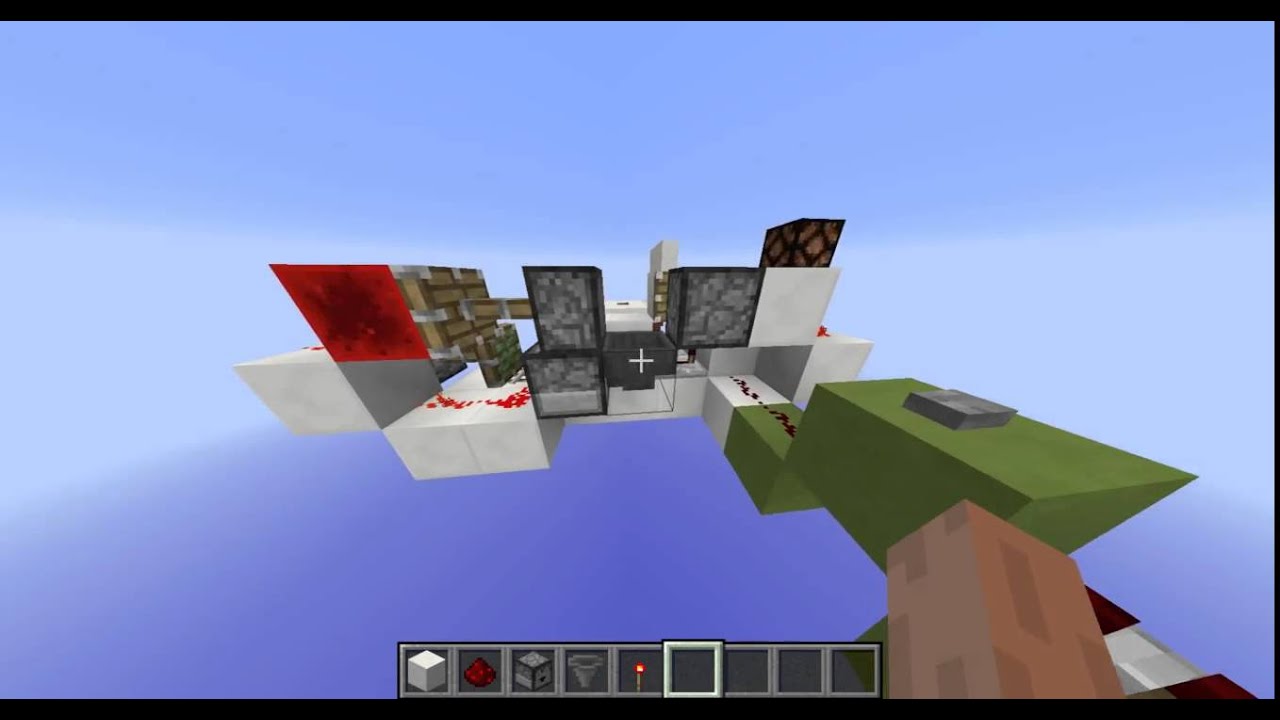
Secure Storage Rooms
Keep your chests and valuables safe. A player-only entry prevents mobs from wandering in or random items unlocking the door. Pair this with Redstone locks for even more security.
Credit: www.youtube.com
How To Make A Player Only Pressure Plate In Survival Mode
If you are in Survival mode, and cannot use commands, you need to be creative. Here’s a beginner-friendly way using tripwires and carpets.
Step-by-step Survival Build
- Dig a 1×2 area in front of the door you want to protect.
- Place tripwire hooks on both sides of the hole.
- Stretch a tripwire string between them.
- Put carpet on top of the tripwire string, matching the floor color.
- Run Redstone dust from one hook to the door.
- Test: Walk over the carpet—the door should open. Throw an item—it should do nothing.
Extra Security: Make the hallway 2 blocks high. Most mobs are either too big or too small to trigger the tripwire under the carpet.
Common Problems And Solutions
- Small mobs (like baby zombies) might trigger the tripwire. Use fences or slabs to block their path.
- Players in crouch mode can sometimes avoid triggering the tripwire. Make the entrance narrow so crouching is impossible.
- Carpet color mismatch gives away the secret. Always use the same color as your floor.
Pros And Cons Of Each Method
Let’s look at the strengths and weaknesses of each player-only pressure plate method.
| Method | Pros | Cons |
|---|---|---|
| Tripwire + Carpet | Easy to build, no commands, works in Survival | Some mobs may still trigger, not 100% foolproof |
| Observer System | Flexible, can be hidden, Survival-friendly | Needs clever design, not always mob-proof |
| Command Block | 100% reliable, detects only players, customizable | Needs Creative or cheats, not for pure Survival |
| Player Height Trick | No Redstone, simple build | Can be bypassed, mobs sometimes get through |
Custom Add-ons And Mods
Some Minecraft mods and plugins add a real player-only pressure plate. These are useful in custom servers or modded gameplay.
- Carpet Mod: Adds new Redstone features, sometimes including custom pressure plates.
- Vanilla Tweaks: Some packs add or change pressure plate behavior.
- Spigot/Bukkit Plugins: On multiplayer servers, plugins can add pressure plates that only react to real players.
Warning: Always download mods from trusted sources, and check for compatibility with your Minecraft version.
Real World Examples From The Minecraft Community
Players have found clever uses for player-only pressure plates. Here are a few:
- Hermitcraft: Some members use player-only triggers for base security and pranks.
- Speedrunners: Hidden triggers that start or stop timers only when the player passes a checkpoint.
- Puzzle Maps: Complex puzzles that only move forward when the player stands in the right spot.
Insight: Many map makers use command blocks to create perfect player detection, often combined with sound effects or messages.
Redstone Circuit Design Tips
Building a player-only trigger is about more than just the pressure plate. Here are advanced tips:
- Add a T-Flip-Flop: Convert a short pulse to a toggle, so the door stays open or closed until the player steps on the plate again.
- Use AND Gates: Require two or more players to stand in different spots to open a door—a classic co-op puzzle.
- Combine with Timers: Add a delay so that the mechanism only activates if the player stands on the spot for a set time.
- Hide Wires: Use slabs, carpets, or walls to hide your Redstone and keep your secret safe.
Pro Tip: Always test with mobs and items to make sure only players can trigger your system.
Common Mistakes To Avoid
Many beginners run into trouble when building a player-only pressure plate. Here are some mistakes and how to avoid them:
- Forgetting mob pathfinding: Mobs will often walk into your trigger if it is not blocked off.
- Visible wiring: Redstone dust that is easy to see gives away your secret.
- Wrong commands: In newer Minecraft versions, `/testfor` is replaced by `/execute`. Make sure your commands match your game version.
- Carpet color mismatch: Always match your carpet to the floor for best camouflage.
- Not enough testing: Always try with different mobs, items, and situations before using it in a real base.
Variations: Player Only Plate With Team Detection
In multiplayer, you might want only certain players to trigger a plate (for example, only your team).
Using Scoreboards And Teams
- Set up teams with the `/team` command.
- Use a command block to check for players from a specific team at a location.
/execute if entity @p[team=Red,x=100,y=65,z=200,distance=..1]
- This will only trigger if a player from the Red team is present.
Use Case: Cooperative puzzles, team bases, or PvP arenas.
How Player Only Pressure Plates Affect Gameplay
Adding player-only triggers changes how you play Minecraft.
- Improved security: Bases and vaults are much safer.
- Better adventure maps: No more mobs ruining the story or events.
- More creative puzzles: Make unique challenges that only respond to player actions.
- Fair minigames: Accurate scoring and progress tracking.
Insight: Player-only triggers are a sign of advanced Redstone and command block skill, and are respected in the Minecraft community.
Comparison: Command Block Vs Redstone Only Methods
Should you use commands or pure Redstone? Here’s a quick summary:
- Redstone only: Good for Survival, but not 100% reliable.
- Command blocks: Perfect accuracy, but needs Creative or cheats.
If you want the best of both worlds, try to design your base with a Redstone method, but use command blocks for maps or creative builds.
The Future: Will Mojang Add A True Player Only Pressure Plate?
Many players have asked Mojang (the company that makes Minecraft) to add a real player-only pressure plate. As of now, there is no official block like this in the game. The community’s creative builds fill the gap.
For the latest news or to request features, you can visit the official Minecraft Feedback page.

Credit: www.reddit.com
Frequently Asked Questions
What Is The Best Way To Make A Player-only Pressure Plate In Survival Mode?
The most reliable method in Survival is the tripwire hook and carpet trick. Place tripwire hooks and string in a 1×2 trench, cover with carpet, and connect to Redstone. While not 100% mob-proof, it is easy and does not require commands.
Can You Make A Player-only Pressure Plate In Bedrock Edition?
Yes, but command blocks are the most reliable way. Use `/execute` to detect players at a location. In pure Survival, the same tripwire or observer tricks work, but results may vary depending on game updates.
Do Weighted Pressure Plates React To Players Only?
No. Weighted pressure plates (light and heavy) respond to items and sometimes mobs. They count how many items are on them to send a Redstone signal, but they do not ignore mobs or items.
Are There Mods That Add A Real Player-only Pressure Plate?
Yes. Some mods and plugins add special pressure plates that only detect players. Examples include Carpet Mod and Vanilla Tweaks packs for Java Edition, or specific plugins for servers like Spigot or Bukkit.
Can Mobs Ever Trigger A Player-only Pressure Plate?
If you use command blocks, mobs cannot trigger the plate. With Redstone-only methods (like tripwire or observer systems), some small mobs might set it off. Always test your design, and add barriers or filters to block mobs when possible.
Final Thoughts
The Minecraft player-only pressure plate is a clever tool for players who want more control and security in their builds. Whether you use Redstone tricks, command blocks, or custom mods, these devices unlock new possibilities for secret bases, adventure maps, and smart traps. With careful design and testing, you can build systems that react only to real players, making your world safer and more fun.
Mastering these tools is a sign of true Redstone skill. Don’t be afraid to experiment—every Minecraft update brings new mechanics and features. And if you want to see a real player-only pressure plate added to the game, join the discussion and share your ideas with the community.