Minecraft is more than just a game—it’s a creative world where players experiment, build, and survive. But anyone who has played for a few hours knows the pain of losing everything after an unexpected death. Imagine falling into lava or being ambushed by mobs, only to watch your hard-earned diamonds and enchanted gear disappear. For many, this is not just frustrating, but also discouraging, especially for beginners or those who want to focus on building and exploration. That’s where the Minecraft Keep Inventory command comes in.
This powerful feature lets players keep all their items after death, making the game less punishing and more fun for creative gameplay. Whether you’re new to Minecraft or an experienced builder wanting to experiment, understanding this command can transform your experience.
Here, you’ll learn what the Keep Inventory command is, how to use it, how it works across different game modes, and the pros and cons of enabling it. We’ll also cover common mistakes, troubleshooting, and tips for multiplayer servers, as well as related commands and customization ideas.
By the end, you’ll have expert-level knowledge to control your Minecraft world—and never lose your gear to a random creeper again.
What Is The Keep Inventory Command?
The Keep Inventory command is a game rule in Minecraft that prevents players from dropping their items when they die. Normally, when you die, everything in your inventory scatters on the ground and can disappear if you don’t get back in time. With Keep Inventory enabled, your items stay safe, and you respawn with everything you had.
The command works by changing a game rule called keepInventory. This rule can be set to either true (items are kept) or false (default behavior: items drop on death). It’s popular among casual players, builders, and anyone who doesn’t want the risk of losing valuable resources.
Unlike cheats like “god mode” or creative mode, Keep Inventory doesn’t make you invincible. You still take damage and can die. The difference is, your tools, armor, and resources don’t vanish when you respawn.
Why Use The Keep Inventory Command?
There are several reasons players choose to use the Keep Inventory command:
- Reduce frustration: Losing rare items can be discouraging, especially for beginners.
- Creative gameplay: Builders and explorers can focus on creating and discovering without the risk of losing resources.
- Learning tool: New players can learn the game’s mechanics without harsh penalties.
- Server fairness: In multiplayer servers, it can help balance the game, especially for younger or less experienced players.
It’s not just about making the game easier. Sometimes, it’s about making the experience more enjoyable and less stressful—especially if you’re playing with friends, kids, or want to experiment with different strategies.
How To Enable Keep Inventory In Minecraft
Enabling the command is simple, but the steps can vary depending on your platform and game version. Here’s how you can turn on Keep Inventory in different scenarios.
Single Player (java Edition)
- Open your Minecraft world.
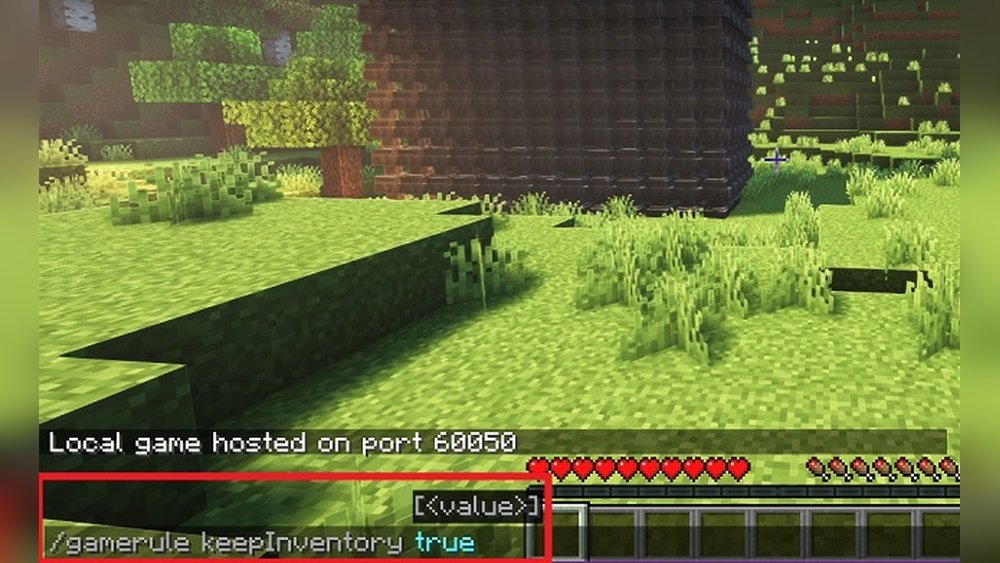
- Press the T key to open the chat window.
- Type:
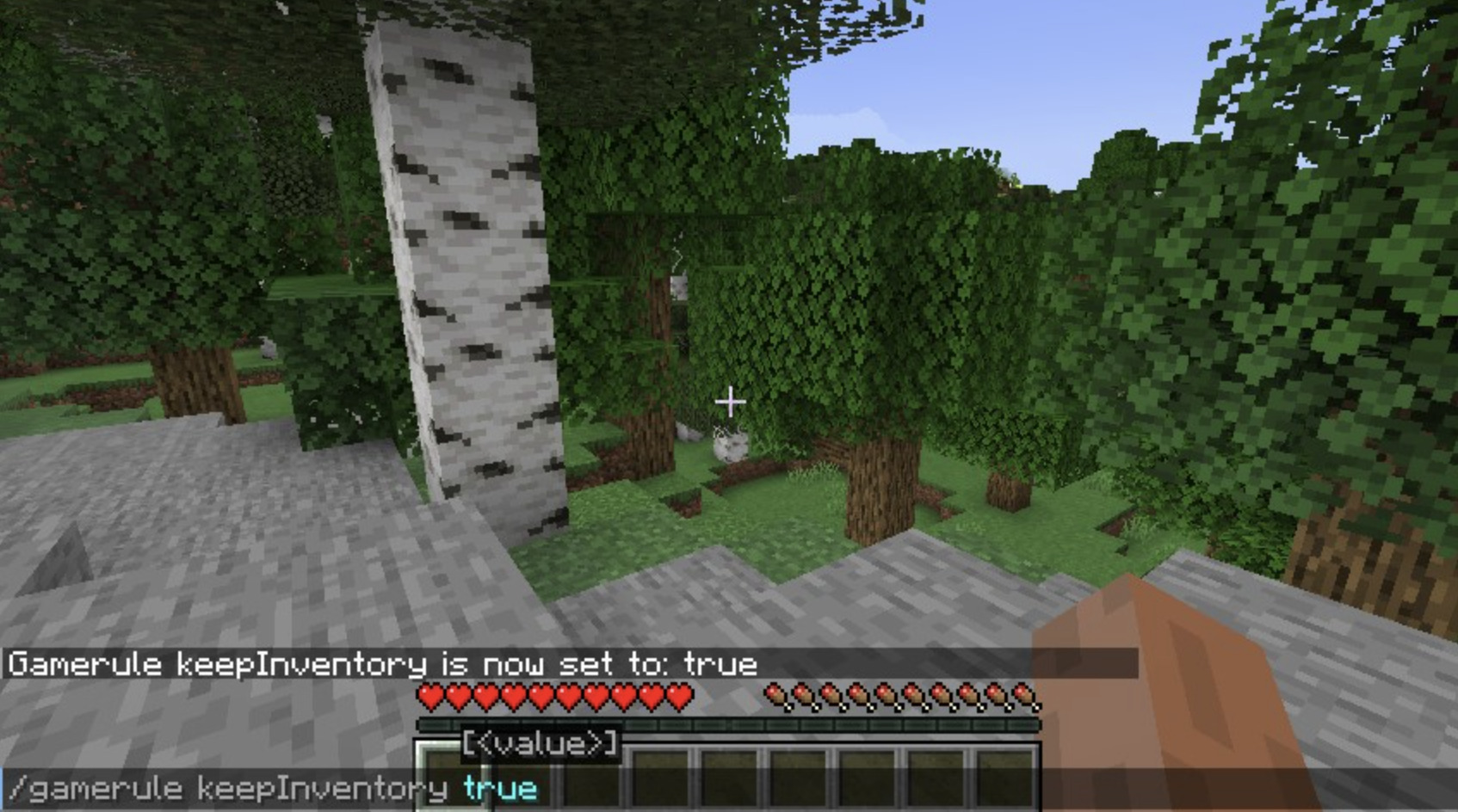
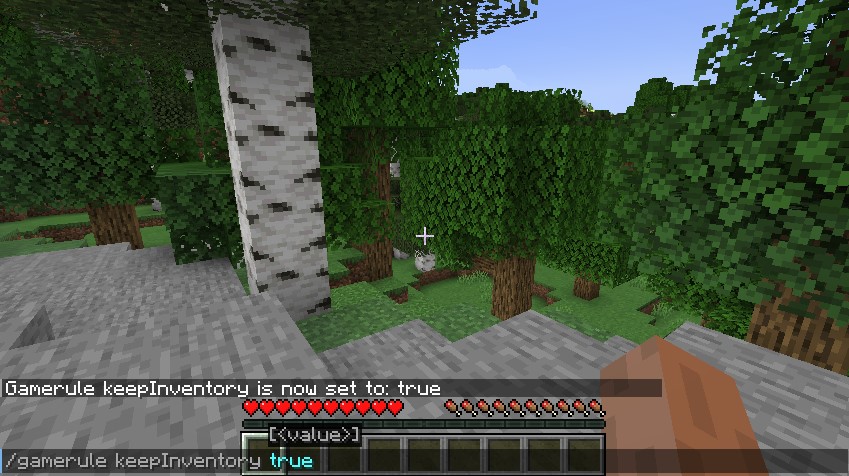
`/gamerule Keepinventory True`
- Press Enter.
After this, whenever you die in your world, you’ll respawn with your entire inventory and equipped items.
Tip: If you get a “You do not have permission” error, open your world to LAN, enable cheats, and try again.
Bedrock Edition (windows 10, Mobile, Console)
- Open your world.
- Go to Settings.
- Scroll to Game settings.
- Turn on Activate Cheats.
- Enter the chat by pressing T or right on the D-pad.
- Type:
`/gamerule Keepinventory True`
- Press Enter.
Note: In Bedrock, the command is not case-sensitive, and you must enable cheats first.
Multiplayer Server (java Edition)
If you run a server, you’ll need to have operator (op) privileges.
- Open the server console or log in with an OP account.
- Type:
`/gamerule Keepinventory True`
- Press Enter.
This will set Keep Inventory for all players on the server.
Realms
Minecraft Realms are a bit different. You need to enable cheats via the world settings, then use the command as normal. Remember, all players in the Realm will be affected.
Enabling And Disabling
You can turn Keep Inventory off at any time by typing:
`/gamerule Keepinventory False`
This returns the game to the default, where items drop on death.
How Does The Keep Inventory Command Work?
The command works using Minecraft’s gamerule system. Gamerules are special settings that control different aspects of the game—like mob spawning, fire spread, or daylight cycles. When you set keepInventory to true, Minecraft’s code checks this rule each time a player dies. If it’s enabled, the game skips the step where items are dropped.
Technically, it’s a boolean value (true or false) stored for each world. The rule stays active until you change it, even if you exit the game or restart your computer.
Non-obvious insight: Keep Inventory only affects items in the player’s inventory and armor slots. Items in player’s ender chests or shulker boxes are unaffected, since these are not “on” the player but stored elsewhere.
Keep Inventory Across Game Modes
Minecraft has several game modes—each with its own rules and style. Let’s see how Keep Inventory behaves in different modes.
Survival Mode
In Survival mode, Keep Inventory is most commonly used. Normally, dying drops all your items, but with the command enabled, everything stays with you. This can make adventure maps, building, or exploration much less stressful.
Creative Mode
In Creative mode, Keep Inventory is not needed—players can already access unlimited items. But, if you switch between modes (for example, from Creative to Survival), enabling Keep Inventory ensures you don’t lose items during testing or gameplay changes.
Hardcore Mode
Hardcore is a special version of Survival where death means the end of your world. Enabling Keep Inventory here is unusual and not possible without mods or external tools, since the focus is on challenge and finality.
Adventure Mode
Adventure mode is used for custom maps. Keep Inventory can be useful for map makers who want to control player experience and prevent item loss.
Spectator Mode
In Spectator mode, players can’t die or use items, so Keep Inventory has no effect.
Keep Inventory And Multiplayer Servers
On public or private servers, Keep Inventory can change the game’s balance and player experience. Here’s what you need to know:
Server-wide Setting
When an admin enables Keep Inventory, it applies to all players in the world. This means everyone will keep items after death.
Per-world Settings
If your server has multiple worlds (for example, survival, creative, minigames), you’ll need to set Keep Inventory for each world separately. The gamerule command only affects the world where it is run.
Group Or Region Control
Some advanced servers use plugins like WorldGuard or EssentialsX to control Keep Inventory in specific areas or for certain groups. For example, you might enable Keep Inventory in a spawn area but disable it in the wild.
Pvp And Fairness
Keep Inventory can change how PvP (player versus player) works. If enabled, players won’t lose their loot when killed, which can affect competition and challenge.
Non-obvious insight: Some servers use events or minigames where Keep Inventory is toggled on or off for specific challenges. This adds variety without changing the server’s main rules.
Credit: shockbyte.com
Common Problems And Troubleshooting
Even though enabling Keep Inventory is simple, players often run into issues. Here’s how to solve them.
Problem: Command Not Working
- Cheats not enabled: Make sure cheats are on in your world or server.
- Misspelled command: The gamerule name is keepInventory (Java) or keepinventory (Bedrock). Check capitalization.
- Wrong world: If you have multiple worlds, set the gamerule in each one.
Problem: Items Still Dropping After Death
- Try running `/gamerule keepInventory true` again.
- Restart your world or server.
- Make sure you’re not using a plugin or mod that overrides the gamerule.
Problem: Only Operators Can Use The Command
Only players with OP privileges (servers) or cheat permissions (single player) can set gamerules.
Problem: Keeps Turning Off
Some servers reset gamerules on restart. Check your server’s config files or ask the admin.
Problem: Effects Not Applying To All Players
Remember, the gamerule only affects the world in which it’s set. If your server has multiple worlds, set it in each one.
Risks And Downsides Of Keep Inventory
While Keep Inventory can make the game more fun for many, it’s not always the right choice. Here are a few things to consider.
Removes Challenge
Survival Minecraft is designed around risk and reward. Keeping inventory reduces the risk—making the game less challenging. This might make survival less exciting for some players.
Pvp Balance
In competitive servers, Keep Inventory can make PvP feel less rewarding. If you can’t win your opponent’s gear, victories may feel less satisfying.
Game Economy
On servers with in-game currency or trading, keeping inventory can affect the economy. Resource scarcity is important for fair trading.
Achievement Restrictions
On some platforms, enabling cheats (required for Keep Inventory) disables earning achievements or trophies.
False Sense Of Security
Players might get used to never losing items, making them less cautious. If you join a world where Keep Inventory is off, you could lose everything unexpectedly.
How To Check If Keep Inventory Is On
To check the current status, use this command:
`/gamerule Keepinventory`
Minecraft will respond with “true” or “false”. This works in both Java and Bedrock editions.
Customizing The Keep Inventory Experience
While the standard command is simple, there are ways to tweak how item loss works in your world. Here are a few advanced ideas:
Plugins And Mods
- EssentialsX (Java): Offers more detailed inventory rules, including per-group and per-world settings.
- InventoryKeep (Bedrock): Add-ons that allow fine-tuning of item retention.
- Custom plugins: Some servers let you keep only specific items (like tools, but not blocks) or only under certain conditions.
Redstone And Command Blocks
Map makers use command blocks to enable or disable Keep Inventory in specific areas or after certain events. For example, a dungeon where you keep inventory only if you complete the challenge.
Events And Minigames
Temporarily enable Keep Inventory for parkour maps, mazes, or other games, then turn it off for normal survival.
Credit: scalacube.com
Related Commands And Gamerules
Keep Inventory is just one of many useful gamerules. Here are a few others that change death and item loss:
| Gamerule | Effect | Typical Use |
|---|---|---|
| doImmediateRespawn | Players respawn instantly without death screen | Minigames, fast-paced servers |
| doMobLoot | Mobs drop loot when killed | Adventure maps, farming |
| doTileDrops | Blocks drop as items when broken | Creative mode, building servers |
Experimenting with these rules can help you create a custom Minecraft experience tailored to your group.
Comparing Keep Inventory: Java Vs Bedrock
The Keep Inventory command works in both main editions of Minecraft, but there are small differences.
| Feature | Java Edition | Bedrock Edition |
|---|---|---|
| Command Syntax | /gamerule keepInventory true | /gamerule keepinventory true |
| Cheats Needed | Yes (can open to LAN to enable) | Yes (must enable in settings) |
| World-specific | Yes | Yes |
| Per-player control | No | No |
| Achievement Impact | Disables achievements | Disables achievements |
Note: Bedrock is more flexible on platforms (PC, mobile, console), but both editions require cheats to be enabled.
Advanced Uses And Custom Scenarios
The Keep Inventory command isn’t just for personal play. Many players and server owners use it for special purposes.
Adventure Maps
Creators use Keep Inventory to keep maps fair and fun. For example, in a puzzle map, dying shouldn’t erase all your progress.
Hardcore Training
Some players use Keep Inventory as a stepping stone to learning Hardcore mode—practicing survival without worrying about losing items.
Roleplay And Story Servers
On servers where players act out stories, Keep Inventory helps avoid accidental losses that could break the narrative.
Education And Kids’ Servers
For classrooms or young children, Keep Inventory removes frustration and encourages learning and creativity.
Real-world Examples
Here are a few scenarios where Keep Inventory makes a big difference:
- Beginner’s Survival World: A new player falls into a ravine and dies. With Keep Inventory enabled, they respawn with their pickaxe and resources, so they can continue building.
- Building Mega Structures: A builder working on a massive project over lava doesn’t have to worry about losing materials if they slip.
- Family Servers: Parents and kids play together without fights over lost items, making the experience more enjoyable for everyone.
- Speedrunning Practice: Players practicing speedruns can reset quickly without worrying about inventory loss.
- Minigames: Parkour and challenge maps use Keep Inventory to keep the action going, even after a failed jump.
Data And Trends: Keep Inventory In The Minecraft Community
Surveys and community data show that the Keep Inventory command is increasingly popular, especially among casual players. According to a poll on the Minecraft subreddit (2023), about 40% of players use Keep Inventory in at least one of their worlds. On servers aimed at children or families, this number rises above 60%.
Server hosting companies report that the command is one of the most frequently requested features by new server owners. It’s also one of the top topics on help forums and YouTube tutorials.
Comparing Keep Inventory To Other Death-related Commands
How does Keep Inventory compare to other ways of managing death in Minecraft? Here’s a quick look.
| Feature | Keep Inventory | Gravestone Mods | KeepXP |
|---|---|---|---|
| Keep Items on Death | Yes | Items stored in a grave | No |
| Keep Experience | No (by default) | Usually yes | Yes |
| Requires Mods | No | Yes | No (gamerule in Java) |
| Risk of Loss | No | If grave lost | N/A |
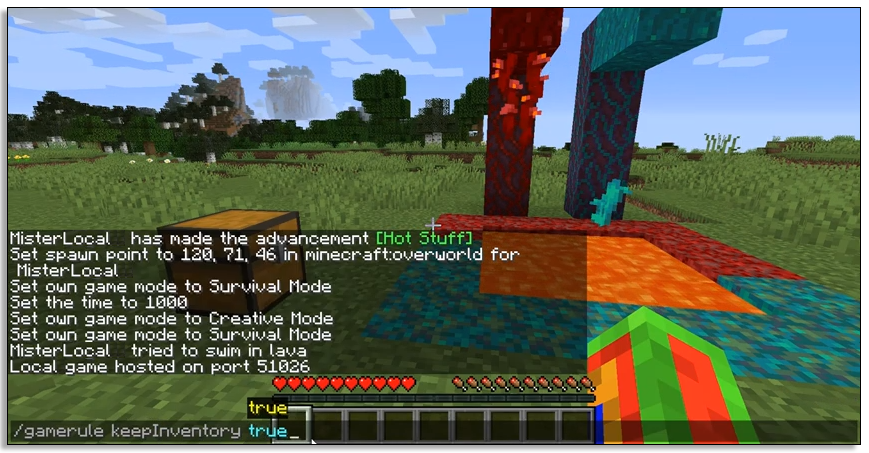
Pro tip: If you want to keep both items and XP, use `/gamerule keepInventory true` and `/gamerule keepExperience true` (the latter is available in some mods and newer Minecraft snapshots).
Credit: www.alphr.com
Common Mistakes When Using Keep Inventory
Even experienced players can make mistakes with this command. Here are some pitfalls to avoid:
- Forgetting to enable cheats: Without cheats, the command won’t work.
- Misspelling the gamerule: Typing “keepinventory” (all lowercase) in Java won’t work; it’s case-sensitive.
- Assuming it’s global: You must set the rule in each world or dimension.
- Not communicating on servers: Changing gamerules affects all players; discuss with your group first.
- Over-reliance: Don’t let Keep Inventory become a crutch—try disabling it for a more classic challenge sometimes.
Tips For Making The Most Of Keep Inventory
- Combine with other gamerules for a custom experience, like doImmediateRespawn.
- Use for testing: Enable it while experimenting with new builds or mods, then turn it off for “real” survival.
- Teach new players: Use it as a learning tool, then wean off as players get more confident.
- Try challenge runs: Alternate between Keep Inventory on and off for different types of gameplay.
Other Ways To Protect Your Inventory
If you want some item safety but not full Keep Inventory, try these ideas:
- Ender Chest: Store valuables in an ender chest. These are safe across deaths and even across worlds.
- Shulker Boxes: Carry a shulker box with extra gear. If you die, you only lose what’s not stored.
- Backpack Mods: Some mods add backpacks or item recovery features.
- Gravestone Mods: When you die, your items are stored in a grave, which you must find to recover.
Is Keep Inventory Cheating?
This is a common question in the Minecraft community. The answer depends on your goals.
- Single player: You decide your own rules. If it makes the game more fun, it’s not cheating.
- Multiplayer: Always check with server admins or other players.
- Achievements: On most platforms, enabling cheats (including Keep Inventory) disables achievements.
Minecraft is about creativity and personal enjoyment. There’s no wrong way to play—just be clear about your rules with others.
Where To Learn More
If you want to dig deeper, the official Minecraft Wiki explains all gamerules in detail. You can visit the Minecraft Wiki for up-to-date information on commands and features.
Frequently Asked Questions
What Exactly Does The Keep Inventory Command Do?
The Keep Inventory command makes it so that when you die, you keep all items in your inventory and equipped armor. You respawn with everything you had before death, instead of dropping it on the ground.
Does Keep Inventory Keep My Experience Points Too?
No. By default, Keep Inventory only protects your items and armor, not your experience levels. Your XP will still be lost unless you use a separate mod or command that specifically keeps experience.
Can You Enable Keep Inventory For Just One Player?
Not in standard Minecraft. The gamerule applies to the whole world or server, not to individual players. Some mods or plugins can add per-player control, but this is not built into the base game.
Will Enabling Keep Inventory Disable Achievements Or Trophies?
Yes. On most platforms, enabling cheats (needed for Keep Inventory) will disable achievements and trophies for that world. If you want achievements, keep cheats off.
Is It Possible To Keep Only Some Items Using Keep Inventory?
No, the default command is all-or-nothing. However, with plugins or command blocks, server owners and map creators can set up more complex rules to keep only certain items or apply conditions.
Minecraft is a game of endless possibilities. The Keep Inventory command is just one tool to shape your adventure and make the game fit your style. Whether you use it for fun, learning, or creativity, now you have the knowledge to control your fate—and your precious diamonds—like a pro.





