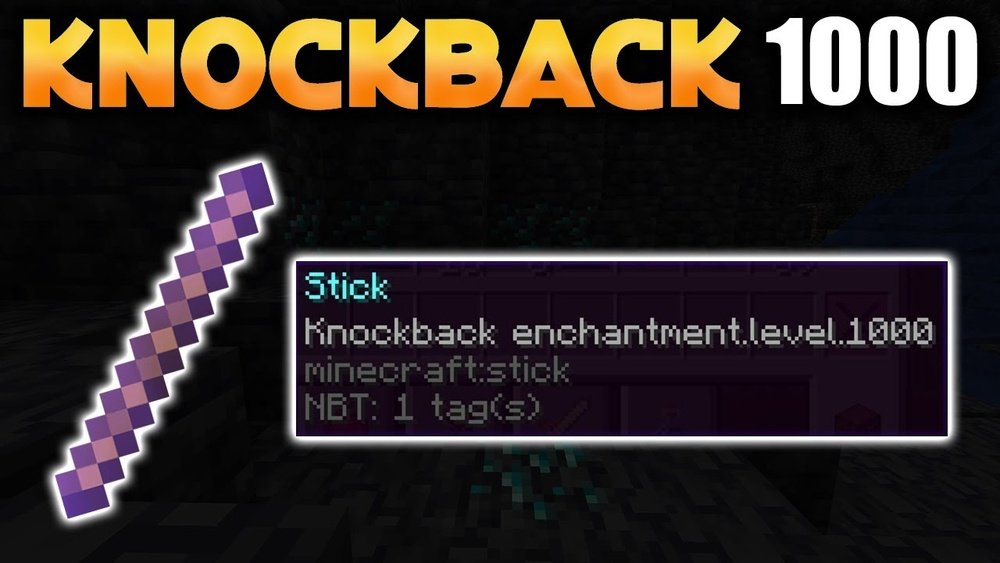
Knockback Stick Command
Minecraft is a game filled with creativity and adventure. Players can build, explore, and fight in many unique ways. One simple item, the stick, can become a powerful tool with the right command. By giving a stick special abilities, such as high knockback, you can create exciting challenges or even fun mini-games. The knockback stick command is a special cheat or code that gives a stick more power to push enemies or players away. Many players, especially those running servers or making custom maps, love using this command to add new twists to the game.
But how does the knockback stick command work? What are its uses, risks, and best practices? If you want to learn how to create and control a knockback stick in Minecraft, this guide will walk you through everything you need.
You’ll learn the core command, how to adjust it, what changes between Java and Bedrock Editions, and how to avoid common mistakes. Whether you are a server admin, map maker, or just a curious player, mastering the knockback stick command can unlock a new level of fun and creativity.
What Is The Knockback Stick Command?
The knockback stick command is a Minecraft command that gives a stick the Knockback enchantment. This enchantment makes enemies and players hit by the stick fly backward, sometimes very far if the level is high. Normally, Knockback is for swords, but using commands, you can place it on any item, including a stick.
The most common use is in custom PvP games or “Sumo” matches, where players try to push each other off a platform using knockback sticks. It’s also popular in adventure maps and minigames. Because you control the enchantment level, you can make the knockback gentle or extremely strong.
This command requires “cheats” to be enabled in your world or server. You need operator (admin) permissions to use it. The command is different between Java Edition and Bedrock Edition, so knowing which version you use is important.
How To Use The Knockback Stick Command
Let’s look at the basic command for each major edition of Minecraft and how to use it.
Java Edition
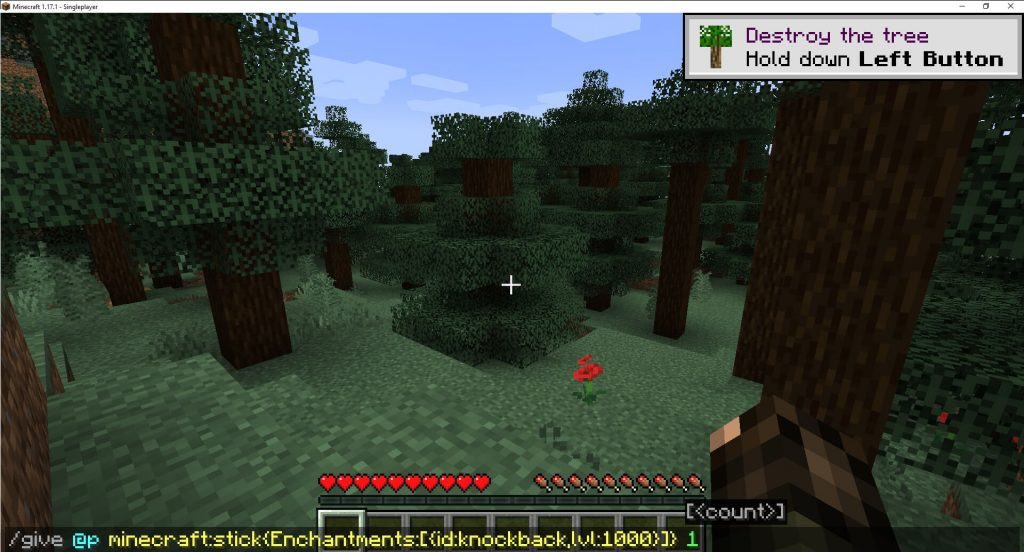
The command in Java Edition uses `/give`. Here is the simplest version:
/give @p minecraft:stick{Enchantments:[{id:"minecraft:knockback",lvl:10}]}
Let’s break this down:
- `/give @p` means the command gives the item to the nearest player.
- `minecraft: Stick` is the item.
- `{Enchantments: [{id:”minecraft:knockback”,lvl:10}]}` gives the stick Knockback at level 10. You can change “10” to another number for more or less knockback.
Example
If you want a stick with knockback level 2:
/give @p minecraft:stick{Enchantments:[{id:"minecraft:knockback",lvl:2}]}
Adding Custom Names And Lore
You can also add a name or description to make the stick special:
/give @p minecraft:stick{Enchantments:[{id:"minecraft:knockback",lvl:10}],display:{Name:'{"text":"Super Sumo Stick"}',Lore:['{"text":"Push your friends far away!"}']}}
Bedrock Edition
Bedrock Edition uses a different command:
/give @p stick 1 0 {"minecraft:enchantments":[{"id":12,"lvl":10}]}
- `@p` gives the stick to the nearest player.
- `1 0` means 1 stick with 0 damage.
- `id: 12` is the knockback enchantment in Bedrock.
- `lvl: 10` is the knockback level.
Important Bedrock Note
In Bedrock, you cannot give custom item names and lore using this command. Also, higher knockback levels may not work as expected because of game limitations.
Table: Basic Knockback Stick Commands Comparison
| Edition | Basic Command | Custom Name/Lore Possible? |
|---|---|---|
| Java Edition | /give @p minecraft:stick{Enchantments:[{id:”minecraft:knockback”,lvl:10}]} | Yes |
| Bedrock Edition | /give @p stick 1 0 {“minecraft:enchantments”:[{“id”:12,”lvl”:10}]} | No |
Understanding The Knockback Enchantment
The knockback enchantment is usually found on swords. When you hit something, it pushes the target away. The higher the level, the farther they fly. On a stick, this effect can be funny and powerful, especially at high levels.
Knockback Levels
- Level 1: Basic push.
- Level 2: Stronger push.
- Level 10 or higher: Players and mobs can fly many blocks away.
There is no upper limit, but after level 5 or so, the knockback becomes hard to control.
Example: How Far Does Knockback Go?
A Knockback II (2) stick sends a player about 6 blocks back. Knockback X (10) can send someone over 20 blocks, sometimes more, depending on other factors like sprinting or critical hits.
Creative Uses For Knockback Sticks
The knockback stick is not just for fun. It has many creative uses in Minecraft worlds.
1. Sumo Arenas
Players battle on small platforms and try to knock each other off using the stick. The last one standing wins. This is popular on many Minecraft servers.
2. Mini-games
You can create games where the goal is to keep players on a moving platform or avoid being knocked into lava or water.
3. Adventure Maps
Map makers use knockback sticks to create challenges where players must move mobs or solve puzzles by pushing objects.
4. Training
Some PvP servers use knockback sticks to help players practice positioning and dodging.
5. Roleplay And Pranks
Players sometimes use these sticks for jokes or as a “ban hammer” in roleplay events.
Step-by-step: How To Get A Knockback Stick
Follow these steps to get a knockback stick in your Minecraft world.
Step 1: Enable Cheats
You must turn on cheats for commands to work.
- Single-player: Open your world settings. Turn on “Allow Cheats.”
- Server: Make sure you have OP (operator) rights.
Step 2: Open The Chat Window
- Java: Press “T” or “/” to open the chat.
- Bedrock: Press the chat button, often on the right side.
Step 3: Enter The Command
Type or paste the command from the earlier section. Press Enter.
Step 4: Find The Stick In Your Inventory
The stick appears in your inventory. If you made a mistake, check your command for typos.
Step 5: Test The Stick
Hit a mob or player (with their permission on servers). See how far they fly!
Customizing Your Knockback Stick
Advanced players often want to make their stick special. Here’s how.
Change Knockback Level
Simply change the “lvl” number in the command. Higher numbers mean stronger push.
Add More Enchantments
You can give your stick other powers, like Fire Aspect or Unbreaking:
/give @p minecraft:stick{Enchantments:[{id:"minecraft:knockback",lvl:10},{id:"minecraft:fire_aspect",lvl:1},{id:"minecraft:unbreaking",lvl:3}]}
Give A Custom Name
Add a special name for fun or clarity:
/give @p minecraft:stick{Enchantments:[{id:"minecraft:knockback",lvl:10}],display:{Name:'{"text":"Ultimate Push Stick"}'}}
Add Lore (description)
Lore adds a description under the item’s name:
/give @p minecraft:stick{Enchantments:[{id:"minecraft:knockback",lvl:10}],display:{Name:'{"text":"Ultimate Push Stick"}',Lore:['{"text":"Knocks back anyone in your way."}']}}
Make It Unbreakable
Prevent your stick from breaking:
/give @p minecraft:stick{Enchantments:[{id:"minecraft:knockback",lvl:10}],Unbreakable:1}
Using Knockback Sticks In Multiplayer
If you run a server or play with friends, knockback sticks can make games more exciting. Here’s what you need to know.
Fair Play
High-level knockback sticks can feel unfair. If everyone has one, it’s usually fine, but giving just one player a super stick can make the game less fun.
Permissions
Only operators or players with special permissions should use these commands. Giving everyone access can lead to chaos.
Pvp Events
Knockback sticks are great for PvP minigames. Consider making special arenas with safe barriers so players don’t fly into lava or off the map.
Server Rules
Some servers ban knockback sticks because they can be abused. Always check the rules before using them.
Knockback Stick Command: Advanced Options
If you want more control, Minecraft commands offer many ways to customize.
Limiting Who Can Use The Stick
You can make sticks that only work in certain areas or for certain players using command blocks. For example, only allow the stick in your arena.
Using Command Blocks
Command blocks let you automate giving out sticks, or create effects when someone uses the stick (like playing a sound).
Data Tags
You can add tags so your stick is unique, or so it can’t be used for crafting.
Knockback With Effects
Combine knockback with other effects, like setting the player on fire or giving them speed.
Risks And Problems With Knockback Stick Commands
While knockback sticks are fun, there are some risks and problems to keep in mind.
Server Lag
Very high knockback levels can cause lag, especially if many players use them at once. This is because the game has to calculate fast movement.
Game Balance
Giving players too much knockback power can ruin competitive games. If you want fair play, limit the level or use them only in special events.
Compatibility Issues
Commands can change between Minecraft updates. If you use a command from an old version, it might not work in the latest update.
Crashing And Bugs
Extremely high knockback levels (like 1000 or higher) can sometimes cause glitches, like throwing players through blocks or even crashing the game.
Table: Common Knockback Stick Problems And Fixes
| Problem | Possible Cause | How to Fix |
|---|---|---|
| Stick doesn’t appear | Typo in command | Check spelling and syntax |
| Knockback doesn’t work | Wrong enchantment ID or too high level | Use correct command for your edition, try a lower level |
| Game lags or crashes | Too many entities, high knockback level | Lower the knockback, reduce usage |
| Players complain about unfairness | Unbalanced gameplay | Limit use to special events |
Knockback Stick Command In Map Making
Custom maps in Minecraft often use knockback sticks for unique challenges.
Adventure Maps
Map creators use these sticks to force players to think differently. For example, you might have to push zombies into holes instead of fighting them.
Parkour Maps
Some parkour maps add knockback sticks as a twist—players need to hit each other to reach tricky spots.
Puzzle Maps
Sticks with knockback can help solve puzzles, like moving blocks or mobs onto pressure plates.
Example: Creative Map Use
A popular adventure map features a boss that cannot be damaged normally. Players must use a knockback stick to push it into a trap. This requires skill and timing, not just combat strength.
Differences Between Java And Bedrock Editions
The command system works differently in each version.
Java Edition
- More flexible commands
- Can add custom names, lore, and tags
- Supports very high knockback levels
Bedrock Edition
- Fewer customization options
- No custom names or lore in give command
- High levels may not work as expected
Table: Java Vs. Bedrock Knockback Stick Features
| Feature | Java Edition | Bedrock Edition |
|---|---|---|
| Custom Names | Yes | No |
| Custom Lore | Yes | No |
| High Knockback Levels | Yes (very high) | Limited |
| Command Blocks | Fully supported | Supported, but less powerful |
Non-obvious Insights For Knockback Sticks
Most beginners know how to give themselves a knockback stick, but they often miss these important points:
- Knockback interacts with sprinting. If you sprint while hitting with the stick, the knockback is even stronger. This means that in PvP, skilled players can send others even farther by timing their hits.
- Knockback works differently on mobs and players. Some mobs (like slimes) are heavier and don’t fly as far. Armor with enchantments like Feather Falling can also reduce the effect. Test your stick on different targets if you want predictable results.
- Knockback sticks can break blocks if used with certain commands. If you add the “CanDestroy” tag, you can make a stick that breaks certain blocks instantly. This is more for map makers, but it can be used for creative puzzles.
- Knockback can be combined with commands for teleportation. For example, you can set up command blocks so that when a player is hit with a stick, they’re teleported somewhere else. This is often used in advanced minigames.
- Knockback sticks are affected by the player’s reach and attack cooldown. In newer Minecraft versions, waiting for your attack cooldown to fill gives a stronger knockback. Rapid clicking gives less knockback per hit.
Common Mistakes And How To Avoid Them
Giving Too Much Power
It’s tempting to use very high knockback levels (like 100), but these often break the game or cause bugs. Keep levels between 1–10 for most uses.
Forgetting Permissions
If you don’t have operator rights, the command won’t work. Always check your status if the command fails.
Using The Wrong Command For Your Edition
Java and Bedrock have different commands. Double-check your version before copying commands from the internet.
Not Testing In A Safe Area
High knockback can throw players into lava, off cliffs, or into danger. Test your stick in a safe space before using it in your main world.
Not Updating Commands After Game Updates
Minecraft updates can change how commands work. Always look for the latest syntax after an update. Official sites like the Minecraft Wiki keep up-to-date information.
Real-world Examples
Many Minecraft servers and popular YouTubers use knockback sticks for special events.
- Hypixel, a well-known Minecraft server, uses knockback sticks in its “Sumo Duel” minigame.
- On custom adventure maps, creators use knockback sticks to make puzzles or boss battles more interesting.
- YouTube creators often showcase funny moments with high-level knockback sticks, showing players flying hundreds of blocks.

Credit: www.reddit.com
When Not To Use Knockback Sticks
Knockback sticks are fun, but they’re not always the right choice.
- Survival worlds: They can ruin the balance of normal survival play.
- Competitive PvP: Unless everyone agrees, using knockback sticks can be unfair.
- Building projects: Accidentally hitting players or mobs near complex builds can cause accidents.
How To Remove A Knockback Stick
If you want to get rid of your stick:
- Drop it into lava or a cactus.
- Use the `/clear` command: `/clear @p minecraft:stick`
- Place it in a chest and forget about it.
For multiplayer, you can ban the item using plugins or command blocks if needed.
Credit: residententertainment.com.au
External Resource
For more information on Minecraft commands, enchantments, and item customization, see the Minecraft Wiki’s Commands: /give page.
Frequently Asked Questions
What Is The Knockback Stick Command In Minecraft?
The knockback stick command is a special code that gives a stick the Knockback enchantment, usually at much higher levels than normal. This allows players to hit others or mobs and send them flying far away.
Can I Use The Knockback Stick Command In Both Java And Bedrock Editions?
Yes, but the command is different for each edition. Java Edition allows more customization, while Bedrock Edition is more limited. Always use the right command for your version.
Is There A Limit To How High I Can Set The Knockback Level?
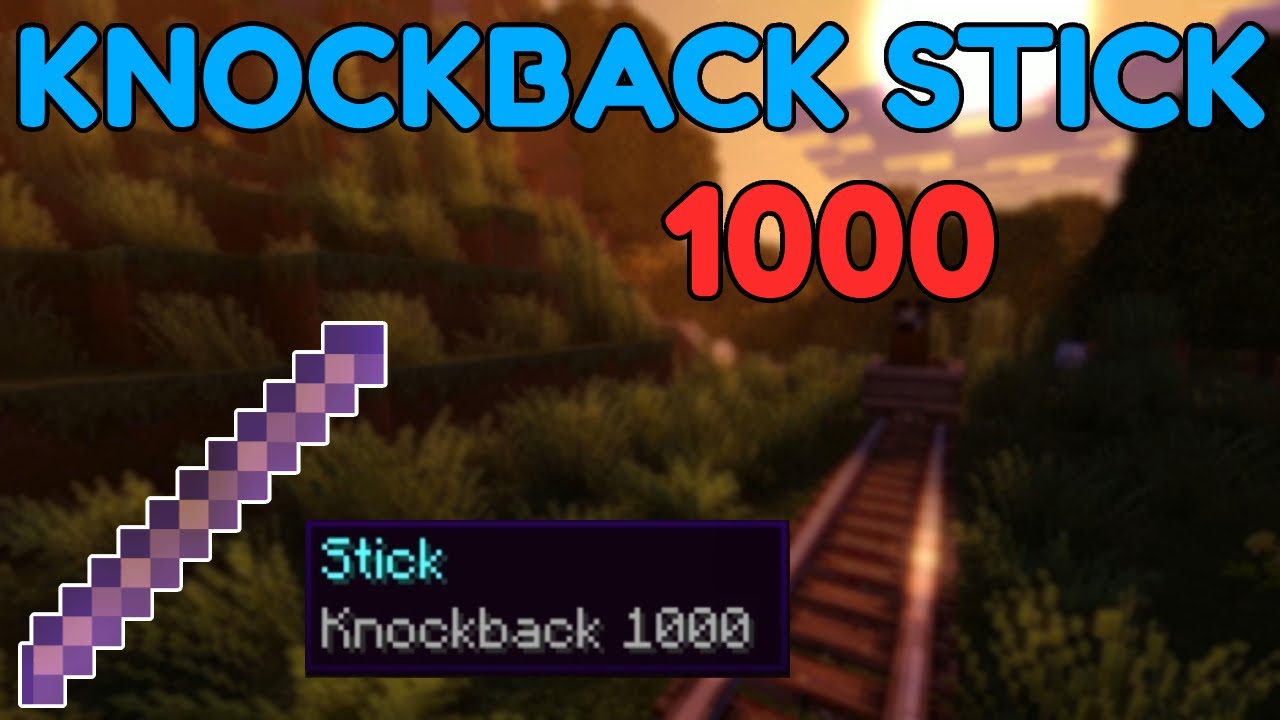
Technically, you can set very high levels (like 1000), but Minecraft may not handle these well. Levels above 10 can cause bugs or lag, so it’s better to stay between 1 and 10 for most uses.
Why Does My Knockback Stick Not Work As Expected?
Common reasons include using the wrong command for your edition, typos in the command, or game updates that changed command syntax. Also, some mobs or players with certain armor may not fly as far.
Are Knockback Sticks Allowed On Servers?
It depends on the server. Some allow knockback sticks for minigames; others ban them to keep the game balanced. Always check the server’s rules before using or creating a knockback stick.
Creating and using a knockback stick in Minecraft can bring a lot of fun and new experiences, especially in custom games and creative builds. With the right command, you can control how strong your stick is, add custom names, and even combine effects.
Just remember to use them responsibly, keep game balance in mind, and always double-check your command for your Minecraft edition. Happy crafting!
Credit: www.youtube.com





