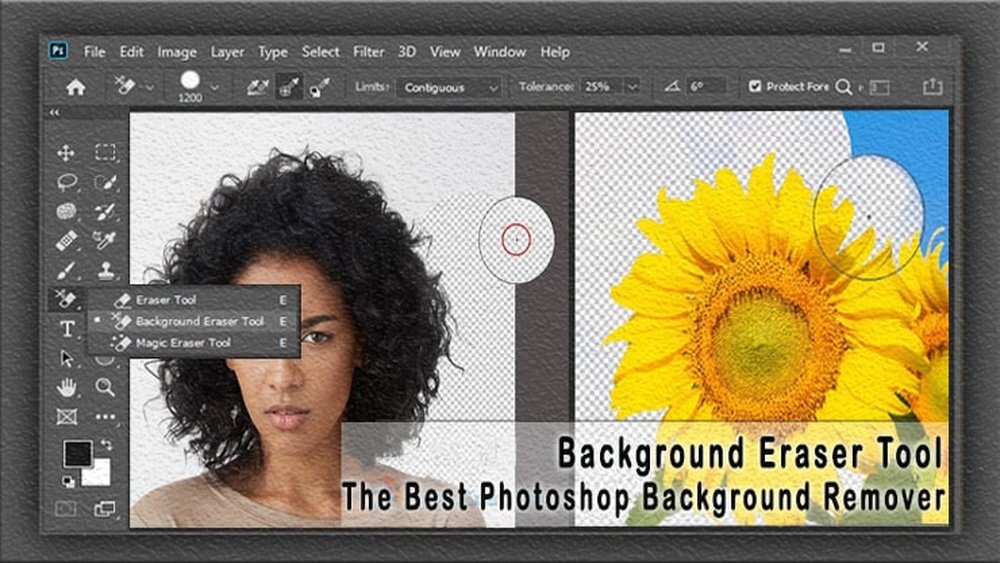
Are you tired of struggling to make your photos look professional? Removing the background from an image can be tricky and time-consuming—especially if you don’t have the right tools.
But what if you could erase backgrounds in seconds, with just a few clicks? Image background remover tools are designed to do exactly that. They help you focus on your subject and create clean, eye-catching visuals without any hassle. Whether you’re working on a project, selling products online, or just want better-looking photos, these tools can save you time and effort.
Keep reading to discover the best options that make background removal easy and fast for you.

Credit: www.canva.com
Top Image Background Removers
Image background remover tools help you create clean and professional pictures. They erase unwanted backgrounds quickly and easily. These tools save time and effort for designers, marketers, and social media users.
Many options exist, each with unique features. Some work online, while others offer apps for desktops and mobiles. Here are some of the top image background removers available today.
Remove.bg
Remove.bg uses AI to remove backgrounds in seconds. It works well with people, objects, and animals. No signup is needed for quick tasks. It supports desktop and mobile devices.
Canva Background Remover
Canva offers a simple drag-and-drop background remover. It automatically detects the subject and removes the background. Canva also lets you edit images and add new backgrounds easily.
Adobe Express Background Remover
Adobe Express provides a free online background eraser. It removes backgrounds cleanly and fast. You can download images with transparent backgrounds or add new ones.
Pixelcut
Pixelcut uses AI to erase backgrounds instantly. It works without signup and is free for basic use. Pixelcut is useful for creating product photos or social media content.
Photoroom
Photoroom removes backgrounds quickly using AI technology. It offers a free tool with no registration required. You can change backgrounds and save images easily.
Pixlr Background Remover
Pixlr’s free tool detects backgrounds and removes them automatically. It supports many image formats and works online. Pixlr also includes editing options to enhance your photos.
Clipping Magic
Clipping Magic helps you cut out subjects from photos smoothly. It provides precise control for tricky edges. The tool speeds up background removal for professional results.
Ai-powered Editing Tools
AI-powered editing tools have transformed image background removal. These tools use smart algorithms to identify and separate the main subject from the background. This process happens quickly and requires little effort from users.
These tools simplify editing for professionals and beginners alike. They produce clean, precise cutouts, saving time and improving image quality. Users can create transparent backgrounds or swap backgrounds in just a few clicks.
How Ai Detects Backgrounds
AI analyzes image pixels and recognizes edges around the subject. It distinguishes between foreground and background elements. This helps create smooth, accurate separations without manual tracing.
Benefits Of Using Ai-powered Tools
AI tools speed up the editing process significantly. They reduce errors common in manual editing. These tools also work well with complex images like hair or fur.
Popular Ai Background Remover Tools
Tools like Remove.bg, Canva, and Pixlr use AI for background removal. They offer free versions and easy-to-use interfaces. Users upload images and get instant results without extra software.
Applications In Different Fields
AI background removers help e-commerce, marketing, and social media. They make product photos cleaner and more appealing. Creators can focus on content rather than technical editing.
Free Vs Paid Options
Choosing between free and paid image background remover tools depends on your needs and budget. Both options offer unique benefits and limitations. Understanding these can help you pick the best tool for your projects.
Free Image Background Remover Tools
Free tools allow quick background removal without cost. They work well for simple images and small projects. Many free tools have limits on file size or usage per day. Some add watermarks or reduce image quality. Most free options use AI to detect and erase backgrounds automatically. They require little to no technical skill. Free tools are great for casual users and beginners.
Paid Image Background Remover Tools
Paid tools offer advanced features and higher accuracy. They handle complex images with detailed edges better. These tools often support bulk processing to save time. Paid options usually provide higher resolution downloads without watermarks. Users get access to customer support and regular updates. Businesses and professionals benefit from the reliability and quality paid tools deliver. They also offer integrations with other software for smooth workflows.
Key Differences Between Free And Paid Options
Free tools limit advanced features and output quality. Paid tools remove these restrictions and add premium options. Speed and precision are often better in paid versions. Free tools suit occasional use, while paid tools fit frequent or professional needs. Budget and project complexity guide the choice between free and paid. Testing both types helps find the right balance of cost and capability.

Credit: www.designhill.com
Batch Background Removal
Batch background removal saves time by processing many images at once. It helps businesses, photographers, and designers handle large projects quickly. This tool removes backgrounds from multiple photos in a single step. Users avoid editing each image one by one. Batch removal improves workflow and boosts productivity.
How Batch Background Removal Works
Users upload a group of images to the tool. The software uses AI to detect and remove backgrounds automatically. It keeps the main subject clear and sharp. The process happens fast, often in seconds. After processing, users can download all images with transparent or new backgrounds.
Benefits Of Using Batch Background Removal
Saves hours of manual editing effort. Ensures consistent background removal across all photos. Supports multiple file formats like JPG and PNG. Offers easy integration with other design or e-commerce platforms. Helps maintain a professional and uniform look for product images.
Who Should Use Batch Background Removal
Online sellers needing clean product photos. Photographers editing large portfolios. Marketing teams creating visuals for campaigns. Graphic designers working on multiple projects. Anyone handling many images that need background removal quickly.
Mobile Apps For Background Editing
Mobile apps for background editing have made photo editing easier and faster. Users can remove or change backgrounds directly from their smartphones. These apps offer simple tools that work well for beginners and casual users. Editing photos on mobile saves time and avoids the need for complex software.
Many apps use AI technology to detect and erase backgrounds automatically. This means users do not need advanced skills to get clean, professional results. Mobile apps also allow quick sharing of edited images on social media or messaging platforms.
Adobe Photoshop Express
Adobe Photoshop Express provides a reliable background removal feature. The app offers easy-to-use tools to erase backgrounds with precision. Users can refine edges and add new backgrounds easily. It supports multiple image formats and offers free and premium versions.
Remove.bg Mobile App
Remove.bg is known for its automatic background removal technology. Its mobile app quickly removes backgrounds with one tap. The app produces transparent backgrounds ideal for graphic design and presentations. It is free to use with options for higher resolution downloads.
Canva Mobile
Canva’s mobile app includes a background remover tool in its design suite. It allows users to create social media posts, flyers, and more with clean cutouts. The app is beginner-friendly and offers templates to enhance creativity. Background removal is available in the Pro version.
Photoroom
PhotoRoom specializes in creating product photos with transparent backgrounds. It offers automatic background removal and editing tools. Users can add new backgrounds or effects in a few taps. The app is popular among online sellers and content creators.
Pixlr
Pixlr’s app uses AI to remove backgrounds quickly and accurately. It provides simple editing tools to adjust brightness, contrast, and colors. The app supports layers for more complex edits. Pixlr is free with optional in-app purchases for extra features.

Credit: www.remove.bg
Manual Vs Automatic Removal
Choosing between manual and automatic image background removal affects your workflow and results. Each method offers unique benefits and suits different needs. Understanding these can help you pick the best tool for your project.
Manual Removal: Precision And Control
Manual removal lets you edit every detail of your image background. You use tools like brushes or lasso to outline the subject. This method is perfect for complex images with fine edges or similar colors.
Manual editing takes more time but provides high accuracy. It allows correction of mistakes and fine-tuning of edges. Artists and designers often prefer manual removal for professional results.
Automatic Removal: Speed And Convenience
Automatic tools use AI to detect and remove backgrounds instantly. They work best with simple images and clear subject separation. These tools save time and require little effort from users.
Automatic removal suits quick projects and non-experts. It may struggle with complicated backgrounds or fine details. Still, constant improvements in AI make automatic tools more reliable every day.
Choosing The Right Method
Think about your project’s needs before choosing. Use manual removal for precision and tricky images. Use automatic removal for speed and easy images.
Both methods can produce great results. Sometimes combining them gives the best outcome. Start with automatic removal and fix details manually if needed.
Integration With Design Software
Image background remover tools become far more effective when integrated with popular design software. This integration allows designers and creators to work faster and smoother. It eliminates the need to switch between multiple apps. Designers can remove backgrounds directly within their favorite design environments.
Using background removal tools inside design software saves time. It keeps the creative flow uninterrupted. Integration ensures that edited images maintain high quality. It also allows easy adjustments without exporting files repeatedly.
Seamless Workflow
Integration creates a seamless workflow for designers. They can open an image and remove its background instantly. No need to upload images to separate websites or apps. The process happens within the design software interface. This speeds up project completion and improves productivity.
Compatibility With Popular Design Apps
Many background remover tools support popular design apps like Adobe Photoshop, Canva, and Pixlr. These tools often come as plugins or built-in features. Compatibility ensures users do not have to learn new software. They can use familiar tools to enhance their designs effortlessly.
Real-time Background Removal
Some integrated tools offer real-time background removal. Designers see instant results as they edit photos. This helps make quick decisions on image placement and composition. Real-time feedback reduces errors and saves editing time.
Customizable Features Within Design Software
Integrated background removers provide customizable options. Users can fine-tune edges, adjust transparency, and add shadows. These features help create polished, professional images. Customization ensures each design fits the project’s unique needs.
Tips For Cleaner Cutouts
Achieving clean cutouts with image background remover tools enhances your pictures’ quality. Clear edges and smooth transitions make images look professional and neat.
Small details matter. Proper techniques help avoid jagged or rough outlines. Below are simple tips to improve your cutouts for better results.
Choose High-quality Images
Start with sharp, well-lit photos. High resolution helps tools detect edges clearly. Avoid blurry or pixelated images. Clear photos lead to cleaner cutouts.
Use Simple Backgrounds
Plain backgrounds make removal easier. Solid colors or soft gradients reduce errors. Complex or busy backgrounds confuse the tool. Simple backgrounds improve accuracy.
Zoom In For Detailed Editing
Check edges closely by zooming in. Small mistakes show up better when enlarged. Fix rough areas with manual touch-ups. Careful editing creates smooth outlines.
Adjust Tool Settings Carefully
Many tools offer brush size and edge smoothing options. Use smaller brushes for detailed parts. Increase edge smoothness for softer borders. Adjust settings to match image complexity.
Refine Edges Manually
Auto removal isn’t always perfect. Use manual erasers or brushes to clean edges. Remove leftover background bits carefully. This step improves overall cutout quality.
Save Images In Transparent Format
Export cutouts as PNG files with transparency. Avoid JPEG, which adds white or colored backgrounds. Transparent files keep images flexible for design use.
Handling Complex Backgrounds
Removing backgrounds from images with complex details can be difficult. These backgrounds have many colors, patterns, or objects close to the subject. Simple tools may fail to separate the subject cleanly. Advanced image background remover tools use smart technology to handle these challenges.
These tools analyze the edges carefully and understand the subject’s shape. They avoid cutting off parts of the subject or leaving unwanted background bits. This makes the final image look natural and professional.
How Ai Helps In Complex Background Removal
AI technology studies the entire image to find the subject. It learns to spot fine details like hair, fur, or transparent objects. This helps in keeping delicate parts while removing the background. The result is a clean image ready for editing or use.
Edge Detection Techniques
Edge detection finds the border between the subject and background. Advanced tools use multiple scans and layers to improve accuracy. They separate overlapping objects and smooth out rough edges. This ensures a precise cutout without jagged lines.
Manual Fine-tuning Options
Some tools allow users to adjust the cutout manually. You can erase or restore small areas missed by AI. This gives full control to fix any errors. It is useful for very complex images with tricky details.
Handling Transparent And Semi-transparent Areas
Transparent parts like glass or water are hard to remove correctly. Good tools detect these areas and keep their look intact. They remove the background without losing the transparency effect. This keeps the image natural and clear.
Future Trends In Background Removal
Image background removal tools are evolving rapidly. The future holds exciting changes that will make these tools faster, smarter, and easier to use. Advances in artificial intelligence and machine learning will improve accuracy. Users can expect cleaner edges and better handling of complex images.
These tools will also become more accessible. Integration with popular apps and platforms will allow seamless editing. Automation will reduce manual work, saving time for professionals and casual users alike.
Ai-powered Precision
Artificial intelligence will enhance the precision of background removal. Algorithms will better understand image details and context. This will reduce errors and improve results, especially with tricky backgrounds and fine edges.
Real-time Editing
Background removal will happen instantly during photo editing. Users will see changes live as they work. This speeds up workflows and improves creativity by allowing quick adjustments.
Mobile Optimization
More tools will be optimized for smartphones and tablets. Mobile users will remove backgrounds easily without needing a computer. This trend supports on-the-go editing for social media and content creation.
Integration With Design Tools
Background removers will integrate deeply with design software. This will allow smooth transitions between editing and designing. Users will switch between tasks without exporting files.
Support For 3d And Video
Future tools will extend beyond photos to videos and 3D models. Removing backgrounds from moving images will become simpler. This opens new possibilities for creators in film, gaming, and virtual reality.
Frequently Asked Questions
What Is An Image Background Remover Tool?
An image background remover tool deletes the background from photos automatically.
How Do Image Background Removers Work?
They use AI to detect and separate the subject from the background.
Are Image Background Remover Tools Free To Use?
Many tools offer free versions with basic features and paid plans for advanced use.
Can I Use Background Removers Without Graphic Design Skills?
Yes, most tools are user-friendly and require no design experience.
Which File Formats Do Background Remover Tools Support?
Common formats like JPG, PNG, and sometimes TIFF are usually supported.
How Accurate Are Automatic Background Remover Tools?
Accuracy is high for simple images but may vary with complex backgrounds.
Can I Change The Background After Removing It?
Most tools let you add new backgrounds or save images with transparency.
Do Background Remover Tools Work On Mobile Devices?
Many tools have mobile apps or mobile-friendly websites for easy use.
Is It Safe To Upload Images To Online Background Removers?
Reputable sites protect your privacy and delete images after processing.
How Fast Do Image Background Remover Tools Process Photos?
Processing usually takes just a few seconds to a minute depending on file size.
Conclusion
Choosing the right image background remover tool can save time and effort. These tools help create clean, professional images quickly. Most tools are easy to use, even for beginners. You can improve your photos for websites, presentations, or social media.
Try different options to find what fits your needs best. Clear backgrounds make your images stand out and look polished. Using these tools regularly can enhance your visual content easily. Simple, fast, and effective—image background removers are valuable for many projects.





