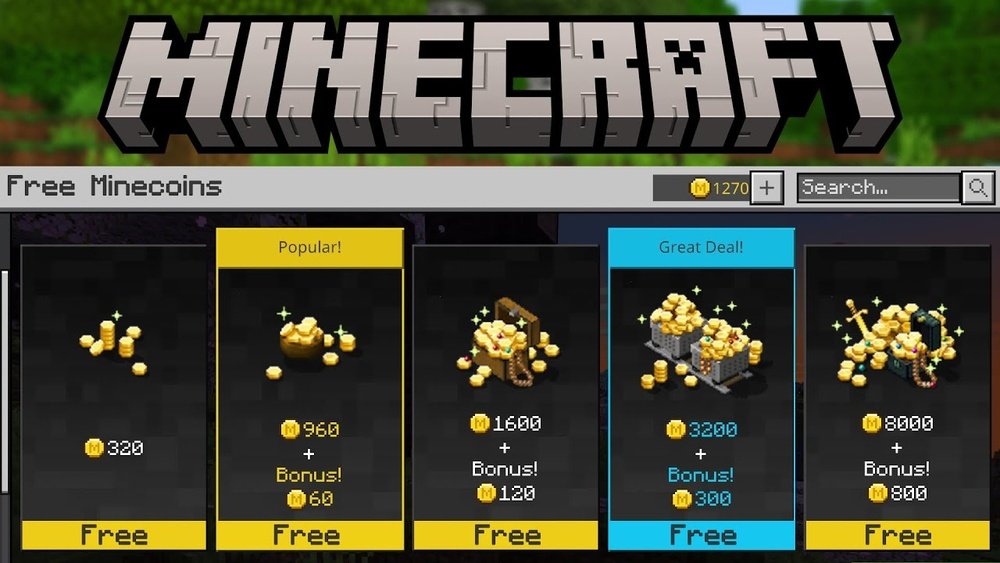
Earning Minecoins in Minecraft can feel confusing for many players, especially if you’re new to the game or not used to in-game currencies. You might see amazing skins, fun worlds, or powerful texture packs in the Minecraft Marketplace, but you can’t unlock them without Minecoins.
So, how do you actually get Minecoins? Can you earn them for free, or do you always need to spend real money? This guide explains every possible way to earn Minecoins, what works, what to avoid, and how to get the most value for your time and money.
By the end, you’ll understand the full picture: from official methods to clever tricks, and even the common scams that can waste your effort. Whether you play on your phone, console, or computer, this guide is for you.
What Are Minecoins And Why Do They Matter?
Minecoins are the official virtual currency for Minecraft Bedrock Edition. You use them to buy digital content in the Minecraft Marketplace. This content includes:
- Skins: Change your character’s look.
- Texture packs: Change how the game world looks.
- Worlds: Download new maps or adventures.
- Mash-up packs: Mix skins, textures, and worlds together.
Minecoins help support creators who make this content. You cannot exchange Minecoins for real money, and their value is fixed by Microsoft and Mojang.
Where Are Minecoins Used?
You can spend Minecoins in any Bedrock Edition of Minecraft, such as:
- Windows 10/11
- IOS (iPhone, iPad)
- Android
- Xbox One and Series X|S
- PlayStation 4 and 5
- Nintendo Switch
You cannot use Minecoins in Minecraft Java Edition.
How Much Are Minecoins Worth?
The price of Minecoins varies by region and platform. Here’s a typical pricing example for the US:
| Minecoins Bundle | Price (USD) | Cost per 100 Minecoins |
|---|---|---|
| 320 Minecoins | $1.99 | $0.62 |
| 1020 Minecoins | $5.99 | $0.59 |
| 1720 Minecoins | $9.99 | $0.58 |
| 3500 Minecoins | $19.99 | $0.57 |
| 8000 Minecoins | $49.99 | $0.62 |
Larger bundles give you slightly better value per coin. Prices may change and sometimes there are regional or platform discounts.
The Official Way: Buying Minecoins
The most direct and reliable way to get Minecoins is to buy them with real money from the official Minecraft Marketplace or your platform’s store.
How To Buy Minecoins
- Open Minecraft on your device.
- Go to the Marketplace.
- Select Get Minecoins.
- Choose a bundle.
- Complete the purchase using your platform’s payment method (credit card, gift card, PayPal, etc. ).
Gift Cards
You can also buy Minecraft Minecoins gift cards online or in stores. These cards have a code you enter in the Marketplace to get Minecoins added to your account.
Is There A Limit?
There is no official daily or monthly limit on Minecoin purchases, but your platform or country may have its own rules for young players.
Are There Sales Or Discounts?
Sometimes, platforms like Xbox or Google Play offer discounts on gift cards or bundles. These are not frequent, but checking during major holidays or Minecraft events can save you money.
Non-obvious tip: Some retailers sell discounted gift cards (e.g., $10 Xbox card for $9). Using these to buy Minecoins gives you a small bonus.

Credit: www.youtube.com
Earning Minecoins Without Spending Money
Many players want to know if they can get Minecoins for free, or at least earn some without direct purchases. The answer: It’s possible, but options are limited, and you must be careful to avoid scams.
Earning Minecoins: What Is And Isn’t Possible
1. Microsoft Rewards Program
Microsoft Rewards is a free program that lets you earn points by searching the web, taking quizzes, or buying products from Microsoft. You can exchange these points for Xbox gift cards, which can then be used to buy Minecoins.
How it works:
- Sign up at the official site.
- Earn points by using Bing search, completing quizzes, or daily activities.
- Redeem points for a digital Xbox gift card.
- Add the gift card to your Xbox/Microsoft account.
- Buy Minecoins in Minecraft using the gift card balance.
Practical example: If you earn 1,600 Microsoft Points (takes a few weeks of daily use), you can claim a $1.25 Xbox gift card. With patience, you can earn enough for a small Minecoin bundle every couple of months.
Non-obvious insight: Many users ignore the mobile Microsoft Rewards app, but it offers extra daily challenges and points.
2. Google Play Credits (android Only)
The Google Opinion Rewards app gives you Play Store credits for answering short surveys. You can use these credits to buy Minecoins in the Minecraft Marketplace on Android.
- Download Google Opinion Rewards.
- Answer surveys when they appear.
- Use credits in the Play Store to buy Minecoins.
Surveys appear randomly, and most reward $0. 10 to $1 each.
3. Gift Cards From Other Reward Apps
Some survey or cashback apps (like Swagbucks, Mistplay, or FeaturePoints) let you earn points for playing games, watching videos, or shopping. You can redeem these points for Xbox, Google Play, or Apple gift cards, then use them to buy Minecoins.
Warning: Not all apps are trustworthy. Always check reviews and never pay to join a rewards app.
4. Special Promotions And Events
Rarely, Minecraft partners with brands or events to give away free Minecoins. These are usually part of:
- Holiday events (e.g., Minecraft Anniversary)
- Brand partnerships (e.g., Kellogg’s cereal promo)
- Marketplace Creator Contests
Always check the official Minecraft news page or social media for announcements. These events are not frequent.
5. Earning As A Minecraft Marketplace Creator
If you have strong creative skills, you can apply to become an official Marketplace Creator. If accepted, you can sell your maps, skins, or texture packs and earn a share of the Minecoins spent on your content. Microsoft pays creators in real money, not Minecoins.
Note: The application process is strict. Most players will not qualify, but it’s a legitimate path for talented builders, artists, or coders.
What Does Not Work? (and What To Avoid)
1. Minecoin Generators And Free Code Websites
You may see websites or YouTube videos that claim to give free Minecoins if you fill out a survey, download an app, or enter your account info. These are almost always scams. Microsoft does not give out free Minecoins this way.
- Risk: You could lose your Minecraft account or personal info.
- No real payout: These sites never actually send Minecoins.
2. Sharing Accounts Or Buying From Unofficial Sellers
Buying Minecoins from unofficial websites or sharing accounts can get you banned from Minecraft. Only buy from the official Marketplace or trusted gift card sellers.
3. Glitches Or Hacks
Some videos show glitches or “hacks” to get free Minecoins. These either don’t work or can get your account permanently banned.
Non-obvious insight: Even if you see a friend succeed using a “hack,” Minecraft’s security may catch up months later, and your account could be flagged.
Comparing Ways To Earn Minecoins
Different methods have different advantages and disadvantages. Here’s a comparison to help you choose:
| Method | Time Required | Skill Level | Reliability | Risk Level |
|---|---|---|---|---|
| Direct Purchase | Instant | None | 100% Guaranteed | None |
| Microsoft Rewards | Slow (Weeks) | Low | High | None |
| Google Opinion Rewards | Slow (Weeks/Months) | Low | High | None |
| Special Events | Rare | Low | Low | None |
| Marketplace Creator | Very High | Expert | Medium | Low |
| Scam Sites | Varies | None | Zero | High |
Key takeaway: The only fast and guaranteed way is buying Minecoins. Other methods are slow but safe if you use official programs.
Step-by-step: Earning Minecoins With Microsoft Rewards
If you want to earn Minecoins without spending money, Microsoft Rewards is the best official option. Here’s how to use it:
1. Sign Up For Microsoft Rewards
- Go to the official Microsoft Rewards page and sign up with your Microsoft account.
- If you play Minecraft on Xbox or Windows, you already have a Microsoft account.
2. Start Earning Points
- Use Bing instead of Google for web searches.
- Complete daily sets, quizzes, and surveys in your Rewards dashboard.
- Use the mobile app for extra point-earning opportunities.
3. Redeem Points For Xbox Gift Cards
- When you have enough points, choose an Xbox gift card in the Rewards catalog.
- Redeem and get a code.
4. Add Gift Card To Your Account
- On your Xbox or Windows device, go to the Microsoft Store.
- Enter the gift card code to add the balance.
5. Buy Minecoins In Minecraft
- Open Minecraft and go to the Marketplace.
- Select the Minecoins bundle you want.
- Purchase with your Microsoft account balance.
Practical tip: Set a daily reminder to check Microsoft Rewards. Small daily actions add up fast.
Step-by-step: Using Google Opinion Rewards (android)
If you play Minecraft on Android, you can earn Play Store credits for Minecoins.
1. Install Google Opinion Rewards
- Download it for free from the Play Store.
2. Fill Out Surveys
- Open the app and answer short surveys when notified.
- Honest answers increase the chance of more surveys.
3. Buy Minecoins In Minecraft
- Open Minecraft on your Android device.
- Go to the Marketplace and select Minecoins.
- When checking out, use your Play Store credits.
Practical tip: Turn on notifications for the app so you never miss a survey.
Can You Earn Minecoins By Playing Minecraft?
Many games have ways to earn currency just by playing. Sadly, Minecraft does not offer Minecoins for playing, completing in-game tasks, or achievements. All rewards inside Minecraft are for fun only—they do not give Minecoins.
Some official events may occasionally give out Minecoins for entering a contest, but these are rare and always announced on the official Minecraft website.
How To Get The Most Value From Your Minecoins
Earning Minecoins takes effort or money, so spend them wisely. Here’s how to stretch your Minecoins further:
1. Wait For Marketplace Sales
The Minecraft Marketplace sometimes offers discounts on worlds, skins, and packs. Waiting for sales can save 25%–75% on content.
2. Buy Bundles
Many creators offer bundle packs that include multiple skins or worlds for less than buying each one separately.
3. Read User Reviews
Before spending Minecoins, check ratings and reviews for the content you want. This avoids wasting coins on low-quality packs.
4. Use Free Content First
There are many free maps and skins in the Marketplace. Check these before spending Minecoins.
5. Share With Family
If your family shares a Minecraft account, everyone benefits from content bought with Minecoins.
Non-obvious tip: Some content packs are “unlocked” for all users on the same device, depending on platform policies.
How To Avoid Minecoin Scams
Scams targeting Minecoin seekers are everywhere. Protect yourself by following these rules:
- Never share your Microsoft or Minecraft password with anyone.
- Never trust websites offering “free Minecoins” in exchange for surveys, downloads, or account info.
- Always buy from the official Minecraft Marketplace or trusted retailers.
- If a deal seems too good to be true, it probably is.
Example: If you see a YouTube video showing a “Minecoin generator,” report it as a scam.
Real-life Stories: What Works And What Fails
Story 1: Patience Pays
A 15-year-old player in the US wanted a $10 skin pack but didn’t want to ask parents for money. He used Microsoft Rewards for three months, searching on Bing every day and doing quizzes. He eventually earned enough for an Xbox gift card and bought his Minecoins—no scam, just patience.
Story 2: Lost Account
Another player tried a “free Minecoins” website. They entered their account info and lost access to Minecraft forever. Microsoft support could not recover the hacked account.
Story 3: The Aspiring Creator
A talented map builder spent months learning how to build adventure maps and applied to become an official Marketplace Creator. After a long wait and some feedback from Mojang, he got in. His first map earned him real money (not Minecoins), and he now makes extra income from his Minecraft hobby.
Credit: www.eneba.com
Marketplace Creator: Earning Minecoins As A Seller
Becoming a creator is not for everyone, but it’s the only way players can earn real money (not Minecoins) from the Marketplace.
How The Program Works
- Apply on the official Minecraft Marketplace Creator page.
- Submit samples of your worlds, skins, or packs.
- If accepted, publish content in the Marketplace.
- Players spend Minecoins on your content.
- Microsoft pays you a share (in real money), not in Minecoins.
Note: You must be at least 18 years old, or have a parent apply for you. The process takes time, and only high-quality creators are accepted.
Common Mistakes When Trying To Earn Minecoins
1. Falling For Scams
Never trust sites or apps that promise free Minecoins outside of official programs.
2. Ignoring Platform Differences
Minecoins only work in Minecraft Bedrock Edition, not Java Edition. Don’t buy them if you only play on Java.
3. Forgetting Regional Restrictions
Some gift cards and payment methods only work in certain countries or regions. Always check before buying.
4. Over-spending On Small Bundles
Larger Minecoin bundles are a better value per coin. If you plan to buy often, save up for a bigger bundle.
5. Not Using Earned Credits Before They Expire
Google Play credits and some rewards expire. Always check your account and use credits before they disappear.
Useful Resources For Safe Minecoin Earning
If you want more information or help, always use trusted sources. The official Minecraft help page, Microsoft Rewards FAQ, and the Minecraft official Minecoins page are good places to start.
Frequently Asked Questions
What Can I Buy With Minecoins?
You can buy skins, worlds, texture packs, mash-up packs, and other digital content from the Minecraft Marketplace. Each item costs a different number of Minecoins, shown in the Marketplace.
Can I Transfer Minecoins Between Accounts?
No, Minecoins are not transferable between accounts. Once you buy Minecoins, they are locked to your Minecraft/Microsoft account.
Are There Any Legal Free Minecoin Giveaways?
Rarely, there are official events or promotions that give away Minecoins. Always check the official Minecraft website or trusted partners. Never trust unofficial “free Minecoin” sites.
Do Minecoins Expire?
No, Minecoins do not expire as long as your account stays active. However, some earned credits (like Google Play credits) may expire, so use them before buying Minecoins.
Can I Earn Minecoins By Playing Minecraft?
No, playing the game does not reward Minecoins. All Minecoins must be purchased, earned through official rewards programs, or received from rare promotions.
Minecraft’s Marketplace opens a world of creativity and customization, but Minecoins are the key to unlocking it. While earning them without money takes time and patience, it’s possible through official rewards programs and smart choices. Always stay safe—stick to official channels, and spend your coins wisely for the best Minecraft experience.
Credit: www.g2a.com





