
Are you wondering how to cancel your Proactiv subscription without any hassle? Whether you’re done with the product or simply want to pause your plan, stopping your subscription should be straightforward—but it’s not always obvious how to do it.
In this guide, you’ll find clear, step-by-step instructions to cancel your Proactiv subscription quickly, so you can avoid unwanted charges and regain control over your skincare routine. Keep reading to discover the easiest ways to end your subscription through the website, app stores, or even email—making sure you get confirmation every step of the way.
Don’t let confusion or hidden steps hold you back—take charge now!
Credit: trybeem.com
Proactiv Subscription Basics
Proactiv offers a subscription plan to deliver its skincare products regularly. Subscribers receive monthly shipments of Proactiv items tailored to their needs. This plan helps users maintain a steady skincare routine without reordering each time.
The subscription automatically renews, charging your payment method each month. Managing the subscription is simple through your online account or app store settings. Knowing these basics helps control your plan and avoid unwanted charges.
How Proactiv Subscription Works
When you sign up, Proactiv charges your card monthly. Each shipment includes your chosen products. You can change your plan or delivery schedule anytime. The subscription continues until you cancel it directly.
Managing Your Subscription Online
- Log in to the Proactiv website with your account details.
- Go to “Plans & Pricing” or “Manage Subscription” in your settings.
- Follow the cancellation prompts or choose to pause your plan.
This method gives full control over your subscription without waiting on customer service.
Cancelling Via App Stores
- Android: Open Google Play Store, tap your profile, go to “Payments & subscriptions,” then “Subscriptions,” and select Proactiv to cancel.
- Apple: Open “Settings,” tap your name, then “Subscriptions,” find Proactiv, and cancel the plan.
Use these steps if you subscribed through a mobile app instead of the website.
Other Cancellation Options
- Email: Send a cancellation request to perks@proactiv.com for specific plans like Proactiv Perks.
- Customer Support: Call or chat with a Proactiv representative to ask for cancellation confirmation.
Keep a copy of any confirmation to avoid future billing issues.
Logging Into Your Account
Logging into your Proactiv account is the first step to cancel your subscription. You need to access your account to manage your plan settings. This process is simple and quick, helping you avoid unnecessary charges. Follow the steps below to log in and find the cancellation option.
Access The Proactiv Website
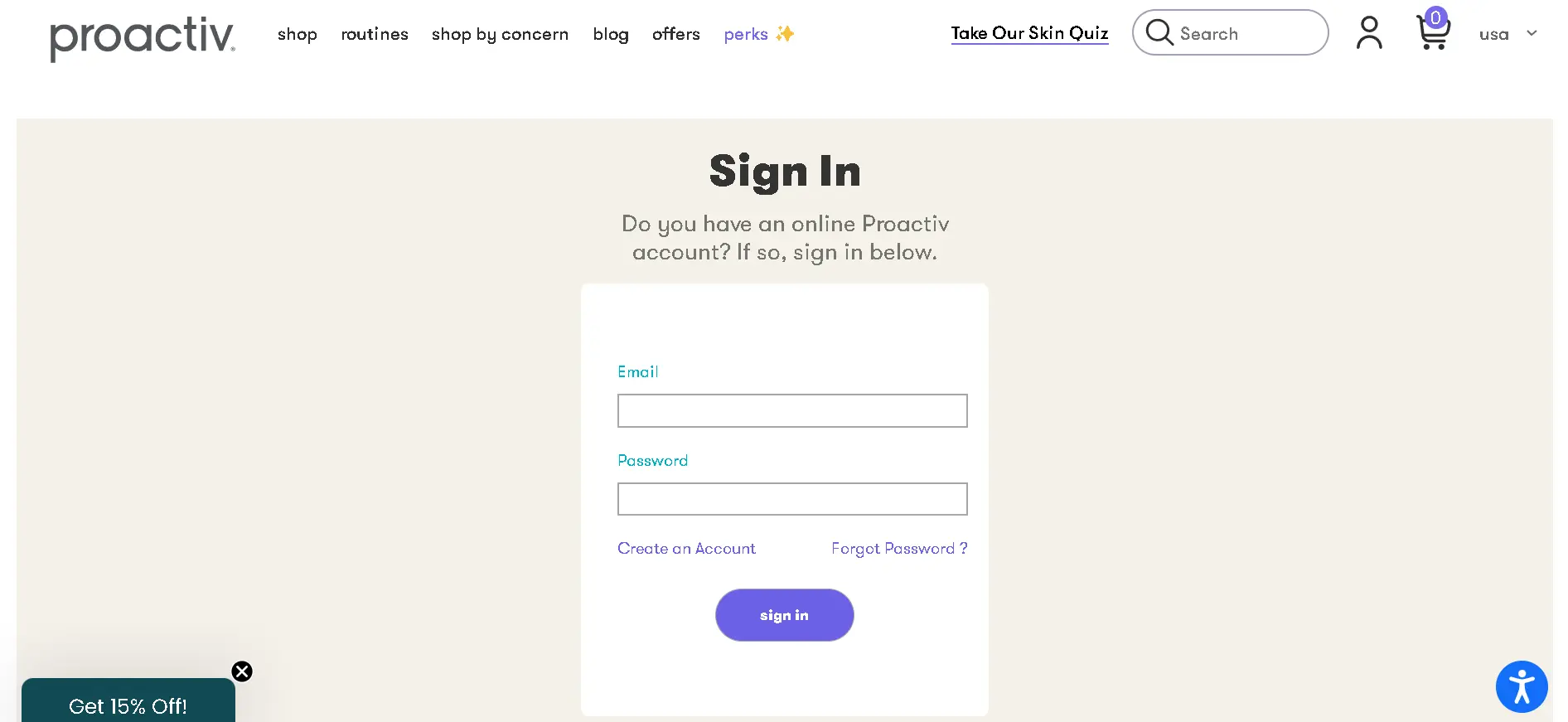
Open your web browser and visit the official Proactiv website. Look for the login button, usually at the top right corner of the page. Click on it to go to the login page where you enter your credentials.
Enter Your Login Details
Type your registered email address and password carefully. Make sure there are no typos to avoid login errors. If you forgot your password, use the “Forgot Password” link to reset it.
Navigate To Your Account Settings
After logging in, find your profile icon or name at the top of the page. Click it to open a dropdown menu. Select “Account Settings” or “Plans & Pricing” to view your subscription details.
Locate Subscription Management
Within your account settings, look for the section labeled “Manage Subscription” or similar. This area contains options to update, pause, or cancel your Proactiv subscription.
Follow The Cancellation Prompts
Click on the cancel option and follow the instructions on the screen. You might need to choose a reason for cancellation or confirm your decision. Complete all steps to ensure your subscription is canceled.
Navigating Subscription Settings
Navigating subscription settings is a key step to cancel your Proactiv subscription easily. Knowing where to find your subscription details helps avoid confusion.
Proactiv offers options through their website, app stores, and sometimes by email. This section guides you through these methods clearly and simply.
Logging Into Your Proactiv Account
Start by visiting the Proactiv website. Use your username and password to log in. This gives you access to your personal dashboard and subscription details.
Finding The Subscription Or Plans Section
After logging in, look for “Plans & Pricing” or “Manage Subscription.” These are usually found under your profile icon or account settings.
This section shows your current plan and options to modify or cancel it. Take your time to review the details before proceeding.
Following The Cancellation Prompts
Click on the cancellation option in your subscription settings. You might be asked to choose a reason for canceling.
Some plans offer to pause instead of canceling fully. Choose what fits your needs best. Complete the steps to confirm your cancellation.
Cancelling Via App Stores
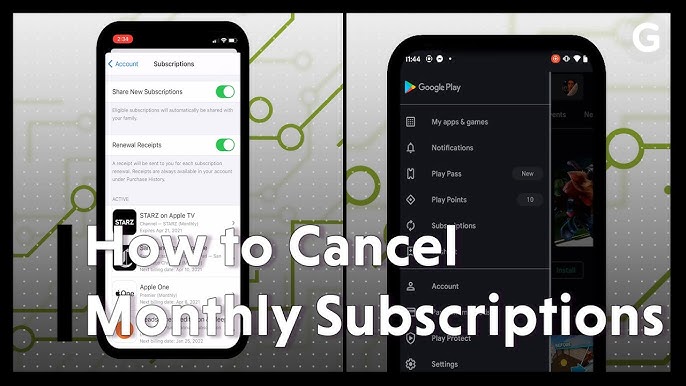
If you subscribed through an app, cancel through that app store. For Android, open Google Play Store, go to “Subscriptions,” find Proactiv, and cancel.
For Apple devices, open “Settings,” tap your name, then “Subscriptions.” Select Proactiv and cancel.
Other Cancellation Methods
Some Proactiv programs allow cancellation by email. You can send a request to perks@proactiv.com to stop your subscription.
Always ask for a confirmation email to ensure your subscription ends properly.
Canceling Online Step-by-step
Cancelling your Proactiv subscription online is simple and fast. Follow these clear steps to stop your subscription without hassle. This guide helps you cancel through the official website or app stores. Each step uses easy language and clear instructions.
Log In To Your Proactiv Account
First, visit the Proactiv website. Enter your username and password to log in. Access your account dashboard. This area shows your current subscription details.
Navigate To Subscription Settings
Find the “Plans & Pricing” or “Manage Subscription” section. This is usually under your profile or account settings. Click this option to view your subscription options.
Start The Cancellation Process
Look for a “Cancel Subscription” button. Click to begin cancelling. The website may ask why you want to cancel. Choose a reason from the list or type your own.
Confirm Your Cancellation
Follow the prompts to confirm your choice. Some sites ask if you want to pause instead of cancel. Confirm cancellation to end your subscription.
Check For Confirmation Email
After cancellation, check your email inbox. You should receive a cancellation confirmation. Keep this email for your records. It proves your subscription ended.
Canceling Via Mobile App Stores
Cancelling your Proactiv subscription through mobile app stores is a straightforward process. Many users subscribe via their smartphones, using either Android or Apple devices. Each platform has its own steps to stop the recurring charge. Follow the instructions carefully to avoid unwanted fees and continue managing your subscription easily.
Android Devices
Open the Google Play Store on your Android device. Tap your profile icon in the top right corner. Select Payments & subscriptions. Then tap Subscriptions to see your active plans. Find your Proactiv subscription in the list. Tap it, then choose Cancel subscription. Follow the on-screen prompts to confirm. Your subscription will stop at the end of the current billing cycle.
Apple Devices
Go to the Settings app on your iPhone or iPad. Tap your name at the top of the screen. Select Subscriptions to view active subscriptions. Locate your Proactiv subscription and tap it. Choose Cancel Subscription and confirm your choice. The subscription remains active until the next billing date, then it will end automatically.
Credit: www.getdroidtips.com
Email Cancellation Option
Canceling a Proactiv subscription can be done online through your account settings or app store. Emailing perks@proactiv. com also works for some plans. Always ask for a confirmation to ensure your cancellation is processed.
The email cancellation option gives you a simple way to stop your Proactiv subscription.
Sending an email allows you to explain your request clearly and keep a record of it.
This method works well for Proactiv Perks and some subscription plans.
How To Write Your Cancellation Email
Start your email with a clear subject line like “Cancel My Proactiv Subscription.”
Include your full name and the email linked to your account.
State that you want to cancel your subscription immediately.
Ask for a confirmation email to confirm your cancellation request.
Where To Send Your Cancellation Email
Send your email to perks@proactiv.com for Proactiv Perks cancellations.
Check your subscription details to see if another address is listed.
Use your regular email service to send the cancellation message.
What To Expect After Sending Your Email
You should receive a reply within a few business days.
The reply will confirm your subscription cancellation.
Keep this email for your records in case of any issues.
Text Message Cancellation
Text message cancellation offers a quick way to stop your Proactiv subscription. It avoids long phone calls or logging into your account. This method suits those who prefer simple, direct communication.
Usually, you need to send a specific keyword or phrase to a designated number. Proactiv provides clear instructions on which message to send. The process is straightforward and confirms your cancellation promptly.
How To Initiate Text Message Cancellation
First, find the Proactiv cancellation number. This number is often listed in your subscription emails or on the official website. Next, open your phone’s messaging app and create a new message.
Type the word “CANCEL” or the phrase requested by Proactiv. Send the message to the provided number. Wait for a confirmation reply that your subscription has been canceled.
Details To Include In Your Text
Some cancellations require your customer ID or subscription number. Include these details in your message if asked. This helps Proactiv identify your account quickly.
Do not share sensitive information like your password. Stick to the required details only. Keep a copy of your cancellation message for reference.
What To Expect After Sending The Text
You will receive a confirmation message within 24 hours. This message confirms your subscription is canceled. Check that the cancellation date matches your expectations.
If you do not get a confirmation, try sending the message again. Alternatively, contact Proactiv customer service for help. Save all correspondence until the cancellation is complete.
What Happens After Cancellation
After you cancel your Proactiv subscription, several things happen to finalize the process. Understanding these steps helps you know what to expect next. This clarity prevents confusion and ensures a smooth experience.
Your subscription will stop renewing, and you will not be charged again. However, you might still receive your current shipment if it was already processed before cancellation. Keep an eye on your email for confirmation and updates from Proactiv.
Confirmation Of Cancellation
Once you cancel, Proactiv usually sends a confirmation email. This email confirms your subscription is no longer active. Save this message for your records. It proves you completed the cancellation process successfully.
Access To Remaining Products
You can still use any products you received before cancellation. Proactiv does not take back shipped items. Use your products until they run out. No new shipments will be sent after cancellation.
Billing And Refund Details
Billing stops after your cancellation date. You will not be charged for future orders. Proactiv generally does not refund past shipments. Make sure to cancel before the next billing cycle to avoid charges.
Account Status And Data
Your Proactiv account remains active unless you delete it separately. You can log in to view past orders and details. Data related to your subscription stays stored for your reference.
Customer Support Availability
Customer support remains available to answer questions after cancellation. You can contact them for help with returns or refunds. Support also assists if you want to restart your subscription later.
Avoiding Common Cancellation Issues
Cancelling a Proactiv subscription can sometimes be tricky. Many users face common issues that slow down or block the cancellation process. Knowing how to avoid these problems saves time and frustration. This section highlights key points to keep your cancellation smooth and hassle-free.
Check Your Subscription Details Carefully
Always review your subscription plan before cancelling. Know the billing cycle and renewal dates. Cancelling too late may result in an unwanted charge. Understanding your plan helps avoid surprises.
Use The Correct Cancellation Method
Proactiv offers multiple cancellation options. You can cancel online, via app stores, or by email. Choose the method that matches how you subscribed. Using the wrong channel can delay cancellation.
Keep Your Account Information Ready
Have your account details handy. This includes your username, email, and order number. Providing accurate information speeds up the cancellation. It also prevents confusion with other accounts.
Request Confirmation Of Cancellation
Always ask for a cancellation confirmation. This may come as an email or message. A confirmation proves your subscription ended. Keep it safe in case of future billing disputes.
Avoid Last-minute Cancellation Attempts
Cancel well before your next billing date. Cancelling too close to renewal may not stop charges. Plan ahead to ensure your cancellation is processed in time.
Credit: www.youtube.com
Contacting Proactiv Support
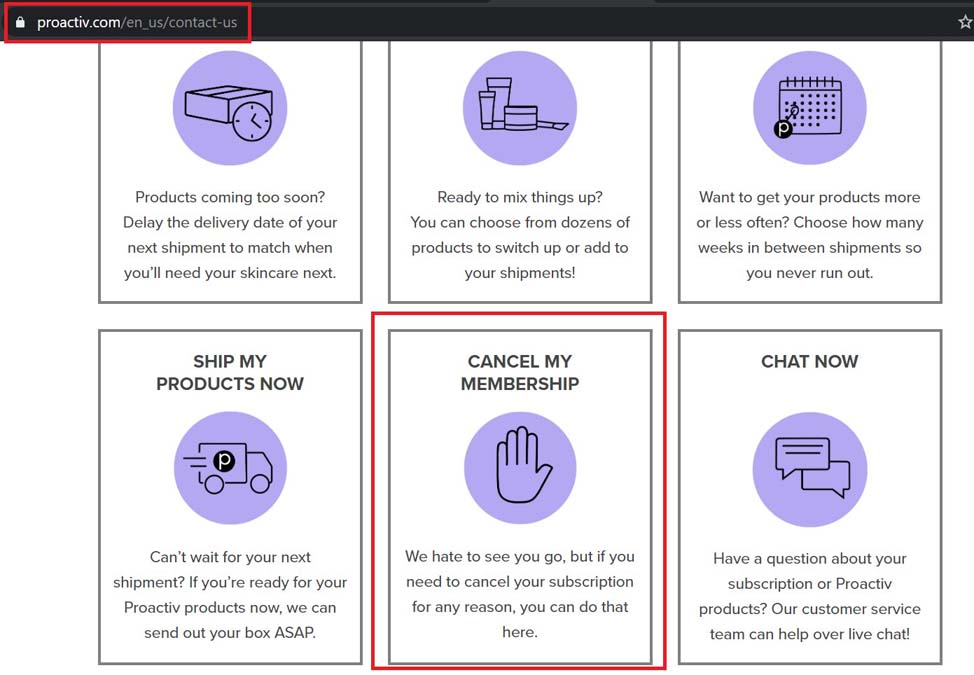
Contacting Proactiv support is a key step to cancel your subscription. Support teams help with account details and cancellation requests. Clear communication speeds up the process.
Proactiv offers multiple ways to reach their support. Phone, email, and website options are available. Choose the method that suits you best for quick help.
Calling Proactiv Customer Service
Calling Proactiv customer service connects you directly to a representative. Prepare your account details before calling. This includes your subscription ID and personal information.
Request cancellation clearly during the call. Ask for a confirmation number or email for proof. Keep this confirmation safe for future reference.
Emailing Proactiv Support
Email is useful for non-urgent cancellation requests. Send your cancellation request to perks@proactiv.com if you are a Proactiv Perks member. Include your full name, account email, and reason for cancellation.
Wait for a reply that confirms your subscription is canceled. Save the email confirmation to avoid any billing issues later.
Using The Proactiv Website Support
The Proactiv website provides support through your account dashboard. Log in and navigate to the “Plans & Pricing” or “Manage Subscription” section. Follow the prompts to request cancellation.
If unsure, use the website’s live chat or help center for guidance. Website support can confirm your cancellation and send a confirmation email.
Frequently Asked Questions
How Do You Cancel A Proactiv Subscription?
Log in to your Proactiv account on their website. Go to “Plans & Pricing” or “Manage Subscription. ” Follow prompts to cancel. Alternatively, cancel via app store or email perks@proactiv. com. Request confirmation to complete cancellation.
How Do I Cancel My Subscription Subscription?
Log in to your account on the website or app. Go to “Subscriptions” or “Plans & Pricing. ” Select your subscription and tap “Cancel. ” Follow the on-screen steps. For app subscriptions, cancel via Google Play or Apple Settings. Confirm cancellation via email if required.
What Is The Hardest Subscription To Cancel?
The hardest subscriptions to cancel often include cable TV, gym memberships, and some streaming services. They use complex policies and require calls.
How Does Proactiv Subscription Work?
Proactiv subscription ships acne products regularly. You manage, pause, or cancel anytime via your online account or app store settings.
How Do You Cancel A Proactiv Subscription Online?
Log in to your Proactiv account, go to “Plans & Pricing,” and follow cancellation prompts.
Can I Cancel Proactiv Via The Mobile App?
Yes, use Google Play or Apple Settings to find and cancel your Proactiv subscription.
What Information Is Needed To Cancel Proactiv Subscription?
Provide your customer details and subscription info when requesting cancellation.
Is There A Confirmation After Canceling Proactiv?
Yes, ask for a confirmation email to ensure your subscription is canceled.
Can I Cancel Proactiv By Email?
Yes, send a cancellation request to perks@proactiv. com for certain plans.
How Long Does Proactiv Cancellation Take?
Cancellation is usually effective immediately or by the next billing cycle.
Conclusion
Canceling your Proactiv subscription is simple and straightforward. Just log in to your account or use the app store where you subscribed. Contact customer support if you need extra help. Always ask for a confirmation email after cancellation. Keep track of your subscription dates to avoid unwanted charges.
Taking these steps ensures you stop future payments quickly and safely.





