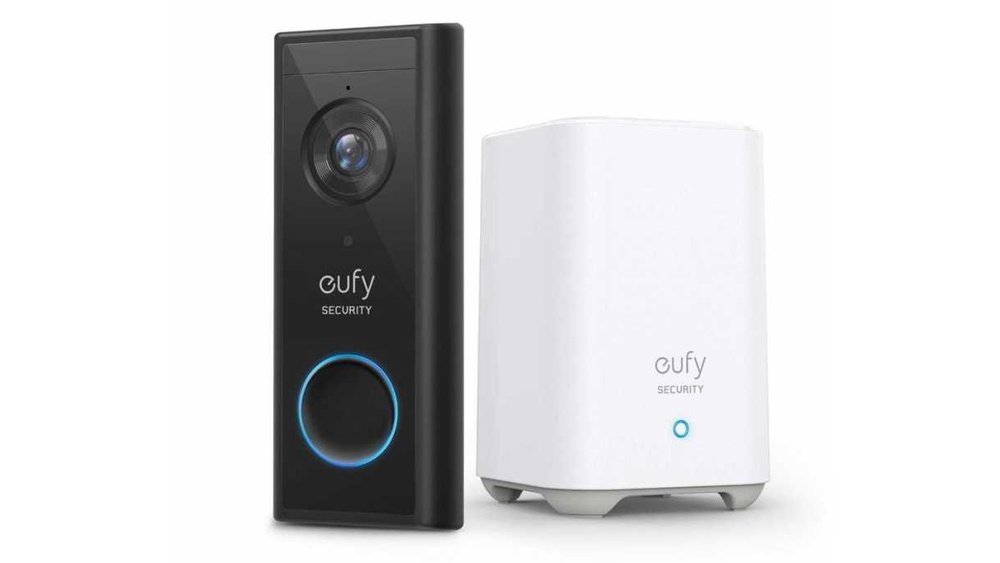
Are you wondering if you need to pay a subscription to use your Eufy security camera? You’re not alone.
Many people want reliable home security without the hassle of monthly fees. The good news is, Eufy lets you record and store videos without any subscription costs. But what does that really mean for your security setup? You’ll discover exactly how Eufy’s system works, what features are free, and when a subscription might actually be useful for you.
Keep reading to find out how you can protect your home without breaking the bank.
Subscription-free Security
Many people want home security without extra costs. Eufy offers security cameras that work without a subscription. This means users do not pay monthly fees to keep their homes safe. Eufy focuses on local storage, letting you save videos directly on the device. This approach gives control over footage without relying on cloud services.
Subscription-free security appeals to those who prefer privacy and simplicity. You get reliable video recording with no surprise bills. Eufy cameras use a HomeBase or built-in storage to save clips securely. The system overwrites old videos automatically when storage is full. This way, your camera keeps recording without interruptions or costs.
How Eufy Cameras Store Footage Locally
Eufy cameras save videos on local devices like HomeBase or SD cards. This means your footage stays in your home, not on remote servers. It helps protect privacy and reduces reliance on internet connections. Local storage also means no monthly fees to access your videos. You can watch, download, or delete clips anytime from the app.
Video Overwrite For Continuous Recording
When local storage runs out, Eufy cameras overwrite the oldest videos. This feature ensures the camera records continuously without stopping. You never lose recent footage due to full storage. Overwrite happens automatically, so you do not need to manage storage manually. It is a simple way to keep your security system running smoothly.
Optional Cloud Storage Without Required Subscription
Eufy offers cloud storage as an option, not a must-have. You can choose to subscribe for cloud backup if you want extra protection. Without subscription, local recording still works fully. Cloud storage can add convenience but is not necessary. Users can rely on local storage for free and secure video saving.
Local Storage Options
Eufy offers several local storage options for video footage. These options let users save recordings without paying monthly fees. Local storage enhances privacy by keeping data within your home network. It also ensures continuous access to your videos, even without internet. Two main ways to store footage locally are through HomeBase and microSD cards. Both methods provide convenience and control over your security videos.
Homebase Storage
HomeBase is a central hub for many Eufy camera systems. It contains built-in storage to save video clips locally. When the storage is full, it automatically deletes the oldest videos. This process is called continuous overwrite. It keeps your system recording without interruption. No subscription is needed to use HomeBase storage. Videos remain safe inside your home network. You can access and play videos anytime through the Eufy app. This option suits users who want reliable local storage with easy management.
Microsd Card Use
Some Eufy cameras support microSD cards for local storage. You can insert a microSD card directly into the camera. This stores footage without sending data to the cloud. The card saves videos until it reaches capacity. Like HomeBase, it overwrites the oldest footage automatically. Using microSD cards means no monthly fees for storage. It also allows quick access to recorded clips. This is ideal for users with standalone cameras or no HomeBase unit. MicroSD cards offer a simple and cost-effective local storage solution.
Cloud Storage Benefits
Eufy cameras offer local storage that does not require a subscription. Videos save directly to an SD card or home base. Cloud storage is optional and involves extra fees.
Cloud storage offers a safe place to save your videos online. It keeps footage secure even if your camera or local storage is damaged. This means you can access your videos anytime, from anywhere, using your phone or computer.
Storing videos in the cloud means you do not lose important recordings. Your footage stays protected against theft or hardware failure. Cloud storage also allows easy sharing of videos with family or authorities if needed.
Easy Access And Playback
Cloud storage lets you watch your videos anytime without being near your camera. You can quickly find and play specific clips from days or weeks ago. This is helpful if you want to review events or check on your home remotely.
Automatic Backup And Security
Videos upload automatically to the cloud without manual effort. This ensures no footage is missed or lost. Cloud services usually use strong encryption to keep your data private and safe from hackers.
More Storage Space
Local storage has limits and can fill up fast. Cloud storage offers much more space to keep videos for longer. This is useful for continuous recording or saving events over several weeks.
Remote Monitoring Convenience
Cloud storage lets you monitor your home from anywhere with internet access. You do not need to be close to your camera system to see live or recorded footage. This adds peace of mind when you are away.

Credit: www.doorbellmount.com
Video Retention Periods
Video retention periods define how long your security footage stays accessible. This period varies based on whether you use local storage or cloud backup. Understanding these differences helps you choose the best option for your needs.
Without Subscription
Eufy cameras store videos locally on a HomeBase or SD card. They do not require a subscription for local storage use. The system records continuously and overwrites old footage once storage is full. This means your videos stay until space runs out, then the oldest clips get deleted. The retention time depends on your storage size and camera activity. Most users get several weeks of footage without extra cost.
With Cloud Backup
Cloud backup is an optional service from Eufy that stores videos online. This requires a subscription plan. Cloud storage keeps your videos safe even if your camera or local storage is damaged. The retention period varies by plan but usually ranges from 30 to 60 days. You can access and download your videos anytime during this period. Cloud backup adds extra security but comes with monthly fees.
Notification Features
Eufy security cameras send alerts to your phone when they detect activity. These notification features keep you informed about important events around your home. You get instant updates without needing a subscription.
Notifications include motion detection alerts and person recognition. The system uses AI to reduce false alarms from pets or passing cars. This helps you focus on real security threats.
Instant Motion Alerts
Eufy cameras send instant alerts when motion is detected. This lets you act quickly if something suspicious happens. Alerts work even without a subscription. They come directly through the Eufy app.
Person Detection Notifications
The cameras recognize people and send special notifications for human activity. This feature reduces unnecessary alerts from animals or shadows. It helps you know if a visitor or stranger is nearby.
Customizable Alert Zones
You can set specific areas for motion detection. Alerts will only trigger in these zones. This limits false alarms and focuses on important parts of your property. Custom zones improve notification relevance.
Local Storage And Notification Independence
Eufy stores video locally on a HomeBase or SD card. Notifications do not rely on cloud storage or subscriptions. You get full access to alerts and recordings without extra fees.

Credit: www.independent.co.uk
Offline Functionality
Eufy cameras store videos locally on a HomeBase or SD card, so no subscription is needed for recording. Offline access lets you view footage anytime without extra costs. Cloud storage is optional and requires a subscription only if you want remote backup.
Offline Functionality Overview
Eufy cameras offer offline functionality that many users appreciate. They store video footage locally on a HomeBase or SD card. This setup means no constant internet connection is needed to save recordings.
Local storage protects your privacy by keeping videos within your home. It also removes the need for monthly subscription fees. You can access your footage anytime, even without cloud services.
Eufy provides local storage through the HomeBase or built-in SD cards. Models like eufyCam and SoloCam save videos directly on these devices. This allows you to review footage without using cloud storage.
Local storage capacity varies by model. When storage is full, the system overwrites the oldest videos automatically. This ensures continuous recording without manual deletion.
Accessing Videos Offline
You can access stored videos using the Eufy Security app on your phone. The app connects to the HomeBase or camera via local Wi-Fi. This connection lets you watch live or recorded clips without internet.
Offline access means your footage is available even during internet outages. It also provides faster playback since videos do not rely on cloud servers.
Professional Monitoring Plans
Professional monitoring plans offer an added layer of security for Eufy users. These plans connect your Eufy system to a live monitoring center. The center can respond to alarms and alert emergency services. This service is not required for Eufy cameras to work but can enhance your security.
With professional monitoring, your home is watched 24/7 by trained staff. They can verify alerts and reduce false alarms. This service brings peace of mind, especially when you are away.
What Do Professional Monitoring Plans Include?
These plans often include real-time alerts and emergency dispatch. You get immediate help if an alarm triggers. Some plans provide video verification to confirm incidents. This helps reduce unnecessary emergency calls.
Costs Of Professional Monitoring Plans
Professional monitoring usually requires a monthly fee. Prices vary depending on the level of service and location. Eufy offers affordable options compared to other providers. You only pay if you choose to add this service.
How To Sign Up For Professional Monitoring
Signing up is simple through the Eufy app or website. You select your plan and provide contact information. Activation is quick, and monitoring starts right away. Cancel anytime if you no longer want the service.
Cost Comparison
Comparing the costs of Eufy security options helps you decide best for your needs. Eufy offers choices that suit different budgets and preferences. Understanding the price differences can save you money and avoid surprises.
One-time Purchase
Eufy cameras often come with local storage included. You pay once for the camera and the storage device, like a HomeBase or SD card. This means no monthly fees or ongoing charges. You own the footage and can access it anytime without extra cost. The one-time purchase covers hardware and basic features.
Subscription Fees
Eufy offers optional cloud storage plans for users who want extra security. These plans have monthly or yearly fees. The subscription stores videos in the cloud for longer periods. It also adds features like advanced AI detection and remote access. Paying for subscriptions depends on your preference for cloud backup and added functions.
Privacy And Security
Privacy and security are key concerns for anyone choosing a home security camera. Eufy offers options that keep your data safe without forcing a subscription. Understanding how Eufy handles privacy helps users trust their system.
Eufy cameras store video locally, reducing risks linked to cloud storage. This method keeps footage on your device, not on external servers. It limits exposure to hacking or unauthorized access.
Local Storage For Enhanced Privacy
Eufy uses local storage through a HomeBase or SD card. Videos save directly on your device, not on the internet. This means you control who sees your recordings.
Local storage also avoids monthly fees. You do not need to pay for a subscription to save video. Your footage stays private and accessible only to you.
Optional Cloud Storage And Security
Eufy offers cloud storage as an option, not a requirement. Users can choose to back up footage online for extra protection. This service has a subscription fee but adds remote access.
The cloud uses encryption to protect videos during transfer and storage. This keeps your data safe from cyber threats. Still, many users prefer local storage for full control.
Data Encryption And User Control
All data from Eufy cameras is encrypted end-to-end. This means only you can view your videos. Encryption prevents outsiders from intercepting your footage.
You manage all settings through the Eufy app. This app lets you control access and permissions easily. It ensures your privacy preferences are respected at all times.

Credit: shopsavvy.com
Choosing The Right Plan
Choosing the right Eufy plan depends on your needs and budget. Eufy offers options with and without subscriptions. Each plan has its own features and benefits. Understanding these helps you make a smart choice.
Local Storage Plan
This plan uses a HomeBase or SD card to save videos. No monthly fees apply. Videos stay on your device, giving you privacy and control. The system overwrites old clips when storage is full. It suits users who prefer no extra costs.
Cloud Storage Subscription
This plan stores videos online for easy access anywhere. It offers longer video retention and backup security. A small monthly fee is required for this service. It is useful if you want remote viewing and extra safety for your footage.
Choosing Based On Usage
Think about how often you need to review footage. If you check videos rarely, local storage is enough. For frequent access or sharing, cloud storage works better. Also, consider your internet speed and data limits before subscribing.
Cost Considerations
Local storage has a one-time cost with no ongoing fees. Cloud plans charge monthly or yearly fees. Balance your budget with the features you want. Avoid paying for services you may not use fully.
Frequently Asked Questions
Do Eufy Cameras Work Without A Subscription?
Eufy cameras work without a subscription by saving footage locally on an SD card or HomeBase. Subscriptions are optional for cloud storage and extra features.
Is There A Monthly Fee For Eufy?
Eufy does not charge a monthly fee for basic security features. Local storage records footage without subscription. Optional cloud storage and monitoring services require a subscription.
How Long Does Eufy Store Footage Without A Subscription?
Eufy stores footage locally without a subscription, overwriting oldest videos when storage is full. Duration depends on storage size.
Is Eufy Recording Free?
Eufy recording is free using local storage like HomeBase or SD cards. No subscription is needed for basic recording. Optional cloud storage requires a paid plan.
Does Eufy Require A Subscription For Video Recording?
No, Eufy cameras record locally without any subscription fees.
Can I Use Eufy Cameras Without Paying Monthly Fees?
Yes, Eufy offers full functionality with local storage at no extra cost.
How Does Eufy Store Recorded Footage Without Subscription?
Videos save directly on an SD card or HomeBase device.
Is Cloud Storage Mandatory For Eufy Camera Users?
No, cloud storage is optional and not required to use the camera.
How Long Does Eufy Keep Video Footage Locally?
Footage is stored until the storage is full, then old videos overwrite.
What Are The Benefits Of Eufy’s Local Storage System?
Local storage ensures privacy and no recurring monthly payments.
Conclusion
Eufy cameras do not require a subscription for basic use. They save videos locally on your device or home base. This means no monthly fees for storing footage. You can watch and manage videos anytime without extra costs. Cloud storage is optional and costs extra if you want it.
Many users prefer local storage for privacy and savings. Choosing Eufy helps avoid ongoing payments while keeping your home secure. Simple, clear, and budget-friendly security options make Eufy a solid choice.





