Deployment platforms coordinate builds, sign binaries, and roll out staged native app updates safely.
I have spent years building and shipping native apps for Android and iOS. In this article I explain how deployment platforms handle version updates for native apps, step by step. You will learn how stores, CI/CD, over‑the‑air tools, and enterprise systems work together to deliver updates. I blend technical detail, real‑world lessons, and practical tips so you can plan safe, fast releases.
Core concepts and terminology
Start with clear terms so you read fast and know what matters. Deployment platforms handle version updates for native apps by coordinating these parts:
- Build artifacts
- The compiled app file: APK/AAB for Android, IPA for iOS.
- Version identifiers
- Numeric version codes and human version names.
- Signing and credentials
- App signing keys and provisioning profiles.
- Distribution channels
- Public stores, internal testing tracks, enterprise MDM, direct links.
- Rollout controls
- Staged rollouts, percentages, canary releases, and forced updates.
Understanding these basics makes it easier to see how deployment platforms handle version updates for native apps across teams and users. They map each concept into a reproducible flow.
How app stores shape updates
App stores enforce rules and mechanics that deployment platforms must follow. They are gatekeepers.
- App review and policy
- Apple requires review and limits executable code changes. Google is faster but enforces policies too.
- Package formats and metadata
- Android uses AAB/APK and versionCode. iOS uses IPA and CFBundleVersion.
- Distribution tracks
- Production, Beta/TestFlight, Internal test, Closed test, and Open testing.
- Rollout features
- Staged rollouts, regional controls, and percentage-based releases.
Because of these rules, deployment platforms abstract store differences and automate submission, metadata updates, and staged releases. This is the practical way deployment platforms handle version updates for native apps while staying compliant with store constraints.
CI/CD and automation: the deployment backbone
Continuous integration and continuous delivery pipelines are where most version work happens.
- Build automation
- Pipelines build artifacts with correct version codes and embedded release notes.
- Signing automation
- Secure key stores and automated signing steps prevent manual errors.
- Store upload and metadata
- Upload APIs update descriptions, screenshots, and changelogs.
- Release orchestration
- Automation can start a staged rollout after passing tests.
Deployment platforms handle version updates for native apps by making these steps repeatable and auditable. Automation reduces human error and speeds up time to users.

Over‑the‑air (OTA) updates and runtime patching
Not all updates require full store releases. Some frameworks allow smaller runtime updates.
- What OTA means
- Patches delivered without a full binary change (usually JS, assets, or configs).
- Limits by platform
- Apple restricts replacing executable code. Frameworks like CodePush work for JS-based parts.
- Use cases
- Quick bug fixes, UI tweaks, or translations. Not for new native modules or API changes.
Deployment platforms that support OTA coordinate which parts can be updated and how to respect store rules. This is a key way deployment platforms handle version updates for native apps with minimal friction.
Versioning schemes and compatibility
Good versioning prevents confusion and deployment failures.
- Semantic and numeric
- Use semantic versioning for clarity and integer codes for store requirements.
- Backwards compatibility
- Design features so older app versions handle new server responses gracefully.
- Migrations
- Plan DB or preference migrations that run safely across versions.
Deployment platforms handle version updates for native apps by injecting correct version metadata into builds. They also provide tools to track compatibility across releases.
Strategies for safe rollouts
Choose release strategies to limit blast radius.
- Staged rollout
- Release to a small percent first, then increase if metrics are healthy.
- Canary releases
- Target a specific group such as internal testers or power users.
- Feature flags
- Toggle features server-side to decouple code deploy from feature activation.
- Forced updates
- Use sparingly and with clear user messaging for critical fixes.
Deployment platforms handle version updates for native apps by exposing these controls in dashboards and APIs. They let teams pause, rollback, or quicken rollouts based on real data.

Monitoring, telemetry, and rollback
Shipping is not the end. Observe and act fast.
- Crash and stability metrics
- Crash rate, ANR, and session stability guide rollout decisions.
- User engagement and retention
- Track if a release causes drops in key metrics.
- Automatic rollback
- Some platforms support automatic rollback based on thresholds.
- Logging and diagnostics
- Symbolicated crash logs and aggregated stack traces speed debugging.
When deployment platforms handle version updates for native apps, they often tie release controls to monitoring. That closes the loop between release and operation.
Enterprise and MDM deployments
Enterprises use different channels and constraints.
- Mobile device management (MDM)
- Centralized control over app installs, force updates, and version pinning.
- Private app stores
- Organizations host internal app catalogs.
- Compliance and audit
- Deployment platforms provide audit logs and policy enforcement.
In enterprise contexts, deployment platforms handle version updates for native apps with stronger governance and predictable rollouts.
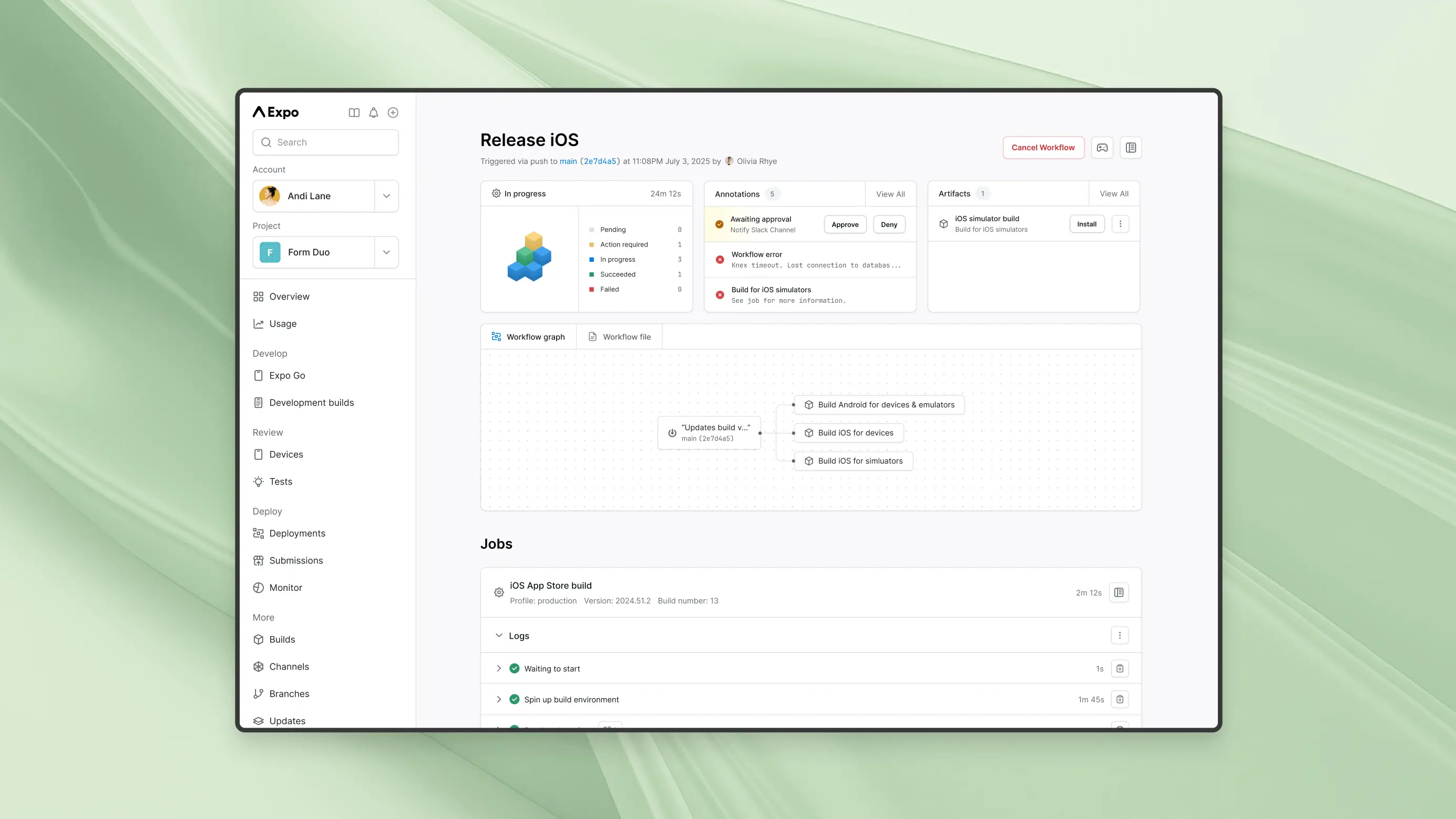
Example workflow: from commit to user
A real workflow shows how parts fit together.
- Developer tags a release and increments version.
- CI builds artifacts and runs unit and UI tests.
- Signed artifact is uploaded to the deployment platform.
- Platform updates store metadata and starts a staged rollout.
- Monitoring checks health metrics and alerts the team.
- If problems occur, the platform rolls back or halts rollout.
This example reflects how deployment platforms handle version updates for native apps in practice. It is repeatable and auditable.
Personal lessons, mistakes, and tips
I have shipped dozens of native releases. Here are practical lessons.
- Keep versioning simple
- Avoid jumping numbers. Increment predictably to reduce store conflicts.
- Automate signing securely
- I once lost time re‑provisioning keys after a manual step broke the pipeline.
- Use feature flags early
- They saved a release when a backend change caused bugs in production.
- Monitor small cohorts
- Start with internal testers and a tiny percentage for public rollouts.
These experiences show how deployment platforms handle version updates for native apps when you apply mature processes.
People also ask
Can I update an app without going through the App Store or Play Store?
You can deliver small asset or script updates via OTA frameworks, but major native code changes require store submission. Enterprise MDM or private stores allow direct installs for managed devices.
What is a staged rollout and why use it?
A staged rollout releases the app to a subset of users first, then expands. It reduces risk by exposing issues to fewer users before a full release.
How do versionCode and versionName differ?
versionCode is an integer used by Android for update decisions; versionName is a human‑readable string. Both should be managed in your build pipeline.
When should I force users to update?
Force updates make sense for critical security or compatibility issues. Use clear messaging and try to avoid frequent forced updates to preserve trust.
Are OTA updates safe for compliance?
OTA is safe for non‑executable content and must meet platform policies. Always document and audit OTA changes for compliance.
Frequently Asked Questions of how deployment platforms handle version updates for native apps
How long does it take for an app update to appear in stores?
Store review times vary. Android updates often appear within hours, while iOS reviews can take from a few hours to several days depending on complexity and policy flags.
Can I rollback a release once users update?
Rollbacks are possible by publishing a new version that undoes changes. Some platforms allow halting rollouts or reverting a staged release before wide exposure.
Do deployment platforms manage signing keys?
Yes, most platforms integrate secure key storage and automated signing to avoid manual errors and protect keys in CI/CD pipelines.
How do I handle database schema changes across versions?
Design migrations to be backward compatible and run in small steps. Use feature flags when schema changes require coordinated server and client updates.
What metrics should I watch after releasing an update?
Watch crash rate, error logs, adoption rate, session length, and key conversion funnels. Set alert thresholds to act quickly if issues arise.
Conclusion
Deployment platforms handle version updates for native apps by automating builds, managing signing, coordinating store submissions, enabling staged rollouts, and tying releases to monitoring. Use clear versioning, automate pipelines, and favor small, controlled rollouts. Apply feature flags and monitor early cohorts to reduce risk. Start by auditing your signing and CI/CD, then add staged rollouts and telemetry if you don’t already have them. Try one small staged release this week and measure the difference — leave a comment to share your experience or subscribe for more release engineering tips.





