You can download apps without Google Play by sideloading APKs or using trusted alternative stores.
I’ve spent years testing Android installs, sideloading apps, and evaluating alternative app stores. This guide explains how can I download apps without Google Play, step by step. I’ll cover safe sources, verification checks, practical tips, and real-life lessons so you can install apps confidently and avoid common pitfalls.
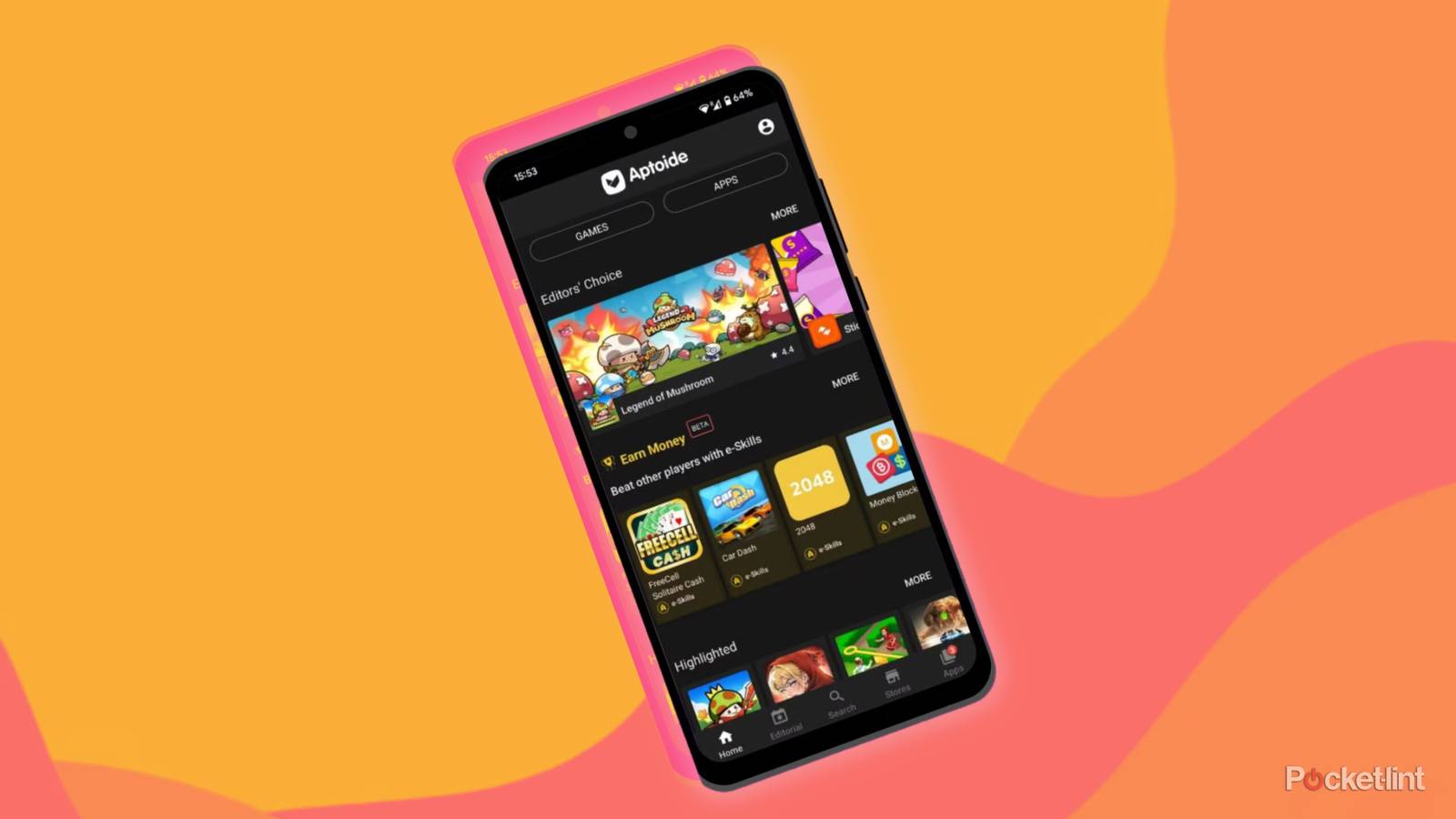
Why someone might want to download apps without Google Play
Many people ask how can i download apps without google play for good reasons. Some phones lack Google services. Some users prefer open-source apps or stores with fewer restrictions. Developers and testers also need direct APK installs to check apps during development.
Benefits include more choice and access to apps blocked in certain regions. Downsides can include missing automatic updates and extra security checks. Knowing both sides helps you decide whether to proceed and how to do it safely.

Safe ways to download apps without Google Play
There are several trusted methods to get apps outside Google Play. Each method has trade-offs for security, updates, and convenience.
- Use a reputable alternative store that vets apps.
- Sideload APKs from verified repositories and check signatures.
- Use an open-source client that accesses Play listings without Google services.
- Install apps via ADB from a computer for testing or recovery.
When asking how can i download apps without google play, pick a method that balances ease and safety. I prefer alternative stores plus signature checks when possible. This reduces risk while keeping flexibility.
How to sideload APKs: a clear step-by-step process
Sideloading means installing an app file (APK) manually. Follow these clean steps.
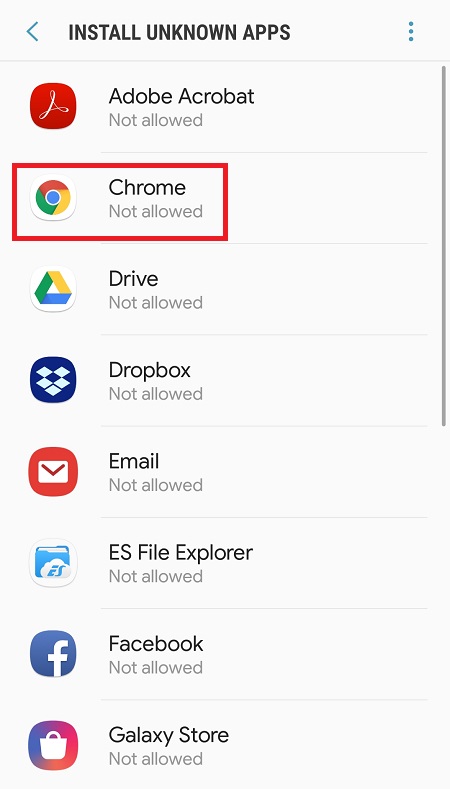
- Enable install from unknown sources
- On most Android versions go to Settings > Apps & notifications > Special app access > Install unknown apps. Grant permission to the browser or file manager.
- Download the APK from a trusted source
- Use well-known repositories that publish checksums and signatures.
- Verify the APK
- Check file hash (SHA-256) or compare the app signing certificate before installing.
- Install the APK
- Tap the APK in your file manager and follow prompts.
- Revoke unknown sources permission
- Turn off the permission for the installing app for better security.
Sideloading answers "how can i download apps without google play" directly. It gives control but requires extra checks to stay safe.
Trusted alternative app stores and tools
Not all stores are equal. Here are options that balance safety and coverage.
- Established commercial stores with vetting processes
- These often provide purchase support and updates.
- Open-source repositories and stores
- These favor privacy and free software. They may have fewer apps.
- Mirror sites for APKs
- Use mirrors that publish cryptographic checksums and maintain version history.
- Play store clients that do not require Google services
- These can fetch Play-hosted APKs but may have limitations with account-based apps.
When considering how can i download apps without google play, choose stores that publish developer info, app history, and verification details. I personally use a mix: open-source stores for privacy and vetted mirrors for mainstream apps.
Verifying APKs and staying secure
Security is the most important factor when you learn how can i download apps without google play. Follow these checks.
- Check cryptographic hashes (SHA-256)
- Compare the downloaded file’s checksum to the value provided by the source.
- Inspect app signing certificates
- Confirm the signer matches the expected developer, especially for updates.
- Scan files with a reputable malware scanner
- Use multiple scanners if possible for extra certainty.
- Review app permissions before installing
- Be wary of apps requesting excessive access for their function.
- Keep a recovery plan
- Back up data and know how to restore the device if something goes wrong.
I once installed an APK without checking its signature and faced stability issues. Lesson learned: always verify before installing.

Handling apps that need Google Play services
Many apps rely on Google Play services. If you ask how can i download apps without google play, note that installation and functionality are separate concerns.
- Some apps run fine without Play services
- Basic apps like browsers or readers usually work.
- Apps that rely on push notifications or in-app purchases may break
- You may need microG or equivalent open-source replacements to restore some features.
- Consider web or progressive web apps (PWAs)
- PWAs can replace many apps and work without Play dependencies.
If an app won’t run after sideloading, check its log output or developer notes. In some cases, using an alternative app or PWA is the simplest fix.

Legal and ethical considerations
Learning how can i download apps without google play also means understanding the legal side. Laws vary by country and by app license.
- Respect copyright and licensing terms
- Download only as allowed by the app’s license or distribution terms.
- Avoid pirated or modified paid apps
- Using cracked software is illegal and unsafe.
- Consider developer revenue
- Some apps rely on Play store purchases for income; use official channels when possible.
Be transparent with risk and legality. When in doubt, contact the app developer or use official distribution channels.

Troubleshooting common problems
Here are quick fixes for common issues when you learn how can i download apps without google play.
- App won’t install
- Re-check unknown sources permission and ensure the APK is not corrupted.
- App crashes after install
- Verify the app version is compatible with your Android version and check logs.
- No updates
- Use an app that monitors APK updates or manually download newer versions from a trusted source.
- Missing functionality (notifications, purchases)
- Consider microG or use an alternative app that does not require Google services.
These simple checks save time and avoid frustration. I keep a small checklist on my phone for quick troubleshooting.

Personal experience and practical tips
I have sideloaded dozens of apps for testing and daily use. Here are honest lessons from my experience.
- Start small and test in a sandbox
- Install new APKs on a spare device or virtual environment first.
- Keep a curated list of trusted sources
- Over time you’ll learn which repositories are reliable.
- Use automation for updates
- Some tools can check for newer APK versions automatically.
- Backup app data regularly
- Manual installs can be reset by factory resets or bad updates.
These habits helped me avoid data loss and malware. Treat sideloading as a power user tool, not a casual shortcut.
PAA-style questions
How can i download apps without google play on phones without Play Store?
- Use a trusted alternative store or sideload an APK after enabling unknown sources and verifying the file.
Are APK files safe to install from the web?
- They can be safe if downloaded from a reputable source and verified with checksums and signature checks.
How do I get app updates if I sideload?
- You can manually download updated APKs, use a trusted alternative store that delivers updates, or use an update-monitoring tool.
Can I install paid apps without Google Play?
- Paid apps should be purchased via an authorized vendor; installing paid apps from unofficial sources is risky and may be illegal.
Will sideloaded apps have the same permissions as Play Store apps?
- Yes, sideloaded apps request the same permissions, but Play Protect and auto-scan features may not apply.
Frequently Asked Questions of how can i download apps without google play
How do I safely enable installations from unknown sources?
Allow the permission only for the app you use to download the APK, such as your browser or file manager, and revoke it after installation. Always verify the APK before granting permissions.
What are the best alternative app stores to use?
Choose stores that publish developer details, app histories, and cryptographic checksums. Prefer those with a known vetting process and positive community reviews.
Can I reinstall apps from Google Play if I remove Play services?
You can still install many apps, but some Play-dependent features may fail. Using alternatives like microG can restore some functionality.
How do I verify an APK’s integrity?
Compare the file’s SHA-256 or SHA-1 checksum to the value provided by the source and check the app signing certificate against known developer keys.
Is it legal to sideload apps?
Sideloading itself is legal in most places, but downloading pirated or copyrighted apps is not. Follow app licenses and local laws.
Conclusion
You now understand practical ways to download apps without Google Play, including sideloading APKs, using trusted alternative stores, and verifying app integrity. Start by picking one safe method, test on a spare device, and use the verification steps outlined above to reduce risk. Take action: try installing a simple open-source app from a trusted store today, back up your data, and share your experience or questions in the comments.





