
Are you struggling to keep your content organized and consistent? You’re not alone.
Without the right content planning tools, it’s easy to feel overwhelmed by deadlines, ideas, and platforms. But imagine having a clear roadmap that guides every piece of content from concept to publication. That’s exactly what the best content planning tools offer—they help you save time, boost creativity, and stay on top of your marketing goals.
You’ll discover the top tools that can transform your content workflow and make planning simpler than ever. Ready to take control of your content and achieve real results? Let’s dive in.
Top Project Management Tools
Effective content planning depends heavily on reliable project management tools. These tools help teams organize tasks, track progress, and meet deadlines. They simplify collaboration and keep everyone on the same page.
Many project management platforms offer unique features to suit different needs. From visual boards to customizable templates, they enhance productivity and streamline workflows. Below are some of the top project management tools ideal for content planning.
Asana Features
Asana offers task lists, timelines, and project tracking. It supports task assignments, deadlines, and progress updates. Teams can communicate within tasks to reduce email clutter. Asana’s dashboards provide clear overviews of project status.
Notion Flexibility
Notion combines notes, databases, and task management in one tool. Users create custom content calendars and SOPs easily. Its flexible pages allow embedding media, checklists, and tables. Notion suits teams needing adaptable workflows and documentation.
Trello Visual Boards
Trello uses boards, lists, and cards for project visualization. It’s simple to move tasks across stages by dragging cards. Color-coded labels and due dates help prioritize work. Trello’s visual layout makes it easy for teams to see progress at a glance.
Monday.com Templates
Monday.com offers ready-made templates for content planning and marketing. Users customize workflows with columns for status, dates, and owners. It supports automation to reduce repetitive tasks. Monday.com integrates with many other tools to centralize work.
Clickup Organization
ClickUp combines tasks, docs, goals, and time tracking. It allows nesting tasks for detailed project breakdowns. Custom statuses and priorities keep content workflows clear. ClickUp’s views include list, board, and calendar for flexible planning.
Airtable Customization
Airtable blends spreadsheets with database functions. Users create content calendars with rich fields like attachments and checkboxes. Views include grids, calendars, and kanban boards. Airtable’s custom forms simplify gathering content ideas and requests.
Slickplan Website Planning
Slickplan focuses on website content and sitemap planning. It helps organize pages, files, and tasks visually. Teams collaborate on website structure before development. Slickplan’s flowcharts and diagrams improve clarity in website projects.
Social Media Scheduling Tools
Social media scheduling tools simplify the process of planning and posting content. They help save time by automating posts across multiple platforms. These tools also maintain consistency, which is key for audience engagement. Using the right scheduler allows better control over timing and content flow.
Socialbee Overview
SocialBee offers a user-friendly platform to schedule posts on various social networks. It allows categorizing content for balanced sharing. Users can recycle evergreen posts to keep profiles active. The tool supports team collaboration and detailed analytics. It suits small businesses and solo marketers well.
Hootsuite Capabilities
Hootsuite is a popular choice for managing multiple social accounts. It provides a single dashboard to schedule, publish, and monitor posts. Users can track performance with built-in analytics. The tool supports bulk scheduling to save time. It also integrates with many apps for extended functionality.
Loomly Management
Loomly focuses on content creation and approval workflows. It guides users with post ideas and optimization tips. Scheduling is simple with a calendar view. Teams can collaborate with roles and comments features. It also tracks post performance to improve future content.
Canva Content Planner
Canva’s content planner combines design and scheduling in one place. Users create visuals and plan posts directly from Canva. The planner supports scheduling for multiple social channels. It allows easy editing and rescheduling of posts. This tool suits creators who want simple design and scheduling together.
Ai-powered Content Tools
AI-powered content tools are transforming how creators plan and produce content. These tools use artificial intelligence to save time and improve quality. They help with research, writing, and organizing ideas. Using AI means less manual work and more focus on creativity.
Content Research Automation
AI tools can scan the web quickly to find relevant information. They gather data from blogs, news, and social media. This automation helps identify trending topics and popular keywords. It gives content creators clear direction based on real-time insights. Instead of spending hours searching, users get instant research summaries. This leads to smarter content strategies and better audience engagement.
Ai Content Generation
AI can also write drafts for articles, blog posts, and social media captions. It uses language models to create clear and natural text. Writers can edit and personalize the AI-generated content easily. This approach speeds up the writing process and reduces writer’s block. AI helps maintain consistent tone and style across all content. It also suggests improvements to grammar and readability. This tool supports creativity without replacing the human touch.
Credit: narrato.io
Content Calendars And Templates
Content calendars and templates form the backbone of a solid content strategy. They help organize ideas, deadlines, and publishing schedules in one place. Using these tools saves time and reduces stress, allowing teams to focus on quality content creation. Both calendars and templates improve workflow and keep everyone aligned.
Creating Effective Calendars
Start by setting clear goals for your content. Decide the types of content and frequency of posts. Use simple tools like spreadsheets or project management apps to map out your schedule. Assign tasks and deadlines to team members. Regularly update the calendar to reflect changes. Visual layouts help spot gaps and avoid overlaps. Effective calendars improve consistency and boost audience engagement.
Using Pre-built Templates
Pre-built templates offer a quick way to organize content planning. They come with preset sections for topics, deadlines, and platforms. Templates reduce setup time and ensure no steps are missed. Many platforms offer free or paid templates tailored to different needs. Customize templates to fit your brand and workflow. Using templates helps maintain structure and keeps the team focused on key tasks.
Visual Content Creation
Visual content creation is a vital part of content planning. It helps grab attention and makes messages clear. Using the right tools saves time and boosts creativity. Visuals like images, infographics, and videos can engage audiences better than text alone. Planning these visuals carefully improves overall content quality. Many content planning tools now include features to design and schedule visual posts easily.
Design Tools Integration
Design tools integration lets you create visuals inside your content planner. Platforms like Canva and Adobe Spark connect with planning tools. This means no need to switch apps. You can design images, add text, and adjust colors directly. This smooth workflow helps maintain brand consistency. It also speeds up the content creation process. Teams can collaborate on designs without leaving the planner.
Scheduling Visual Posts
Scheduling visual posts ensures content goes live at the best times. Content planning tools allow you to queue images and videos for social media. You can set dates and times for automatic posting. This keeps your feed active and engaging. Scheduling also helps balance different content types. Visual posts get the attention they deserve without manual effort. It frees up time to focus on creating more content.

Credit: statusbrew.com
Collaboration Features
Collaboration features in content planning tools help teams work smoothly. They make sharing ideas and managing tasks easy. These features keep everyone on the same page. Teams save time and avoid mistakes with clear communication and task tracking.
Team Communication
Good content planning tools offer built-in chat and comment options. Team members can discuss ideas directly on tasks or content drafts. This reduces the need for long email threads. Everyone sees updates and feedback in real time. It helps avoid confusion and speeds up decision-making.
Task Assignment And Tracking
Assigning tasks to team members is simple with these tools. Each person knows their responsibilities and deadlines. Progress can be tracked visually using boards or lists. Managers can see what is done and what needs attention. This keeps the project moving forward without delays.
Workflow Automation
Workflow automation in content planning tools helps teams work faster and smarter. It reduces manual work and keeps projects moving smoothly. Automating routine steps lets creators focus on ideas and quality. Teams save time and avoid errors by using clear, automated workflows.
Automating Repetitive Tasks
Many content tasks repeat daily or weekly. Automation handles these chores without human help. For example, scheduling posts, sending reminders, or updating statuses happen automatically. This saves hours and cuts down on mistakes. Teams stay on track with less effort and stress.
Integrations With Other Apps
Content planning tools connect with many other apps. These links create a seamless workflow across platforms. For example, they sync with calendars, email, or social media tools. Integrations help share data quickly and reduce double work. Teams can manage all steps from one place, improving efficiency.
Choosing Tools By Team Size
Choosing the right content planning tools depends on your team size. Different teams have unique needs and workflows. Selecting tools that fit your team size improves collaboration and productivity. It also keeps your content organized and consistent. Small, mid-sized, and large teams require different features and capabilities from these tools.
Small Teams
Small teams need simple and flexible tools. Trello offers easy drag-and-drop boards for task management. Basecamp provides clear communication and project tracking in one place. Free content planning templates from HubSpot help organize ideas quickly. These tools keep small teams focused without overwhelming features. They allow fast setup and easy daily use.
Mid-sized Teams
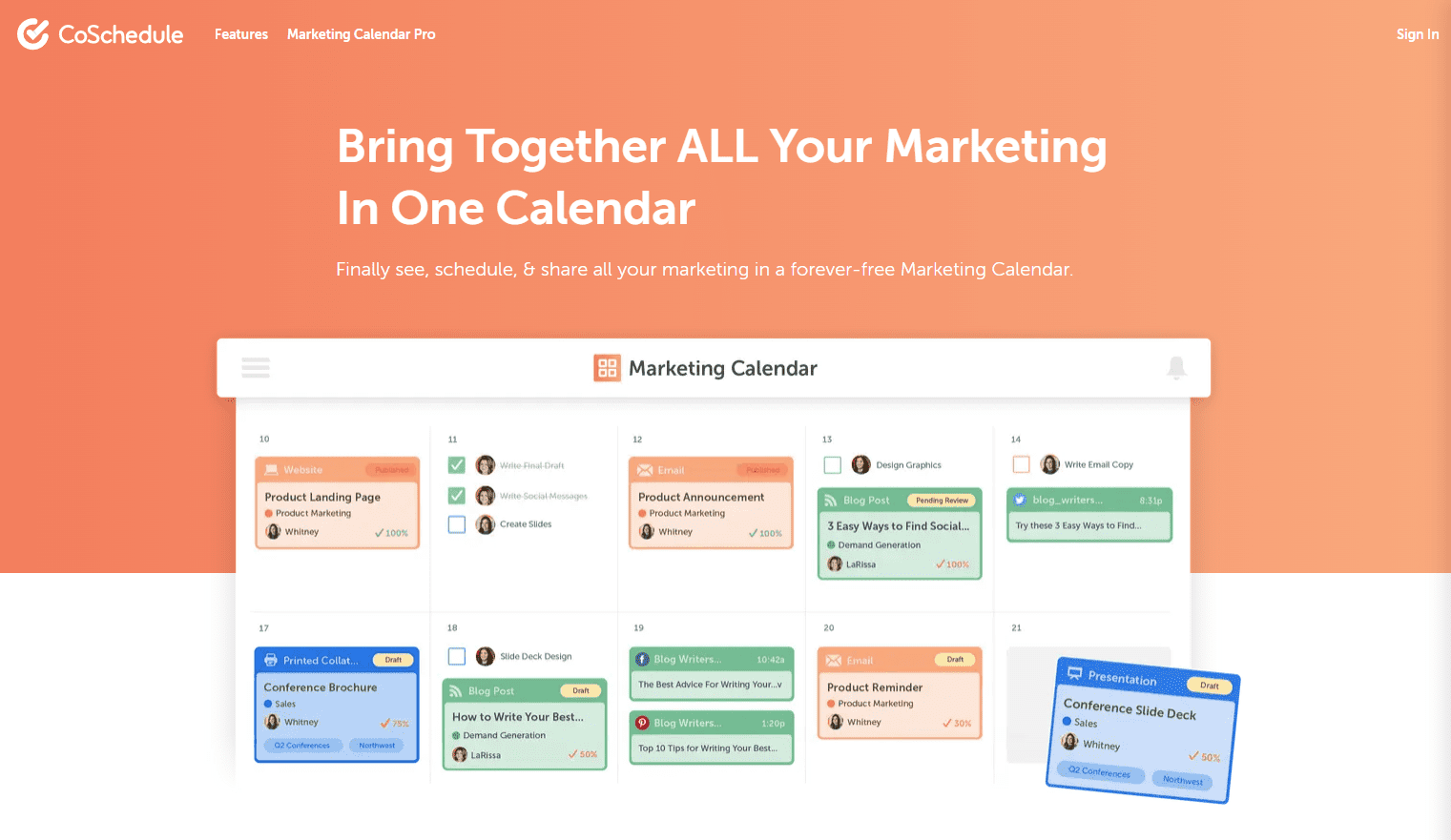
Mid-sized teams benefit from tools with more collaboration features. Asana supports task assignments, deadlines, and progress tracking. CoSchedule combines content calendars with social media scheduling. Notion helps create and share standard operating procedures and documents. These tools improve team coordination and help manage growing content workflows. They keep everyone on the same page and reduce confusion.
Large Teams
Large teams require powerful tools with advanced integrations. Asana scales well for managing many projects and users. Notion organizes complex content processes and knowledge bases. HubSpot’s editorial templates support content marketing at scale. These tools provide detailed reporting and automation options. They help large teams maintain consistency and speed across multiple content channels.
Measuring Content Performance
Measuring content performance is crucial for understanding how well your content meets its goals. It helps identify what works and what needs improvement. Using the right tools can simplify this process and provide clear insights.
Analytics Integration
Analytics integration connects your content planning tools with data sources. This link allows you to see real-time metrics like page views and user behavior. It helps track how audiences interact with your content across platforms. Many tools support Google Analytics or built-in analytics dashboards. This integration offers a clear picture of content success and areas to improve.
Tracking Engagement
Tracking engagement measures how users respond to your content. Common indicators include likes, shares, comments, and time spent on a page. Good content planning tools collect this data automatically. They help you spot trends and understand audience preferences. Tracking engagement guides future content decisions and boosts audience connection.
Budget-friendly Options
Budget-friendly content planning tools help manage projects without high costs. They fit small teams and solo creators who need solid features. These tools offer basic to advanced functions at low or no price. Smart choices save money while keeping your content organized and on track.
Free Tools And Trials
Free tools offer essential features for content planning. Trello provides boards and cards to track tasks easily. Notion combines notes, databases, and calendars in one place. Canva includes a content calendar and design templates for posts.
Many paid tools offer free trials. Asana and CoSchedule let you test full features temporarily. Trials help decide if the tool matches your needs. Use this time to explore and set up your content plan.
Cost-effective Subscriptions
Low-cost subscriptions bring more features for growing teams. Plans under $15 per month often include collaboration tools. Social Champ and Statusbrew offer affordable social media scheduling options. Narrato provides content creation and editorial workflow at a budget price.
Subscriptions often scale with your needs. Start small and upgrade when necessary. This approach keeps costs low while expanding capabilities over time.

Credit: narrato.io
Frequently Asked Questions
What Is The Best Content Planning Tool?
The best content planning tools include Asana, Trello, Notion, and Monday. com. They offer calendars, task tracking, and easy collaboration for teams of all sizes.
What Is A Content Planning Tool?
A content planning tool helps organize, schedule, and manage content creation and publishing. It ensures consistent output and aligns content with marketing goals.
Does Canva Have A Content Planner?
Yes, Canva includes a built-in content planner. It lets you create, schedule, and publish social posts directly from the platform.
What Is The Basic Tool For Content Creation?
The basic tool for content creation is a content planning platform like Asana, Trello, or Notion. These tools organize tasks and calendars effectively.
What Are Content Planning Tools Used For?
Content planning tools help organize, schedule, and manage content creation and publishing tasks.
Which Tools Are Best For Small Content Teams?
Trello, Basecamp, and HubSpot’s free templates suit small teams well for content planning.
Can Content Planning Tools Improve Publishing Consistency?
Yes, they help maintain regular posting by keeping track of deadlines and schedules.
Do Content Planning Tools Support Social Media Posts?
Many tools like Canva and Social Champ allow scheduling and publishing social media content.
Is Canva A Good Content Planning Tool?
Canva offers a built-in content calendar for planning and scheduling social media posts.
What Features Should I Look For In A Content Planner?
Look for calendar views, collaboration options, deadline reminders, and integration with other apps.
Conclusion
Choosing the right content planning tool helps keep your work organized. These tools save time and reduce stress. They make scheduling, creating, and tracking content easier. Teams can collaborate smoothly and meet deadlines on time. Start simple and find what fits your needs best.
Good planning leads to better content and steady growth. Keep your focus clear, and your content will shine.





