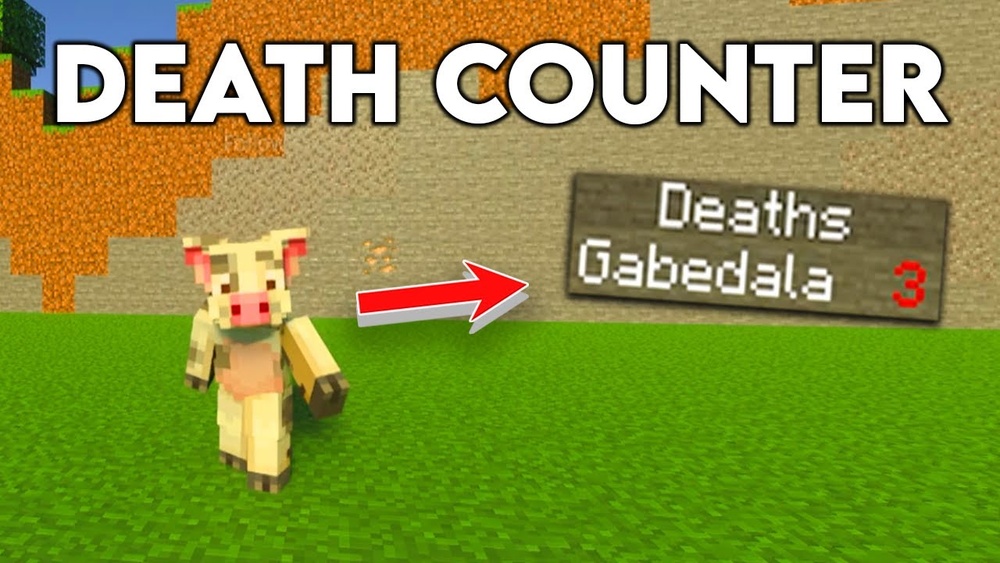
Minecraft is a game where every small detail can become a big adventure. For many players, tracking how many times they have died in the game is both a challenge and a source of fun. The Death Counter in Minecraft is more than just a number. It’s a tool for self-improvement, friendly competition, and sometimes, a source of embarrassment or pride. Whether you play alone, run a multiplayer server, or watch YouTube creators, you’ve probably seen or heard about death counters. But what exactly are they, how do you add them to your world, and why do so many players care? This article will take you deep into the world of Minecraft death counters: from simple scoreboard commands to advanced data packs, real gameplay uses, and the culture that surrounds them.
What Is A Death Counter In Minecraft?
A death counter is a way to keep track of how many times a player has died in a Minecraft world. It is often shown as a number next to the player’s name or on a scoreboard for everyone to see. Death counters can be used in single-player or multiplayer, and are popular in custom maps, challenge servers, and survival games. Sometimes, they are built into the game by server admins, and other times players set them up for private fun.
Death counters help players see who is surviving the best, or who is having a harder time. They can change how people play Minecraft: some become more careful, while others take more risks just for laughs. The death counter turns every fall, creeper blast, or lava swim into a competition or personal challenge.
Why Use A Death Counter?
There are several reasons players use a death counter in Minecraft:
- Competition: In multiplayer, death counters let everyone see who dies the most or least. This can start friendly rivalries and challenges.
- Improvement: Players can track their progress. Fewer deaths over time means better skills or smarter choices.
- Challenges: Some maps or servers use death counters to add difficulty. For example, you might only get 3 lives before you are out.
- Streamer Content: Many YouTube and Twitch creators use death counters for entertainment. Fans love watching their favorite players try to survive with as few deaths as possible.
- Server Rules: Some servers use death counters for rules or punishment. For example, if you die too many times, you might be sent to a “death jail” or lose items.
Non-obvious insight: Death counters can also help server owners spot hackers. If a new player has zero deaths after hours of dangerous gameplay, they might be using cheats.
How Death Counters Work In Minecraft
Minecraft has many ways to track deaths. The method you choose depends on your version and if you have access to commands, plugins, or data packs.
The Scoreboard Command
The scoreboard system in Minecraft is the easiest way to add a death counter without mods. The scoreboard tracks stats and can display them in-game.
Here’s how to set up a simple death counter using commands:
- Open chat (press T or /).
- Type: `/scoreboard objectives add Deaths deathCount Deaths`
- This creates a new objective called “Deaths” that tracks each player’s deaths.
- Type: `/scoreboard objectives setdisplay sidebar Deaths`
- This shows the death count on the right side of the screen.
- Play as normal. Every time someone dies, their number goes up.
This method works in Java Edition (PC/Mac). For Bedrock Edition, scoreboard commands are limited, but add-ons or plugins can do similar things.
Data Packs And Add-ons
Data packs can add advanced death counters with extra features. For example, some data packs:
- Track deaths per player and per team
- Reset counters after a certain time
- Show deaths only to the player (private)
- Announce deaths in chat with funny messages
To use a data pack:
- Download the data pack from a trusted site.
- Place it in the `datapacks` folder of your Minecraft world.
- Reload the world or use `/reload`.
Data packs often use the scoreboard but add custom features. You can find popular death counter data packs on Minecraft community websites.
Plugins For Servers
If you run a Spigot, Paper, or Bukkit server (Java Edition), plugins make death counters very easy. Plugins like “DeathCounter,” “Stats,” or “EssentialsX” can:
- Show death counts on the player list (tab menu)
- Display deaths in chat after each death
- Use commands to reset or view other players’ counts
- Link deaths to server punishments or rewards
Plugins are often used on large multiplayer servers or minigame servers.
Mods For Minecraft
For players who use Forge or Fabric mods, there are several death counter mods. These can:
- Add a death counter to the HUD (screen)
- Save death history (time, cause, location)
- Sync deaths between players
- Show death statistics over time
Mods give the most power and customization but require all players to install them.
Setting Up A Death Counter: Step-by-step Guide
Here’s a step-by-step example using the scoreboard command in Minecraft Java Edition:
1. Create The Death Counter Objective
Enter: `/scoreboard Objectives Add Deaths Deathcount Deaths`
2. Display The Death Counter
Enter: `/scoreboard Objectives Setdisplay Sidebar Deaths`
3. Test It Out
Die in-game (fall, lava, etc. ). Your death count will increase.
4. Customize (optional)
You can rename “Deaths” or change its display with commands like `/scoreboard objectives setdisplay list Deaths` to show it in the player list.
For more advanced setups, use data packs or plugins as explained earlier.
Common mistake: Forgetting to type “deathCount” in the first command. Without it, Minecraft won’t track deaths correctly.
Comparing Death Counter Methods
It can be confusing to pick the best method. Here’s a comparison of the main ways to add a death counter in Minecraft:
| Method | Best For | Pros | Cons |
|---|---|---|---|
| Scoreboard Command | Vanilla (no mods/servers) | Simple, built-in, works for all players | Basic features, public only |
| Data Pack | Custom worlds, creative servers | Custom messages, private stats, resets | Needs download, not for Bedrock |
| Plugin | Large multiplayer servers | Tab display, chat, advanced settings | Java servers only, not single player |
| Mod | Modded Minecraft, special needs | Full control, extra features, history | All players need the mod, harder setup |
Non-obvious insight: Scoreboard death counters can be reset by command, which is useful for tournaments or events.
Uses For Death Counters In Gameplay
Death counters are not just for bragging rights. They can change how you play Minecraft:
Survival Challenges
Many YouTubers and streamers use death counters for hardcore or ultra-hardcore challenges. The idea is simple: try to beat the game with as few deaths as possible. Sometimes, players restart the world if they die even once.
Mini-games And Events
Servers use death counters for custom mini-games:
- Last Man Standing: Players are out after a set number of deaths.
- Death Swap: Players swap locations; dying gives points to your opponent.
- PvP Tournaments: Winners are judged by kills vs. deaths ratio.
Friendly Rivalries
On private servers, friends often compete to survive the longest. Some servers even have “death leaderboards” in the spawn area.
Training Tools
Players who want to improve use death counters to spot bad habits. For example, if you always die to fall damage, you know to be more careful near cliffs.
Community Projects
Some server communities track total deaths for big group projects, like building a giant city or defeating the Ender Dragon. The death counter becomes part of the history and story of the world.
Customizing Death Counter Display
Not everyone likes the default sidebar display. Here are some ways to customize death counters:
Sidebar Vs. List Vs. Below Name
- Sidebar: Shows all players’ deaths on the right of the screen.
- List: Adds deaths to the player list (tab key).
- Below Name: Shows the number under each player’s name in-game.
To change the display, use commands like:
- `/scoreboard objectives setdisplay list Deaths`
- `/scoreboard objectives setdisplay belowName Deaths`
You can switch displays anytime, depending on what is easiest to see.
Custom Messages
Data packs and plugins can broadcast custom messages when someone dies, for example:
- “Player123 has met a terrible fate! Total deaths: 7″
- “Oops! Another lava bath for Player456 (3rd time today)”
These small touches make deaths fun and less frustrating.
Non-obvious insight: Some players use death counters for roleplay, making deaths part of their character’s story.
Tracking Different Types Of Deaths
Minecraft tracks many death types: falling, drowning, fire, mobs, etc. With advanced scoreboards or plugins, you can track different death causes separately. For example, you can see:
- How many times you died to zombies
- How often you fall from high places
- If you keep burning in lava
This is useful for speedrunners or challenge players who want to fix their weak points.
Here’s a comparison of what you can track using different methods:
| Method | Total Deaths | By Cause | Death Locations |
|---|---|---|---|
| Scoreboard | ✔️ | Limited | No |
| Data Pack | ✔️ | Some packs | Rare |
| Plugin | ✔️ | Yes (with stats plugins) | Some plugins |
| Mod | ✔️ | ✔️ | ✔️ |
Death Counters In Minecraft Culture
Death counters have become a cultural icon in the Minecraft community. Some famous examples include:
- Hermitcraft: A popular YouTuber server where players compete for the fewest deaths. They often have “death games” and pranks.
- Minecraft Championships (MCC): Teams are ranked partly by survival. Deaths can cost valuable points.
- Speedruns: World record attempts often include a “no death” rule, tracked by a counter.
- Hardcore World Tours: YouTubers like Philza (who survived 5 years in Hardcore) use death counters to show their long-lasting worlds.
Many Minecraft players share screenshots of their death counters, either showing off “zero deaths” or laughing at huge numbers after tough challenges.
Tips For Reducing Your Death Counter
If you want a better death counter score, here are practical tips:
- Wear armor: Even basic armor can save you from most deaths, especially creeper explosions and skeletons.
- Light up caves: Use torches to prevent mob spawns and surprise attacks.
- Carry a water bucket: This saves you from lava and fall damage.
- Watch your hunger bar: Healing stops if you are hungry.
- Build safe bases: Always sleep at night and have walls to keep out mobs.
- Use shields: They block most projectiles and melee attacks.
Two overlooked tricks:
- Place ladders or vines to break long falls. Many deaths happen from falling while caving.
- Always keep a respawn point (bed) near dangerous activities. This reduces the pain of dying far from home.
Common Problems And Mistakes With Death Counters
While death counters are simple, players often make mistakes:
- Forgetting to create the objective before setting the display. The command must be entered in the right order.
- Misspelling the objective name in commands. It is case-sensitive.
- Using the wrong display type. Sidebar is most visible, but belowName is better for seeing deaths in PvP.
- Not resetting counters for new events or challenges. Use `/scoreboard players reset * Deaths` to clear scores.
- Setting up in Bedrock Edition. Bedrock’s commands are different, and many Java features don’t work.
Non-obvious insight: On servers, death counters can accidentally reveal cheaters using hacks to avoid dying. Honest players usually have at least a few deaths.
Fun Ways To Use Death Counters
Death counters are not only for serious play. Here are creative ways people use them:
- Death Races: Players compete to reach the highest death count in a set time.
- Punishment Games: The player with the most deaths must do something funny, like build a statue of a chicken.
- Death Stories: Players write stories or signs explaining each death (“Here lies Steve, blown up by a creeper”).
- Ghost Mode: Players with too many deaths must wear white armor and “haunt” survivors.
- Donation Streams: Streamers let fans “buy” deaths for them, making gameplay chaotic and fun.
How Death Counters Improve Teamwork
On team-based servers, death counters encourage communication. If one player keeps dying in a certain area, teammates can help with resources or advice. Teams often set goals to keep deaths low, and share strategies for dangerous parts of the map.
Data, Stats, And World Records
Death counters are sometimes used to track statistics over time. For example:
- In a 100-day Hardcore challenge, the average player dies 1-3 times per session.
- On public servers, top players often have less than 10 deaths after months of play, while new players can have 50+ deaths.
- The world record for “Zero Death Survival” is held by players who have played thousands of Minecraft days without dying once.
Some servers have automatic logs and leaderboards to show this data. Here’s a sample leaderboard from a survival server:
| Player | Deaths | Days Survived |
|---|---|---|
| MinerMax | 2 | 150 |
| BuilderBee | 5 | 200 |
| RedstoneRex | 12 | 90 |
| NoobNina | 43 | 45 |
Non-obvious insight: High death counts are not always bad. Some players experiment with dangerous builds or stunts on purpose, and their creativity is valuable to the group.
Credit: www.youtube.com
Keeping Death Counters Fair
Sometimes, death counters are reset or adjusted for fairness. Reasons include:
- Server restarts: After big updates, some servers reset all stats.
- Bug deaths: If a player dies from a glitch, admins may remove that death.
- Events: For special tournaments, death counters are cleared before the start.
Admins should always tell players before resetting counters to avoid confusion.
How To Remove Or Reset A Death Counter
If you want to clear or hide the death counter:
- Use `/scoreboard objectives remove Deaths` to delete the objective.
- Use `/scoreboard objectives setdisplay sidebar` with no name to hide it.
- Use `/scoreboard players reset Deaths` to set all scores to zero (great for new events).
Remember: Once deleted, death history is lost unless you back it up first.
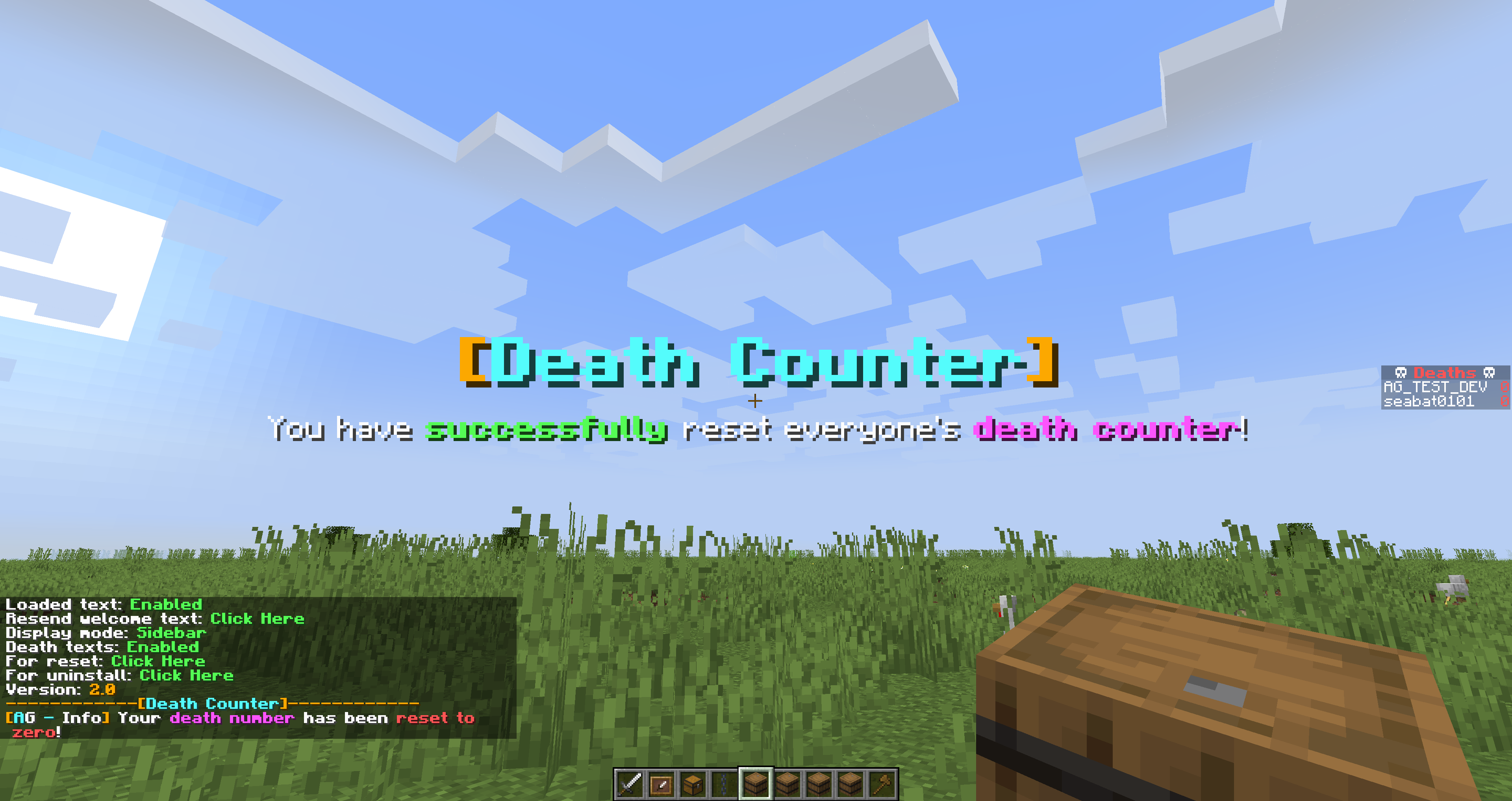
Credit: www.curseforge.com
Differences Between Java And Bedrock Editions
Java Edition has the most death counter options, including:
- Scoreboard commands
- Data packs
- Plugins
- Mods
Bedrock Edition (Windows 10, console, mobile) is more limited. You can:
- Use basic scoreboard commands (not all features)
- Download add-ons from the Minecraft Marketplace
- Use Realms features for some tracking
Many advanced features (custom messages, death by cause) need Java Edition or third-party tools.
Safety Tips For Downloading Plugins And Data Packs
When adding data packs or plugins for death counters:
- Only download from trusted sites like Planet Minecraft, CurseForge, or the official Minecraft site.
- Check reviews and comments before installing.
- Always back up your world before adding new files.
This keeps your world safe from bugs or security risks.
For more tips on safe downloads and Minecraft customization, you can visit the official Minecraft Wiki.
Credit: modrinth.com
Frequently Asked Questions
How Do I Add A Death Counter In Minecraft?
Use the command `/scoreboard objectives add Deaths deathCount Deaths` to create a death counter in Java Edition. Then use `/scoreboard objectives setdisplay sidebar Deaths` to show it. For servers or custom needs, use data packs, plugins, or mods.
Can I See What Caused Each Death?
The basic scoreboard only shows total deaths, not causes. Some data packs, plugins, or mods can track causes like mobs, falling, or lava. This helps players understand and improve their gameplay.
Is A Death Counter Possible In Bedrock Edition?
Bedrock Edition supports simple scoreboard commands, but many advanced features are missing. You can use add-ons from the Marketplace for more options, but they may not be as powerful as Java Edition tools.
Can I Reset Or Remove My Death Counter?
Yes. Use `/scoreboard players reset * Deaths` to set all players’ death counts to zero. To remove the counter completely, use `/scoreboard objectives remove Deaths`. Always confirm before deleting stats.
Why Do Streamers And Youtubers Use Death Counters?
Death counters add excitement and humor to videos and streams. Fans enjoy seeing their favorite players struggle or succeed. Death counters also make challenges, tournaments, and team games more interesting and fair.
Minecraft is a game of endless creativity and challenge, and the death counter is a simple tool that adds a whole new layer of fun, strategy, and community. Whether you want to improve, compete, or just laugh with friends, adding a death counter can make every adventure more memorable.





