
Looking to make your Pinterest profile stand out? The secret lies in creating the right boards that truly capture your style, interests, or business.
Whether you want to organize your favorite ideas, showcase your products, or inspire your followers, the perfect Pinterest board ideas can help you attract more views and engagement. In this guide, you’ll discover easy-to-follow tips and creative themes that will turn your boards into a magnet for new fans.
Ready to transform your Pinterest game? Let’s dive in and explore the best ways to plan, name, and organize your boards for maximum impact.
Choosing Board Topics
Choosing the right topics for your Pinterest boards helps attract the right audience. Boards should reflect your content, interests, or products. Use clear, keyword-rich titles and descriptions. This makes your boards easier to find and follow.
Organizing boards by specific topics or niches creates a neat and focused profile. It helps users quickly understand what your Pinterest page offers. Each board can serve a distinct purpose while supporting your overall theme.
Organize Your Boards By Topic Or Niche
Bloggers can create boards for their main blog categories. Examples include “Parenting Tips,” “DIY Projects,” or “Travel Destinations.”
E-commerce shops benefit from boards for product collections. Use titles like “Home Decor,” “Kids’ Clothing,” or “Electronics.”
Artists and creatives may use boards for different styles or subjects. Examples are “Watercolor Techniques,” “Portrait Photography,” or “Abstract Art.”
Create Boards For Specific Interests
Mood boards gather images around a theme or project. Titles like “Dream Kitchen Inspiration” or “Aesthetic Summer Vibes” work well.
Create hobby and lifestyle boards for topics like “Gardening Tips,” “Cozy Reading Nooks,” or “Craft Ideas.”
Inspirational boards showcase visuals you love. Consider “Stunning Sunsets,” “Beautiful Architecture,” or “Travel Photography.”
Use Keywords For Better Discovery
Choose clear, descriptive board titles that match common searches. For instance, use “Quick Weeknight Dinners” instead of “Yummy Food.”
Write practical descriptions with relevant keywords. Avoid cute names, emojis, or too many hashtags.
Create Related Topic Boards
Create boards on topics related to your niche to reach more users. A stationery shop might add “Creative Cake Ideas” or “Family Organization.”
Complement your niche by showing how products fit in a lifestyle. For example, “Fashion Trends” or “Outfit Ideas” work well for handmade jewelry sellers.
Organizing By Niche
Organizing Pinterest boards by niche helps keep your content clear and easy to find. It groups similar ideas or products together. This method improves user experience and boosts your profile’s visibility.
Using niche-specific boards allows you to target a focused audience. It makes your Pinterest profile look professional and well-planned. Each board acts like a mini-collection of related pins that attract specific interests.
Organize Your Boards By Topic Or Niche
Create boards based on your main topics or niches. For example, bloggers can use categories like “Parenting Tips,” “DIY Projects,” or “Travel Destinations.” E-commerce sellers can create boards for product groups such as “Home Decor,” “Kids’ Clothing,” or “Electronics.”
Artists and creatives benefit from boards focused on mediums or styles. Examples include “Watercolor Techniques,” “Portrait Photography,” or “Abstract Art.”
Create Boards For Specific Interests
Make boards that reflect particular themes or hobbies. Mood boards work well for a specific project or vibe, like “Dream Kitchen Inspiration” or “Aesthetic Summer Vibes.” Lifestyle boards can cover hobbies such as “Gardening Tips,” “Cozy Reading Nooks,” or “Craft Ideas.”
Inspirational boards collect visuals you love, such as “Stunning Sunsets,” “Beautiful Architecture,” or “Travel Photography.”
Use Keywords For Better Discovery
Choose clear, simple titles that people search for often. Titles like “Quick Weeknight Dinners” are better than vague names like “Yummy Food.” Write descriptions with useful keywords to improve board visibility.
Avoid using cute or unclear names. Skip emojis and excessive hashtags to keep titles search-friendly and professional.
Create Related Topic Boards
Expand your audience by adding boards on topics close to your niche. A stationery shop might include boards like “Creative Cake Ideas” or “Family Organization” to attract more users.
Complement your main niche with boards such as “Fashion Trends” or “Outfit Ideas” if you sell handmade jewelry. This shows how your products fit into a broader lifestyle.
Boards For Bloggers
Pinterest boards help bloggers organize ideas and attract readers. Boards serve as visual catalogs for blog content and related interests. Each board reflects a blog’s theme or specific topics. This makes it easier for followers to find content they want.
Creating boards with clear themes boosts engagement. Bloggers can showcase their expertise and share inspiration. Pinterest boards also drive traffic back to blog posts. Careful planning of boards leads to a strong Pinterest presence.
Boards For Blog Categories
Make separate boards for each main blog category. For example, a lifestyle blogger might create boards like “Healthy Recipes,” “Home Decor Tips,” and “Fitness Routines.” This helps followers find content that fits their interests quickly. Organizing by category keeps your profile neat and focused.
Boards For Seasonal Content
Create boards for holidays and seasons to catch timely searches. Ideas include “Spring Cleaning Hacks,” “Summer Travel Guides,” or “Holiday Gift Ideas.” Seasonal boards attract users searching for current topics. They also keep your content fresh and relevant throughout the year.
Boards For Blogging Tips And Tools
Share your knowledge by creating boards about blogging itself. Include pins with advice on writing, SEO, photography, or social media. Titles like “Blogging Tips for Beginners” or “Content Planning Tools” draw fellow bloggers. This positions you as a helpful source in the blogging community.
Boards For Inspiration And Mood Boards
Use mood boards to share your creative vision. Collect images that inspire your blog style or upcoming projects. Examples are “Color Palettes for Home Decor” or “Creative Writing Ideas.” These boards offer a glimpse into your creative process and attract like-minded followers.
Boards Highlighting Popular Posts
Create a board featuring your most popular blog posts. Pin images linked to these posts with catchy titles. This board acts as a portfolio of your best work. New visitors can quickly see your top content and explore further.

Credit: shaynavohs.com
Boards For E-commerce
Creating Pinterest boards for e-commerce helps showcase products clearly. Boards organize items by collections or themes. This method makes it easy for users to find what they want. It also boosts your store’s visibility on Pinterest.
Well-structured boards attract the right audience. They improve engagement and increase sales chances. Use simple, specific titles and add keyword-rich descriptions. Focus on your product categories and customer interests.
Product Collection Boards
Group products by collection, such as “Summer Dresses” or “Tech Gadgets.” This helps customers browse related items quickly. Clear collections guide users directly to what they need. Add detailed descriptions with relevant keywords for better search results.
Themed Boards
Create boards around themes like “Office Essentials” or “Outdoor Adventure Gear.” Themes give users ideas on how to use your products. They inspire purchases by showing lifestyle connections. Use images that tell a story and match the theme well.
Seasonal And Holiday Boards
Make boards for holidays or seasons, such as “Christmas Gifts” or “Summer Sale.” Seasonal boards attract shoppers looking for timely ideas. Update these boards regularly to keep content fresh. Highlight special offers or new arrivals linked to the season.
Customer Favorites And Best Sellers
Feature boards with top-rated or popular products. Labels like “Customer Favorites” build trust and encourage sales. Show real product photos and reviews if possible. This approach helps new customers decide quickly.
How-to And Inspiration Boards
Use boards that show product uses or styling tips. Examples include “DIY Home Decor with Our Products” or “Fashion Tips with Our Accessories.” These boards add value beyond just selling. They engage users and increase time spent on your profile.
Boards For Creatives
Creative minds thrive on inspiration and organization. Pinterest boards offer a perfect place to collect ideas, art, and projects. Creatives can use boards to showcase their style and find fresh concepts.
Using specific boards helps keep creative thoughts clear and easy to access. Each board can focus on a medium, technique, or theme. This method supports productivity and sparks new ideas.
Organize By Medium Or Style
Create separate boards for different art forms like painting, photography, or design. For example, have boards titled “Watercolor Ideas” or “Minimalist Photography.” This structure helps find inspiration quickly.
Build Mood Boards
Mood boards collect images and colors for a project or feeling. Titles like “Cozy Autumn Vibes” or “Modern Interior Design” gather visual elements in one place. They guide creative projects effectively.
Showcase Your Work
Display your artwork or designs on dedicated boards. Use clear, descriptive titles like “Landscape Paintings” or “Logo Designs.” This attracts followers and potential clients interested in your style.
Collect How-to And Tutorial Pins
Save step-by-step guides and tips on boards named “DIY Crafts” or “Photography Tips.” These boards act as a personal resource for learning and improving skills.
Follow Trends And Inspiration
Keep boards for current trends, such as “2024 Fashion Trends” or “Graphic Design Inspiration.” These help stay updated and spark new ideas based on popular styles.
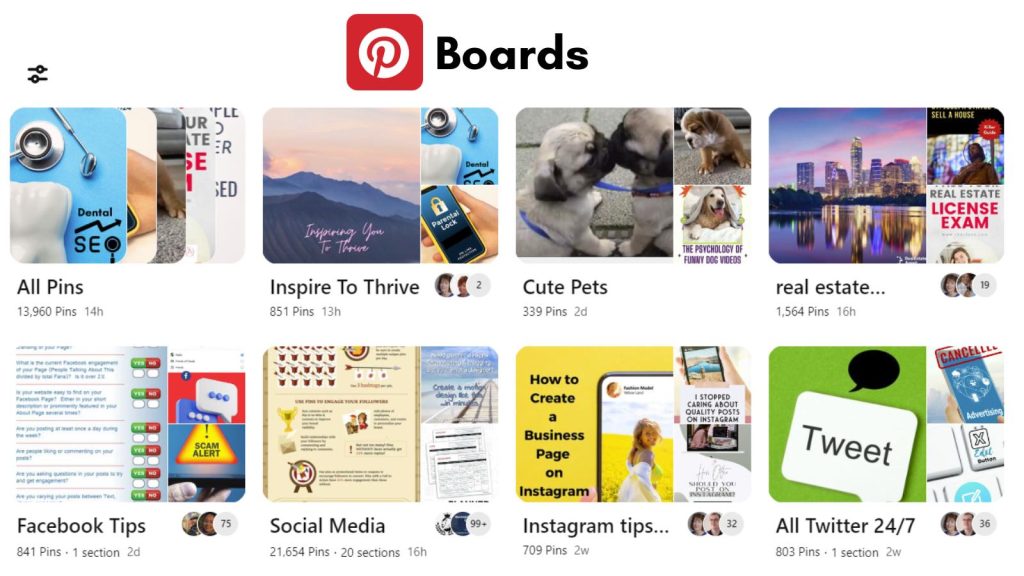
Credit: inspiretothrive.com
Mood And Theme Boards
Mood and theme boards on Pinterest help express feelings and ideas visually. They gather images and ideas that fit a specific vibe or style. These boards inspire creativity and guide projects or personal style. Organizing pins by mood or theme makes your boards unique and easy to explore.
Mood Boards For Inspiration
Mood boards collect images that show a certain feeling or atmosphere. Use them to plan events, design rooms, or start art projects. For example, a “Cozy Winter Evenings” board can include warm colors, soft blankets, and candles. This helps you see the look and feel before making decisions.
Theme Boards For Clear Focus
Theme boards focus on one main subject or interest. They keep related pins in one place for easy access. A “Summer Vacation Ideas” board might contain beach photos, travel tips, and packing lists. This keeps your ideas organized and ready for use.
Combining Mood And Theme
Mix mood and theme boards to create a strong visual story. For example, a “Rustic Wedding” board combines a wedding theme with a warm, natural mood. This helps users find inspiration that fits both style and purpose.
Using Keywords Effectively
Using keywords effectively on Pinterest helps your boards reach more people. Keywords guide Pinterest’s search system to show your boards to interested users. Choosing the right words makes your content easier to find.
Each board title and description should include clear, relevant keywords. These keywords describe the main theme or focus of your board. This simple step boosts your board’s visibility and attracts more followers.
Using Clear And Descriptive Titles
Choose titles that explain exactly what your board is about. Avoid vague or creative names that confuse people. For example, use “Easy Dinner Recipes” instead of “Yummy Food.”
Think about what words users might type when searching. Use those words in your board titles to improve search results. Keep titles short and direct for better impact.
Writing Keyword-rich Descriptions
Descriptions give you more space to add keywords related to your board’s topic. Write simple sentences that include important keywords naturally. This helps Pinterest understand your board better.
Don’t overload descriptions with too many keywords. Use them wisely to make your description clear and helpful. Avoid emojis or hashtags as they do not improve search rankings.
Organizing Boards By Topic Or Niche
Create boards around specific topics or interests. Use keywords that match these themes in both titles and descriptions. This organization helps users find what they want quickly.
For bloggers, name boards after main blog topics like “Travel Tips” or “Home Decor Ideas.” For shops, use product categories like “Kids’ Clothing” or “Outdoor Gear.”
Adding Related Topic Boards
Expand your reach by creating boards on topics connected to your main niche. Use keywords that attract people interested in those areas. This can bring new followers to your profile.
For example, a jewelry shop might add boards about “Fashion Trends” or “Outfit Ideas.” These boards use keywords that help users discover your products in different ways.
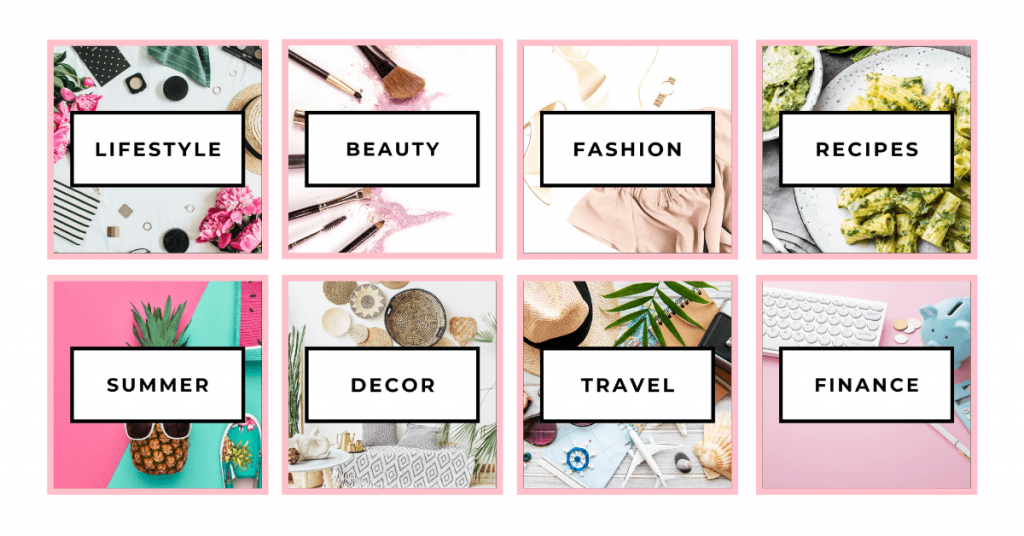
Credit: www.blogsavvypanda.com
Creating Related Topic Boards
Creating related topic boards on Pinterest helps expand your reach. These boards connect your main niche with broader interests. This strategy attracts users who share similar tastes or hobbies. It also keeps your content organized and easy to find. Related boards boost your profile’s visibility and engagement.
Attract New Users With Related Boards
Create boards that link to your niche but explore other interests. For example, a stationery shop can make boards about party planning or family activities. This draws in moms who like both crafts and celebrations. These users may follow your boards and discover your products.
Complement Your Niche With Supporting Topics
Use related boards to show how your products fit into larger lifestyles. A handmade jewelry seller might create boards on fashion tips or outfit ideas. This helps users see how to style your pieces. It makes your content more useful and inspires purchases.
Use Clear Titles And Descriptions
Give related boards simple, keyword-rich titles. Avoid cute or vague names. Instead, choose phrases people search for, like “Summer Party Ideas” or “Home Office Setup.” Write short descriptions that explain what users will find. This improves your boards’ search visibility.
Balancing Board Quantity
Balancing the number of Pinterest boards is key to effective content organization.
Too many boards can confuse followers and dilute your profile’s focus.
Too few boards may limit your reach and reduce engagement opportunities.
Finding the right balance helps users easily explore your content.
Quality Over QuantityCreate boards with clear, specific themes. Focus on topics that truly represent your content or brand.
Maintain active boards with regular updates. Avoid creating boards with few pins.
Well-curated boards attract more followers than many scattered ones.
Organize by Core TopicsGroup boards around main interests or niches. For example, a cooking blog might use “Healthy Recipes,” “Quick Meals,” and “Dessert Ideas.”
Keep boards tightly themed to help visitors find related pins easily.
This structure improves your profile’s clarity and search visibility.
Monitor and Adjust RegularlyReview board performance using Pinterest analytics. Identify boards with low engagement.
Consolidate or delete underperforming boards to keep your profile fresh.
Regular adjustments ensure your boards stay relevant and appealing.
Boosting Engagement With Visuals
Visuals catch attention faster than words alone. They make your Pinterest boards more attractive and engaging. Bright, clear images invite users to explore and save your pins. Good visuals tell a story without needing many words.
Using visuals smartly helps your boards stand out in crowded feeds. It increases the chance people will click, follow, and share your content. Strong images create a lasting impression and encourage interaction.
Use High-quality, Clear Images
Choose sharp, well-lit photos for your pins. Blurry or dark images turn viewers away. Clear pictures show your ideas or products in the best light. High-quality images look professional and trustworthy.
Incorporate Consistent Colors And Themes
Pick a color scheme that fits your brand or board topic. Consistent colors make your boards look neat and planned. Themes create a mood and help users understand your style quickly. This harmony keeps people interested and coming back.
Create Eye-catching Pin Covers
Design custom covers for your boards using bold text and visuals. Covers guide users to the right boards faster. They add personality and make your profile organized. Good covers invite clicks and increase engagement.
Use Infographics And Text Overlays
Infographics deliver quick, useful information in a visual way. Text overlays highlight important points on your images. They help explain the content clearly and attract skimmers. These pins often get more saves and shares.
Showcase Variety With Different Visual Formats
Mix photos, illustrations, and videos on your boards. Different formats keep your content fresh and exciting. Videos can explain ideas better and hold attention longer. Variety appeals to a wider audience and boosts engagement.
Frequently Asked Questions
What Should I Make A Pinterest Board Of?
Create Pinterest boards based on your content, interests, or products. Use clear, keyword-rich titles to improve search visibility. Organize boards by niche, hobbies, or inspiration. Include related topics to reach a wider audience. Avoid cute names; keep titles practical and descriptive for better discovery.
What Are Popular Topics On Pinterest?
Popular Pinterest topics include home decor, DIY projects, fashion, recipes, travel, fitness, beauty tips, and wedding ideas. Users also enjoy mood boards, inspirational quotes, gardening, and photography. Creating niche-specific boards with clear, keyword-rich titles boosts visibility and engagement on the platform.
What Is The Most Popular Board On Pinterest?
The most popular board on Pinterest is “Home Decor,” attracting millions with ideas for interior design and styling tips.
How To Make Your Pinboard Aesthetic?
Use clear, keyword-rich titles and descriptions for easy discovery. Organize pins by theme or niche. Mix images, quotes, and colors that match your style. Keep layouts neat and balanced. Add personal touches to reflect your unique aesthetic.
What Are Some Popular Pinterest Board Ideas?
Popular ideas include home decor, recipes, fashion, travel, DIY projects, and inspirational quotes.
How Do I Choose A Good Pinterest Board Theme?
Pick themes based on your interests, niche, or audience needs to keep content focused and relevant.
How Many Pinterest Boards Should I Create?
Start with 5-10 boards, then add more as your content and interests grow.
How Can I Organize My Pinterest Boards Effectively?
Group boards by topics, niches, or categories to help users find pins easily.
What Keywords Should I Use In Pinterest Board Titles?
Use clear, simple keywords that describe your board’s content and match what people search for.
How Do Pinterest Boards Help Grow My Audience?
Boards attract users interested in specific topics, increasing your visibility and follower count.
Conclusion
Creating Pinterest boards helps organize your ideas clearly and attract followers. Choose topics that fit your interests or business well. Use simple, keyword-rich titles for better search results. Group related boards to reach more people and keep your profile neat.
Regularly update your boards to keep them fresh and engaging. This way, you build a strong Pinterest presence step by step. Start planning your boards today and enjoy sharing your passions with others.





