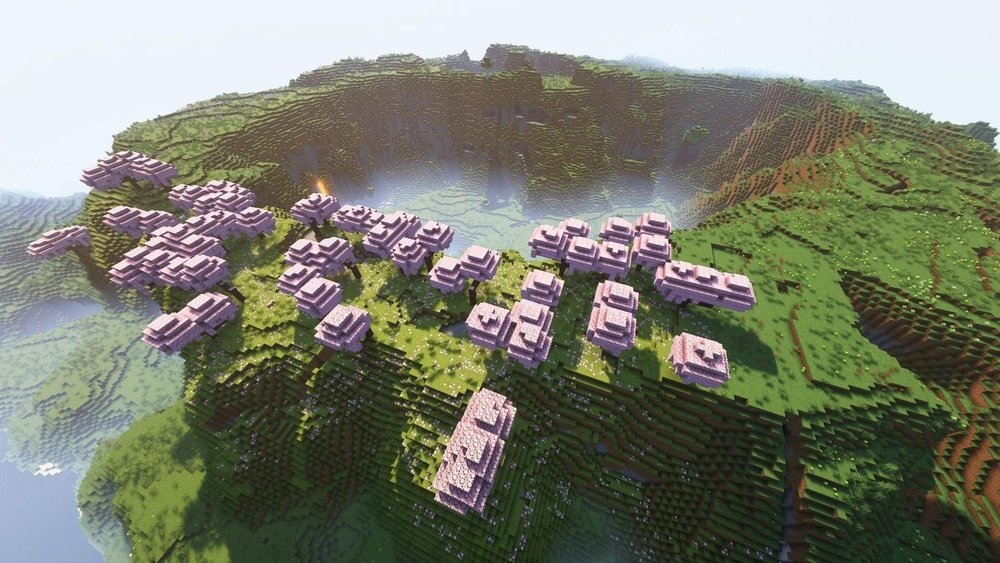
For millions of players, Minecraft is more than a game—it’s a living, breathing world full of surprises. Every time you start a new world, you never know what you’ll find: lush jungles, icy mountains, mysterious caves, and much more. The secret behind this magic is something called world generation. Over the years, Minecraft’s world generation has changed dramatically, creating new landscapes, features, and adventures for players. If you’re curious about how these worlds are created, what’s changed recently, and what it means for your gameplay, this guide will walk you through everything you need to know about Minecraft new world generation.
What Is World Generation In Minecraft?
Minecraft’s world generation is the process where the game creates new terrain, biomes, structures, and resources as you explore. When you enter a seed (a string of numbers or letters) and create a world, Minecraft uses algorithms to decide what the land looks like.
It controls where mountains appear, how rivers flow, where villages spawn, and even what types of caves you’ll find underground.
This system means no two worlds are exactly the same—your adventure is always unique. Over the years, world generation has evolved, becoming much more detailed and surprising. The latest updates, especially from version 1. 18 onwards (Caves & Cliffs Part II and beyond), have made the landscapes even more impressive and realistic.
Key Changes In Recent World Generation Updates
Minecraft’s world generation has seen some of its biggest changes in the last few years. These updates have made exploration more exciting, but they’ve also changed how you play. Here are the main improvements you’ll notice:
1. Dramatic Terrain And Height Changes
Before version 1. 18, Minecraft worlds were limited in height and depth. Mountains rarely reached above Y=128, and caves stopped at bedrock around Y=0. Now, mountains can soar to Y=320, and caves go down to Y=-64. This means worlds feel much taller and deeper.
Why it matters: You can find taller mountains, deeper valleys, and huge underground cave systems. Mining and building now have more vertical space, making large projects and epic bases possible.
2. Biome Blending
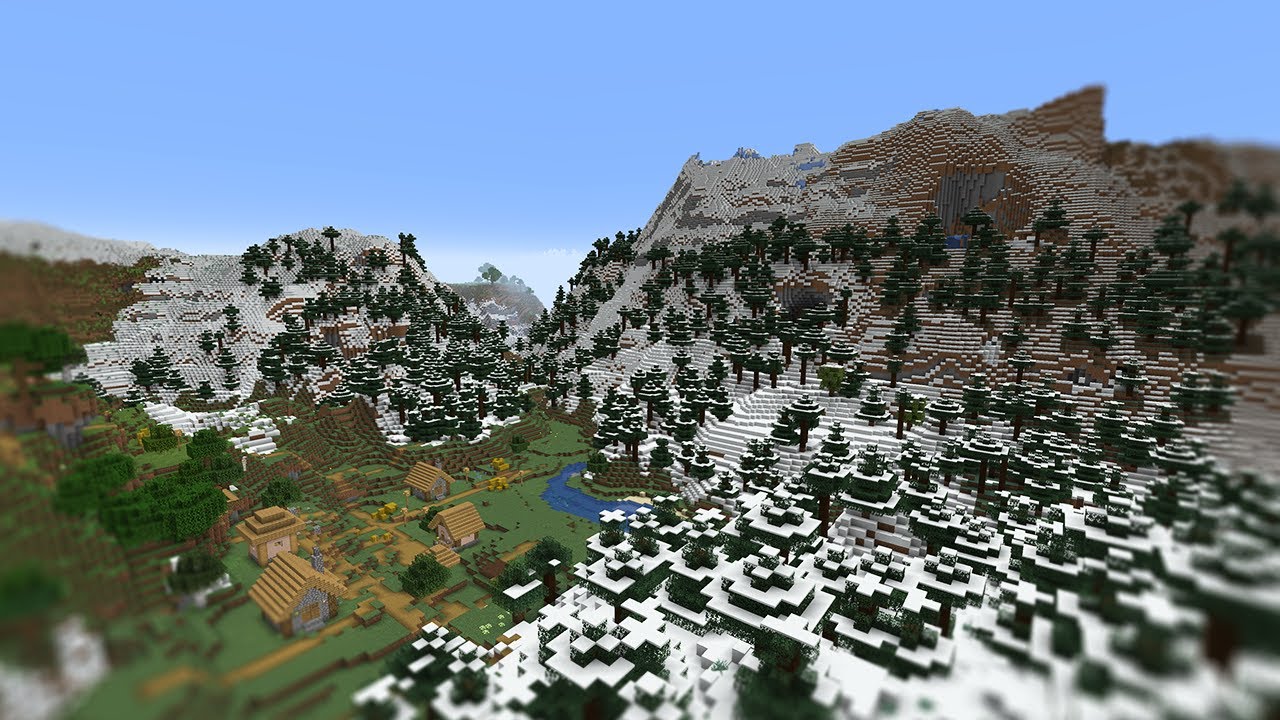
In older versions, biomes had harsh, straight edges. For example, a desert might suddenly touch a snowy tundra. With new biome blending, transitions are smoother. You’ll see forests fade into plains, then into mountains or rivers.
Why it matters: Worlds look more natural and realistic. Exploration feels less jarring, and it’s easier to find gradual changes in scenery.
3. Larger And More Varied Biomes
Biomes are now bigger and more diverse. Mountains have sub-biomes like stony peaks or groves. Caves can be lush or filled with dripstone. Even familiar areas, like swamps or jungles, have new features and blocks.
Why it matters: There are more places to discover and different resources in each area. You might have to travel further to find specific biomes, but the journey is more interesting.
4. Cave And Aquifer Overhaul
Caves used to be simple tunnels and small pockets. Now, there are three main types:
- Noise caves: Big, open spaces that look like underground caverns.
- Cheese caves: Huge rooms with holes, like Swiss cheese.
- Spaghetti caves: Long, twisty tunnels.
Aquifers add underground water lakes, which mix with lava and stone to create new challenges and resources.
Why it matters: Mining is riskier but more rewarding. You can find hidden lakes, waterfalls, and even giant cave biomes underground.
5. Improved Ore Distribution
Ores now spawn at different heights and in different patterns. For example, diamond is more common deep below Y= -59, while iron is easier to find in mountains.
Why it matters: Mining strategies have changed. You need to know where to dig for each resource, making gameplay more strategic.
6. Surface Structure Placement
Villages, temples, and other structures now appear in places that make more sense. A village might appear in a valley instead of floating on a cliff. Structures are also better blended with the land around them.
Why it matters: Exploring feels more realistic, and you’re less likely to find strange or broken buildings.
7. Climate And Temperature Zones
New world generation uses climate zones. For example, warm biomes (like deserts) are more likely to appear near each other, while cold biomes (like snowy tundras) cluster together.
Why it matters: You won’t find snowy land next to a jungle. This makes it easier to predict what biomes might be nearby.
How Minecraft Generates A New World: Step By Step
Understanding the process can help you appreciate how complex and clever Minecraft’s world generation is. Here’s how a new world comes to life:
- Seed Selection: The game uses a random or player-chosen seed to start.
- Chunk Creation: The world is divided into chunks (16×16 block areas). Chunks are generated as you explore.
- Terrain Shaping: Algorithms decide where hills, mountains, oceans, and caves appear.
- Biome Assignment: Each area gets a biome (like plains, forest, or desert), based on climate and location.
- Feature Placement: Structures, trees, lakes, and ores are added.
- Final Touches: Surface details like flowers, grass, and animals are placed.
This system means you can walk forever in one direction and never reach the “end” of the world—it keeps generating as you go.
Comparing Old Vs. New World Generation
To see just how much Minecraft has changed, let’s compare the old and new systems:
| Feature | Before 1.18 | After 1.18 |
|---|---|---|
| World Height | 0 to 256 | -64 to 320 |
| Biome Edges | Sharp, unnatural | Smooth blending |
| Cave Types | Mostly small, linear | Massive, varied |
| Ore Generation | Simple, even layers | Varies by height and biome |
| Structure Placement | Sometimes illogical | Natural integration |
New Biomes And Features To Explore
Minecraft’s new world generation brings fresh biomes and features. Here are some highlights:
Stony Peaks
These are rocky mountain tops, usually covered with stone and gravel. They don’t have much vegetation, but you can find lots of ores here.
Lush Caves
Found underground, these caves are full of greenery—glow berries, vines, and flowers. You might even find axolotls swimming in pools.
Dripstone Caves
These caves are filled with pointed dripstone stalactites and stalagmites. Watch out for falling spikes, but you can collect dripstone blocks and pointed dripstone for decoration or traps.
Meadows
High, grassy fields that often have flowers and sometimes villages. They’re peaceful and great for building.
Grove
Snowy forests on the sides of mountains, filled with spruce trees and powder snow. Be careful—falling into powder snow can be dangerous.
Snowy Slopes And Jagged Peaks
These are the highest, coldest mountain biomes. You’ll find goats and lots of snow here.
Deep Dark (coming In 1.19+)
This is a scary underground biome full of sculk blocks and the dangerous Warden mob. It’s meant for advanced players looking for a challenge.
How Seeds Affect World Generation
A seed in Minecraft is a special code that decides how the world is built. Every seed creates a different world, and sharing a seed lets others play in the exact same world you did.
How To Use Seeds
- When creating a new world, enter a seed in the “Seed for the World Generator” box.
- Seeds can be numbers or letters.
- You can find popular seeds online for special worlds, like “all biomes nearby” or “spawn next to a village.”
How Seeds Impact Your Adventure
- The same seed creates the same world every time (if the Minecraft version is the same).
- Seeds are changed by world generation updates. A seed in version 1.16 will create a different world in 1.18.
- Some seeds create rare features, like a mansion next to spawn or stronghold under a village.
Pro Tip: Always check the Minecraft version when using seeds found online. Updates can change the world layout, so a seed might not work as expected in a newer version.
How To Find Specific Biomes And Structures
With so many new biomes and features, you might want to find a specific place fast. Here’s how:
Using The /locate Command
If you have cheats enabled, you can use commands like:
- `/locate biome minecraft: Lush_caves`
- `/locate structure minecraft: Village`
This tells you the coordinates of the closest biome or structure.
Online Tools
There are websites that map out your world using your seed, showing where biomes and structures are. These include Chunkbase and Amidst.
Exploring
Sometimes the best way is just to explore. With bigger, blended biomes, you might have to travel further, but you’ll find surprises along the way.
How World Generation Affects Survival And Building
The new world generation isn’t just about looks—it changes how you play, too.
Resource Gathering
- Ores spawn at different heights. For example, iron is common at Y=16, copper at Y=48, and diamond below Y=-59.
- Some resources are now biome-specific, like goats on snowy peaks or axolotls in lush caves.
Building Projects
- More vertical space means you can build taller towers or deeper mines.
- Natural terrain is more varied, so building flat areas might take more work.
- Unique landscapes inspire creative builds—like cliffside houses or underground bases.
Survival Challenges
- Caves are larger and more dangerous, with more mobs and tricky water or lava pools.
- Powder snow in mountains can freeze you if you’re not careful.
- Finding specific biomes (like jungles or badlands) might take longer, making some resources harder to get early on.
Non-obvious insight: If you want to avoid powder snow hazards, craft leather boots—they let you walk on powder snow without sinking.

Credit: www.reddit.com
Tips For Adapting To The New World Generation
To make the most of Minecraft’s new world generation, keep these tips in mind:
- Explore Vertically: Don’t just walk on the surface—try digging down or climbing up. There are now hidden biomes and resources above and below ground.
- Bring the Right Tools: With more extreme mountains and deeper caves, pack extra food, torches, and blocks for climbing or escaping.
- Use Boats and Horses: Biomes are bigger, so travel can take longer. Boats help cross rivers, and horses speed up land travel.
- Watch for Hazards: Powder snow, big drops, and underground water lakes are new threats. Always carry a bucket of water and some leather boots.
- Mark Your Path: It’s easy to get lost in big caves or new forests. Use torches or signs to mark your way back.
- Use Mapping Tools: If you want to plan big builds or find specific places, try online mapping tools with your world seed.
Advanced tip: If you’re looking for ancient cities or rare structures, generate your world in the latest version—older versions don’t have these features.
Common Challenges With New World Generation
While the new world generation adds excitement, it also brings some challenges:
Harder To Find Certain Biomes
With biomes spread out and grouped by climate, you might have to travel far for jungles, badlands, or mushroom islands.
Resource Scarcity
Some ores are harder to find if you don’t know where to look. For example, coal is less common at deep levels, and copper is mostly in higher mountains.
Survival Risks
Bigger caves and more dangerous terrain mean falling or getting lost is easier. Underground lakes and lava are more common, so be ready for sudden hazards.
Older Seeds May Not Work
If you use a favorite old seed, the world might look very different in the newest version. This can surprise returning players.
How World Generation Affects Multiplayer And Servers
If you play on a server, the new world generation has some special effects:
- Server lag: Bigger caves and taller terrain can cause more lag, especially on weak hardware.
- Spawn points: Players might spawn on dangerous cliffs or in tricky biomes.
- Resource competition: With rare biomes, players may compete for the best spots.
Many servers use custom world generation settings or plugins to help balance gameplay and reduce lag.
Customizing World Generation: Advanced Options
Minecraft lets you customize how your world is generated, especially in Java Edition. Here’s how:
World Types
- Default: Standard generation with all features.
- Superflat: Only flat land, good for building.
- Large Biomes: Biomes are much bigger than usual.
- Amplified: Extreme terrain with tall mountains and deep valleys.
- Single Biome: The whole world is one biome (like ocean or desert).
Custom Seeds
You can enter seeds from online or create your own patterns.
Presets And Data Packs
Advanced users can use data packs to change ore rates, add custom biomes, or tweak structure generation. This lets you create truly unique worlds.
Non-obvious insight: Data packs allow you to add custom structures or change how rare structures appear—great for adventure maps or special challenges.
Credit: www.youtube.com
Technical Details: How Does The System Work?
Minecraft uses a mix of procedural generation and random algorithms. The game divides the world into “chunks” and generates each chunk as you explore. It uses “noise” (like Perlin noise) to create natural shapes for mountains, caves, and rivers.
Randomness And Predictability
- The seed makes the world predictable—if you use the same seed and version, you get the same world every time.
- Changes in the code (like from updates) can make the same seed give a different world.
Performance
- Bigger, more complex worlds use more computer power.
- On older computers, try lowering render distance or using smaller worlds to reduce lag.
Here’s a simple comparison of how different world types affect performance:
| World Type | Performance Impact | Best For |
|---|---|---|
| Default | Normal | General play |
| Amplified | High lag | Powerful PCs, adventure |
| Large Biomes | Normal | Exploration, building |
| Superflat | Low | Building, creative |
The Future Of Minecraft World Generation
The Minecraft team is always working on new features. Upcoming updates promise even more new biomes, improved cave systems, and smarter structures. For example, the “Deep Dark” biome and ancient cities add new adventure challenges, and future updates might bring new sky biomes or weather effects.
Players also create custom world generators using mods, adding things like floating islands, new dimensions, or wild terrain not found in the official game.
Credit: www.reddit.com
Real-world Inspiration: Why Minecraft’s Worlds Feel So Alive
Minecraft’s world generation uses real geography as inspiration. Mountain ranges, river valleys, and climate zones are based on real Earth patterns. This is why exploring a Minecraft world can sometimes feel like walking through a real landscape.
The game’s use of “noise” to create randomness is similar to how digital artists make natural-looking textures. This is why you rarely see perfectly straight edges or repeated patterns in the landscape.
How To Make The Most Of Your New World
With all these changes, how can you get the best Minecraft experience? Here are some final tips:
- Try different seeds: Don’t settle for your first world. Test out seeds to find one with your favorite features.
- Explore new biomes: Make a goal to visit every new biome, even if it takes time.
- Adapt your strategy: Learn the new ore heights and plan your mining trips.
- Use creative mode: If you just want to see the new landscapes, fly around in creative mode to explore.
- Play with friends: New worlds are great for multiplayer adventures—find caves together, build mountaintop bases, or race to find rare structures.
If you want to dig even deeper into Minecraft’s technical side, check out the official Minecraft Wiki for in-depth guides and updates.
Frequently Asked Questions
What Is A Minecraft Seed And How Does It Affect World Generation?
A seed is a code that decides how your Minecraft world is built. Entering a specific seed lets you create the same world every time, as long as you use the same game version. Seeds control the layout of biomes, structures, and terrain features.
Why Do Old Seeds Look Different In New Minecraft Versions?
Each Minecraft update can change how the world is generated. This means a seed from an old version may create a different world in a newer version, because the rules and algorithms for world generation have changed.
How Do I Find A Specific Biome Or Structure In My World?
You can use the /locate command (if cheats are enabled) to find biomes or structures. There are also online tools like Chunkbase that map out your seed and show biome and structure locations. Exploring on foot or by boat is another way, but can take longer.
What’s The Best Way To Find Diamonds In The New World Generation?
Diamonds now spawn most often below Y=-59. To find them, mine deep underground, but avoid lava lakes and bring plenty of supplies. Strip mining at this depth or exploring big caves can be effective.
Can I Customize World Generation In Minecraft?
Yes. In Java Edition, you can choose world types (like Amplified or Superflat), enter custom seeds, and even use data packs to change biomes, ore rates, and structures. This lets you make the world as easy or as challenging as you want.
Minecraft’s new world generation keeps the game fresh and exciting. Whether you’re a new player or a returning veteran, there’s always something new to discover and create in your ever-changing world.





