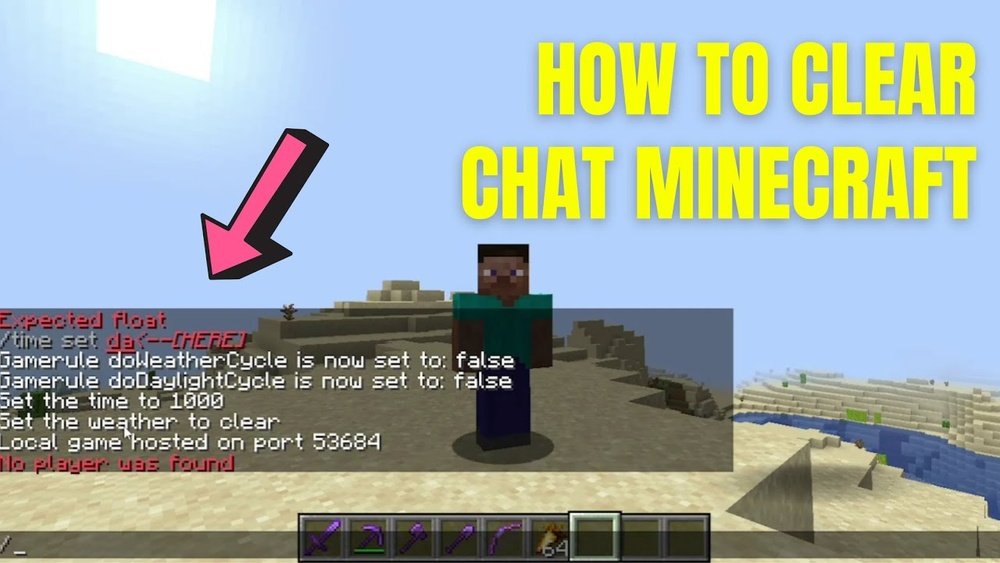
Minecraft is more than just a game; it’s a creative universe where players chat, build, and work together. The chat feature is essential for communication, sharing ideas, and having fun. But sometimes, the chat gets messy or filled with spam. This is where the concept of Minecraft clear chat comes in. Clearing chat helps keep things organized, protects privacy, and makes game play smoother. Whether you’re a server admin, a casual player, or someone new to Minecraft, understanding how to clear chat is important for a better gaming experience.
Many players, especially beginners, overlook the power of managing chat. You may not realize how much a cluttered chat can slow down teamwork, reveal secrets, or distract from the game. Clearing the chat is not just about deleting messages; it’s about controlling the flow of information.
In this article, you’ll learn everything about Minecraft clear chat—from basic methods and commands to advanced plugins and privacy tips. We’ll also cover clear chat for both Java and Bedrock Editions, common mistakes, and answer the most frequent questions. By the end, you’ll know exactly how to keep your Minecraft chat clean, safe, and fun.
Why Clearing Chat Matters In Minecraft
A busy Minecraft server chat can quickly fill with commands, conversations, and sometimes, unwanted messages. When the chat is flooded, important information can be lost. Clearing chat is valuable for several reasons:
- Reduces clutter: Too many messages make it hard to focus on the game.
- Protects privacy: Clearing chat can remove sensitive information.
- Prevents spam: Some players misuse chat for advertising or trolling.
- Improves performance: In rare cases, too much chat can cause lag.
- Resets the mood: After arguments or drama, clearing chat can help everyone start fresh.
Experienced server admins know that chat management is key to a positive community. But even in single-player or small group games, it’s useful for keeping things organized.
Basic Ways To Clear Chat In Minecraft
Every Minecraft version handles chat differently. Here are the most common ways to clear chat, starting with the simple ones anyone can use.
Scrolling The Chat Window
The easiest way is to scroll up in your chat window. Minecraft only shows a limited number of lines at a time. If you send several blank messages or use the Enter key repeatedly, you can “push” old messages out of view.
Steps:
- Open chat by pressing “T” (Java Edition) or the chat button (Bedrock Edition).
- Press Enter multiple times without typing anything. Each blank line moves old messages up.
- Eventually, previous chat messages disappear from view.
This method is easy but not perfect. The old messages are technically still in the chat history—they’re just not visible.
Using The F3 + D Shortcut (java Edition)
Minecraft Java Edition has a built-in shortcut to clear the chat quickly.
How to use F3 + D:
- Open Minecraft.
- Press F3 and D at the same time.
This instantly clears your visible chat history. It doesn’t delete messages for other players, only for you. It’s fast, private, and doesn’t require plugins or commands.
Non-obvious tip: Some laptops require you to use the Fn key to access F3. So try Fn + F3 + D if F3 + D doesn’t work.
Sending Blank Messages
Another simple way is to send a series of blank or dot messages.
- Open chat.
- Type a single dot “.” or space and press Enter.
- Repeat 10-20 times.
This method pushes old chat up and out of view, but it can annoy other players. Only use it in single-player or with permission.
Clearing Chat With Commands
Minecraft does not have a built-in “clear chat” command for all players. However, some servers use plugins or server commands to control chat. Here’s what you need to know.
Server Console Commands
If you run your own server, you may have access to the server console. You can use commands to manage chat, though there’s no universal “clear chat” command in vanilla Minecraft.
Common commands:
- `/kick
` (removes disruptive players) - `/mute
` (stops spammers) - `/say
` (broadcasts important info)
To clear chat for all players, most servers rely on plugins.
Using Plugins (java Edition)
Plugins add extra features, including chat control. Popular server platforms like Spigot, Bukkit, and Paper support plugins.
Popular Clear Chat Plugins
Here’s a comparison of three well-known clear chat plugins for Java Edition:
| Plugin Name | Main Features | Ease of Use | Custom Messages |
|---|---|---|---|
| ClearChat | Clears chat for all/individual players | Easy | Yes |
| LiteChat | Spam filter, clear chat, mute | Medium | Yes |
| ChatControl | Advanced chat management | Advanced | Yes |
How to install a clear chat plugin:
- Download the plugin from a trusted source.
- Place the .jar file in your server’s “plugins” folder.
- Restart the server.
- Use the plugin’s command (e.g., `/clearchat`) to clear the chat.
Example command:
`/clearchat` — clears chat for everyone.
`/clearchat
Non-obvious insight: Many plugins let you customize the message players see when chat is cleared. This can include rules, reminders, or jokes.
Command Blocks
In creative mode or adventure maps, you can use command blocks to send multiple blank messages.
Steps:
- Give yourself a command block: `/give @p command_block`
- Place the block and enter: `/say`
- Chain several command blocks to flood chat with blank messages.
This “clears” chat by pushing old messages out of view. It’s not elegant, but it works for adventure maps or custom servers.
How To Clear Chat In Bedrock Edition
Bedrock Edition (Windows 10, mobile, consoles) works differently than Java Edition. It does not have F3 + D or plugin support.
Manual Clearing
The only easy way is to send blank messages, as explained earlier. There are no shortcuts or built-in commands to clear chat for all players. This is a limitation of Bedrock Edition.
Mobile tip: On phones or tablets, you can leave and re-enter the game to refresh chat.
Realms And Command Blocks
If you run a Realm or Bedrock server, you can use command blocks to send multiple blank messages, just like in Java Edition. This is mainly for map makers or admins.
Managing Chat As A Server Admin
Admins have more tools to control chat. Besides clearing, you can manage who can speak, set up filters, and log chat for safety.
Mute And Unmute
Use `/mute
Chat Slowdown
Many plugins allow you to “slow” chat so players can only send messages every few seconds.
Example: `/chat slow 5` (players can chat once every 5 seconds)
Announcements And Warnings
Before clearing chat for everyone, it’s polite to warn players.
Good practice:
- Send: “Chat will be cleared in 10 seconds. Save any important info now!”
- Clear chat.
- Send a message: “Chat cleared by admin.”
This keeps your community informed and reduces confusion.
Advanced Chat Management Techniques
Serious server admins and power users go beyond just clearing chat. Here are advanced tips that many beginners miss.
Automated Chat Clearing
Some plugins can automatically clear chat every hour or after a certain number of messages.
Why automate?
- Keeps chat tidy without manual work.
- Reduces spam build-up.
- Maintains server performance.
How to set up:
Check your plugin documentation. Many offer scheduled tasks or settings for auto-clear.
Chat Logging
Some admins log chat to external files for safety or moderation. This way, even after clearing chat, you have a record.
Example plugins: ChatControl, LiteChat
Tip: Always tell players if you log chat, for privacy and trust.
Filtering And Anti-spam
Advanced plugins can filter banned words, block links, or stop repeated messages. This reduces the need to clear chat as often.

Credit: dev.bukkit.org
Customizing The Chat Clear Experience
Clearing chat does not have to be boring. Many plugins let you customize the message that appears after clearing chat.
Creative Message Ideas
- “Chat wiped clean! Ready for new adventures.”
- “A fresh start—chat has been cleared.”
- “Old messages gone. Let’s keep it friendly!”
Adding your server’s style or a fun emoji can make the process less annoying.
Permissions And Roles
Not everyone should be able to clear chat. Use your server’s permission system to restrict clear chat commands to trusted roles (e. g. , admins, moderators).
Example:
Only players with the `clearchat. use` permission can clear chat.
Privacy And Safety: What Players Need To Know
Clearing chat is not just about tidiness. It can protect you from harassment, leaks, or mistakes.
Hiding Sensitive Info
If you accidentally share a password, home coordinates, or other private data in chat, clear it immediately. But remember, chat logs or screenshots may still exist.
Tip: Never share personal info in public chat.
Chat Visibility Settings
Some clients and mods let you hide chat completely or filter out certain types of messages.
- Toggle chat: Press F1 in Java Edition to hide the entire HUD, including chat.
- Adjust chat opacity: In settings, lower chat opacity to make messages less distracting.
What Clearing Chat Cannot Do
Clearing chat removes messages from your screen, but it does not delete server logs or prevent others from saving messages.
Important: Once something is in chat, you cannot guarantee it’s gone forever.

Credit: hypixel.net
Minecraft Chat Mods And Add-ons
Mods add extra features to Minecraft, and some are designed for chat control.
Popular Chat Mods
| Mod Name | Key Features | Supported Version | Unique Benefit |
|---|---|---|---|
| Chat Tweaks | Custom chat commands, formatting | Java (Forge) | User-side control |
| LabyMod | HUD customization, chat settings | Java | Easy GUI |
| Badlion Client | Antispam, chat filters | Java | Competitive tools |
Mods are usually for personal use and require installing software like Forge or Fabric. Always download mods from trusted sites.
Mod Vs Plugin: What’s The Difference?
- Mods: Change the game for you (client-side).
- Plugins: Change the game for everyone on the server (server-side).
Non-obvious insight: Mods like Chat Tweaks give you personal control, but won’t clear chat for other players.
Common Mistakes And How To Avoid Them
Many players and new admins make errors when trying to clear chat. Here’s how to avoid the most common issues.
1. Trying To Clear Everyone’s Chat With F3 + D:
This only clears your own chat, not the whole server.
2. Spamming Blank Messages On Busy Servers:
This can annoy players and may get you muted or banned.
3. Not Warning Before Clearing Chat:
Sudden chat wipes can confuse or upset players.
4. Using Outdated Plugins Or Mods:
Always check compatibility with your Minecraft version.
5. Assuming Chat Is Private:
Even after clearing, server admins may have logs.
6. Giving Clear Chat Power To Everyone:
Restrict this ability to trusted staff only.
7. Ignoring Plugin Permissions:
Set up permissions so only admins or moderators can clear chat.
8. Not Backing Up Chat Logs:
For servers with rules or active moderation, always keep backups.
9. Overusing Auto-clear:
If chat clears too often, players may feel frustrated.
10. Forgetting About Screenshots:
Players can still take screenshots of chat, even if you clear it.

Credit: www.youtube.com
Real-world Examples: Chat Management In Action
Let’s look at how different servers use chat clearing and management for a better experience.
Example 1: Large Public Server
A popular minigame server has hundreds of players online. Chat gets busy fast.
- Uses auto-clear every hour.
- Mutes spammers instantly.
- Staff use `/clearchat` after big announcements or events.
- Warnings are posted before clearing chat.
Example 2: Private Friends’ Server
A small group uses chat mostly for fun. Chat is rarely cleared, but sometimes after a joke or drama, the admin uses the plugin to “reset” the mood.
- Plugin shows a custom message: “Fresh chat, fresh start!”
- Only admins have access to clear chat.
Example 3: Adventure Map
Map creator wants to remove puzzle hints from chat after use.
- Command blocks send blank messages to hide answers.
- Players are told in advance that chat will be cleared.
Lesson: Each community uses clear chat tools differently, based on their needs.
Best Practices For Minecraft Clear Chat
If you want a healthy, organized Minecraft community, follow these best practices:
- Warn players before clearing chat.
- Use plugins or mods for advanced control.
- Set permissions carefully.
- Keep backup logs for safety.
- Don’t overuse chat clear—balance is key.
- Educate players about privacy and chat rules.
- Customize clear chat messages for a friendly touch.
- Test plugins and mods on a test server before live use.
- Respect player feedback about chat management.
- Stay up to date with plugin updates and game versions.
How To Choose The Right Clear Chat Solution
There’s no “one size fits all” for Minecraft clear chat. Here’s a quick guide to help you pick the best option.
| Situation | Best Method | Why |
|---|---|---|
| Single player | F3 + D or scroll chat | Easy, built-in, no plugins needed |
| Small server (Java) | Simple plugin (ClearChat, LiteChat) | Easy to use, customizable |
| Large public server | Advanced plugin (ChatControl) | More features, automation, permissions |
| Bedrock Edition | Blank messages or command blocks | No plugin support, limited options |
| Adventure maps | Command blocks | Automated, fits custom maps |
Tip: Always check for plugin updates after Minecraft releases a new version. Outdated plugins can cause errors or security risks.
Frequently Asked Questions
How Do I Clear Chat For Everyone On My Minecraft Server?
To clear chat for everyone, you need a plugin like ClearChat or ChatControl on a Java server. After installing the plugin, you can use commands like `/clearchat` to wipe chat for all players. There is no built-in command in vanilla Minecraft.
For Bedrock, your options are limited to blank messages or command blocks.
Does Clearing Chat Remove Messages From Server Logs?
No, clearing chat only removes messages from the visible chat window. Server logs still keep a record of all messages for moderation and safety. If you need to protect privacy, remind players not to share sensitive information, as logs may remain.
Can I Clear Chat On Minecraft Bedrock Edition?
Bedrock Edition does not support plugins or the F3 + D shortcut. The only way is to send blank messages to push old chat off the screen or use command blocks in custom maps or Realms. There’s currently no official “clear chat” feature for Bedrock.
Is It Possible To Clear Chat For Just One Player?
Yes, some plugins allow you to clear chat for a specific player. For example, `/clearchat
Are There Any Risks In Using Chat Clear Plugins Or Mods?
Most reputable plugins and mods are safe if you download them from official sites. However, using outdated or untrusted plugins can cause crashes, bugs, or security problems. Always keep plugins updated and test them before using on a live server. For more information on plugin safety, visit the SpigotMC Plugin Safety Guide.
A clean, well-managed chat makes Minecraft more fun for everyone. By choosing the right tools and following best practices, you can keep your world friendly, organized, and safe—no matter how many players join the adventure.





