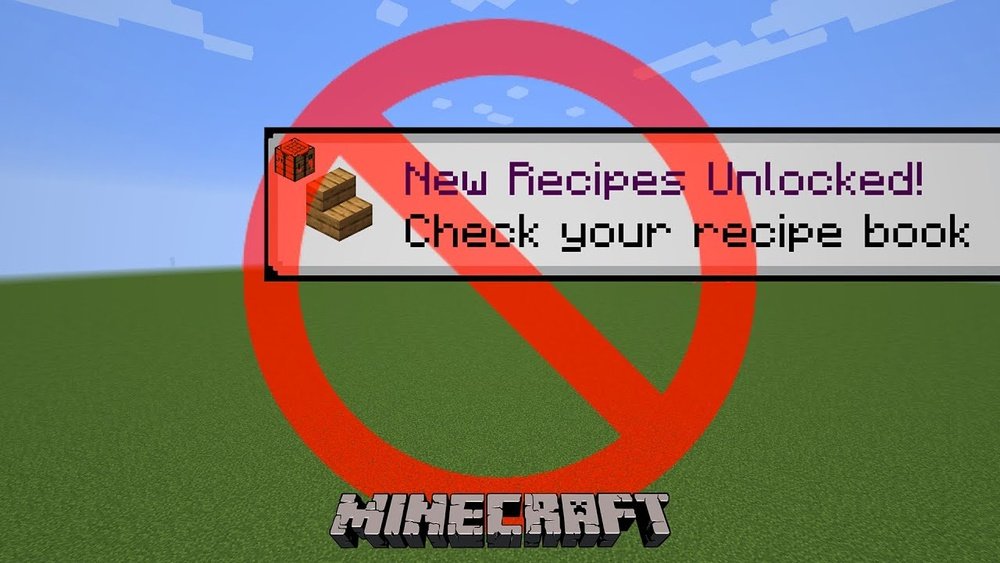
Minecraft is a game that invites creativity, adventure, and exploration. But when you first start, the tutorial can feel overwhelming or even annoying, especially if you already know the basics. Many players want to jump straight into building or exploring, but the tutorial keeps popping up with hints and guides. If you’re one of those players asking, “How do I turn off the tutorial in Minecraft?”, you’re not alone. Disabling the tutorial can make the gameplay smoother and help you focus on what you love most in the game.
This guide will walk you through every method to turn off the tutorial in Minecraft, covering different game versions and platforms. You’ll also learn why the tutorial appears, how to handle common problems, and what to do if you can’t turn it off.
If you’re ready for a more seamless Minecraft experience, keep reading for clear steps, helpful tips, and solutions for every situation.
Understanding The Minecraft Tutorial
The tutorial in Minecraft is a set of hints and prompts that appear when you play for the first time or after resetting data. It explains basic actions, such as moving, crafting, and surviving. These hints are helpful for beginners but can interrupt gameplay for experienced users.
There are two main types of tutorials in Minecraft:
- Pop-up Hints: These appear as boxes on your screen, guiding you through different actions.
- Tutorial World: In some editions, especially on consoles, you enter a special world that teaches you game mechanics step by step.
Why Does The Tutorial Appear?
The tutorial appears for several reasons:
- First time playing: Minecraft assumes you’re new and wants to help.
- Profile reset: If you delete your saved data, the game thinks you need to learn again.
- Different device: Switching devices or accounts may trigger the tutorial.
Understanding how the tutorial system works helps you control when and how it appears.
Turning Off The Tutorial On Different Platforms
Minecraft is available on several platforms, and each handles tutorials differently. The method to turn off the tutorial depends on whether you’re using Java Edition, Bedrock Edition, or a console version like PlayStation or Xbox.
Java Edition (pc/mac)
For most players, Java Edition is the classic Minecraft experience on PC or Mac. Good news: Java Edition does not have a full tutorial world. Instead, it uses on-screen hints called “Advancements” or “Tooltips”.
How To Disable Hints And Tooltips
- Launch Minecraft and open your world.
- Press ESC to open the game menu.
- Go to Options.
- Click on Chat Settings.
- Set “Prompt Narrator” or “Tutorial Hints” to OFF (if available).
- Go back to Options, then Video Settings.
- Set “Show Advanced Tooltips” to OFF.
- Save your changes and return to the game.
These steps will stop most hints and tooltips from popping up. However, “Advancements” might still appear as notifications. To hide these, you need to ignore them, as there is no official way to fully turn them off.
Advanced Tip: Editing Game Files
If you are comfortable editing files, you can try:
- Navigating to your Minecraft “saves” folder.
- Opening your world’s folder.
- Editing the `advancements` JSON files to mark them as completed.
Warning: Editing game files can cause errors. Always back up your files first.
Bedrock Edition (windows 10, Mobile, Switch, Playstation, Xbox)
Bedrock Edition handles tutorials as pop-up hints and sometimes as a separate tutorial world, depending on the device.
Disabling Hints In Bedrock Edition
- Open Minecraft and go to Settings from the main menu.
- Scroll down to the Game section.
- Find the option called “Show Hints” or “Tutorial Hints”.
- Switch this option to OFF.
This will stop most tutorial messages from appearing during gameplay.
Console Tutorial Worlds
On some consoles, especially PlayStation and Xbox, Minecraft used to include a Tutorial World option when starting a new game.
- When you open the game, select Play.
- Highlight your world or create a new one.
- Look for an option called “Play Tutorial” or “Start Tutorial World”.
- Uncheck or skip this option.
If you enter the tutorial world by accident, you can exit by pausing and selecting Exit to Main Menu. Then, start a regular world.
Data Table: Tutorial Options By Platform
Here’s a quick look at how tutorials work on different Minecraft platforms:
| Platform | Tutorial Type | How to Turn Off |
|---|---|---|
| Java Edition (PC/Mac) | Hints/Tooltips | Options > Chat/Video Settings |
| Bedrock (Windows 10) | Hints | Settings > Game > Show Hints OFF |
| Mobile (iOS/Android) | Hints | Settings > Game > Show Hints OFF |
| Console (PS/Xbox) | Tutorial World | Skip Tutorial World at Start |
| Nintendo Switch | Hints | Settings > Game > Show Hints OFF |
Legacy Console Editions (xbox 360, Ps3, Ps Vita)
Older console versions, such as Xbox 360 Edition and PlayStation 3 Edition, use a dedicated tutorial world.
Steps To Skip Or Turn Off The Tutorial World
- When you start the game, you are often prompted with a tutorial world.
- From the main menu, select Play Game.
- You’ll see the option: Play Tutorial. Select NO or SKIP.
- Create or load your own world instead.
If you enter the tutorial world by mistake, pause and Exit to Main Menu. Then, select a non-tutorial world.
Minecraft Education Edition
Education Edition is used in schools and has more structured tutorials.
- Go to Settings from the main menu.
- Look for Tutorial Settings.
- Set Tutorials to OFF.
Some tutorials are linked to lesson plans. If you can’t turn them off, ask your teacher or administrator to change the settings.

Credit: www.reddit.com
Why Players Want To Turn Off The Tutorial
The Minecraft tutorial can be helpful for new players, but most experienced users find it distracting. Here’s why many choose to turn it off:
- Interrupts gameplay: Pop-ups break the flow of building and exploring.
- Repetitive: If you’ve played before, you already know the basics.
- Blocks creative play: Tutorials guide you to specific actions, limiting freedom.
- Confusing for custom maps: Custom adventure maps may show their own guides, making tutorials unnecessary.
A smooth, uninterrupted experience lets you focus on your goals, whether that’s building a castle or surviving the night.
Common Problems And How To Fix Them
Turning off the tutorial is usually easy, but sometimes things go wrong. Here’s how to solve common issues.
Tutorial Keeps Coming Back
You turn off hints, but they reappear next time you play. Why?
- Profile or game data reset: If your game profile resets, Minecraft thinks you’re new again.
- Updates: Some updates may reset settings.
- Cloud saves: On consoles, cloud data sometimes restores the tutorial flag.
Solution:
- Make sure your settings are saved before closing the game.
- On consoles, check that your account is synced.
- If you play on multiple devices, repeat the steps on each one.
No Option To Turn Off Tutorial
Some versions, especially older ones, might not have a clear “turn off tutorial” button.
What You Can Do:
- Play a custom world: The tutorial appears only in the tutorial world.
- Ignore or quickly skip hints: In most cases, hints disappear after a few seconds.
- Update your game: Newer versions often add better control over tutorials.
Tutorial World Loads By Default
On legacy consoles, sometimes the tutorial world loads every time.
Steps To Fix:
- Delete the tutorial world save.
- Create and save your own world, then set it as your default.
- Check storage settings to make sure your world is not deleted after each session.
Advanced Methods: Clearing Or Resetting Tutorial Data
If the normal menu options don’t work, you can try advanced methods.
Deleting Tutorial Data On Pc (java Edition)
- Close Minecraft completely.
- Open your “.minecraft” folder. On Windows, press Windows + R, type `%appdata%\.minecraft`, and hit enter.
- Look for a folder named options.txt.
- Open it with Notepad.
- Find lines like `tutorialStep` or `hintsEnabled`, and change their values to false or off.
- Save and close the file.
Restart Minecraft. The tutorial should not appear.
Clearing Data On Consoles
- Go to your console’s Settings > Storage.
- Find Minecraft and select Saved Data.
- Delete the Tutorial World or similar files.
- Restart the game.
Be careful: Deleting saved data also removes your worlds. Back up anything important first.
What If You Can’t Turn Off The Tutorial?
In rare cases, you might find no way to remove the tutorial, especially on older editions. Here are some practical ideas:
- Play through the tutorial quickly: Most tutorials can be completed in a few minutes. After that, they won’t appear again.
- Start on a new profile: Some versions let you create a new user or profile. Use one that has completed the tutorial.
- Look for community solutions: Forums like Reddit or the official Minecraft site often have tricks for specific versions.

Credit: www.youtube.com
Non-obvious Insights Most Players Miss
Many guides tell you to “turn off the tutorial,” but miss a few key details. Here are two insights you should know:
- Tutorials are often version-dependent: The way tutorials work changes with each update. Always check your game version before looking for solutions. For example, Bedrock 1.18 removed some tutorials that were present in 1.16.
- Tutorials can help with new features: Even experienced players sometimes benefit from keeping hints on after a major update. Minecraft adds new blocks, mobs, and mechanics regularly. Leaving hints on for a while can teach you about new features you might otherwise miss.
Understanding these points helps you decide whether turning off the tutorial is always the best choice for you.
Comparison: Tutorials Vs. No Tutorials
Ever wondered how much time or freedom you gain by disabling the tutorial? Here’s a quick comparison.
| Gameplay Aspect | Tutorial Enabled | Tutorial Disabled |
|---|---|---|
| First-Time Learning | Guided, slower | Self-paced, can be confusing |
| Experienced Players | Annoying pop-ups | Smooth, uninterrupted play |
| Discovery of New Features | Highlighted by hints | Must explore or read changelogs |
| Custom Maps/Mods | Conflicting instructions | Full control over experience |
Credit: www.reddit.com
How To Turn Off Specific Tutorials Or Hints
Maybe you don’t want to turn off everything—just the most annoying parts. Minecraft lets you control individual hints in some versions.
Java Edition
- You can turn off Advancement Pop-Ups by setting “Show Toasts” to OFF in the advancements menu.
- For narrator hints, press Ctrl+B to cycle through narrator modes: All, Chat, System, or Off.
Bedrock Edition
- In Settings > Game, you may see options like “Show Crafting Recipes”, “Show Tooltip Hints”, or “Show Achievement Hints”.
- Turn off only the hints you don’t want.
Customizing hints gives you a balance between guidance and freedom.
How Tutorials Affect Multiplayer And Realms
If you join a multiplayer server or Minecraft Realms, tutorials usually do not appear, because worlds are pre-made and the tutorial triggers are not present. However, if you create a new world in Realms and you’re the owner, you might see hints based on your profile settings.
To avoid tutorials in multiplayer:
- Turn off hints in your profile before joining a server.
- If you’re a server admin, use command blocks or plugins to suppress tutorial pop-ups.
Disabling Tutorials In Custom Maps And Adventure Worlds
Adventure maps and custom worlds are popular in Minecraft. Sometimes, the default tutorial hints conflict with custom instructions.
- Before loading a custom map, turn off all tutorial hints in the settings.
- If you’re designing a map, use command blocks to clear tutorial triggers for players.
This ensures your adventure map provides a clean, immersive experience.
Tips For Parents And Younger Players
If you’re a parent or supervising a young player, consider these points:
- Beginners benefit from tutorials: For very young children, the tutorial helps them learn controls and basic survival.
- Turn off only if confident: Once the child feels comfortable, you can disable hints to encourage creativity.
- Monitor updates: Updates may turn tutorials back on. Check settings after each update.
Minecraft is a great tool for learning, so use tutorials as needed.
How Updates Affect Tutorial Settings
Every big Minecraft update can change how tutorials work. For example, the Caves & Cliffs update introduced new blocks and mechanics, and many hints changed or new ones were added.
- After an update, check your settings. Some updates reset hints to ON by default.
- Update your knowledge: Read the patch notes to see what’s new.
Staying aware of changes helps you control your gameplay experience.
Community Solutions And Mods
If you play on Java Edition, the modding community offers even more control. Some mods let you customize or remove tutorials altogether.
Popular mods for disabling tutorials:
- NoTutorial: Removes all tutorial pop-ups.
- Toast Control: Lets you filter which pop-ups appear.
To use mods:
- Install Forge or Fabric mod loader.
- Download the mod from a trusted source.
- Place the mod in your “mods” folder.
- Launch Minecraft.
Mods are only for Java Edition and require careful installation. Always download from official sites.
Summary Of Steps For Each Edition
Here’s a quick reference for how to turn off tutorials by edition:
| Edition | How to Turn Off Tutorial |
|---|---|
| Java | Options > Chat/Video Settings; Mods |
| Bedrock | Settings > Game > Show Hints OFF |
| Console (legacy) | Skip Tutorial World; Exit to Main Menu |
| Education | Settings > Tutorial OFF |
Final Tips For A Smooth Minecraft Experience
- Save your settings: Always click “Save” or “Apply” before exiting menus.
- Back up your worlds: Especially before making changes to files or deleting data.
- Update your game: New updates often improve tutorial options.
- Ask the community: If you’re stuck, Minecraft forums and Reddit have active support.
Remember, Minecraft is about freedom and creativity. Don’t let the tutorial hold you back!
Frequently Asked Questions
How Do I Permanently Turn Off The Tutorial In Minecraft?
You can disable tutorials by going to Settings > Game > Show Hints OFF on Bedrock Edition, or through Options > Chat Settings on Java Edition. On consoles, skip the tutorial world. On some older editions, you may need to complete the tutorial once for it to stop appearing.
Why Do Tutorial Hints Keep Coming Back After I Turn Them Off?
This usually happens if your profile resets, your game updates, or if you play on a new device. Make sure your settings are saved, and repeat the process if needed. On consoles, check your account and cloud save settings.
Is There A Way To Turn Off Only Specific Hints, Not All Tutorials?
Yes. On Bedrock Edition, you can turn off only certain hints in Settings > Game. On Java Edition, use mods like Toast Control for more advanced options.
Will Turning Off The Tutorial Affect My Achievements Or Gameplay?
No. Disabling the tutorial does not affect your ability to earn achievements, progress, or use game features. It only removes pop-ups and guidance messages.
Where Can I Find More Help If I’m Stuck?
The official Minecraft Help Center and forums are good places to find more support. Check out Minecraft Help Center for troubleshooting guides and community advice.
Minecraft is about making your own adventure. Now that you know how to turn off the tutorial, you’re free to explore, build, and play your way. Enjoy a cleaner, distraction-free Minecraft world!





