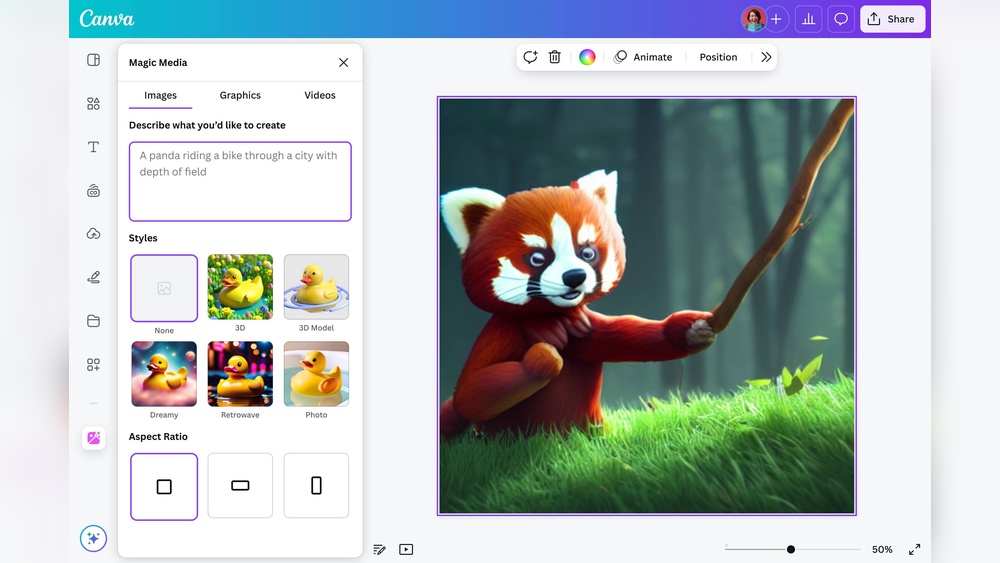
Are you curious about how to generate AI images but don’t know where to start? You’re in the right place.
Creating stunning visuals with AI is easier than you think, even if you have no design experience. Imagine turning your ideas or simple text into eye-catching images in just a few clicks. This article will guide you step-by-step, showing you exactly how to bring your imagination to life with free and popular AI image generators.
By the end, you’ll have the confidence and tools to create unique AI images that stand out—so keep reading and unlock your creative potential!
Choosing The Right Ai Tool
Choosing the right AI tool is key to creating great images. Each tool offers unique features and ease of use. Consider what fits your needs and skill level.
Some tools work well for simple images. Others give more control and detail. Think about your project type and budget before deciding.
Top Free Ai Image Generators
Free AI image generators provide a good starting point. Tools like Canva, Fotor, and Adobe Firefly let you create images without cost. These platforms are user-friendly and quick to learn.
Bing Image Creator and OpenArt also offer free options. They support text-to-image generation with simple prompts. Free tools often have limits on image size or usage but still work well for many needs.
Paid Vs Free Options
Paid AI tools usually offer better quality and more features. You get higher resolution images and advanced editing options. These tools suit professionals or serious hobbyists.
Free tools are great for casual use or trying AI image creation. They help you understand the process before investing. Paid versions often remove watermarks and give commercial rights.
Choosing between paid and free depends on your goals. Test free tools first. Upgrade only if you need extra power or flexibility.
Setting Up Your Account
Setting up your account is the first step to generate AI images. Proper setup ensures smooth access to AI tools. It helps you use all features without interruptions. Follow simple steps to create your profile and understand usage limits. This preparation saves time and avoids errors later.
Creating Profiles On Platforms
Choose a platform that fits your needs. Popular options include Adobe Firefly, Canva, and Fotor. Visit the platform’s website and look for the sign-up button. Enter your email and create a strong password. Some platforms allow sign-up with Google or Facebook accounts. Verify your email if required to activate your profile. Fill in basic details like your name and country. Profiles help save your work and settings securely. You can access your images anytime from your account.
Understanding Usage Limits
Most AI image platforms set limits on free accounts. These limits include the number of images you can create each day or month. Some platforms restrict image size or quality for free users. Read the terms carefully to avoid unexpected charges. Knowing your limits helps plan your projects better. Upgrade options are available if you need more usage. Keep track of your usage to stay within limits. This practice prevents service interruptions and extra fees.
Crafting Effective Prompts
Crafting effective prompts is key to generating the best AI images. Clear and precise prompts guide the AI to create images that match your vision. A well-written prompt reduces guesswork and improves image quality.
Focus on what you want to see in the image. Details matter. The more specific your prompt, the closer the AI’s result will be to your idea.
Using Descriptive Language
Use clear and simple words to describe the main subject. Mention colors, shapes, and sizes. For example, say “a red apple on a wooden table” instead of just “apple.”
Include details about the background or setting. Describing the environment helps the AI place the subject correctly. Add sensory words like “bright,” “soft,” or “shiny” to enhance the image.
Incorporating Style And Mood
Specify the style you want, such as “cartoon,” “realistic,” or “abstract.” This guides the AI’s artistic approach. Mentioning famous artists or art movements can also shape the style.
Describe the mood or emotion of the image. Words like “happy,” “mysterious,” or “calm” influence the atmosphere. Mood details help the AI create images with the right feeling.

Credit: www.ndtv.com
Generating Images From Text
Generating images from text uses artificial intelligence to create pictures based on written descriptions. This technology interprets the text and turns words into visuals. It helps users bring ideas to life without needing drawing skills. The process is simple but powerful for art, design, and content creation.
Step-by-step Process
First, choose an AI image generator tool online. Many free options are available with easy interfaces. Next, type a clear and detailed description of the image you want. Use simple words to describe colors, shapes, and objects. Then, submit the text prompt to the AI system. The AI reads the text and starts creating the image. Wait a few seconds as the image forms. Finally, review the result and download or edit it if needed. Some tools allow multiple tries to improve the image.
Common Challenges
Sometimes, the AI may not understand complex text well. Vague or long prompts can cause unclear images. The AI might add unwanted elements or miss key details. Image quality may vary depending on the tool used. It can take several attempts to get the perfect picture. Patience and clear descriptions help reduce errors. Checking different AI generators can find better results for your needs.
Using Reference Images
Using reference images is a powerful way to guide AI in creating more accurate and personalized visuals. Reference images provide the AI with a clear example, helping it understand shapes, colors, and styles you want. This method improves the quality and relevance of generated images.
Reference images serve as a starting point. You can use them to transform or enhance existing pictures. This technique makes the output more aligned with your vision and saves time on revisions.
Image-to-image Generation
Image-to-image generation lets you upload a photo and ask the AI to recreate it with changes. The AI studies the reference image and applies new effects or styles. For example, you can turn a sketch into a full-color artwork. This approach keeps the core elements intact while adding creativity.
Many AI tools support this feature. Just upload your reference image and select the desired style or transformation. The AI then processes the image and produces a fresh version based on your input.
Enhancing With Ai Styles
AI styles help improve your reference image by applying artistic filters or enhancements. You can change the mood, add textures, or mimic famous art styles. This method elevates simple photos into unique creations.
Choose from various styles such as watercolor, oil painting, or abstract art. The AI blends the style with your reference image details, creating a balanced and creative result. This technique is perfect for adding flair to your images without starting from scratch.
Editing And Refining Results
Editing and refining AI-generated images is key to achieving the perfect result. The initial image may not always meet expectations. Small tweaks can improve details, colors, and composition. It helps to use tools designed for easy adjustments. Sometimes, generating a new version of the image can produce better outputs. This section explains how to enhance your AI images effectively.
Tools For Adjustments
Many AI platforms offer built-in editing tools. These allow you to change brightness, contrast, and saturation. Cropping tools help focus on the main subject. Some apps include filters to change the mood or style. Simple sliders make it easy to see changes live. Using these tools improves the image without needing extra software. They help polish your image quickly and clearly.
Regenerating Images
Regenerating means creating a new version from the same prompt. This can fix odd details or improve composition. Each generation varies slightly, offering fresh options. If the first image is not right, try again. Adjust your prompt to be more specific or clear. Regeneration is a fast way to get better results. Keep trying until the image matches your vision.
Optimizing Output Quality
Optimizing output quality is key to creating clear and appealing AI images. High-quality images look professional and capture attention easily. Adjusting settings carefully enhances details and colors. Simple changes can make a big difference in the final result.
Resolution Settings
Resolution defines the number of pixels in an image. Higher resolution means sharper and clearer images. Choose a resolution that fits your purpose. For web use, 1080p or 1920×1080 pixels is often enough. For printing, select higher resolutions like 300 DPI.
Check your AI tool’s options to set the resolution before generating. Avoid too low resolution to prevent blurry images. Too high resolution may slow down the process or use more storage. Balance quality and performance based on your needs.
File Formats
File format affects image quality and usability. JPEG is common for photos but uses compression that can lower quality. PNG keeps quality with no compression and supports transparency. Use PNG for logos and images needing sharp edges.
TIFF and BMP offer high quality but create large file sizes. Choose these formats for professional printing or editing. Save images in the right format to keep colors and details crisp. This helps your AI-generated images look their best everywhere.
Creative Applications
AI image generation offers exciting creative uses. It helps bring fresh ideas to life with ease. Artists, marketers, and hobbyists find new ways to express themselves. The technology turns simple text into vivid images. This opens doors to innovative projects and designs.
Creative applications of AI images span many fields. They provide quick visual content that grabs attention. This section explores two key areas where AI images shine.
Marketing And Branding
AI images help create unique visuals for brands. They allow quick production of logos, ads, and social posts. Marketers use AI to test different styles and ideas fast. This saves time and lowers design costs. Custom images can match a brand’s voice perfectly. AI tools also generate themed content for campaigns. They keep visuals fresh and engaging for audiences. Using AI images makes marketing more flexible and creative.
Personal Projects
AI images inspire creativity in personal works. Hobbyists use them for art, storytelling, and gifts. They turn simple descriptions into colorful pictures. This helps people visualize concepts without drawing skills. AI images add fun to blogs, social media, and presentations. They let users explore new styles and ideas easily. Personal projects gain a unique touch with AI-generated art. Many enjoy experimenting with AI to create original visuals.
Ethical And Legal Considerations
Generating AI images opens creative doors but also raises important ethical and legal questions. Understanding these issues helps users avoid problems and respect creators’ rights. It guides responsible use and protects against misuse.
Copyright Issues
AI image generators often train on copyrighted material. This can cause legal conflicts over image ownership. Users must check the source and rights of training data. Creating images that copy existing work may infringe copyright. Always use AI tools that respect copyright laws. Avoid sharing or selling images that use protected content without permission.
Responsible Ai Use
AI can create realistic images that may mislead viewers. Avoid generating harmful or deceptive content. Use AI to create positive and truthful images. Respect privacy by not creating images of real people without consent. Understand the impact AI images can have on society. Promote transparency by labeling AI-generated images clearly.

Credit: www.youtube.com
Future Trends In Ai Imaging
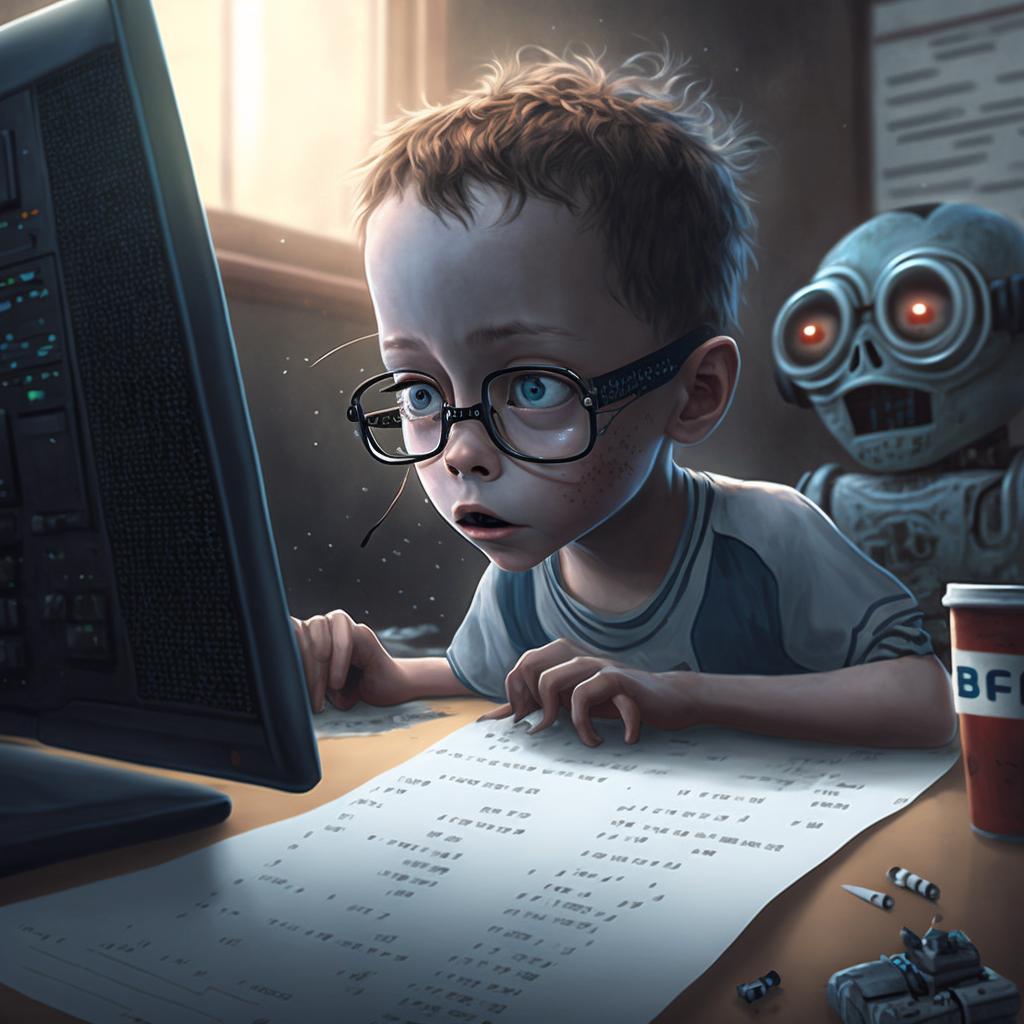
The future of AI imaging holds exciting possibilities. Technology is evolving fast. New tools will create images that look even more real. These advancements will change how artists, designers, and creators work. Exploring key trends helps us understand what lies ahead.
Emerging Technologies
AI models will become smarter and faster. They will learn from smaller data sets and need less computing power. New techniques like diffusion models and neural radiance fields will improve image quality. We will see AI that can create 3D images and animations easily. This will open doors to more creative projects and industries.
Integration With Other Media
AI images will blend with video, audio, and virtual reality. Creators will use AI to build immersive stories and experiences. Social media platforms will support AI-generated content more widely. Tools will allow easy editing and mixing of AI images with traditional media. This integration will make creative workflows smoother and more flexible.
Credit: statusneo.com
Frequently Asked Questions
How Do I Create An Ai-generated Image?
Create an AI-generated image by choosing an AI tool, entering a text prompt, then generating the image. Edit or refine as needed.
Is There A Free Ai To Make Images?
Yes, free AI image generators like Bing Image Creator, Adobe Firefly, Canva, and Fotor create images from text or photos. They offer daily free use with optional paid upgrades.
What App Is Everyone Using To Create Ai Images?
Many use apps like Adobe Firefly, Bing Image Creator, Canva, and Fotor to create AI images easily and for free.
What Is The Best Ai Image Generator For Beginners?
Adobe Firefly is the best AI image generator for beginners. It offers easy text-to-image creation with free access and simple editing tools.
What Is Ai Image Generation?
AI image generation uses computer algorithms to create pictures from text or data.
How Do Ai Image Generators Work?
They analyze text prompts and produce images using trained machine learning models.
Which Tools Can I Use To Generate Ai Images?
Popular tools include Adobe Firefly, Canva, Bing Image Creator, and Fotor.
Is It Possible To Generate Ai Images For Free?
Yes, many platforms offer free AI image generation with basic features.
What Types Of Images Can Ai Generate?
AI can create portraits, landscapes, abstract art, and even photo-like images.
How Can I Write Effective Prompts For Ai Images?
Use clear, simple descriptions with details about style, color, and subject.
Conclusion
Generating AI images is easier than ever with available tools. Start with a clear text prompt to guide the creation. Experiment with different styles and edits to get the best result. Many free options let you create images without cost or special skills.
Practice often to improve your prompts and image quality. AI image generation opens new ways to express ideas visually. Keep exploring and have fun with your creative projects.





