
If you’ve been using Google Keep but feel it’s missing something, or you simply want to explore other options, you’re in the right place. You deserve a note-taking app that fits your unique style and needs—whether that means more powerful features, better organization, stronger privacy, or easier collaboration.
Imagine having a tool that not only captures your ideas but also helps you manage tasks, projects, and personal knowledge seamlessly. Ready to discover the best Google Keep alternatives that can transform the way you organize your thoughts and work?
Keep reading, because the perfect app for you is just ahead.
Feature-rich Note Apps
Feature-rich note apps provide more than simple note-taking. They offer tools for organizing, editing, and sharing notes in various formats. These apps suit users who need structured information management. They help keep tasks, ideas, and documents in one place with ease.
Choosing a feature-rich app means better productivity and smoother workflows. Such apps often support multimedia notes, collaboration, and cloud syncing. They fit students, professionals, and anyone managing complex projects.
Microsoft Onenote
Microsoft OneNote is a free app that mimics a digital notebook. It uses sections and pages to organize notes clearly. Users can add text, images, and audio clips easily. OneNote syncs across devices, allowing access anywhere. Its drawing tools are useful for handwritten notes or sketches.
This app works well for students and professionals who like a flexible layout. OneNote supports collaboration, so teams can work on notes together. Its integration with Microsoft Office tools adds extra value.
Evernote
Evernote is a long-time favorite for heavy note-takers. It offers advanced features like web clipping and document scanning. Users can format notes with rich text and embed files. Evernote’s powerful search finds notes fast, even inside images.
This app suits users managing complex projects or large amounts of data. Evernote supports tags and notebooks for deep organization. It also allows sharing and collaboration on notes with others.
Notion
Notion is a versatile app combining notes, tasks, and databases. It offers many templates to start projects quickly. Users can create pages with text, tables, calendars, and more. Notion supports team collaboration with real-time editing.
This app fits users who want an all-in-one workspace. It helps manage projects, documents, and notes in one place. Notion’s flexible design allows customization for different workflows and needs.

Credit: www.reddit.com
Minimalist Note Options
Minimalist note-taking apps appeal to users who want simplicity and speed. These tools focus on plain text, fast syncing, and clean design. They avoid complex features and distractions. Minimalist options work well for quick notes and daily lists. They keep your thoughts organized without extra clutter.
Simplenote
Simplenote offers a clean, no-frills note-taking experience. It stores notes in plain text for fast access. The app syncs quickly across devices, keeping your notes updated. It supports tags to organize your notes simply. Simplenote is free and easy to use for all ages. It suits users who want speed and simplicity over extra features.
Joplin
Joplin is an open-source alternative with a minimalist feel. It lets you organize notes with notebooks and tags. The app supports markdown for basic formatting. Joplin works offline and syncs through cloud services you choose. It appeals to users who want privacy and control over their data. Joplin’s simple interface helps focus on note content only.
Privacy-focused Apps
Privacy-focused apps provide strong protection for your notes and personal data. They use encryption to keep information safe from unauthorized access. These apps often avoid ads and do not sell your data. Users can trust these tools for secure note-taking. Here are two great privacy-focused alternatives to Google Keep.
Standard Notes
Standard Notes offers end-to-end encryption for all notes. This means only you can read your data. The app is simple yet powerful. It supports markdown, making text formatting easy. Standard Notes is funded by users, so it has no ads. You can lock the app with a password for extra security. It works on all major platforms, syncing your notes securely.
Notesnook
Notesnook is open-source and free to use. It encrypts your notes to keep them private. The app focuses on simplicity and ease of use. Notesnook includes basic widgets for quick note-taking. Your data stays safe without ads or trackers. It supports multimedia notes and works offline. Notesnook is a solid choice for privacy-conscious users.
Task And Project Tools
Task and project tools help organize your work and daily chores efficiently. They keep your tasks in one place, making it easier to track progress. These tools often include features like to-do lists, reminders, and collaboration options. They suit both personal and professional needs.
Many alternatives to Google Keep offer more structured ways to manage tasks and projects. Some focus on teamwork, while others prioritize simplicity. Here are two popular options that stand out for their usability and features.
Taskade
Taskade combines task lists, notes, and video chat in one app. It works well for remote teams and solo users alike. The interface is clean and easy to navigate. You can create hierarchical lists and customize views by project. Real-time collaboration helps teams stay in sync. Taskade supports multiple platforms, including mobile and desktop.
Todoist
Todoist is a simple but powerful task manager. It helps you organize tasks by projects, labels, and priorities. You can set due dates and recurring reminders. The app tracks your productivity with useful stats. It also integrates with many other tools and calendars. Todoist works offline and syncs automatically when online.
Cross-platform Support
Cross-platform support is essential for note-taking apps. It lets you access your notes on any device. This flexibility keeps your ideas and tasks always within reach. Switching between a phone, tablet, or computer should be easy.
Many Google Keep alternatives offer strong cross-platform capabilities. They sync notes in real-time across different operating systems. This ensures no data is lost and updates appear instantly.
Microsoft Onenote Cross-platform Features
OneNote works on Windows, macOS, iOS, and Android. It also has a web version for browser use. Your notes sync automatically across all devices. This helps you stay organized anywhere.
Evernote Compatibility Across Devices
Evernote supports Windows, macOS, iOS, and Android. It offers a web app for quick online access. Syncing is fast and reliable. Your notebooks and tags remain consistent on all platforms.
Notion’s Device Flexibility
Notion is available on Windows, macOS, iOS, and Android. The web app works well on any browser. Changes sync instantly to keep your work updated. Collaboration features shine across devices.
Simplenote’s Lightweight Cross-platform Access
Simplenote supports Windows, macOS, Linux, iOS, and Android. It offers a clean, distraction-free interface. Notes sync quickly and smoothly on all devices. Perfect for users who want simple, fast access.
Joplin’s Cross-device Synchronization
Joplin works on Windows, macOS, Linux, iOS, and Android. It supports synchronization through multiple cloud services. This flexibility allows you to choose your preferred storage. Your notes stay private and available everywhere.
Offline And Local Storage
Offline and local storage options are vital for many note-taking app users. They ensure access to notes without an internet connection. Users can work anytime, anywhere. Data remains private and secure on your device. Local storage also reduces dependency on cloud services, which some users prefer.
Joplin: Open-source With Local Storage
Joplin stores your notes directly on your device. It supports offline use perfectly. You can sync data later if you want. The app is open-source, so it respects user privacy. It allows importing from other platforms, making transitions easy. Joplin offers encryption for extra security.
Standard Notes: Secure And Local
Standard Notes saves notes on your device by default. It includes end-to-end encryption to keep data safe. The app works fully offline without limits. It supports markdown, which is great for simple formatting. This app is ideal for privacy-conscious users. Notes remain accessible even without internet.
Obsidian: Local-first Knowledge Management
Obsidian stores all notes as plain text files locally. This means you can access notes anytime without internet. It allows linking notes for better organization. Users can back up or sync notes using third-party services. The app offers many plugins to extend features. Obsidian is perfect for deep note organization offline.
Collaboration Features
Collaboration features are essential for note-taking apps used by teams or groups. These features enable multiple users to work on notes together, improving productivity and communication. Many Google Keep alternatives offer powerful collaboration tools that help users share ideas and updates instantly.
Real-time Editing And Sharing
Some apps allow real-time editing, where multiple users can update notes simultaneously. Changes appear instantly for all collaborators. This feature reduces confusion and keeps everyone on the same page. Sharing notes with team members is simple and fast. Users can invite others by email or link.
Commenting And Feedback
Commenting tools let users leave feedback on specific parts of a note. This feature supports clear communication without altering the main content. Team members can ask questions, suggest changes, or add details. Comments help keep discussions organized and easy to follow.
Task Assignment And Notifications
Some alternatives include task management within notes. Users can assign tasks to team members and set deadlines. Notifications remind everyone about updates or due dates. This feature ensures tasks get done on time and nothing is missed.
User Interface And Experience
User interface and experience shape how easily users interact with note-taking apps. A clean design and intuitive controls help users stay organized without frustration. Smooth navigation and responsive features enhance productivity and satisfaction.
Different Google Keep alternatives offer various UI styles. Some focus on minimalism, while others provide rich, customizable layouts. The choice depends on personal preference and how you manage your notes daily.
Minimalist Design For Quick Notes
Apps like Simplenote provide a straightforward, text-only interface. The clean layout reduces distractions and speeds up note creation. Users appreciate the simplicity that helps them jot down ideas fast.
This approach suits those who want a fast, no-frills note app. It avoids clutter and focuses on the core task of writing.
Feature-rich Interfaces For Advanced Users
Microsoft OneNote and Evernote offer complex interfaces with many tools. Users can organize notes into notebooks, sections, and pages. Rich text editing, image insertion, and tagging improve note management.
These apps serve people who handle large volumes of notes or need detailed structuring. The interface supports multitasking and diverse note formats.
Customizable Layouts For Personal Workflow
Notion and UpNote allow users to tailor their workspace. Drag-and-drop blocks and customizable templates create a unique environment. Users can design pages that suit their project or study style.
This flexibility helps users who want control over how their information appears. The experience becomes more personal and productive.
Privacy-focused Ui With Simple Navigation
Standard Notes and Notesnook combine secure encryption with easy navigation. The interfaces avoid complex menus, focusing on privacy settings and note-taking. This gives users peace of mind without sacrificing usability.
Privacy-focused designs often use simple and clean layouts. This ensures users can quickly access notes while keeping data safe.
Pricing And Plans
Pricing and plans play a key role when choosing a Google Keep alternative. Each app offers different options to suit various budgets and needs. Some provide free plans with basic features. Others offer paid subscriptions for extra tools and storage. Understanding these plans helps users pick the best fit.
Microsoft Onenote Pricing
Microsoft OneNote is free for most users. It comes with a Microsoft account. This makes it accessible on many devices. Paid plans come with Microsoft 365 subscriptions. These add more storage and premium features. OneNote suits students and professionals who want a powerful app at no cost.
Evernote Pricing
Evernote offers a free tier with limited uploads and devices. Paid plans start with Personal and Professional options. These include more storage, offline access, and better search features. Business plans add team collaboration tools. Evernote fits users who need advanced note-taking features.
Notion Pricing
Notion has a free plan for individuals. It allows unlimited pages and blocks. Paid plans include Personal Pro and Team options. These offer version history, file uploads, and admin tools. Notion works well for users needing project management and collaboration.
Upnote Pricing
UpNote offers a free version with basic features. The premium plan unlocks unlimited notes and themes. It also adds cloud sync across devices. Pricing is affordable with monthly or yearly options. UpNote suits users who want a clean interface with useful extras.
Simplenote Pricing
Simplenote is completely free to use. It focuses on simple, fast note-taking. No paid plans or limits. This app is ideal for users wanting a minimalist experience without extra cost.
Joplin Pricing
Joplin is open-source and free. Users can self-host or use cloud services. There are no subscription fees. This app is great for those valuing privacy and control over their data.
Standard Notes Pricing
Standard Notes has a free basic plan. Paid plans add editors, themes, and cloud storage. The Extended plan offers full encryption and advanced features. Pricing is reasonable and supports privacy-focused users.
Notesnook Pricing
Notesnook provides a free version with essential tools. Premium plans add encryption, widgets, and priority support. Pricing is low-cost and aimed at privacy-conscious note takers.

Credit: www.reddit.com
Choosing The Right App
Choosing the right note-taking app is important for daily use. Different apps offer different features. Your needs should guide your choice. Some apps focus on simplicity, others on features or privacy.
Think about how you use notes. Do you want quick text notes or detailed projects? Consider the devices you use and if you need collaboration. Privacy might be a key factor for some users.
Assess Your Note-taking Style
Some people write quick lists and reminders. Others create detailed notes with images and links. Choose an app that fits your style. For simple notes, apps like Simplenote work well. For rich content, try Microsoft OneNote or Evernote.
Evaluate Features And Tools
Look for features that help you stay organized. Features like tagging, search, and formatting matter. Apps like Notion offer project management tools. UpNote provides strong editors and templates. Make sure the app has what you need.
Consider Device Compatibility
Check if the app works on your devices. Some apps sync across phones, tablets, and computers. This makes your notes available everywhere. Cross-platform support is key for many users. Not all apps offer this, so choose carefully.
Prioritize Privacy And Security
Privacy is important for sensitive information. Some apps use end-to-end encryption. Standard Notes and Notesnook focus on user privacy. If security matters, pick an app with strong protections. Avoid apps that sell your data.
Think About Collaboration Needs
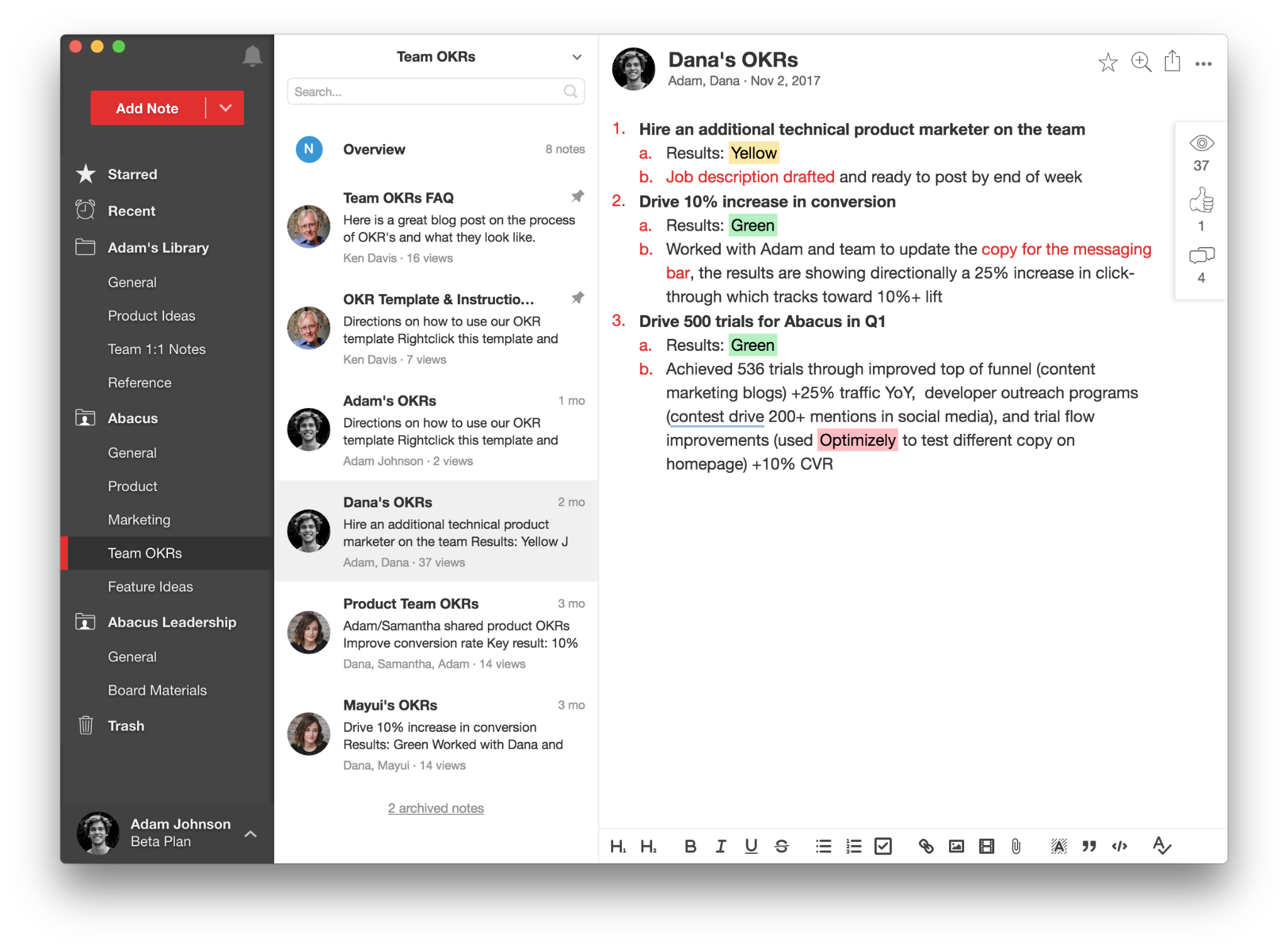
If you work with others, collaboration features help. Notion and Microsoft OneNote allow shared notes and projects. Check if the app supports real-time editing. Collaboration tools save time and improve teamwork.
Credit: upbase.io
Frequently Asked Questions
What Replaces Google Keep?
Microsoft OneNote, Evernote, Notion, Simplenote, and UpNote serve as popular Google Keep replacements. They offer varied features for note-taking, organization, collaboration, and privacy. Choose based on your needs for simplicity, advanced tools, or secure, encrypted notes.
Is Google Discontinuing Google Keep?
Google has not announced discontinuing Google Keep. The app remains available and supported for note-taking and reminders.
Is Google Keep Still Good?
Google Keep remains a good, simple note-taking app with easy syncing and reminders. It suits casual users needing quick notes.
What Is The Best App For Keeping Notes?
The best note-taking app depends on your needs. Microsoft OneNote suits detailed organization. Evernote offers advanced features. Simplenote excels in simplicity. Notion combines notes with project management. For privacy, try Standard Notes or Joplin. Choose based on features, platform, and privacy preferences.
What Are The Best Free Google Keep Alternatives?
Top free alternatives include Microsoft OneNote, Simplenote, and Joplin. They offer varied features for different needs.
Which App Is Best For Simple And Fast Note-taking?
Simplenote is ideal for quick, plain text notes with a clean, minimalist interface and fast performance.
How Do Microsoft Onenote And Google Keep Differ?
OneNote uses notebooks and sections for organized notes, while Keep focuses on simple lists and reminders.
Are There Google Keep Alternatives With Strong Privacy?
Standard Notes and Notesnook provide end-to-end encryption and prioritize user privacy and data security.
Can I Use A Google Keep Alternative For Team Collaboration?
Notion offers robust collaboration tools, project management, and customizable templates for teams.
Which App Is Suitable For Managing Complex Projects?
Evernote supports web clipping, document scanning, and rich formatting, ideal for heavy note-taking and projects.
Conclusion
Choosing the right note-taking app depends on your needs and preferences. Some prefer simple and fast tools like Simplenote. Others want rich features found in OneNote or Evernote. Privacy-focused users might choose Standard Notes or Joplin. For task management, apps like Taskade or Todoist work well.
Each alternative has unique strengths. Try a few to see what fits best. Your ideal app can make note-taking easier and more organized. Keep exploring options to find your perfect match.





