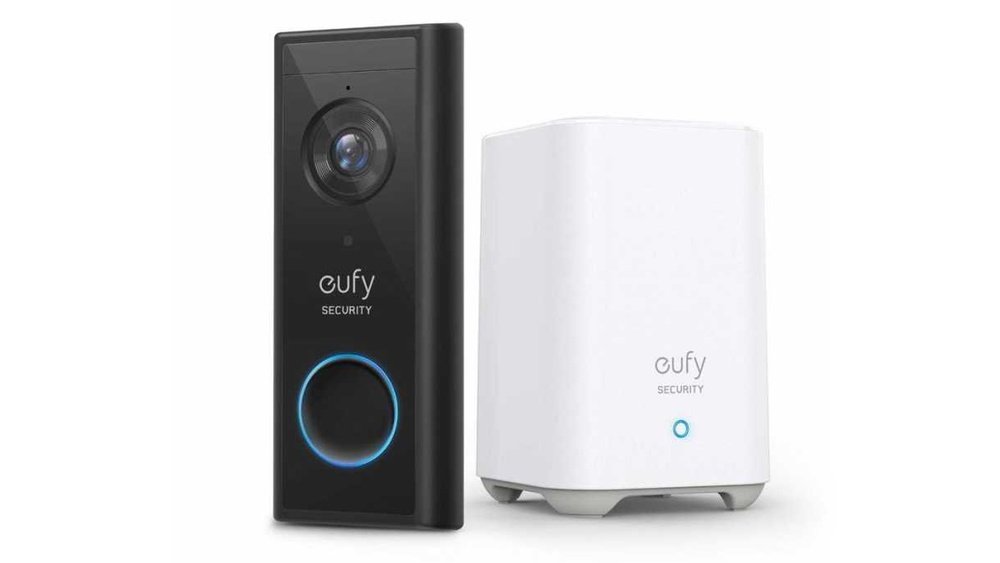
Are you wondering if your Eufy security camera demands a subscription to keep your home safe? It’s a common question, and the answer might surprise you.
Imagine having reliable home monitoring without monthly fees weighing you down. With Eufy, you can enjoy key features like live streaming, motion alerts, and local video storage—all without paying extra every month. But what about cloud backups and advanced options?
Stick around, and you’ll discover exactly what you get with and without a subscription. By the end of this article, you’ll know if Eufy fits your needs and budget perfectly. Let’s dive in!
Subscription-free Features
Eufy security cameras offer many features without requiring a subscription. Users can enjoy essential functions at no extra cost. This makes Eufy a popular choice for budget-conscious buyers.
The subscription-free features focus on local storage and basic alerts. These features work well for most home security needs. Users keep full control of their video data without monthly fees.
Local Storage For Video Recording
Eufy cameras save videos directly on a local device. This can be a HomeBase or an SD card inside the camera. All recordings stay within the home network, enhancing privacy.
There is no limit to recording with local storage, aside from device capacity. Once storage is full, the system overwrites the oldest videos automatically. This ensures continuous recording without interruptions.
Real-time Alerts Without Extra Cost
Eufy sends real-time notifications to your phone when motion is detected. This helps you respond quickly to events at home. Alerts do not require a cloud subscription or extra fee.
Users can customize alert zones and sensitivity in the app. This reduces false alarms and focuses on important areas. The alert system works smoothly without monthly payments.
Two-way Audio Communication
Many Eufy cameras include two-way audio for free. You can listen and speak through the camera using your smartphone. This feature helps communicate with visitors or warn intruders.
Two-way audio works without a subscription, adding value to the security system. It is easy to use and reliable for daily needs.
Basic Video Playback And Sharing
Users can view recorded videos anytime on the Eufy app without extra charges. The app offers simple playback controls and video downloads. Sharing clips with family or police is quick and free.
Local playback keeps your video data private and safe. No need to rely on cloud storage to access recordings.

Credit: www.independent.co.uk
Local Storage Options
Eufy offers multiple local storage options for its security cameras. These options allow users to save footage without paying monthly fees. Local storage keeps your videos safe and private at home. It also helps you avoid subscription costs.
Local storage is ideal for people who want control over their data. It lets you access video clips anytime without internet dependency. Eufy designs its cameras to support easy and secure local storage methods.
On-device Storage
Some Eufy cameras come with built-in storage like an SD card slot. This means you can store video directly on the device. It records events without sending data to the cloud. On-device storage is simple and cost-free after purchase.
Homebase Storage
Eufy’s HomeBase is a smart hub that stores video for connected cameras. It includes a large internal drive for saving footage locally. The HomeBase connects to your Wi-Fi and manages data securely. It also supports continuous recording with automatic overwriting.
Continuous Overwrite Feature
Eufy cameras use a loop recording system. When storage is full, the oldest videos are deleted first. This ensures new footage is always saved without manual deletion. Continuous overwrite helps maintain ongoing security without extra storage needs.
No Subscription Required For Local Storage
Local storage with Eufy cameras does not require a subscription. Recording and accessing stored videos are free after device purchase. Subscriptions are only needed for optional cloud backup services. This makes Eufy a budget-friendly choice for home security.
Cloud Storage Benefits
Cloud storage offers many benefits for Eufy camera users. It provides an extra layer of protection for your video footage. Videos are saved on secure remote servers, safe from theft or damage to local devices.
With cloud storage, you can access your videos anytime and anywhere. This is useful if you are away from home or want to share footage quickly. Cloud storage also stores videos for longer periods compared to local storage.
Easy Remote Access
Cloud storage lets you watch live or recorded videos from any device. Use your phone, tablet, or computer to check your home security. No need to be near your camera or home base.
Automatic Backup
Videos upload automatically to the cloud. If your camera or local storage fails, your footage stays safe. This reduces the risk of losing important recordings.
Longer Video Retention
Cloud plans often store videos for days or weeks. This is longer than local storage, which can fill up fast. You can review past events easily without worrying about space.
Enhanced Security
Cloud servers use strong encryption to protect your data. Your videos are safe from hackers and unauthorized access. This adds peace of mind about your privacy.
Easy Sharing And Notifications
Cloud storage supports instant alerts and easy sharing. You can send video clips to family or police quickly. Notifications help you respond faster to security events.
Video Retention Periods
Video retention periods define how long your Eufy camera stores recorded footage. This period depends on the storage method used. Eufy offers options that do not require a subscription for storing videos locally.
Understanding these periods helps you manage your security footage better. It also clarifies what happens when the storage reaches its limit.
Local Storage Video Retention
Eufy cameras with HomeBase or SD cards store videos locally. These devices save footage directly without needing internet access. Video clips stay until the storage is full.
When storage fills up, Eufy cameras automatically overwrite the oldest clips. This process keeps the newest videos available at all times. No subscription is needed for this local recording feature.
Cloud Storage Video Retention
Cloud storage is an optional service from Eufy. It keeps video footage on remote servers. The retention period varies based on the chosen cloud plan.
Without a subscription, cloud storage is not available. Users rely solely on local storage for video retention. Subscribing allows longer retention and remote access to videos.
Factors Affecting Retention Time
Video quality and recording frequency impact how long footage can be stored. Higher resolution videos use more space and shorten retention. Continuous recording fills storage faster than motion-triggered recording.
Users can adjust settings to extend retention time. Lowering resolution or recording only when motion is detected helps save space.
Recording Without Subscription
Recording without subscription is a key feature many users want. Eufy security cameras allow video recording without paying monthly fees. This appeals to users who want simple and cost-effective home security.
Eufy stores videos locally. This means footage saves directly on the device or a home base. Users do not need cloud services to keep their recordings.
Eufy cameras come with local storage options like SD cards or home base storage. These options hold video clips safely without extra cost. Users control their footage fully.
Continuous Recording And Overwrite
When storage fills up, Eufy cameras overwrite the oldest videos automatically. This keeps recording new events without interruption. No need to delete files manually.
No Subscription Needed For Recording
Recording and accessing videos do not require a subscription. Cloud storage is optional and may need a fee. Users can still enjoy full recording features without paying monthly.

Credit: www.doorbellmount.com
Motion Alerts And Live Streaming
Motion alerts and live streaming are key features of Eufy security cameras. They keep you informed about activity at your home. Eufy offers these features without forcing a subscription.
With motion alerts, your phone receives instant notifications. This helps you react quickly to any unusual movement. Live streaming lets you watch real-time video from your camera anytime.
How Motion Alerts Work On Eufy Cameras
Eufy cameras detect motion using built-in sensors. When motion is detected, the camera sends an alert to your phone. Alerts include a snapshot or a short video clip. You can adjust sensitivity to avoid false alarms.
Live Streaming Without A Subscription
Eufy allows live video streaming for free through its app. You can check your home anytime, from anywhere. Streaming works on Wi-Fi and mobile data, offering flexibility and peace of mind.
Local Storage And Its Role
Eufy stores recorded videos locally on a HomeBase or SD card. This setup means no monthly fees for video storage. You access and review recorded clips anytime without extra cost.
Cloud Storage Optional, Not Required
Cloud storage offers extra backup but needs a subscription. Eufy cameras work perfectly well without it. You keep full control of your footage with local storage alone.
Two-way Audio Capabilities
Two-way audio is a key feature in many security cameras today. It allows users to listen and speak through the camera. Eufy cameras include this capability, enhancing home security and communication.
With two-way audio, you can hear sounds near the camera. You can also talk back through your phone or device. This makes it easy to greet visitors or warn intruders, even when you are not home.
Using two-way audio requires no extra subscription with Eufy. It works directly through the app and the camera’s built-in microphone and speaker. This means you get clear sound without additional fees.
How Two-way Audio Works On Eufy Cameras
Eufy cameras use a microphone and speaker to send and receive audio. When you open the app, you can listen live or speak instantly. The system supports real-time communication for quick responses.
Benefits Of Two-way Audio Without Subscription
No subscription means no extra cost for using two-way audio. You can communicate anytime through the app. This saves money and keeps home monitoring simple and effective.
Common Uses For Eufy’s Two-way Audio
Many use two-way audio to talk to family members at home. It also helps in deterring unwanted visitors by speaking through the camera. Delivery instructions can be given without opening the door.
Subscription Plans Overview
Eufy offers security cameras with different storage options. You can use them without paying monthly fees. The subscription plans provide extra features but are optional. Understanding these plans helps you decide what fits your needs and budget.
The basic use of Eufy cameras relies on local storage. This means your videos save directly on a device like a HomeBase or an SD card. You control your footage without a cloud subscription. This keeps your costs low and your privacy intact.
Local Storage Plan
This plan requires no subscription. Your videos save on local devices only. The storage capacity depends on your HomeBase or SD card size. When storage is full, the oldest videos delete automatically. This way, recording continues nonstop without extra fees.
Cloud Storage Plan
The cloud plan stores your videos online. It offers protection if local devices get damaged or stolen. You can access your footage from anywhere using the app. This plan comes with a monthly or yearly fee. It also provides longer video history and extra backup.
Free Vs Paid Features
Basic recording and playback are free with local storage. Paid plans add cloud backup and longer video retention. Some advanced AI features may require subscription. Choosing the right plan depends on how much security and storage you want.
Pros And Cons Of Subscriptions
Subscriptions for security cameras bring both benefits and drawbacks. Understanding these helps decide if a subscription suits your needs. Subscriptions offer extra features but also add costs. Weighing pros and cons clarifies the value of paying monthly.
Benefits Of Subscriptions
Subscriptions provide cloud storage for video footage. This means videos stay safe even if the camera is damaged. Users can access videos from anywhere at any time. Some plans include advanced AI alerts to reduce false alarms. Subscriptions often offer extended video history beyond local storage limits.
Drawbacks Of Subscriptions
Subscriptions require ongoing monthly fees. These costs can add up over time. Some users prefer one-time purchases without recurring payments. Cloud storage depends on internet speed and data limits. Privacy concerns arise as videos are stored on external servers. Canceling a subscription may result in losing access to stored videos.
Choosing The Right Setup
Choosing the right setup for your Eufy security system is important. The setup affects how you store and access video footage. Eufy offers options with and without subscriptions. Knowing these can help you decide what fits your needs best.
You can use local storage or cloud storage. Each has pros and cons. Local storage saves videos directly to a device in your home. Cloud storage uploads videos to the internet, which may require a subscription.
Local Storage Setup
Many Eufy cameras come with local storage options. They use a HomeBase or microSD card to save videos. This method does not require a subscription. Videos stay within your home, which can increase privacy.
Local storage automatically overwrites old footage when full. This ensures continuous recording without extra fees. It is ideal if you want to avoid monthly costs. Access to videos is fast and does not depend on internet speed.
Cloud Storage Setup
Cloud storage stores your videos online. This requires a subscription plan from Eufy. It allows you to access videos from anywhere using the internet. Cloud storage can keep videos longer than local storage.
This option suits users who want remote access and longer video history. It adds a layer of backup in case local devices fail or are stolen. Subscriptions vary in price depending on the plan and features.
Hybrid Setup
Some users prefer combining local and cloud storage. This offers the benefits of both methods. Local storage provides quick access and privacy. Cloud storage offers backup and remote viewing.
You can choose to record locally and upload important clips to the cloud. This setup can reduce subscription costs while keeping essential videos safe. It provides flexibility based on your security needs.

Credit: www.aol.com
Frequently Asked Questions
Do Eufy Cameras Work Without A Subscription?
Eufy cameras work without a subscription by saving footage locally on a microSD card or HomeBase. Subscription is optional for cloud backup and extra features.
Does Eufy Require A Monthly Fee?
Eufy does not require a monthly fee for basic use. It stores videos locally on a microSD card or HomeBase. Optional cloud subscriptions offer advanced features like video backup, but local recording and alerts work without any subscription.
How Long Does Eufy Camera Store Video Without Subscription?
Eufy cameras store video locally on a microSD card or HomeBase without subscription. Storage duration depends on capacity and overwrites oldest footage automatically.
Do Security Cameras Work Without A Subscription?
Security cameras work without a subscription by saving footage locally on SD cards or home bases. Subscriptions enable cloud backup and advanced features.
Does Eufy Security Camera Need A Subscription?
Eufy cameras do not need a subscription for basic local storage recording.
Can I Use Eufy Cameras Without Monthly Fees?
Yes, Eufy cameras work with no monthly fees for local video storage.
How Does Eufy Store Video Without Subscription?
Videos are saved directly on an SD card or HomeBase device.
Is Cloud Storage Required For Eufy Cameras?
Cloud storage is optional and requires a subscription, not needed for recording.
How Long Does Eufy Save Footage Locally?
Footage is saved until storage is full, then oldest videos are overwritten.
Can Eufy Cameras Record Continuously Without Subscription?
Yes, continuous local recording works without any subscription or extra cost.
Conclusion
Eufy cameras work well without any subscription fees. They store videos locally using SD cards or HomeBase. This means no monthly payments for basic features. Users get motion alerts and clear footage without extra costs. Cloud storage is optional, not required.
Local storage automatically saves and overwrites old videos. This setup suits those wanting privacy and savings. Eufy offers solid security with simple, no-subscription options. It fits many budgets and needs. So, enjoy peace of mind without recurring fees.





