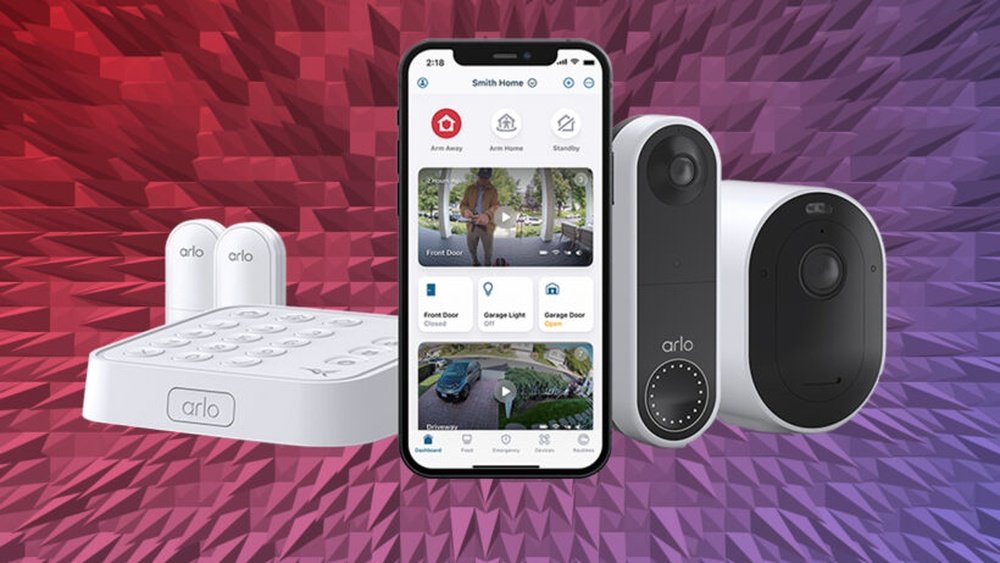
Are you wondering if your Arlo security camera really needs a subscription? It’s a common question that can affect how you use your camera and what features you get.
You might want to save money, but also keep your home protected with smart alerts and video recordings. The truth is, you can use Arlo cameras without a subscription, but there are important limits you should know about. You’ll discover exactly what works with and without a plan, so you can decide what fits your needs best.
Keep reading to learn how to get the most from your Arlo system—without surprises.
Arlo Subscription Basics
Understanding Arlo subscription basics helps you decide what fits your needs. Arlo cameras work without a subscription but with limited features. Subscriptions add more storage and smart functions to your system.
Knowing these basics gives you control over your security setup. You can choose to use Arlo freely or pay for added benefits.
What You Get Without A Subscription
Arlo allows live streaming of your camera feed anytime. Two-way audio lets you talk through the camera using the app. You receive alerts for motion or sound detected by the camera.
Some older Arlo models support local storage with USB or SD cards. This lets you save videos without paying for cloud storage. Basic smart home integrations work without a subscription.
Benefits Of An Arlo Subscription
Subscriptions provide cloud storage for saving and reviewing videos. You get advanced smart detection for people, vehicles, animals, or packages. Interactive notifications show video previews in alerts on your phone.
Subscriptions also unlock richer activity zones and longer video history. These features improve your security system’s effectiveness. They help you respond faster to important events.
Choosing The Right Plan
Arlo offers different subscription tiers for various needs. Basic plans cover essential cloud storage and detection features. Premium plans add more cameras, longer video history, and priority support.
Pick a plan based on how many cameras you have and what features you want. You can start without a subscription and upgrade later anytime.
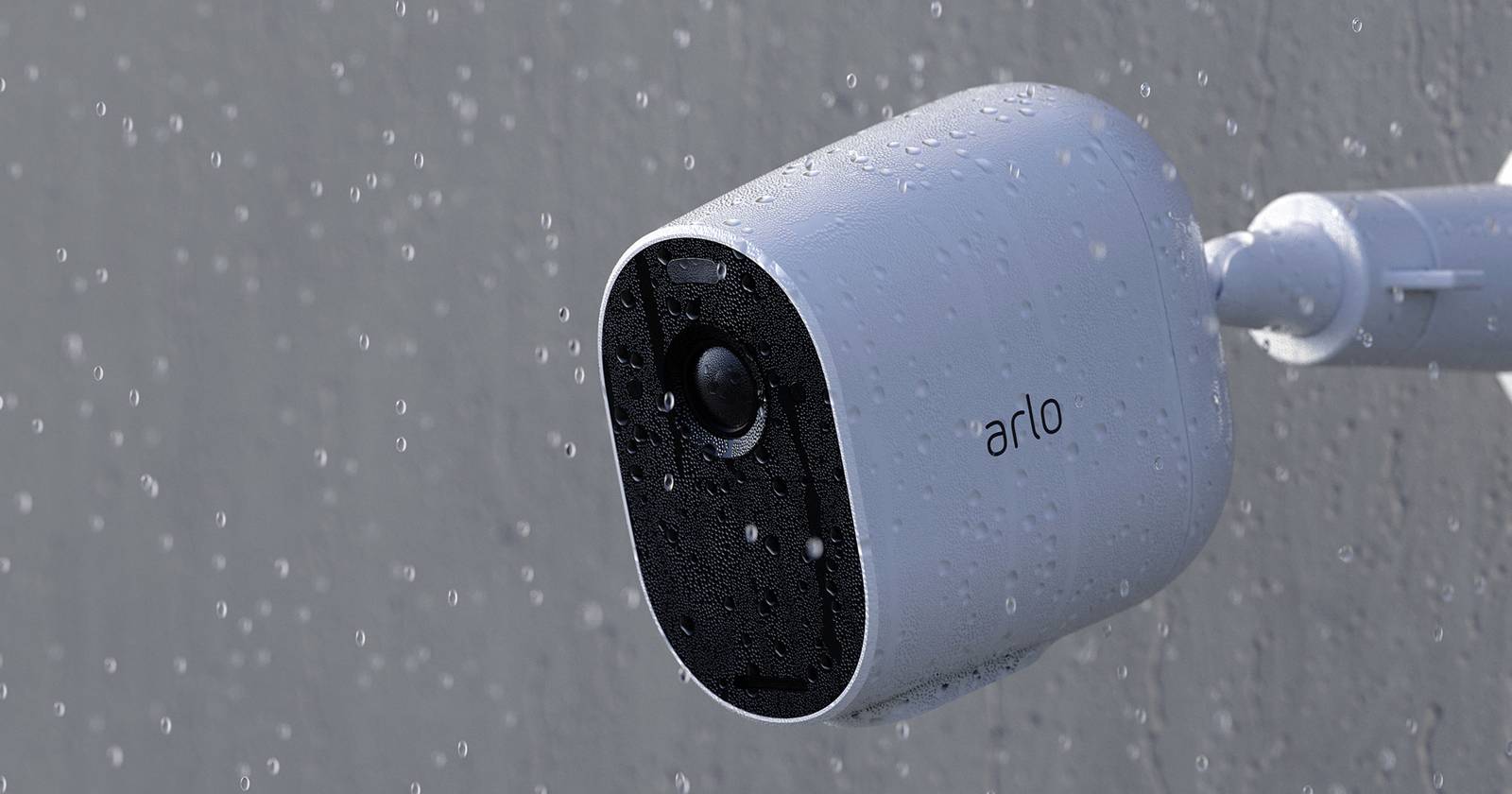
Credit: www.androidpolice.com
Free Features Without Subscription
Arlo cameras offer useful features without needing a subscription. These free features cover basic security needs for many users. They let you monitor your home easily and stay connected.
Using Arlo without a plan means no cloud recordings. Still, you get essential functions to keep your space safe. Let’s explore these no-cost features.
Live View Anytime
Access a live video feed from your Arlo camera at any moment. This feature helps you check your home in real-time. It works through the Arlo app on your phone or tablet.
Two-way Audio Communication
Talk and listen through your Arlo camera using two-way audio. This feature lets you greet visitors or warn intruders. It is simple to use and adds extra security.
Motion And Audio Alerts
Receive alerts on your phone when the camera detects motion or sound. These notifications keep you informed of activity around your home. They help you respond quickly to any unusual events.
Some Arlo models offer local storage without a subscription. Older cameras with a USB or SD card slot can save videos locally. This option lets you keep recordings without paying extra.
Smart Home Integration
Connect your Arlo camera to smart home devices like voice assistants. This integration allows simple control using your voice. It enhances convenience and fits well in modern homes.
Limitations Without A Plan
Using Arlo cameras without a subscription limits many important features. You can still watch live video and get basic alerts. Some functions require a paid plan to work.
Understanding these limits helps you decide if a subscription fits your needs. Below are key areas affected without a plan.
Limited Video History
Without a subscription, Arlo stores no video clips in the cloud. You can only view live footage. Recorded events are not saved for later review. This means you may miss important past activities.
No Smart Detection Features
Arlo’s advanced detection features need a subscription. These include person, vehicle, and package detection. Without these, alerts may be less accurate. Your camera sends basic motion notifications only.
Reduced Notification Options
Basic motion and sound alerts are available without a plan. Interactive notifications with thumbnail previews are disabled. This makes it harder to check events quickly on your phone.
Local Storage Is Limited
Some older Arlo models offer local storage via USB or SD cards. Newer models usually do not support this. Without local or cloud storage, video recording is very limited.
Fewer Smart Home Integrations
Basic smart home features work without a subscription. Full integration with devices like Amazon Alexa or Google Assistant may require a plan. This limits voice commands and automation options.
Cloud Storage Benefits
Cloud storage offers key benefits for Arlo users who want more than basic camera functions. It lets you save video clips securely online. This means videos stay safe even if your camera is damaged or stolen. Cloud storage also makes it easy to access your recordings from anywhere, using any device.
With cloud storage, you can review past events without worrying about storage space on your camera. It helps keep all your footage organized and backed up automatically. This service supports advanced features that improve security and monitoring.
Easy Access To Recorded Videos
Cloud storage allows you to watch recorded videos anytime. You do not need to be near your camera to see past footage. This feature is useful for reviewing events after they happen. You can quickly find important clips without scrolling through live video.
Automatic Video Backup
Videos are saved automatically to the cloud. This means you do not have to manage storage manually. Even if your camera is broken or stolen, your videos stay safe. Automatic backup reduces the risk of losing important recordings.
Supports Advanced Detection Features
Cloud storage enables smart object detection features. These include recognizing people, vehicles, and animals. Such detection improves alert accuracy and reduces false alarms. These features require a cloud subscription to work properly.
Secure And Private Storage
Cloud services use strong encryption to protect your videos. Your recordings remain private and secure in the cloud. This level of security is better than storing videos locally on a device. You can trust your data is safe from unauthorized access.
Smart Detection Features
Smart detection features enhance the security experience by filtering important events from false alarms. Arlo cameras use these features to identify people, vehicles, animals, and packages. This technology helps users focus on real threats instead of every motion detected.
These features improve safety by alerting users only when significant activity occurs. Arlo’s smart detection reduces unnecessary notifications. It saves time and provides peace of mind.
Basic Detection Without A Subscription
Without a subscription, Arlo cameras offer basic motion and audio alerts. You get notifications for any movement or sound near your camera. This helps you stay aware of activity around your home.
However, the alerts do not differentiate between people, animals, or vehicles. You receive all types of motion alerts, which may include false alarms from pets or passing cars.
Advanced Detection Requires A Subscription
Advanced smart detection features need an Arlo Secure subscription. These include person, vehicle, animal, and package detection. The subscription allows the camera to analyze video and identify specific objects.
This capability filters alerts, so you only receive important notifications. For example, you will get alerts if a person approaches your door, but not for a cat walking by.
Interactive Notifications And Cloud Storage
Subscriptions also unlock interactive notifications. These show a small video thumbnail in your alert. You can quickly see what triggered the alert without opening the app.
Cloud storage comes with the subscription. It saves recorded videos securely online. This allows you to review footage anytime, even if the camera is damaged or stolen.

Credit: www.youtube.com
Local Storage Options
Local storage offers a way to save your Arlo camera videos without paying monthly fees. It lets you keep footage right at your home. This option is useful for users wanting basic video saving without cloud dependency.
Not all Arlo cameras support local storage. Some older models with a base station provide this feature. It usually requires a USB drive or SD card inserted into the base station.
Using Usb Drives For Local Storage
Certain Arlo base stations have a USB port for external drives. You can plug in a USB flash drive or hard drive. The camera recordings will save directly to this device. This setup avoids cloud storage costs. However, check your model’s compatibility first.
Sd Card Storage In Base Stations
Some Arlo base stations include an SD card slot. Insert an SD card to store video clips locally. It works similarly to USB storage but uses a smaller, removable card. This method keeps your data private and accessible without internet.
Limitations Of Local Storage
Local storage does not offer the same features as cloud plans. You won’t get smart alerts or advanced detection. Also, footage is accessible only when near the storage device. Remote access to recordings is limited or unavailable.
Interactive Notifications
Interactive notifications add convenience and quick response to your security experience. They let you act directly from the alert on your phone. This means you can see a snapshot of the event without opening the app. You can also choose to record, sound an alarm, or talk through your camera immediately.
Arlo’s interactive notifications improve how you handle alerts. They save time and make your system smarter. But this feature is part of Arlo’s subscription plans. Without a subscription, you only get simple motion or sound alerts without the interactive options.
What Are Interactive Notifications?
Interactive notifications show a small image from your camera in the alert. You can check what triggered the alert fast. Instead of opening the app and waiting, you get a quick look at the situation.
These notifications also allow you to respond right away. You can speak to visitors or scare off intruders using your camera’s speaker. This direct control helps you stay connected to your home no matter where you are.
Do You Need A Subscription For Interactive Notifications?
Yes, Arlo requires a subscription to unlock interactive notifications. The free plan offers only basic alerts without pictures or action buttons. Subscriptions add this feature to improve your security system’s usefulness.
Interactive notifications are included in Arlo Secure plans. These plans also give you cloud storage, smart detection, and other advanced tools. Without a plan, your alerts are limited to simple notifications without interaction.
Benefits Of Interactive Notifications With Arlo
Interactive notifications reduce the time to respond during an event. You can quickly decide if an alert is a threat or a false alarm. This means fewer unnecessary checks and faster action.
They also add peace of mind. Knowing you can speak through your camera or trigger an alarm from your phone helps you feel safer. This feature turns your phone into a remote control for your security system.
Compatibility With Camera Models
Understanding the compatibility of Arlo subscriptions with various camera models helps you decide on your needs. Not all Arlo cameras require a subscription to function. Each model offers different features and storage options based on subscription status.
Check your camera model to know which features are accessible without a subscription. This knowledge ensures you get the most from your Arlo security system without unexpected costs.
Subscription Compatibility With Arlo Pro Series
The Arlo Pro series supports subscription plans for enhanced features. Without a subscription, you get live streaming, two-way audio, and basic alerts. Cloud storage and advanced detection require an active subscription. Local storage may be possible if the base station has USB support.
Subscription Features On Arlo Ultra Cameras
Arlo Ultra cameras have advanced sensors and require subscriptions for full use. Without it, users can still view live video and receive basic notifications. Cloud recording and smart object detection come only with a subscription plan.
Arlo Essential Cameras And Subscription Needs
Arlo Essential cameras offer a balance of features with or without a subscription. Basic functions work without payment. Cloud storage and enhanced alerts need an active subscription. Some models support local storage if set up correctly.
Older Arlo Models And Local Storage Options
Older Arlo models with a base station may support local storage via USB or SD cards. These models allow saving videos without a subscription. Subscriptions still unlock cloud storage and smart detection features.
Cost Considerations
Choosing Arlo means thinking about the costs involved. The main cost factor is whether you need a subscription plan or not. Subscriptions add monthly fees but offer more features. Without a plan, you still get basic functions but miss advanced options.
Understanding these costs helps you decide what fits your budget and needs. Here are important points to consider about Arlo’s subscription costs.
Subscription Plans And Their Prices
Arlo offers several subscription plans with different prices. Plans start at a low monthly fee and increase with more features. The most popular plans include cloud storage and smart detection. Prices vary depending on the number of cameras covered. Paying monthly or annually is possible, with annual plans often cheaper overall.
Features Included In Paid Plans
Paid plans give access to cloud storage for recorded videos. You can review footage anytime without worrying about local storage limits. Advanced smart detection helps identify people, vehicles, and animals. Interactive notifications show video previews in alerts. These features improve security and ease of use but come at a cost.
Costs Without A Subscription
Using Arlo without a subscription saves monthly fees. You get live video streaming, two-way audio, and basic alerts. Some older models allow local storage via USB or SD cards. This option limits saved footage but avoids extra charges. However, no cloud storage means videos can be lost if cameras are damaged or stolen.
Balancing Costs And Benefits
Deciding on a subscription depends on your security needs and budget. Subscriptions add ongoing costs but offer stronger security features. Basic use without a plan suits casual users or small setups. Consider how much you value video storage and smart alerts before subscribing.
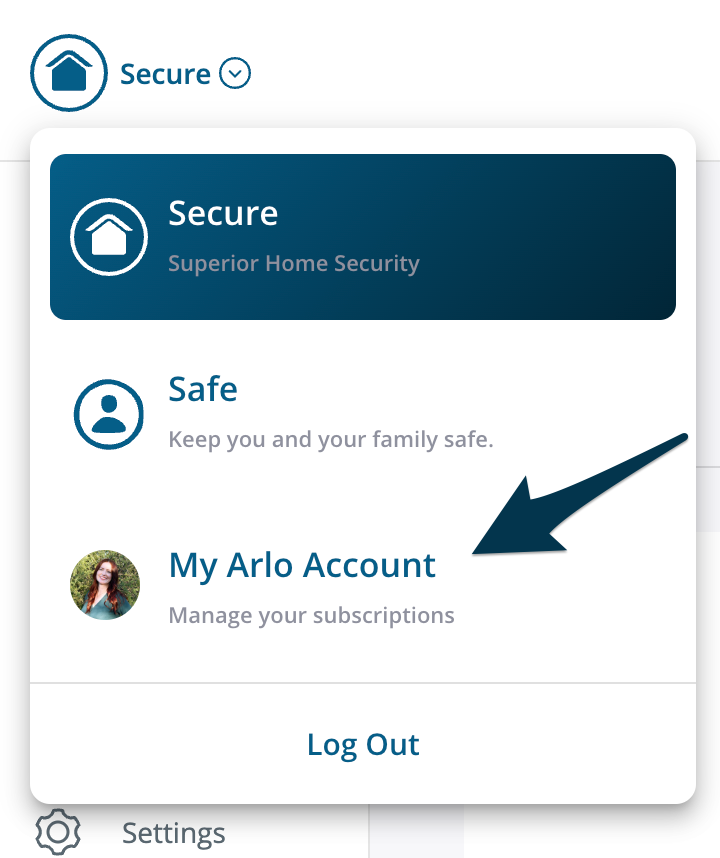
Credit: kb.arlo.com
Alternatives To Subscription
Arlo cameras offer useful features without a subscription. Still, some advanced options require it. Many users want to avoid ongoing fees. Fortunately, there are ways to use Arlo cameras effectively without paying monthly.
These alternatives allow you to enjoy security monitoring while controlling costs. Understanding each option helps you decide what fits your needs.
Using Local Storage Options
Some Arlo models support local storage through USB or SD cards. This lets you save video recordings without paying for cloud storage. Local storage keeps your data private and accessible anytime. Check if your Arlo device includes a base station with storage slots. Setting up local storage is straightforward and cost-effective.
Relying On Basic Camera Features
Without a subscription, you can still use live streaming anytime. Two-way audio works to communicate through the camera easily. Motion and sound alerts notify you instantly on your phone. These features cover many everyday security needs at no extra cost. They help monitor your home without extra payments.
Integrating With Smart Home Devices
Arlo cameras connect with smart home assistants like Alexa and Google Home. This integration allows voice commands to view camera feeds or control settings. Using smart home devices enhances convenience without needing a subscription. It adds value to your home security system for free.
Frequently Asked Questions
Can I Use Arlo Without A Subscription?
Yes, you can use Arlo without a subscription. Basic features include live streaming, two-way audio, and motion alerts. Cloud storage and advanced smart detections require a subscription. Some older models offer local storage without a subscription. Newer models need a subscription for saving recordings.
Do You Have To Pay A Monthly Fee For Arlo?
Arlo cameras work without a monthly fee but offer limited features like live view and basic alerts. Subscriptions unlock cloud storage and advanced detection. Newer models often require a subscription for recording. Local storage may be available on some older models without fees.
Are Arlo Cameras Worth It Without A Subscription?
Arlo cameras work without a subscription but offer limited features like live view and basic alerts. Cloud storage and advanced detection require a plan. Local storage depends on your model. Without subscription, you can’t save or review recordings easily. Subscriptions unlock full functionality and smart features.
Is Arlo Forcing Subscriptions?
Arlo does not force subscriptions. You can use basic features like live streaming and alerts for free. Subscriptions unlock cloud storage and advanced features.
Does Arlo Require A Subscription For Basic Use?
Arlo cameras work without a subscription but with limited features like live view and basic alerts.
What Features Do I Lose Without An Arlo Subscription?
Without a subscription, you lose cloud storage, smart object detection, and interactive notifications.
Can I Store Arlo Footage Locally Without A Subscription?
Some older Arlo models support local storage via USB or SD cards without a subscription.
Does Arlo Provide Free Cloud Storage For Any Cameras?
No, Arlo does not offer free cloud storage; a subscription is needed for cloud backup.
Is Two-way Audio Available Without An Arlo Subscription?
Yes, two-way audio works on Arlo cameras even if you don’t have a subscription.
Can I Receive Motion Alerts Without An Arlo Subscription?
Basic motion and audio alerts are available without a subscription on Arlo cameras.
Conclusion
Arlo cameras work without a subscription but with limits. You get live view, two-way talk, and basic alerts. Cloud storage and smart detections need a paid plan. Some models offer local storage without extra cost. Think about what features matter most to you.
This helps decide if a subscription fits your needs. Choose wisely to get the best from your Arlo camera.





