
Are you looking to create stunning designs without spending hours mastering complex software? Canva AI Tools are here to transform the way you design, write, and edit—making creativity faster and easier than ever.
Whether you want to whip up eye-catching social media posts, craft compelling content, or generate unique images and videos from simple text prompts, these smart tools have got you covered. Ready to unlock your creative potential and save precious time?
Keep reading to discover how Canva’s powerful AI features can help you bring your ideas to life effortlessly.
Canva Magic Studio
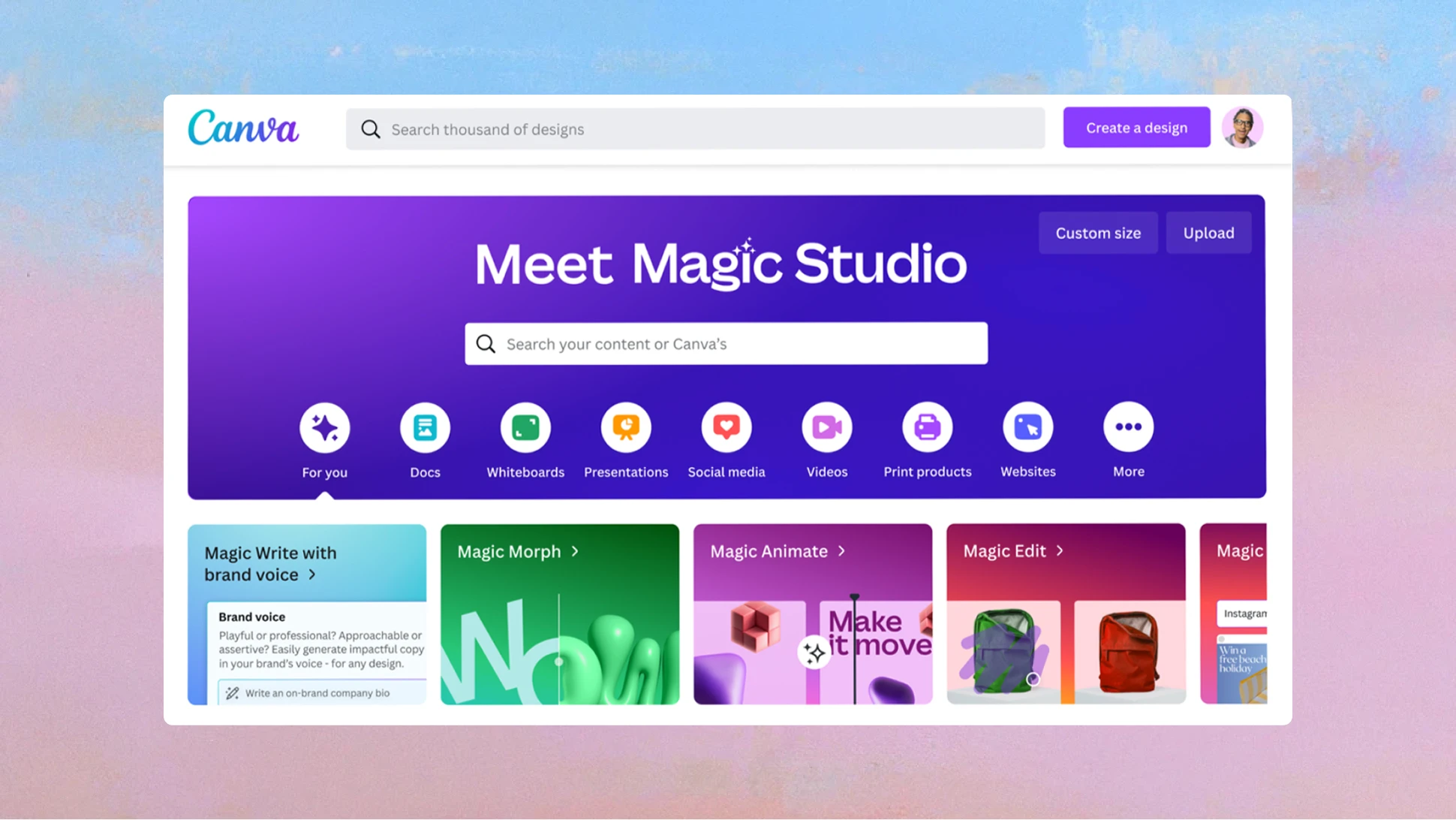
Canva Magic Studio is a set of AI tools designed to simplify design and content creation. It helps users create images, videos, and text quickly. The tools work with simple instructions and make complex tasks easy.
Whether you need a presentation, a social media post, or a video, Magic Studio offers helpful features. It suits beginners and professionals alike. The AI assists in design, writing, and editing to save time and effort.
Magic Design
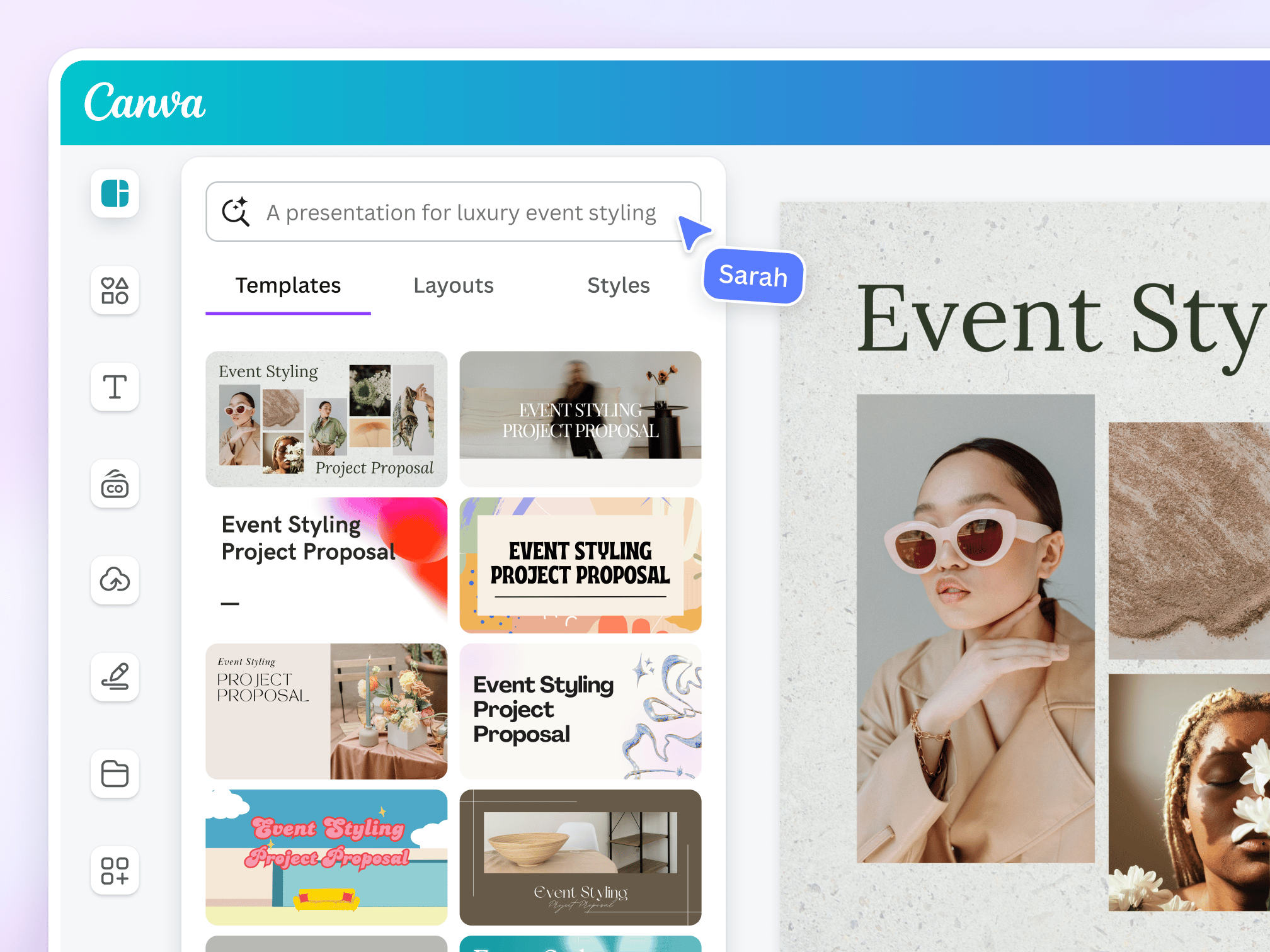
Magic Design creates custom layouts based on your input. You describe what you want, and it builds a design. It works for presentations, flyers, and social posts. The tool adjusts styles and colors to match your needs.
Magic Write
Magic Write is an AI writing assistant inside Canva. It helps generate text for your designs. You can write captions, blog ideas, or product descriptions. The text is clear, simple, and fits your style.
Magic Media
Magic Media turns your text into images or videos. You type a description, and it creates the visual content. This tool helps make unique photos or clips quickly. It is useful for marketing and storytelling.
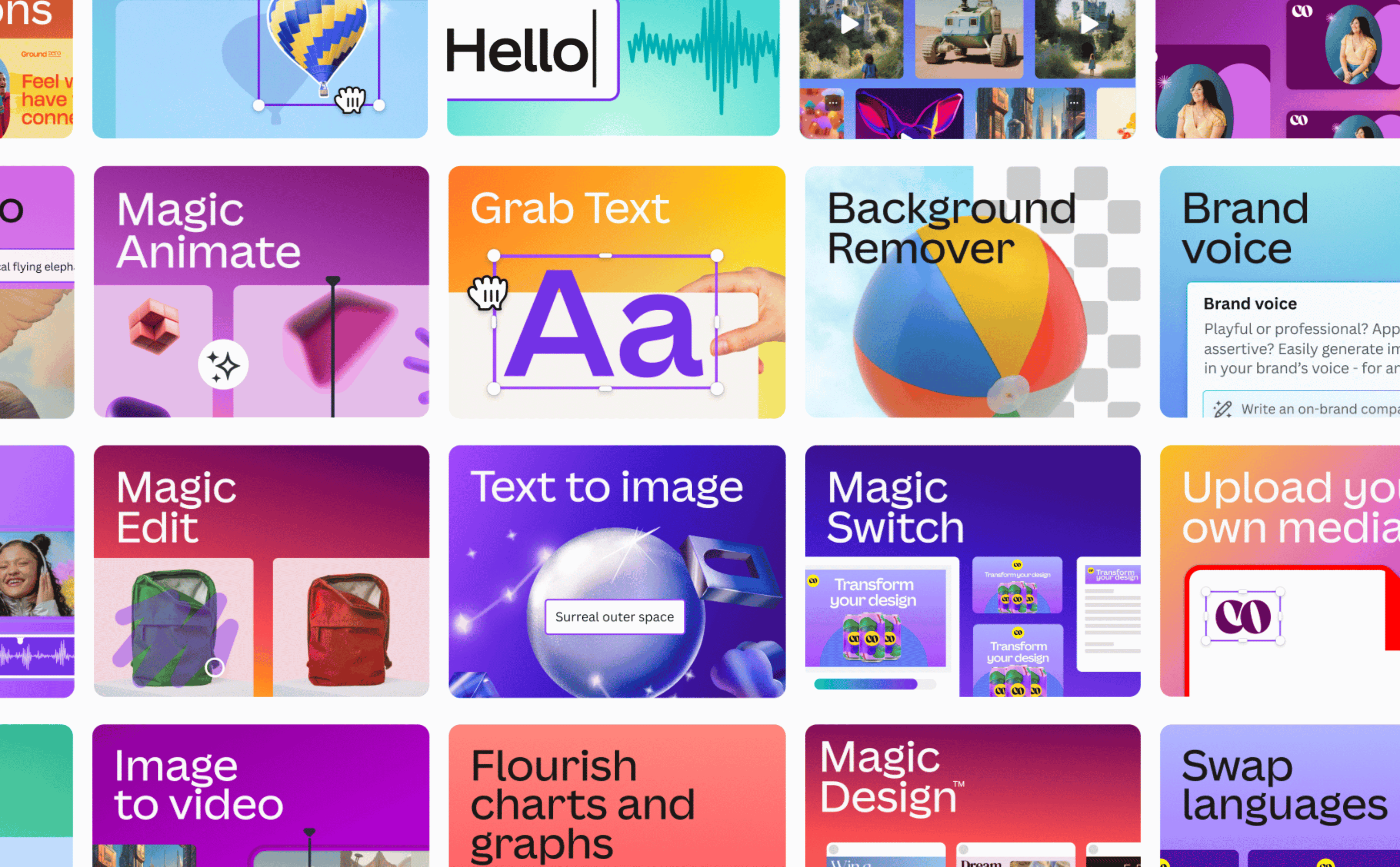
The AI photo editing tools include Magic Edit and Magic Eraser. Magic Edit changes parts of an image using text instructions. Magic Eraser removes unwanted objects from photos. These features improve images fast and precisely.
Background Remover And Magic Resize
Background Remover automatically cuts out backgrounds from images. It saves time on complex edits. Magic Resize adjusts your design to fit different platforms. It helps share content across social media with ease.
The Canva AI Assistant responds to your commands in natural language. It creates text, images, and designs based on what you ask. This conversational tool makes design easier for everyone.
Ai Video Generator And Logo Generator
The AI Video Generator creates videos from text prompts with matching visuals and sound. The AI Logo Generator designs logos based on your descriptions. Both tools help build brand content quickly and professionally.
The AI Code Generator creates interactive tools and features for websites. It requires no coding skills. This tool helps add functionality to your content easily.
Magic Design Features
The Magic Design features in Canva AI Tools simplify creating stunning visuals quickly. These smart tools help users craft unique designs without deep design skills. The system understands your input and generates layouts that fit your needs perfectly.
Magic Design saves time by producing multiple design options instantly. It suits presentations, social media posts, and marketing materials. Each design is customizable, making it easy to match your style and brand.
What Is Magic Design?
Magic Design is an AI-powered feature that creates complete designs from simple instructions. Just type what you want, and it generates layouts, images, and text placements. It removes guesswork and speeds up the creative process.
How Magic Design Helps Beginners
Beginners get professional-looking results without learning complex tools. Magic Design suggests color schemes, fonts, and image placements. Users only need to pick the best option and adjust details if needed.
Customization Options In Magic Design
Every design created by Magic Design is fully editable. Change colors, fonts, and images to fit your brand. The tool adapts quickly to your edits, keeping the layout balanced and attractive.
Multiple Formats And Sizes
Magic Design supports various formats such as posters, flyers, and social media posts. It automatically resizes designs to fit different platforms. This saves effort and ensures your content looks great everywhere.
Magic Write Assistant
The Magic Write Assistant is a helpful tool inside Canva’s AI suite. It helps create text content fast and easy. Users can generate ideas, write paragraphs, or improve existing text. This tool saves time and effort, especially for those who find writing hard.
Magic Write works by understanding your instructions. Just type a prompt, and it produces clear, simple text. The results are easy to edit and fit well with your design. It supports various content types, such as blog posts, social media captions, and emails.
How Magic Write Assistant Helps Creators
Magic Write Assistant boosts creativity by giving fresh ideas quickly. It helps overcome writer’s block with instant text suggestions. The assistant adjusts tone and style to match your needs. This makes content writing smoother and less stressful.
Using Magic Write For Different Content Types
Magic Write supports many content formats. It can write introductions, summaries, lists, and more. The assistant adapts to short or long text requirements. This flexibility suits marketers, bloggers, and students alike.
Tips To Get The Best From Magic Write Assistant
Be clear and specific in your prompts for better output. Use simple instructions to guide the assistant’s writing. Review and edit the generated text to fit your voice. Combine Magic Write with Canva’s design tools for polished results.
Magic Media Tools
Canva’s Magic Media Tools bring creativity to life with simple text prompts. These tools let users create stunning images and videos easily. No design skills needed. Just type what you want, and watch the magic happen.
Magic Media Tools help turn ideas into visual content quickly. Perfect for bloggers, marketers, and small business owners who want eye-catching media fast. The tools use AI to understand your text and generate high-quality visuals. This saves time and sparks creativity.
What Are Magic Media Tools?
Magic Media Tools are part of Canva’s AI-powered Magic Studio. They convert words into images or videos automatically. You describe your concept in a few words. The AI then creates matching visuals to fit your needs.
These tools work for many types of content. Social posts, ads, presentations, or blog images become easier to make. The AI ensures designs look professional and polished without extra effort.
How Magic Media Tools Work
Users type a description of the image or video they want. The AI scans the text and generates media based on the input. It uses smart algorithms to choose colors, shapes, and layouts that fit the style.
The process is fast and intuitive. You can tweak the results or ask for new versions with different details. This flexibility helps get the perfect media every time.
Benefits Of Using Magic Media Tools
These tools speed up the design process and reduce the need for expert skills. They make content creation accessible to everyone. The AI generates unique images and videos that stand out.
Magic Media Tools also help users explore new ideas. They inspire creativity by showing fresh visuals based on simple text. This can improve engagement and make projects more attractive.
Ai Photo Editing
AI photo editing in Canva simplifies image enhancement. It uses smart technology to improve pictures fast. Users can edit photos without complex software skills. This saves time and boosts creativity.
Canva’s AI tools work directly in your browser. No downloads or installations are needed. You get professional results with minimal effort. The AI understands your instructions and applies changes automatically.
Magic Edit
Magic Edit lets you add or change parts of your photo easily. Just type what you want to add or replace. The tool updates the image to match your description. It can add objects, change colors, or alter backgrounds.
This tool works well for creative projects and quick fixes. It gives users control over image details without manual editing. Magic Edit makes photo customization accessible to everyone.
Magic Eraser
Magic Eraser removes unwanted objects from your photos in seconds. Just highlight the object you want gone. The AI fills the space naturally to match the background. No traces of the removed item remain.
This feature helps clean up images by removing distractions. It improves photo focus and overall appearance. Magic Eraser saves time compared to traditional editing methods.
Background Remover
The Background Remover isolates the main subject by deleting the background. It works instantly with a single click. Users can replace the background or leave it transparent.
This tool is useful for product photos, portraits, and marketing images. It creates clean, professional visuals without complex steps. Background Remover enhances design flexibility and creativity.
Credit: openai.com
Design Resizing With Ai
Design resizing with AI is a powerful feature in Canva’s suite of tools. It allows users to adjust their designs quickly for different platforms. This saves time and keeps the design consistent. The AI technology understands the elements in your design. It resizes images, text, and layouts intelligently without losing quality.
This tool is useful for social media posts, presentations, and marketing materials. Instead of starting from scratch, users can create once and resize many times. The AI makes sure everything fits perfectly in the new size. It helps maintain the look and feel of the original design.
What Is Magic Resize?
Magic Resize is Canva’s AI-powered tool for design resizing. It automatically changes the size of your design to match different formats. For example, it can turn a Facebook post into an Instagram story. The tool adjusts all parts of the design to fit the new dimensions. This keeps your design clean and balanced.
How Ai Improves Resizing Accuracy
The AI analyzes each element in your design. It moves and scales images, text, and icons with precision. The resizing is smarter than simple stretching or cropping. It avoids cutting off important parts or creating awkward spaces. This results in professional-looking designs every time.
Benefits For Non-designers
Design resizing with AI is great for people without design skills. It removes the need to know complicated software. Users can create once and get many versions easily. This tool helps small business owners, marketers, and students save time. It also reduces errors and keeps designs polished.
Canva Ai Assistant
The Canva AI Assistant is a smart helper built into Canva’s design platform. It uses artificial intelligence to make design easier and faster. This assistant helps create text, images, and designs by understanding simple prompts from users.
Users can type or speak what they want. The assistant then offers ideas and suggestions instantly. It works like a creative partner that never sleeps. This tool suits beginners and professionals alike.
How Canva Ai Assistant Works
The assistant reads your instructions carefully. It uses AI models to generate content based on those instructions. You can ask it to write captions, create graphics, or suggest layouts. It understands common language and design terms.
It also learns from your feedback. The more you use it, the better it understands your style. This helps save time on repetitive tasks. It makes design work feel less like a chore.
Benefits Of Using Canva Ai Assistant
The AI assistant speeds up the creative process. It offers fresh ideas when you face writer’s block or design challenges. It helps maintain consistency across projects by following your style preferences.
It reduces the need for multiple tools. You get text, images, and layouts all in one place. This cuts down on switching between apps and saves effort. It also supports many languages, making it accessible worldwide.
Practical Uses Of Canva Ai Assistant
Create social media posts with engaging captions quickly. Generate unique images for blogs without design skills. Draft professional presentations with suggested content and layouts.
Edit photos by simply describing changes you want. Design marketing materials fast for small businesses. Customize templates easily using AI recommendations.
Credit: www.canva.com
Ai Video Generator
The AI Video Generator from Canva turns simple text into engaging videos. It uses artificial intelligence to create visuals and sounds that match your script. This tool helps anyone make videos without needing skills in video editing.
Creating videos is faster with AI. Just write your text, and the AI Video Generator builds a video for you. It adds images, animations, and audio automatically. This saves time and effort for content creators and marketers.
How Ai Video Generator Works
Start by entering your text prompt. The AI reads your words and finds matching visuals. It chooses scenes, backgrounds, and effects that fit your message. The tool also adds background music and voiceovers if needed.
Benefits Of Using Canva’s Ai Video Generator
It simplifies video creation for beginners. No complex software or editing skills are required. Videos are made quickly and look professional. It helps businesses create content for social media, ads, and presentations.
Best Uses For Ai Video Generator
Make product demos, explainer videos, or announcements. Use it for tutorials or storytelling. It works well for marketing, education, and personal projects. The AI adapts to different styles and themes easily.
Ai Logo Creator
The AI Logo Creator in Canva uses smart technology to design logos fast. It helps you make unique logos by just typing a few words. No need for design skills or special software. This tool is perfect for small businesses, bloggers, and anyone wanting a quick logo.
The tool suggests logo styles, colors, and icons based on your input. You can see many designs and pick the best one. It saves time and gives ideas you might not think of yourself. Editing the logo is simple and does not take long.
How The Ai Logo Creator Works
Type your brand name and choose your industry. The AI then creates many logo options. It uses shapes, fonts, and colors that fit your brand style. You can change colors or fonts in one click. The tool updates the logo instantly.
Benefits Of Using Ai Logo Creator
The AI Logo Creator saves hours of design work. It offers many creative options quickly. You get professional-looking logos without hiring a designer. The tool is easy to use for beginners and experts. It helps you stay consistent with brand colors and fonts.
Customizing Your Logo
After choosing a logo, customize it to fit your needs. Change icon size, font style, or color palette. Add or remove elements with simple clicks. Preview your logo on different products like business cards or websites. Download the logo in various formats for easy use.
Credit: www.canva.com
Ai Code Generator
The AI Code Generator in Canva is a helpful tool for creating interactive website features. It writes clean code based on simple text instructions. This tool saves time and effort for those who do not know how to code. Users can add buttons, forms, animations, and other elements easily.
With the AI Code Generator, you do not need to write any code manually. You just describe what you want, and the tool creates it for you. It works well for both beginners and experienced designers who want to speed up their workflow.
How Ai Code Generator Works
Users type a description of the feature they want to create. The AI then generates the HTML, CSS, or JavaScript code automatically. This code can be copied and used in websites or digital projects.
The tool understands simple language and converts it into functional code. It also allows small edits to customize the output quickly. This makes building interactive content easier and faster.
Benefits Of Using Ai Code Generator
The AI Code Generator reduces the need for technical skills. It helps users focus on design and creativity instead of coding details. The tool also cuts down development time significantly.
It supports various web elements like forms, sliders, and buttons. Users get ready-to-use code that works on modern browsers. This improves productivity and allows more time for other tasks.
Who Should Use The Ai Code Generator
Beginners who want to add web features without coding will find it useful. Designers can create interactive prototypes quickly. Small business owners and marketers can build simple tools without hiring developers.
This tool is great for anyone who needs basic web code fast. It helps bridge the gap between design ideas and real web functions. No coding experience is required to get started.
Frequently Asked Questions
Does Canva Have An Ai Tool?
Yes, Canva offers AI tools under Magic Studio, including text-to-image, AI writing, photo editing, logo creation, and video generation features.
Is The Canva Ai App Free?
Canva AI offers free features within its Magic Studio suite, but some advanced tools require a paid subscription.
Does Canva Have Ai Replaced?
Yes, Canva offers AI tools in its Magic Studio suite. These include AI design, writing, image editing, video creation, and logo generation features.
Is Canva Ai Good For Beginners?
Canva AI is excellent for beginners, offering easy-to-use tools like Magic Write and Magic Design for quick, creative results.
What Are Canva Ai Tools Used For?
Canva AI tools help create and edit images, videos, and text quickly and easily.
Does Canva Have An Ai Writing Assistant?
Yes, Canva’s Magic Write helps generate text for designs using AI.
Can Canva Ai Remove Backgrounds From Photos?
Yes, Canva’s Background Remover automatically deletes photo backgrounds with one click.
How Does Canva Ai Create Images From Text?
Canva AI uses Magic Media to turn text prompts into unique images or videos.
Can I Resize Designs Automatically With Canva Ai?
Yes, Magic Resize adjusts your design size to fit different social media platforms.
What Is Canva’s Ai Photo Editing Feature?
It lets you add, change, or remove parts of photos using simple text prompts.
Conclusion
Canva AI tools simplify design and content creation for everyone. They save time and reduce effort with smart features. Users can create images, videos, and text quickly and easily. These tools help beginners and experts produce professional results. Exploring Canva AI opens new creative possibilities.
Try the tools to see how they fit your needs. Embrace simple design with the power of AI assistance.





