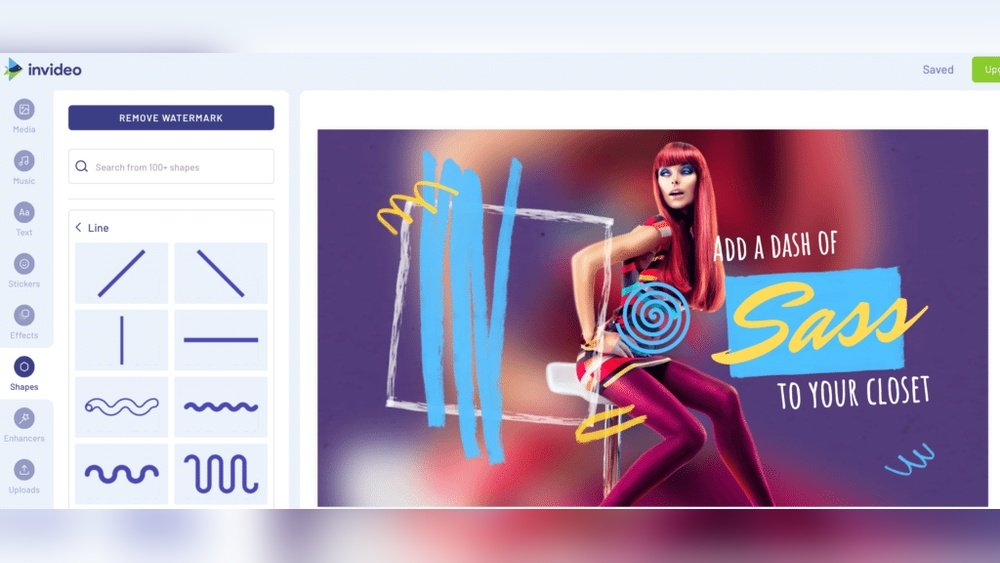
Looking to create stunning videos without the hassle of complicated software? You’re in the right place.
Whether you want to make eye-catching social media clips, professional presentations, or fun personal projects, the best online video makers make the process simple and enjoyable. Imagine turning your ideas into polished videos with just a few clicks—no steep learning curve needed.
You’ll discover top online video makers tailored to your needs, from easy-to-use tools perfect for beginners to powerful editors packed with smart AI features. Ready to find the perfect video maker that fits your style and goals? Keep reading, and unlock your video-making potential today.
Top Picks For Beginners
Choosing the right video maker helps beginners create quality videos without stress. Simple tools boost creativity and save time. Below are two top picks that offer easy-to-use features and helpful templates. These platforms suit those just starting their video-making journey.
Canva Features
Canva provides a clean, easy interface for beginners. It has thousands of ready-made templates for YouTube, social media, and more. Users can add text animations to make videos lively. The video background remover tool (available in Pro) helps create polished clips. Its AI video editor can turn your text and images into video content fast. Canva supports drag-and-drop editing, which simplifies the process. It also offers access to free and paid stock videos and music. Beginners can quickly learn and produce professional videos here.
Clipchamp Benefits
Clipchamp is designed for quick and fun video editing. It offers an intuitive timeline and simple controls. Beginners can use pre-built templates to create videos for different uses. The platform supports webcam recording and screen capture. It has a large library of stock footage and audio. Clipchamp exports videos in high quality with no technical hassle. The tool works directly in the browser, so no downloads are needed. This makes video creation easy and accessible for new users.
Advanced Tools With Ai
Advanced tools with AI bring powerful features to online video makers. They simplify editing and save time. AI helps with tasks like subtitle creation, background removal, and voiceovers. These tools make videos look professional even without deep skills. Let’s explore some top video makers with strong AI capabilities.
Veed’s Desktop-like Power
Veed offers editing power similar to desktop software. It includes AI features like automatic subtitles and translations. The interface is clean and easy to use. Users can remove backgrounds and add effects quickly. Veed suits creators who want advanced tools online without complexity.
Capcut’s Free Ai Features
CapCut stands out for its free AI tools. It offers auto-subtitles, text-to-speech, and background removal at no cost. The app supports fast editing with smart AI help. CapCut is popular for making polished videos without spending money.
Adobe Express Ease
Adobe Express combines AI with ease of use. It has many templates and automatically saves your work. Editing continues smoothly across devices. The AI tools help with layout and design suggestions. Adobe Express fits users who want quick, attractive videos with little effort.
Ai-driven Video Creation
AI-driven video creation transforms how videos are made. It uses artificial intelligence to automate editing steps. This saves time and effort. It helps creators focus on ideas instead of complex tools. AI tools can generate videos from text or add subtitles automatically. The process is fast and user-friendly. It suits beginners and professionals alike.
Flexclip Text To Video
FlexClip offers an AI-powered Text to Video feature. You enter text, and the tool creates a video. It chooses relevant scenes and animations based on your words. This makes video creation quick and easy. No need for advanced skills or software. FlexClip also lets you customize videos with music, logos, and effects. The interface is simple and clean. It works well for marketing, education, and social posts.
Capcut Auto-subtitles
CapCut includes an Auto-Subtitles tool powered by AI. It automatically transcribes speech into text on the video. This improves accessibility and engagement. Subtitles are synced perfectly with the audio. You can edit the text and style as needed. CapCut’s AI also supports multiple languages. This feature helps creators save hours of manual work. It is ideal for social media clips and tutorials.
Affordable Modern Editors
Affordable modern video editors offer powerful tools without high costs. These editors suit creators who want quality and ease. They combine simple interfaces with features found in professional software. Users can create, edit, and share videos quickly. These tools save time and reduce the need for expensive equipment or training.
Kapwing’s Popularity
Kapwing is a favorite among many video creators. It offers an easy-to-use platform for editing videos online. Its tools include trimming, adding subtitles, and resizing videos. Kapwing supports collaboration, allowing teams to work on projects together. The platform is cost-effective and provides many free features. Its popularity grows because it balances simplicity with robust options.
Vimeo’s Drag-and-drop
Vimeo features a drag-and-drop editor that simplifies video creation. Users can add clips, images, and text without hassle. This editor includes customizable templates for various video types. It helps create professional-looking videos fast. Vimeo also offers cloud storage, so videos can be accessed anywhere. The platform is affordable for individuals and small businesses.
Free Multitrack Editing
Free multitrack editing lets you combine several audio and video tracks in one project. It gives more control over your video’s final look and sound. Users can layer music, voice, and effects without extra software. This feature is a must for creative video makers who want to produce polished content online.
Clideo Advantages
Clideo offers free multitrack editing with a clean, simple interface. You can upload multiple files and arrange them easily on separate tracks. The tool supports both audio and video layers. It allows precise trimming and volume control for each track. Clideo works directly in your browser, so no downloads are needed.
It supports various file formats, making it flexible for different projects. The platform keeps your work safe with automatic saving. Exporting videos is fast and lets you choose quality settings. Clideo also provides basic effects and transitions to enhance your video. Overall, it is an excellent choice for users wanting easy multitrack editing online.

Credit: filtergrade.com
Template Variety And Customization
Template variety and customization are key in online video makers. They help create unique videos fast. A good collection of templates suits different styles and needs. Customization lets users adjust colors, fonts, and layouts easily. This flexibility improves creativity and saves time. The best platforms combine wide template libraries with easy editing tools.
Canva’s Professional Templates
Canva offers thousands of professional templates for videos. These templates cover social media, marketing, and personal projects. Each design is easy to customize with drag-and-drop features. Users can change text, images, and colors to match their brand. Canva’s templates are made by designers, ensuring high quality. New templates are added regularly to keep options fresh.
Adobe Express Template Library
Adobe Express has a large library of video templates. These templates fit many industries and occasions. The platform allows quick edits with simple tools. Users can modify layouts, add logos, and tweak colors. Adobe Express also saves work automatically for easy access later. This makes video creation smooth and flexible for all skill levels.
User-friendly Interfaces
User-friendly interfaces make video creation simple and enjoyable. Easy navigation helps beginners and experts work faster. Clear layouts reduce confusion and speed up the editing process.
Good design means fewer clicks and faster results. Intuitive controls let users focus on creativity, not software mechanics. This section highlights two online video makers known for their simple interfaces.
Clipchamp Simplicity
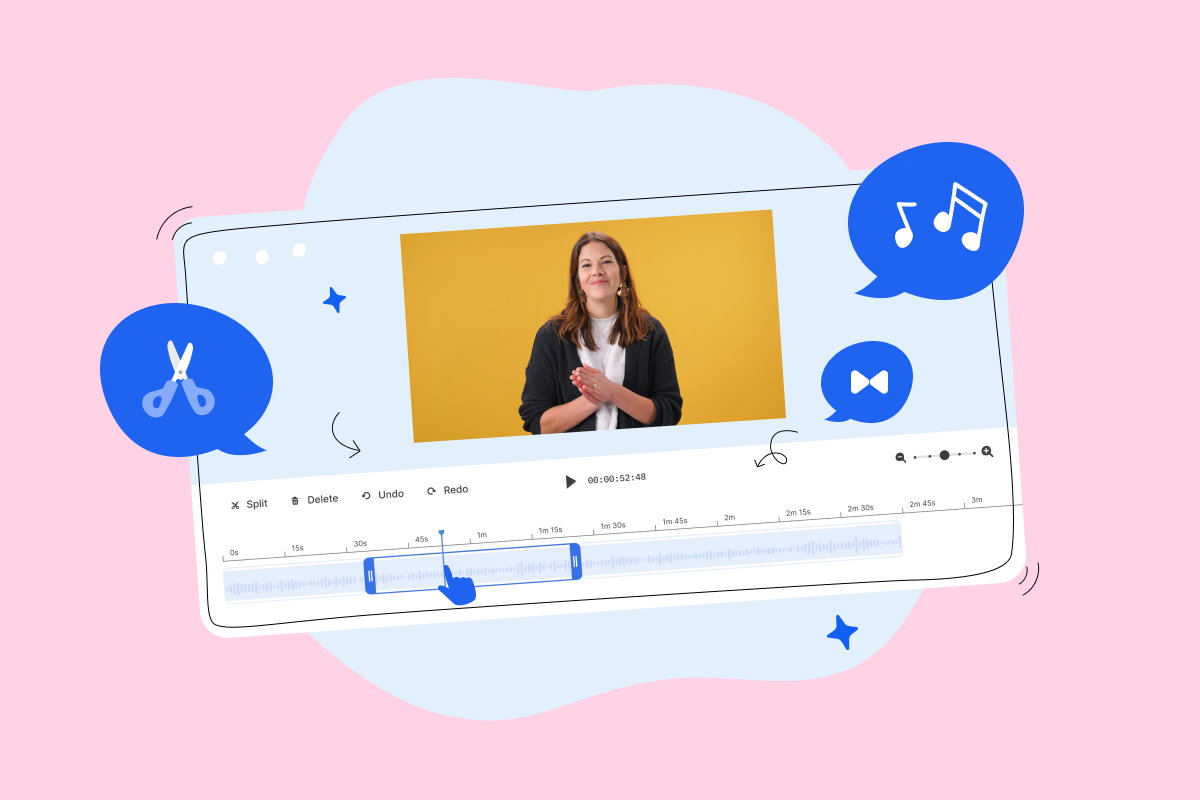
Clipchamp offers a clean and organized workspace. Tools are easy to find and use. Drag-and-drop features help add clips quickly. The timeline is straightforward, showing video layers clearly.
Templates guide users through project setup. Basic editing tools like trimming and splitting are front and center. This simplicity helps beginners create videos without frustration. No complex menus or hidden options slow you down.
Flexclip Ease Of Use
FlexClip focuses on minimalism and clear design. Buttons are labeled plainly for quick understanding. The editor uses a step-by-step approach to build videos. Adding text, music, or transitions is simple and fast.
Its AI-powered features are integrated smoothly. Users create videos from text prompts with few steps. The preview window updates instantly, showing edits clearly. FlexClip’s interface suits users who want fast, easy video making.
Credit: wistia.com
Cross-device Editing
Cross-device editing lets you start a video on one device and continue on another. It brings flexibility and convenience for busy creators. This feature saves time and effort by syncing your work across all devices.
Editing videos on a phone, tablet, or computer without losing progress is possible. Cloud-based platforms support this seamless experience. Your projects stay updated automatically, so you never lose changes.
Adobe Express Auto-save
Adobe Express offers a strong auto-save function. It saves your work instantly as you edit. This means no worries about losing your progress due to power loss or accidental closure.
You can start editing on your laptop and pick up right where you left off on your phone. Adobe Express keeps your projects synced in the cloud. This makes editing smooth and stress-free across devices.
Quick Video Sharing Options
Sharing videos quickly is key in today’s fast-paced digital world. The best online video makers offer easy sharing tools that save time and effort. Instant sharing options help you post your creations directly to social media or send them via email without extra steps.
These features simplify the process, letting you focus more on making videos and less on distributing them. Fast sharing also means your audience sees fresh content sooner, improving engagement and reach. User-friendly interfaces make sharing just a few clicks away.
Movavi’s Speed And Fun
Movavi stands out with its fast video processing and sharing features. It lets users export videos quickly in popular formats. Sharing to platforms like YouTube, Facebook, and Instagram is built right into the app.
The interface is playful and easy to use, making video sharing less of a chore. Movavi allows instant uploads after editing, so your videos go live without delay. This speed and simplicity make it a favorite for casual creators and professionals alike.
Choosing The Right Tool
Choosing the right online video maker can shape the success of your video projects. Each tool offers different features and suits varied skill levels. Picking the correct one saves time and enhances creativity. Consider your needs and budget carefully to find the perfect match.
Match Features To Needs
Identify what features you require before selecting a tool. Beginners may prefer simple interfaces and ready-made templates. Advanced users often need multi-track editing and AI-powered tools. Think about video length, format, and export options. Some tools offer text animations, background removal, or auto-subtitles. Prioritize features that help create your desired video style. Avoid paying for extras you won’t use. Trial versions can help test if a tool fits your workflow.
Budget Considerations
Set a clear budget for your video maker investment. Many tools offer free plans with limited features. Paid versions provide more templates, higher quality exports, and no watermarks. Compare subscription costs and one-time fees. Decide if monthly or yearly payments suit your usage. Remember to factor in any add-ons or upgrades. Free tools may suffice for occasional projects. Professionals creating videos regularly might need premium features. Balance cost with the value and quality you expect.

Credit: wave.video
Frequently Asked Questions
What Is The Best Online Video Maker?
The best online video maker depends on your needs. Canva and Clipchamp suit beginners with easy templates. Veed and CapCut offer advanced AI features for professionals. Adobe Express and FlexClip provide user-friendly interfaces and powerful tools. Choose based on your editing skills and desired features.
What’s Better Than Capcut?
Veed offers advanced desktop-like editing features, while Canva and Clipchamp excel with user-friendly templates. Adobe Express and FlexClip provide strong AI tools, making them great alternatives to CapCut.
What’s The Best Free Video Maker?
The best free video makers are Canva and Clipchamp for beginners, Veed for advanced editing, and CapCut for powerful AI tools.
What Is The Best Online Video Platform?
The best online video platform depends on needs. Canva and Clipchamp suit beginners, while Veed and CapCut offer advanced AI features. Adobe Express and FlexClip provide user-friendly templates and AI tools. Choose based on your editing skills and required features for optimal results.
What Is The Best Online Video Maker For Beginners?
Canva and Clipchamp are great for beginners due to their simple interfaces and ready templates.
Which Online Video Maker Offers Advanced Editing Features?
Veed provides powerful tools similar to desktop video editors for advanced video creation.
Are There Free Online Video Makers With Ai Tools?
CapCut and FlexClip offer free AI tools like auto-subtitles and text-to-video features.
Can I Create Videos For Social Media With Online Video Makers?
Yes, many platforms like Canva and Vimeo have templates designed for social media videos.
Do Online Video Makers Support Text Animations And Effects?
Yes, tools like Canva include text animations and effects to enhance video content.
Which Online Video Maker Is Best For Quick Video Editing?
Movavi is known for fast and easy video editing with fun features.
Conclusion
Choosing the right online video maker depends on your needs. Beginners will find Canva and Clipchamp simple and effective. Advanced users may prefer Veed or CapCut for more features. Each tool offers unique benefits to help create videos easily. Try a few to see which fits your style best.
Creating videos online has never been more accessible. Start your project with confidence and enjoy the process.





