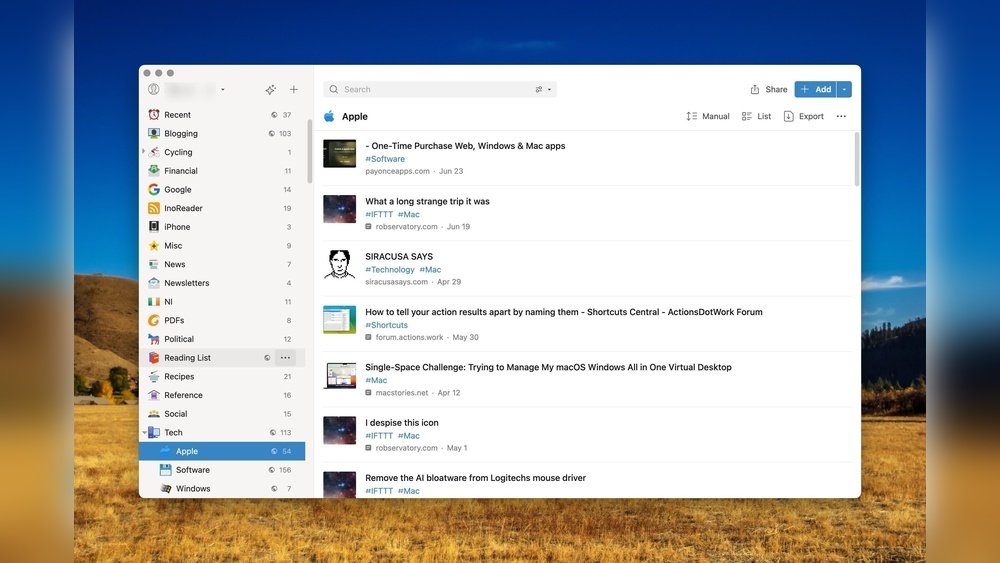
Are your bookmarks turning into a cluttered mess you can’t navigate? You’re not alone.
When you save dozens—or even hundreds—of links, finding what you need later can feel like searching for a needle in a haystack. That’s where the best bookmark manager apps come in. They help you organize, access, and even enrich your saved content effortlessly.
Imagine having all your favorite articles, videos, and resources perfectly sorted and just a click away—no more wasted time or frustration. Ready to take control of your digital clutter? Keep reading, because we’ve handpicked the top bookmark managers that will transform how you save and find information forever.

Credit: www.save.day
Top Bookmark Managers
Top bookmark managers help keep your saved links neat and easy to find. They offer tools to organize, tag, and search bookmarks fast.
These apps work on many devices and let you access your bookmarks anywhere. Some focus on reading, others on research or simple storage.
Raindrop.io
Raindrop.io has a clean and visual layout. It lets you sort bookmarks with folders and tags. You can save articles, images, and videos. The app works on computers, phones, and browsers. The free version offers many useful features.
Pocket saves articles and videos for offline reading. It has a simple design with options like text-to-speech. The app helps you catch up on content anytime without internet.
Instapaper
Instapaper focuses on distraction-free reading. It offers features like highlighting and speed-reading tools. The app is great for those who want a clean space to enjoy articles.
Diigo
Diigo is ideal for research and study. It allows web page highlighting, sticky notes, and archiving. This tool helps keep important info handy and organized.
Evernote And Notion
Evernote and Notion combine bookmarking with note-taking. They let you save links alongside your notes. Both apps support rich organization and team collaboration.
Visual Bookmarking Tools
Visual bookmarking tools change how you save and organize links. They show bookmarks with images or thumbnails. This makes it easier to find saved pages quickly. Visual cues help your brain remember content better than text alone.
These tools work well for people who save many bookmarks. Instead of a long list, you see a grid or a board of images. You can group bookmarks by theme or project. This keeps your collections neat and clear.
Raindrop.io
Raindrop.io offers a colorful and clear layout. It lets you save websites, articles, and videos with images. You can organize bookmarks using folders and tags. The app works on computers and smartphones. The free version has many useful features.
Pinterest is known for visual discovery and bookmarking. It allows you to create boards and pin images or links. It’s ideal for collecting ideas on fashion, recipes, or home decor. The interface is simple and fun to use.
Bookmark Ninja
Bookmark Ninja uses a clean grid to display saved links. You can add icons and descriptions for each bookmark. It supports multiple devices and has a quick search feature. This tool helps you stay organized with visual clarity.
Wakelet
Wakelet lets you save and share collections of links, images, and videos. It shows your bookmarks as a visual story. You can add notes and reorder items easily. The platform supports collaboration with others.
Read-it-later Apps
Read-It-Later apps help save articles, videos, and web pages for later reading. They work well for people who find interesting content but cannot read it immediately. These apps store content offline, so users can access it anytime, even without internet. They also offer distraction-free reading experiences.
Read-It-Later apps organize saved items in one place. They often include features like tagging, highlighting, and text-to-speech. These tools make catching up on reading easier and more enjoyable.
Pocket is a popular Read-It-Later app. It saves articles and videos from any device. Users can read offline with a clean, simple interface. Pocket offers text-to-speech, so users can listen to articles. Tagging helps organize saved content by topic or interest.
Instapaper
Instapaper focuses on a distraction-free reading experience. It allows users to highlight text and add notes. Speed-reading features help finish articles faster. Instapaper works on mobile and desktop devices. It also supports offline reading for convenience.
Raindrop.io
Raindrop.io is more than a Read-It-Later app. It combines bookmarking with powerful organization tools. Users can save articles, images, and videos. The app offers folders, tags, and visual previews. It syncs across devices and works offline too.
Research-focused Managers
Research-Focused bookmark managers help users collect, organize, and analyze information effectively. They offer tools for highlighting, note-taking, and tagging. These features support deep study and easy recall of important data.
Such apps are perfect for students, professionals, and anyone handling large amounts of research material. They allow users to save web pages and add personal insights. This makes studying and project work much simpler.
Diigo: Highlight And Annotate Web Pages
Diigo lets you highlight text on web pages and add sticky notes. It stores these annotations alongside saved bookmarks. This way, you remember why the page was important. Diigo also supports tagging for easy search and organization.
It works well for group projects too. You can share bookmarks and notes with team members. Diigo also has options for archiving pages to keep content even if the original page changes or disappears.
Evernote: Integrate Bookmarks With Notes
Evernote combines bookmarking with powerful note-taking features. You can clip articles and save them as notes. Add your own comments or summaries to these clips. Organize everything in notebooks for quick access.
Evernote syncs across devices, so your research is always available. It supports images, PDFs, and audio notes to enrich your saved content. This helps create a complete research archive.
Notion: All-in-one Workspace For Research
Notion offers a flexible system for saving bookmarks alongside databases and notes. You can build custom pages to organize research topics. Notion supports embedding bookmarks directly into pages.
Its tagging and linking features help connect related information. Notion also allows collaboration with others. This makes group research projects more efficient and organized.
Note-taking Integrations
Note-taking integrations in bookmark manager apps help you capture thoughts and organize information efficiently. These features allow you to link notes directly to your saved bookmarks. This keeps your ideas and references in one place. It simplifies research, planning, and content creation.
Apps with built-in note-taking tools reduce the need to switch between different software. You can add comments, summaries, or reminders alongside your bookmarks. This makes it easier to revisit saved content and understand its relevance later.
Raindrop.io And Note-taking
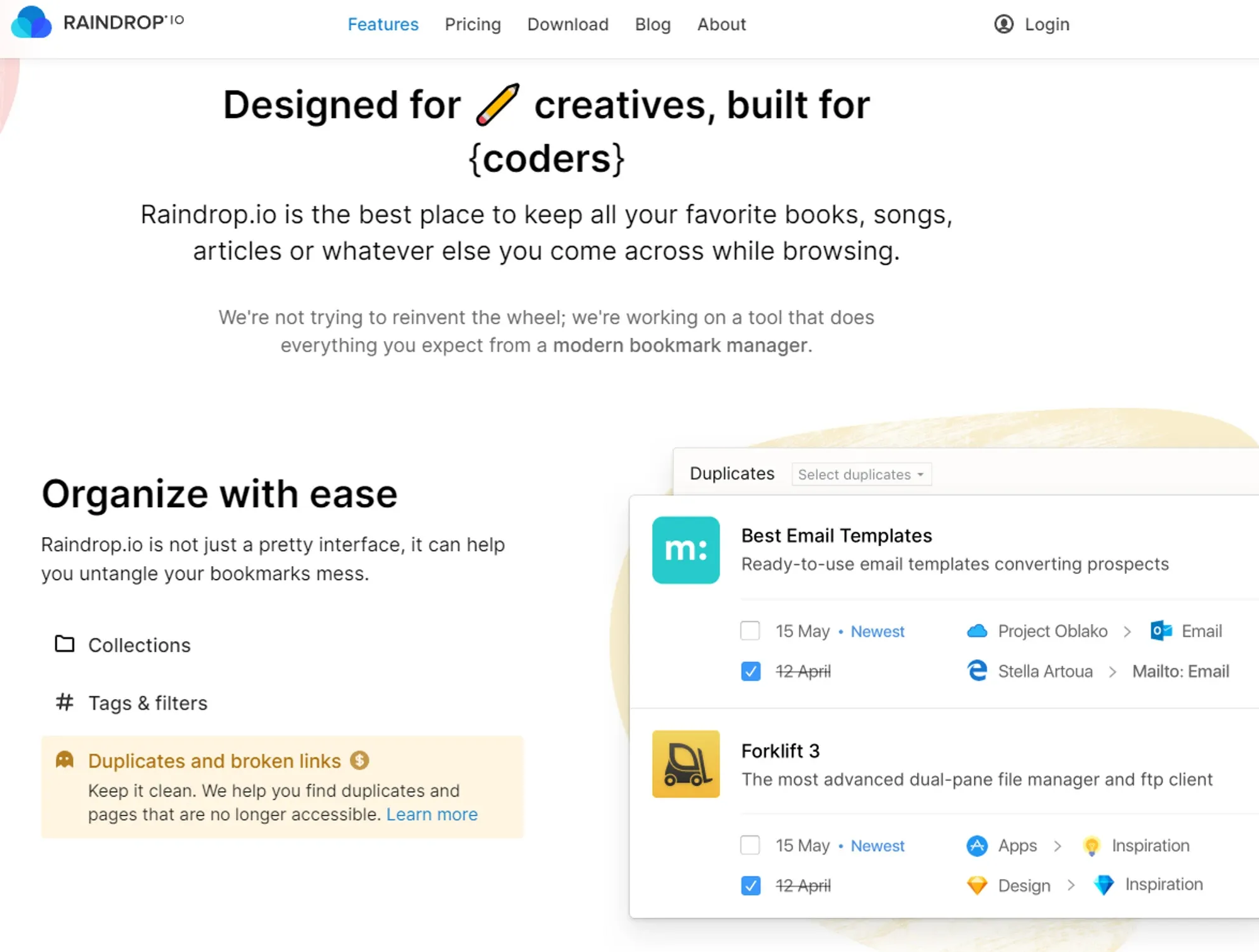
Raindrop.io offers simple note-taking within its interface. You can add descriptions to bookmarks. Tags and folders keep notes organized. It supports rich media, so you can store images and links in your notes. This app works well for users who want a visual and straightforward system.
Pocket’s Highlight And Notes Features
Pocket allows users to highlight text on saved articles. You can add short notes to these highlights. This helps you mark important parts for quick review. Pocket’s offline access ensures your notes and highlights are available anytime. It suits readers who save content for later study or inspiration.
Diigo’s Annotation Tools
Diigo excels in advanced note-taking with web page annotation. You can highlight, add sticky notes, and tag content. This makes it ideal for students and researchers. Diigo stores all your notes linked to bookmarks for easy reference. It supports collaboration by sharing annotated pages with others.
Evernote And Notion Integration
Some bookmark apps integrate directly with Evernote and Notion. These apps provide powerful note-taking and organization features. You can save bookmarks as notes or link them to existing notebooks. This integration supports detailed project management and content curation. It fits users who need deep customization and advanced workflows.
Credit: eagle.cool
Minimalist Bookmark Apps
Minimalist bookmark apps offer a clean and simple way to save and organize web links. They focus on essential features without clutter or distractions. This makes finding and managing bookmarks faster and easier. These apps suit users who prefer straightforward tools.
Benefits Of Minimalist Bookmark Apps
Minimalist apps load quickly and use little memory. They help keep your bookmarks tidy with simple lists or tags. The clear design reduces confusion and improves focus. You can access your links without unnecessary options or ads.
Key Features To Expect
Look for easy saving and quick search options. Simple tagging or folder systems help you find bookmarks fast. Some apps sync across devices for access anywhere. The interface should feel light and uncluttered.
Popular Minimalist Bookmark Apps
Pinboard is a favorite for users who want minimal design with reliable performance. It uses plain text and simple tags. Another option is Raindrop.io’s basic mode, which strips back to essentials. Instapaper also offers a clean interface focused on reading later.
Mobile Bookmark Solutions
Managing bookmarks on mobile devices requires apps that are easy to use and sync across gadgets. Mobile bookmark managers help keep links organized and accessible anywhere. They save time and reduce clutter in your browser.
These apps support fast saving, searching, and sorting of bookmarks. Many offer offline access and cloud sync. The best apps fit smoothly into daily mobile use.
Raindrop.io Mobile App
Raindrop.io has a clear and visual layout. It groups bookmarks by tags and folders. The app supports images, videos, and articles. It syncs across phones, tablets, and desktops. Users can access saved links without internet.
Pocket For Offline Reading
Pocket lets users save articles and videos easily. It works well for reading on the go. Articles can be read without an internet connection. The app also offers text-to-speech for hands-free listening. It helps keep content ready for any moment.
Diigo Mobile Bookmark Manager
Diigo is popular for research and notes. It allows highlighting and adding sticky notes on webpages. Users can organize bookmarks with tags and lists. The app syncs with the desktop version. It suits students and professionals who study online.
Instapaper For Focused Reading
Instapaper offers a simple, distraction-free reading mode. It saves webpages for offline use. Users can highlight text and create notes. The app supports speed reading and text customization. It helps keep reading clean and easy.
Evernote And Notion Integration
Both Evernote and Notion support saving web links on mobile. They combine bookmarks with notes and projects. Users can organize links inside notebooks or pages. Sync works across all devices. These apps suit users who want all info in one place.
Organizing Strategies
Cross-platform syncing is vital for bookmark manager apps. It lets users access bookmarks on any device easily. Whether on a phone, tablet, or computer, bookmarks stay updated and ready.
Syncing saves time by removing the need to manually transfer bookmarks. It supports smooth workflow and helps keep information organized. This feature suits users who switch devices often or work remotely.
Seamless Access Across Devices
Bookmark managers with cross-platform syncing provide seamless access. Users open saved links from any device without hassle. This convenience improves productivity and browsing experience.
Real-time Updates And Backup
Changes to bookmarks sync instantly across devices. Adding, editing, or deleting bookmarks reflects everywhere quickly. This ensures data stays current and backed up safely.
Supports Multiple Operating Systems
Top apps support various operating systems like Windows, macOS, Android, and iOS. This wide support means users are not limited by device type. Compatibility boosts usability for diverse users.
Easy Setup And User-friendly Syncing
Most bookmark managers offer simple setup for syncing. Users log in with one account and sync starts automatically. This ease encourages consistent use and better bookmark management.
Cross-platform Syncing
Choosing the right bookmark manager app improves how you save and find links. The perfect tool fits your habits and needs. Consider what features matter most. Think about how you browse and organize information daily.
Ease Of Use
A simple interface speeds up your workflow. You want a tool that feels natural and quick. Complex apps may slow you down. Look for clear menus and easy navigation.
Organization Features
Folders, tags, and search functions help keep bookmarks tidy. Some apps let you add notes or highlight important links. Choose a system that matches how you think about your bookmarks.
Cross-device Syncing
Access bookmarks on your phone, tablet, and computer. Syncing keeps your links updated everywhere. This feature is essential if you switch devices often.
Offline Access
Offline access lets you view saved pages without internet. Useful when traveling or in low-signal areas. Check if the app supports offline reading and storage.
Customization Options
Custom folders, themes, or layouts make the app personal. Customize to match your style or workflow. It makes managing bookmarks more enjoyable.
Price And Plans
Many apps offer free versions with basic features. Premium plans add extras like more storage or advanced tools. Pick a plan that fits your budget and needs.

Credit: www.marqly.com
Frequently Asked Questions
How Do I Organize My Thousands Of Bookmarks?
Organize thousands of bookmarks by creating a clear folder hierarchy with topics and subtopics. Use tags for easy searching. Employ bookmark managers like Raindrop. io or Pocket to categorize, tag, and access bookmarks across devices efficiently. Regularly review and delete outdated links to maintain order.
What Is The Best Bookmark Manager?
The best bookmark manager depends on your needs. Raindrop. io excels in visual organization and cross-platform use. Pocket offers offline reading. Diigo suits research and annotation. Pinboard provides simplicity and reliability. Evernote and Notion integrate note-taking with bookmarking effectively.
Can I Use Ai To Organize My Bookmarks?
Yes, AI can organize your bookmarks by automatically categorizing, tagging, and summarizing them for easy access.
What Is The Best Way To Manage Bookmarks?
The best way to manage bookmarks is by using a folder hierarchy system with clear categories and subfolders. Use tools like Raindrop. io for visual organization or Pocket for offline reading. Tagging and regular cleanup improve efficiency and quick access to saved content.
What Is A Bookmark Manager App?
A bookmark manager app helps you save, organize, and find web links easily.
Why Use Bookmark Manager Apps?
They keep your links organized, easy to access, and prevent losing important sites.
How Do Bookmark Managers Organize Links?
Most use folders, tags, or collections to group bookmarks by topic or type.
Can Bookmark Apps Work Across Devices?
Yes, many apps sync bookmarks on phones, tablets, and computers automatically.
Are Bookmark Managers Free To Use?
Many offer free plans with basic features; some have paid options for extras.
Which Features Should I Look For In Bookmark Apps?
Look for easy saving, good search, syncing, offline access, and simple organization tools.
Conclusion
Choosing the right bookmark manager can save time and reduce clutter. Each app offers unique tools to fit different needs. Visual organizers help you find content quickly. Offline readers let you access articles anytime. Research-focused apps provide useful annotation features.
Simple managers keep bookmarking easy and fast. Try a few to see which suits you best. Organize your online resources and stay productive every day.





