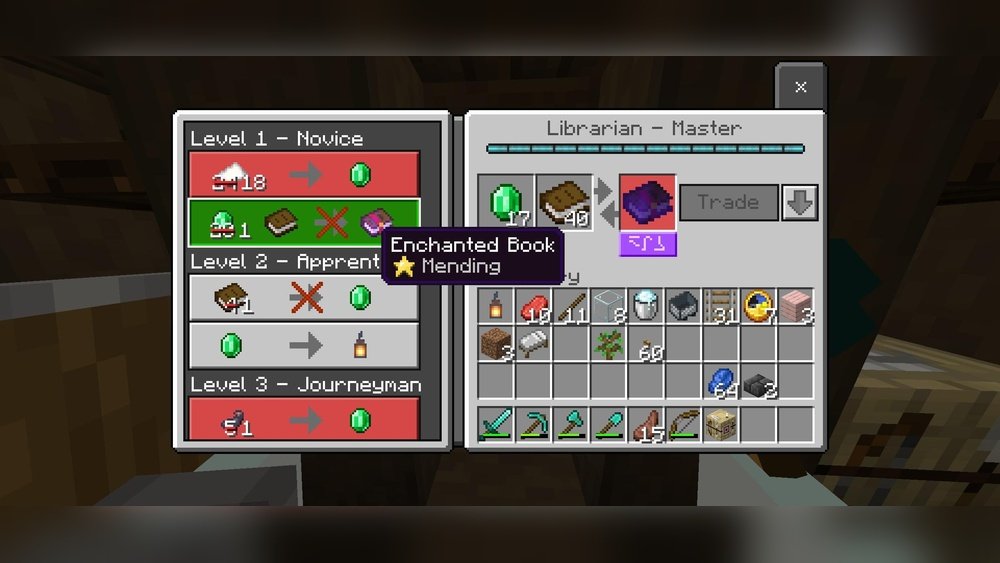
How Long Does It Take For Villagers To Restock
Trading with villagers is one of the most interesting parts of Minecraft. You can turn simple items into rare resources, gain emeralds, and sometimes even get enchanted tools or armor. But every player who trades often has faced the same question: how long does it take for villagers to restock? Maybe you just sold out a librarian’s stock of enchanted books or bought all the arrows from a fletcher. Now, you wait, wondering when you can trade again.
Understanding the villager restocking process is important if you want to build efficient trading halls or just get the most out of your Minecraft village. While the basic idea sounds simple—villagers restock over time—the real system is more detailed. There are rules, exceptions, and even some unexpected things that can stop or speed up the process. If you want to master villager trading, you need to know how restocking works, what factors affect it, and how you can optimize your village for the fastest results.
This guide will explain everything you need to know about villager restocking times, the mechanics behind it, and practical tips for making your trading system as efficient as possible.
How Villager Trading Works
Before talking about restocking, let’s look at how villager trading actually works. Each villager with a profession (like librarian, farmer, or armorer) offers specific trades. These trades are limited by the villager’s inventory and can be locked after you trade a certain number of times.
Villager Professions And Workstations
Villagers need workstations to choose a profession and to refresh their trades. For example:
- Librarian: Lectern
- Fletcher: Fletching Table
- Farmer: Composter
- Armorer: Blast Furnace
Each workstation is tied to a specific profession. If a villager loses access to their workstation, they can’t restock.
Trading Limits
Every trade has a limited number of uses before it locks. For example, you may only be able to buy five enchanted books from a librarian before that trade becomes unavailable. After this, you must wait for the villager to restock.
Trade Levels
Villagers have different trade levels: Novice, Apprentice, Journeyman, Expert, and Master. As you trade, they unlock new trades, but each trade can only be used a set number of times before needing a restock.
What Does “restock” Mean?
Restocking is when a villager renews their trades, allowing you to use locked trades again. Restocking only happens if the villager has:
- Access to their workstation
- Is not sleeping or panicking
- Has not already restocked twice that day
Restocking is not instant. If you remove the villager’s workstation, or if the workstation is blocked, the villager will not restock.
How Long Does It Take For Villagers To Restock?
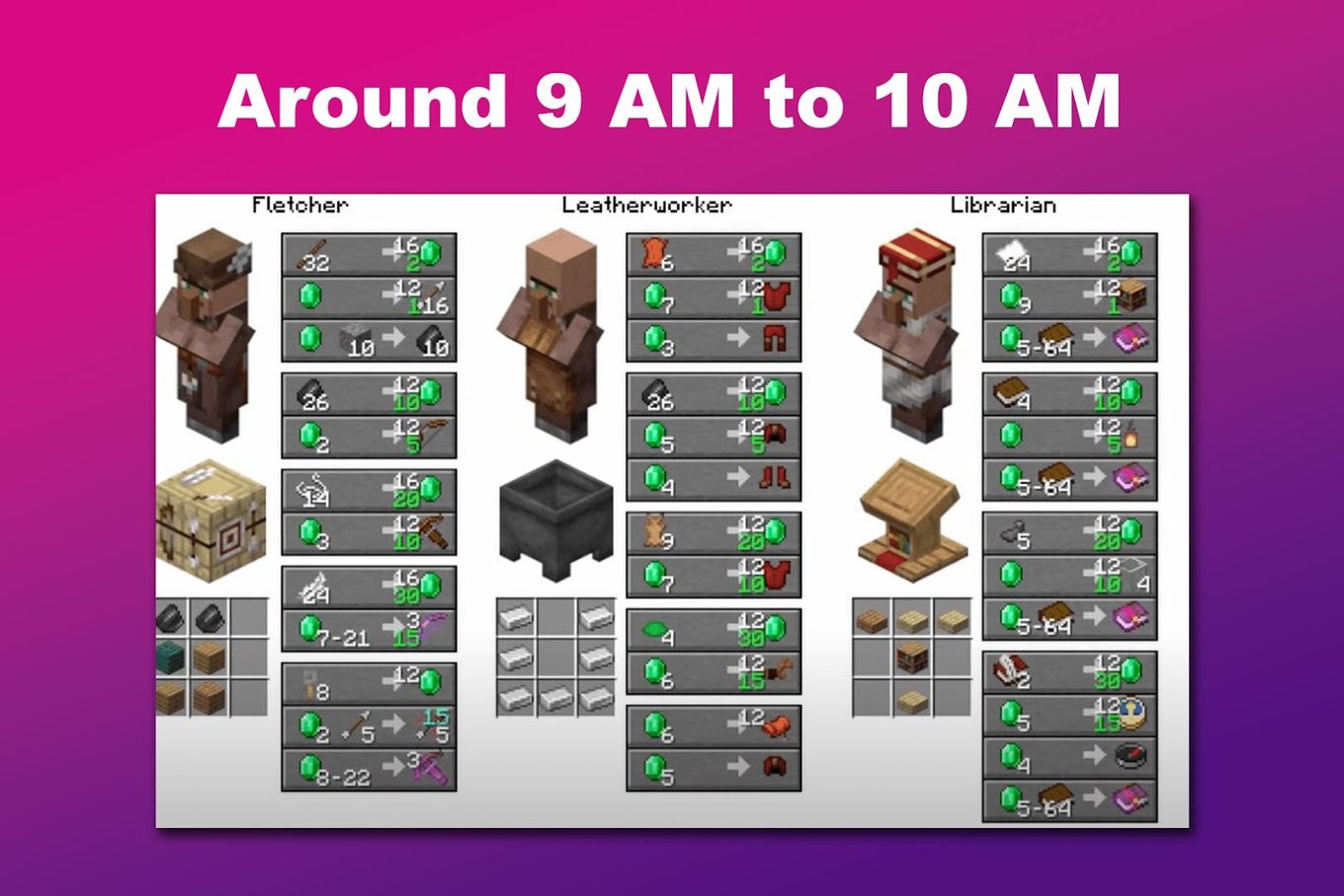
The villager restock time depends on the in-game day and the villager’s access to their workstation. In Minecraft Java Edition, villagers can restock up to two times per day, during work hours. These hours are:
- Morning restock: Shortly after sunrise
- Afternoon restock: Midday (around 2,000–9,000 game ticks)
A full Minecraft day is 24,000 game ticks (about 20 real minutes), so there are two windows for restocking. If you trade with a villager and use all their available trades, you must wait until the next work period for them to restock.
Table: Minecraft Day Timeline
Here’s a quick look at how a Minecraft day is divided:
| Event | Game Tick | Real Time |
|---|---|---|
| Day Start (Sunrise) | 0 | 0:00 |
| First Work Period | 2000–5000 | 1:40–4:10 |
| Second Work Period | 9000–12000 | 7:30–10:00 |
| Night (Villagers Sleep) | 13000–23000 | 10:50–19:10 |
Villagers will only restock during the two work periods, and only if they have access to their workstation.
Factors That Affect Restocking Time
Restocking is not just about waiting. Several factors change how quickly villagers can restock:
1. Workstation Accessibility
Villagers must be able to physically reach and use their workstation. If the workstation is blocked (by a fence, wall, or another block), the villager will not restock. Even if it looks close, if the path is blocked, restocking will not happen.
2. Villager Status
Villagers cannot restock if they are:
- Sleeping (at night)
- Panicking (nearby zombies or raids)
- Trapped (in minecarts or boats, sometimes)
If you want fast restocking, keep villagers safe and calm.
3. Number Of Restocks Per Day
A villager can only restock twice per Minecraft day. If you use up all the trades and both restocks, you must wait for the next day. Trying to trade more will not force a third restock.
4. Profession And Trade Type
Some professions and trades might appear to restock at different rates, but the basic rule (twice per day) applies to all. However, villagers without a workstation will never restock.
5. Block Updates And Pathfinding
If you move a workstation or change blocks near it, the villager may need extra time to recognize and pathfind to the workstation. This can delay the restock, sometimes by a few game ticks.
6. Bed And Sleep Patterns
While villagers do not need a bed to restock, having a bed makes their behavior more predictable. Without beds, villagers can sometimes lose their profession or act strangely, which can delay or block restocking.
How To Make Villagers Restock Faster
You can’t speed up the actual restock window (it’s fixed by the game), but you can make sure villagers use every chance to restock. Here’s how:
1. Place Workstations Nearby
Keep the workstation close to the villager, ideally in the same room or cell. The villager should be able to walk to and use the workstation easily.
2. Avoid Blocking Workstations
Never place fences, glass panes, or other blocks that block the path to the workstation. Even invisible barriers can stop villagers from reaching the block.
3. Light Up The Area
Keep the trading hall or village well-lit. Darkness can lead to mob spawns, which panic villagers and stop restocking.
4. Protect From Zombies
If a villager is near a zombie, pillager, or raid, they will panic and not work. Build walls and use iron golems for protection.
5. Use Bells And Beds
Adding bells and beds can make villagers behave more normally, helping them find their workstations and keep their professions.
6. Avoid Trading At Night
Trading at night does not reset trades or force a restock. Only trade during the day, especially after a restock window.
7. Reload The Chunk
Sometimes, villagers get “stuck” and do not restock. Leaving the area and returning (unloading and reloading the chunk) can reset their behavior.
Common Problems That Stop Restocking
Even with a perfect setup, you might find that villagers sometimes don’t restock. Here are the most common problems and how to fix them:
1. Workstation Taken By Another Villager
Sometimes, two villagers try to claim the same workstation. Make sure every villager has their own workstation, and it’s not too close to another villager.
2. Pathfinding Issues
Villagers can’t jump over fences or cross water to reach their workstation. Use solid paths and open doors.
3. Incorrect Time Of Day
If you try to trade outside work hours, the villager will not restock until the next day.
4. Profession Loss
If a villager loses access to their workstation for too long, they might lose their profession. Give them back their workstation to fix this.
5. Game Bugs Or Version Differences
Some versions of Minecraft have bugs that affect restocking. Always use the latest version for the best experience.
Bedrock Vs Java Edition: Restocking Differences
The rules above mostly apply to Java Edition. There are some small but important differences if you play Bedrock Edition.
Table: Restocking Differences Between Editions
| Feature | Java Edition | Bedrock Edition |
|---|---|---|
| Restocks per Day | 2 times | Unlimited (during work hours) |
| Work Hours | 2000–9000, 9000–12000 ticks | Daytime |
| Workstation Needed | Yes | Yes |
| Bug Frequency | Lower | Higher |
In Bedrock Edition, villagers can restock many times per day, as long as they can reach their workstation and it’s daytime. This makes trading much faster, but it can also lead to bugs.
Real Examples: How Long Do Different Villagers Take To Restock?
Let’s look at some practical examples for different professions. These examples assume Java Edition, with ideal conditions (workstation next to villager, no mobs, daytime).
Librarian
- Sells out of enchanted books after 5 trades.
- Can restock in the morning (first work period).
- After restocking, can trade again.
- Can restock a second time in the afternoon.
- Total: Up to 15 books per day (if you trade out each restock).
Farmer
- Trades for wheat, carrots, potatoes, etc.
- Each trade has 3–5 uses.
- Can restock twice per day.
Fletcher
- Arrow trades (16 arrows per emerald, for example).
- Each trade has 16 uses.
- Can restock twice per day.
Armorer
- Sells iron, chainmail, and diamond armor.
- Each trade can be used 3–5 times, depending on level.
- Two restocks per day.
Table: Restock Potential Per Day
| Villager Type | Trade Uses per Restock | Restocks per Day | Total Trades per Day |
|---|---|---|---|
| Librarian | 5 | 2 | 15 |
| Farmer | 4 | 2 | 12 |
| Fletcher | 16 | 2 | 48 |
| Armorer | 4 | 2 | 12 |
These numbers are averages. Actual numbers can vary by villager level and trade.

Credit: www.youtube.com
How To Check If A Villager Has Restocked
Sometimes, it’s not clear if a villager has restocked. Here’s how you can tell:
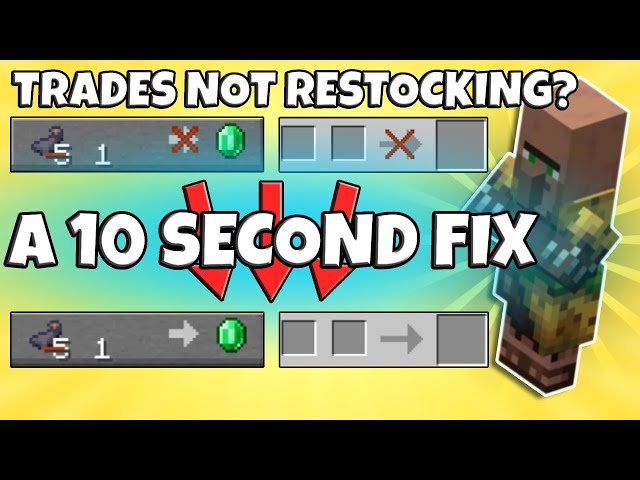
- The trade that was locked is now available (the red X disappears).
- Green sparkles appear around the villager when they restock.
- The villager moves to their workstation and stands there for a few seconds.
If none of these things happen, the villager has not restocked yet.
Advanced Tips For Trading Halls
If you’re building a villager trading hall for maximum efficiency, there are extra steps you can take to avoid restocking problems.
1. Assign One Workstation Per Villager
Place each workstation directly in front of the villager’s position. Never let two villagers share a workstation.
2. Keep A Clear Path
Use solid blocks for floors and no obstacles between villager and workstation.
3. Use Glass Or Fences Carefully
Glass blocks do not block the villager’s pathfinding, but fences do. Use glass for visibility and fences for safety, but always test that the villager can reach their workstation.
4. Name Tag Villagers
Using a name tag keeps villagers from despawning if you leave the area for a long time.
5. Watch For Profession Changes
If you break a workstation, villagers can change profession. To avoid accidental changes, always keep workstations in place.
6. Use Chunk Borders
Build your trading hall inside a single chunk if possible. Villagers sometimes lose profession or workstation memory when crossing chunk borders.
7. Use Bells
Placing a bell in the center of your trading area can help villagers find their workstations during the work period.
What If Villagers Never Restock?
If you’ve tried everything and villagers still refuse to restock, try these steps:
- Replace the workstation. Break and replace it, then watch if the villager claims it again.
- Move the villager. Sometimes, moving a villager to a new spot resets their AI.
- Check for mobs. Even hidden mobs can panic villagers.
- Update Minecraft. Bugs are fixed often; update to the latest version.
- Reload the area. Leave and return after a few minutes.
- Check for Bedrock bugs. If on Bedrock Edition, some villagers may be permanently bugged and need to be replaced.
Little-known Insights About Restocking
Most guides stop at the basics, but here are some advanced tips few players know:
- Villager Gossip: If you heal a zombie villager, they give better trade prices. But if a villager gets hurt, it can raise prices. Keep villagers safe for better deals.
- Nitwits and Unemployed Villagers: Nitwits (green-robed villagers) never get trades or restock. Unemployed villagers can take a workstation and start restocking, but only during the day.
- Workstation Reassignment: If you change a villager’s workstation after they have leveled up, they keep their old trades and restock at the new block.
What Happens If You Sleep Or Skip The Night?
Sleeping in Minecraft skips from night to morning, but villagers will not restock during the night. If you sleep, the next work period starts as normal, and villagers can restock if they have not used both chances for the day.
If you use commands or mods to skip time, villagers may miss a restock window. Always let the day cycle run for the most reliable restocking.
Restocking And Iron Farms
Some players use villagers for iron farms. These villagers also follow restocking rules, but their workstations are beds, not job site blocks. Iron golem spawning is not directly affected by restocking, but panicking villagers (from zombies) will not restock trades until they are calm.
Restocking And Cured Zombie Villagers
If you cure a zombie villager, they become a normal villager and will take a workstation as usual. Their restocking process is the same, but their trade prices are often much lower as a reward for curing them.
Common Myths About Villager Restocking
Many players believe things about restocking that are simply not true. Let’s clear up some of the most common myths:
Myth 1: Villagers Restock Instantly
Villagers never restock instantly. They only restock twice per day, during work periods, and only if they can reach their workstation.
Myth 2: Villagers Restock At Night
Restocking only happens during the day. At night, villagers sleep and do not work.
Myth 3: Adding More Workstations Increases Restocking
Each villager can only use one workstation. Extra workstations do not speed up restocking.
Myth 4: Trading More Forces A Restock
Trading more does not make villagers restock faster. You must wait for the work period.
Myth 5: All Villagers Restock The Same Trades
Some trades restock faster than others, depending on the villager’s profession and trade level. But the two-restocks-per-day rule is always true (except on Bedrock Edition).
Comparing Villager Restocking To Other Mob Behaviors
Villager restocking is unique in Minecraft, but some other mobs have similar time-based behaviors. For example:
- Farm animals breed on a cooldown timer.
- Wandering traders restock randomly and only stay for a few days.
- Piglins barter instantly, but have a “thinking” animation before giving items.
Villager restocking is more predictable and can be optimized with good village design.
Why Restocking Matters For Advanced Trading
If you want to trade for rare items—like Mending enchanted books, diamond armor, or large amounts of emeralds—understanding restocking is critical. Efficient trading halls can give you dozens of rare items every Minecraft day, but only if you manage restocking correctly.
For example, a well-designed trading hall with 10 librarians can give you up to 150 enchanted books per day (assuming all have Mending and you trade out every restock). This is much faster than hunting for loot in the wild.
Useful Resources For Villager Mechanics
If you want to read more in-depth about how villagers work, the Minecraft Wiki is an excellent resource. You can find detailed mechanics, updates for different versions, and troubleshooting guides at Minecraft Wiki.
Frequently Asked Questions
Credit: alvarotrigo.com
How Many Times Do Villagers Restock Per Day?
Villagers in Java Edition restock twice per day—once in the morning and once in the afternoon. In Bedrock Edition, they can restock multiple times as long as it is daytime and they can reach their workstation.
What If A Villager Does Not Restock At All?
If a villager does not restock, check that they have access to their workstation, are not panicking or sleeping, and that it is work hours. Also, make sure no other villager is claiming the workstation. Sometimes, reloading the game or area can fix stuck villagers.
Credit: www.youtube.com
Does Breaking A Workstation Reset Trades?
Breaking a workstation does not reset trades, but if the villager cannot find their workstation, they will not restock. If you replace the workstation, they will use it again if they have not lost their profession.
Can You Force Villagers To Restock Faster?
No, you cannot force villagers to restock faster. The restock windows are fixed by the game. The best you can do is make sure villagers always have access to their workstation during work periods.
Do Villagers Need Beds To Restock?
Beds are not required for restocking, but they help villagers keep their profession and behave normally. Without beds, villagers can sometimes lose their profession or act strangely, which can affect restocking.
Understanding how long it takes for villagers to restock—and how to avoid common problems—makes your Minecraft trading much more efficient. With the right setup, you’ll never be stuck waiting for your next valuable trade.





