
Minecraft is a game where your creativity shapes entire worlds. Sometimes, though, you want the world to pause. Maybe you want to build without monsters attacking, or take screenshots of a sunrise that lasts forever. This is where the concept of freeze time in Minecraft becomes powerful. Controlling time can transform your experience—making the game easier, more creative, or just plain fun. But how exactly do you freeze time in Minecraft? What does it really mean, and how do the mechanics work? This guide will walk you through everything you need to know, from basic commands to advanced tricks and practical uses.
What Does “freeze Time” Mean In Minecraft?
Freezing time in Minecraft means stopping the day-night cycle so the sun or moon stays in one position. Normally, the game world moves from day to night and back again every 20 real-world minutes. Mobs spawn, villagers sleep, and crops grow according to this cycle.
Freezing time can affect these mechanics—sometimes in surprising ways.
But freezing time isn’t just about sunlight. It can also mean stopping weather changes or even halting mob movements. In this article, we focus on the day-night cycle, but will touch on other “freeze” features to give a complete picture.
Why Players Want To Freeze Time
There are many reasons to freeze time in Minecraft:
- Creative building: You may want perfect daylight for screenshots or construction.
- Adventure maps: Map makers often need a fixed time for storytelling or challenges.
- Avoiding dangers: Freezing time at day prevents hostile mobs from spawning.
- Farming: Some crops and mechanics depend on time; freezing can help or hinder.
- Redstone and mechanics: Some machines rely on the day-night cycle.
- Roleplay and servers: Setting the mood for a lobby or themed area.
Knowing why you want to freeze time helps you choose the best method.
How The Day-night Cycle Works
Understanding the cycle helps you control it. In Minecraft, a full day lasts 20 minutes (24,000 game ticks). The sun rises at 0 ticks and sets at 12,000 ticks. Night ends at 24,000 ticks, and the cycle repeats.
- Daytime: 0 to 12,000 ticks (10 minutes)
- Nighttime: 12,000 to 24,000 ticks (10 minutes)
- Sunrise: Around 23,000 ticks
- Sunset: Around 12,000 ticks
Time affects:
- Mob spawning (zombies, skeletons at night)
- Villager behavior (working, sleeping)
- Crop growth
- Redstone daylight sensors
Freezing time “locks” these systems.
Methods To Freeze Time In Minecraft
There are several ways to freeze time. The right method depends on your platform (Java, Bedrock, console) and whether you use cheats or mods.
1. Using Gamerule Commands (java And Bedrock)
The simplest way for most players is the /gamerule command. This works in both single player (with cheats enabled) and in multiplayer (with operator rights).
How To Freeze Time
- Open the chat window (`T` key on PC).
- Type: `/gamerule doDaylightCycle false`
- Press Enter.
This command stops the world from advancing time. The sun or moon stays where it is.
To start time again, use:
`/gamerule Dodaylightcycle True`
Example
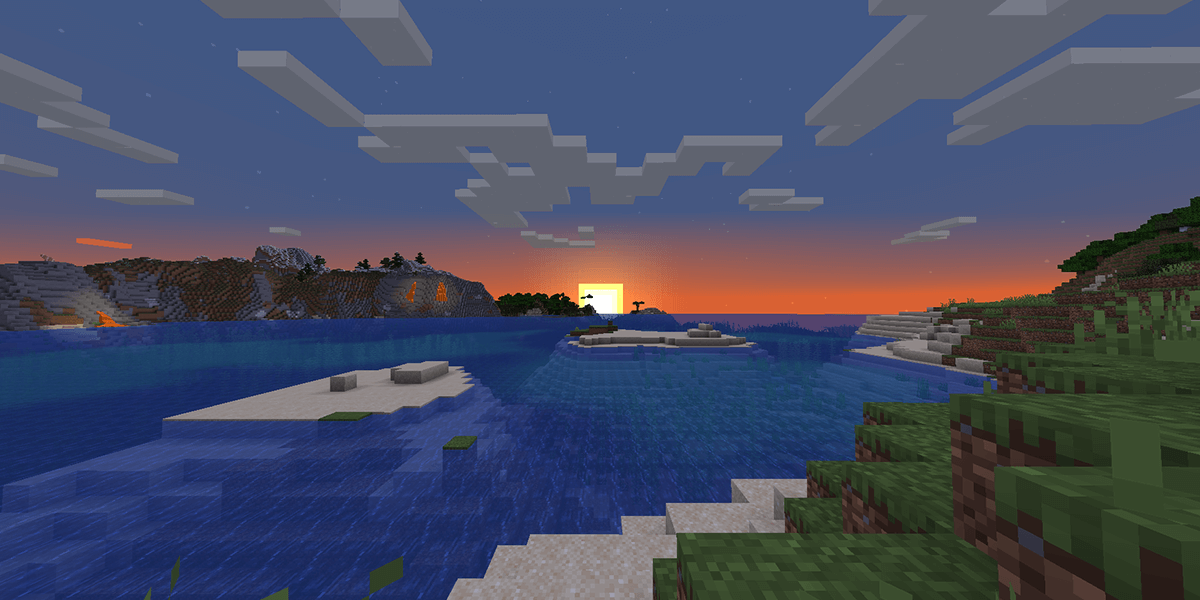
Suppose it is sunrise and you want that golden light forever. Enter the command during sunrise—the sun will stay at the horizon.
What Actually Happens
- Time is frozen at its current position
- Crops and mobs react as if time is not moving
- Villagers may act strangely if frozen mid-task
- Redstone daylight sensors will not update further
2. Setting Time Before Freezing
If you want a specific time (like noon or midnight) before freezing, combine two commands.
- Set time: `/time set day` (or `/time set midnight`, `/time set sunrise`, etc.)
- Freeze time: `/gamerule doDaylightCycle false`
This locks the world at the chosen moment.
Common Time Values
- /time set day – 1,000 ticks (morning)
- /time set noon – 6,000 ticks (sun at top)
- /time set night – 13,000 ticks
- /time set midnight – 18,000 ticks
3. Command Blocks For Automatic Control
For map makers or advanced users, command blocks allow automation. For example, you can set up a system where players press a button to freeze or unfreeze time.
- Place a command block (`/give @p command_block`)
- Enter `/gamerule doDaylightCycle false`
- Power the block with redstone to activate
This is useful for adventure maps or custom servers.
4. Freezing Time With Mods And Plugins
Some server owners or advanced players use mods or plugins. These can give extra control, like scheduling time freezes or linking time to events.
Popular options:
- EssentialsX (plugin for Bukkit/Spigot): `/time lock`
- WorldGuard: Region-specific time control
- Forge/Fabric mods: “Time Control,” “Time Stop,” and others
These tools can limit time freeze to certain worlds or areas, or even allow player voting.
5. Bedrock Edition Differences
Commands work mostly the same in Bedrock Edition, but some syntax may differ. Bedrock does not have as many plugins, but the `/gamerule doDaylightCycle false` command works on most platforms (Windows 10, mobile, console).
6. Console Edition And Limitations
On some older console versions, there is no built-in way to freeze time without mods. The new Bedrock-based versions support commands, but always check your version.
Credit: serverminer.com
Comparing Freeze Methods
To help you choose, here is a comparison of common methods:
| Method | Platforms | Difficulty | Best For | Limitations |
|---|---|---|---|---|
| Gamerule Command | Java, Bedrock | Easy | Singleplayer, small servers | Freezes for all players |
| Command Block | Java, Bedrock | Medium | Adventure maps | Requires cheats and setup |
| Plugins/Mods | Java servers | Hard | Large servers, advanced control | May not work on Bedrock |
Advanced Time Control: Beyond Simple Freeze
Freezing time is just one tool. Sometimes, you want more advanced control.
Speeding Up Or Slowing Down Time
With mods or plugins, you can slow the day-night cycle (e. g. , make one Minecraft day last hours) or speed it up. This can be useful for roleplay or unique server experiences.
Region-specific Time
Some plugins allow different time in different areas. For example, a lobby always in daylight, while the world outside has normal cycles.
Linking Time To Events
Advanced users can link time to player actions. For example, time only moves when a player is present, or advances when a quest is complete.
Example: Creating A Timeless Lobby
Many servers use a “timeless” lobby where the sun never moves. This keeps the area bright and welcoming for new players.
- Set time to day.
- Freeze time with `/gamerule doDaylightCycle false`.
- Unfreeze when players leave the lobby.
Example: Adventure Map Puzzles
Map creators may freeze time at night for a spooky effect, or at sunset for dramatic lighting. This locks in the right mood for puzzles or events.

Credit: www.reddit.com
Impact Of Freezing Time On Gameplay
Freezing time affects more than just the sun’s position.
Mob Spawning
- Hostile mobs (zombies, skeletons) spawn at night.
- If you freeze time during the day, mobs won’t spawn.
- If you freeze at night, mobs can spawn endlessly.
Villager And Npc Behavior
- Villagers follow a schedule—work during the day, sleep at night.
- If you freeze at noon, villagers may never go home.
- If you freeze at night, villagers may stay in bed forever.
Crop Growth And Redstone
- Some mechanics, like crop growth, depend on random ticks, not time.
- However, freezing time can affect some farms that use daylight sensors or time-based redstone.
Weather
- Freezing time does not freeze weather. Rain and storms continue unless you also set `/gamerule doWeatherCycle false`.
Achievements And Progression
- Some achievements depend on time (e.g., surviving a night).
- Freezing time may prevent certain advancements.
Common Mistakes When Freezing Time
Beginners often make a few errors:
- Forgetting to set the time first: If you freeze at night by accident, the world stays dark.
- Not unfreezing for certain events: Some redstone or events may need time to advance.
- Overusing time freeze: Perma-day can make the world boring—consider using it only when needed.
- Not freezing weather: Rain may still happen, making things dark even if it’s daytime.
Non-obvious Insights About Freezing Time
Many guides miss these points:
- Villager Pathfinding: If you freeze time while villagers are outside, they may get stuck and not return home. Always check villager safety before freezing at night.
- Daylight Sensors: These update only when time moves. If you use redstone devices based on daylight, freezing time will “lock” them. For some builds, you may want a “fake” time system using redstone clocks instead.
- Server Syncing: On multiplayer servers, freezing time affects all players, even those in different worlds (unless using plugins that allow per-world time). Communicate with your players before changing time settings.
Practical Uses For Freeze Time
Freezing time isn’t just a novelty. Here are real-world uses:
Building And Screenshots
- Perfect lighting for builds
- Consistent look for YouTube videos or social media
Adventure Maps
- Control the game’s mood
- Make puzzles that rely on darkness or daylight
Server Lobbies
- Always bright and welcoming for new players
Testing Redstone Machines
- Pause to troubleshoot daylight sensor builds
Roleplay And Themed Areas
- Keep a vampire castle in eternal night
- Make a summer beach always sunny
How Freezing Time Works Under The Hood
In Minecraft’s code, time is a simple counter (from 0 to 24,000 ticks). The doDaylightCycle gamerule tells the game whether to increment this counter each tick.
- When set to false, the counter stops.
- Sun, moon, and stars freeze in place.
- All related systems (daylight sensors, light levels) freeze too.
For the technically curious, some mods expose this directly, letting you manipulate time in new ways.
Freezing Time In Multiplayer
On servers, freezing time can be more complex. All players see the same sky—if you freeze time, it affects everyone.
Server Commands
- `/gamerule doDaylightCycle false` (affects all worlds unless using plugins)
- `/time set
` to adjust before freezing
Plugins For Extra Control
- EssentialsX: `/time lock`
- WorldGuard: Per-region time settings
Example: Different Time In Different Worlds
Some servers have a main world with normal cycles and a lobby world with frozen time. This uses plugins that support per-world gamerules.
How To Unfreeze Time
When you want things to return to normal, just set:
`/gamerule Dodaylightcycle True`
Time will resume from where it was frozen. If you want to advance to a specific time first, use `/time set
Combining Time Freeze With Other Gamerules
To create a “timeless and peaceful” world, combine time freeze with other controls:
- `/gamerule doDaylightCycle false` (freeze time)
- `/gamerule doWeatherCycle false` (freeze weather)
- `/gamerule mobGriefing false` (no creeper explosions)
- `/gamerule keepInventory true` (no item loss on death)
This is popular for creative servers and peaceful builds.
Example Scenarios: When To Freeze Time
Here are practical scenarios and how to use time freeze:
Scenario 1: Building A Large Structure
You want clear daylight for hours. Set time to day, then freeze. If you need night for lighting tests, unfreeze, set to night, then freeze again.
Scenario 2: Adventure Map With Permanent Night
Your map is a haunted castle. Set time to midnight, freeze, and all players will experience endless darkness.
Scenario 3: Server Spawn Lobby
Keep the lobby always bright. Set time to day, freeze. Use plugins to unfreeze when players leave the area if desired.
Troubleshooting: When Time Freeze Doesn’t Work
Occasionally, you may find time freeze is not working as expected.
Possible Issues
- Cheats not enabled: In single player, you must allow cheats.
- Server permissions: You need OP (operator) rights.
- Plugin conflicts: Some plugins may override game rules.
- Typing mistakes: Make sure you spell `/gamerule doDaylightCycle false` correctly.
How To Fix
- Enable cheats in your world settings.
- Ask your server admin for OP access.
- Check for plugin or mod conflicts.
- Try restarting the game or server after changing the setting.
Data Table: How Freezing Time Affects Minecraft Systems
To summarize, here’s how freezing time impacts common systems:
| System | Effect When Time Is Frozen | Workaround |
|---|---|---|
| Mob Spawning | Locked to current time | Change time, then freeze |
| Villager Behavior | May get stuck in current task | Freeze at safe times (daytime) |
| Crop Growth | Continues (uses random ticks) | None needed |
| Weather | Not affected | Use /gamerule doWeatherCycle false |
| Redstone Daylight Sensors | Stop updating | Use redstone clocks for timing |
Safety And Ethical Considerations
On multiplayer servers, always tell players before changing world rules. Some players rely on normal time for farming, trading, or mob hunting. Sudden changes can cause frustration.
Using time freeze in competitive modes (like survival games) may be considered unfair. Discuss changes with your community.
Real-world Examples
Popular Servers
Many large servers use time freeze in their spawn areas or lobbies. For example, Hypixel keeps its main lobby in permanent daylight for a friendly atmosphere.
Youtube Creators
YouTubers often freeze time for building tutorials, timelapses, or cinematic shots. This gives them full control over lighting and shadows.
How To Enable Cheats For Time Freeze
If you created your world without cheats, you can enable them:
- Open to LAN (Pause > Open to LAN > Allow Cheats: ON).
- Enter your gamerule command.
- Save and close the LAN session.
Or, edit your world in creative mode with cheats enabled.
Related Game Mechanics: Weather And Mob Behavior
Freezing time does not stop weather. Rain and thunderstorms can still start and end. If you want completely static conditions, also use:
- `/gamerule doWeatherCycle false`
Similarly, mobs will behave based on the time when frozen. If you freeze at midnight, mobs will keep spawning until you unfreeze or change to day.
Alternatives To Freezing Time
Sometimes, you may want to “simulate” time stop without actually freezing the world.
- Use command blocks to set time back every tick (e.g., always set to noon).
- Use mods that “pause” all mobs and players, not just time.
- Use redstone clocks to simulate regular cycles for machines even with time frozen.

Credit: www.youtube.com
Technical Details: Time Ticks In Minecraft
Minecraft measures time in ticks. There are 20 ticks per second. A full day is 24,000 ticks (20 minutes). The sun’s position, mob spawning, and some events use this tick count.
Some mods and plugins allow you to manipulate ticks directly for even more control.
External Resources
For more in-depth technical details, you can refer to the official Minecraft Wiki.
Frequently Asked Questions
How Do I Freeze Time In Minecraft Without Cheats?
You need to enable cheats to use time freeze commands. On servers, you must be an operator. On some platforms, you can install plugins that allow non-OP players limited control, but in normal single-player worlds, cheats are required.
Does Freezing Time Stop All Game Mechanics?
No. Freezing time only stops the sun, moon, and daylight sensors. Crop growth and most machines keep working, since they use random ticks. Weather and mob movement are not stopped unless you use other commands.
Can I Freeze Time For Only One Player Or Area?
With vanilla Minecraft, time freeze affects the whole world. Some plugins and mods let you set different times for different worlds or regions, but this is not possible in the base game.
Why Are My Villagers Acting Strange After Freezing Time?
Villagers follow a day/night schedule. If you freeze time at noon, they may never go to bed. If you freeze at night, they may stay in bed. Always freeze during safe times to avoid breaking villager behavior.
How Do I Combine Time Freeze With Weather Control?
Use `/gamerule doDaylightCycle false` to freeze time and `/gamerule doWeatherCycle false` to stop weather changes. This keeps both sun and weather static for perfect creative builds or server lobbies.
Minecraft gives you the power to shape your world. Freezing time is a simple tool, but one that unlocks new creative and practical possibilities. Whether you’re building, running a server, or creating maps, knowing how to control time makes your experience richer and more enjoyable.





