
If you’ve ever played Minecraft, you know the feeling of excitement when you discover your first enchanted item. But what if you could make your sword even stronger, or your pickaxe more efficient by adding several enchantments? Many players want to stack multiple enchantments on a single item, but the process can seem confusing.
In this guide, you’ll learn exactly how to put multiple enchantments on an item in Minecraft, the best methods, practical examples, and expert tips to maximize your gear’s power. By the end, you’ll understand every step, common mistakes to avoid, and how to make the most out of your hard-earned enchantments.
Understanding Enchantments In Minecraft
Enchantments are special bonuses you add to your weapons, armor, and tools. They can make your sword set enemies on fire, let you mine faster, or even help you breathe underwater. Each enchantment has a unique effect, and some are more powerful than others.
There are three main ways to get enchanted items:
- Enchanting Table: Use experience levels and lapis lazuli to add random enchantments.
- Anvil: Combine enchanted books or items to stack enchantments.
- Loot: Find enchanted items in chests, by fishing, or from mobs.
The real magic happens when you combine methods, especially when you use an anvil. That’s how you can get multiple enchantments on one item.
The Basics: How Enchantments Work
Each item, like a sword or pickaxe, has a list of enchantments it can accept. Not all enchantments can go on every item. For example, Sharpness works on swords, but not on a bow. You can check the available enchantments in the Minecraft wiki or by trying in the game.
Enchantments also have levels (like Efficiency I to Efficiency V). Higher levels mean stronger effects.
Some enchantments are mutually exclusive. That means you can’t put both on the same item. For example, Silk Touch and Fortune can’t be on the same pickaxe.
Credit: www.playbite.com
Methods To Apply Multiple Enchantments
To put more than one enchantment on an item, you need to use a combination of tools and strategies. Here’s a breakdown of the main methods:
Enchanting Table
The enchanting table lets you add random enchantments using XP and lapis lazuli. To use it:
- Place the item in the slot.
- Add lapis lazuli.
- Spend XP levels to enchant.
You often get 1–3 enchantments, but you can’t pick which ones. Sometimes, you get lucky, but often you need to combine items to get the perfect combination.
Anvil And Enchanted Books
The anvil is the most important tool for putting multiple enchantments together. Here’s how it works:
- Place your item in the first slot.
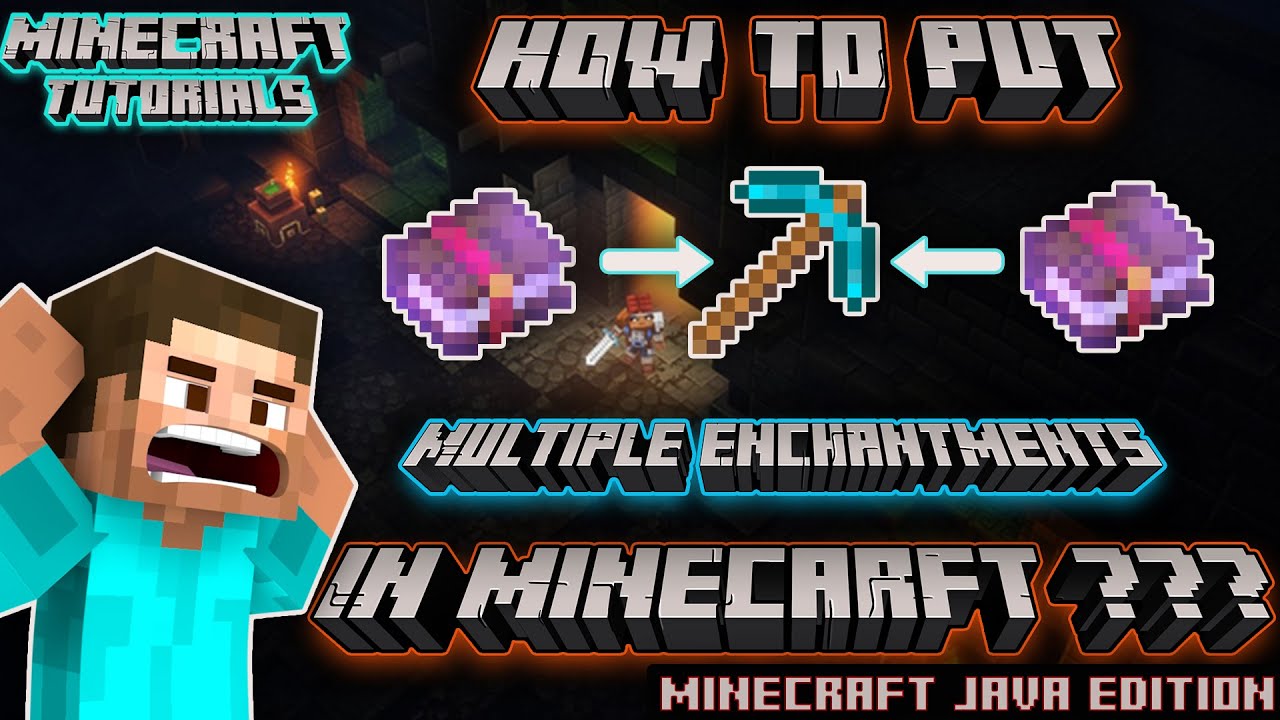
- Place an enchanted book (or another enchanted item) in the second slot.
- The anvil will combine the enchantments, as long as they’re compatible.
- You pay XP levels, which depends on the number and level of enchantments.
This method lets you stack enchantments, combining several effects on one item.
Combining Enchanted Items
You can also put two enchanted items of the same type in the anvil to merge their enchantments. For example, two Sharpness II swords will become a Sharpness III sword. If both have different enchantments, the new item will have both effects.
Using The Grindstone
The grindstone removes enchantments. This is helpful if you want to clear an item and start over, but it will erase all enchantments except for curses.
Step-by-step Guide To Adding Multiple Enchantments
Let’s walk through a practical example. Suppose you want a pickaxe with Efficiency V, Unbreaking III, and Fortune III. Here’s how you’d do it:
- Gather Enchanted Books: Use the enchanting table or fishing to get books with the enchantments you want.
- Check Compatibility: Make sure none of the enchantments conflict. (Silk Touch and Fortune can’t go together.)
- Combine Books First: Using the anvil, combine books to get higher levels if possible. For example, merge two Efficiency IV books to get Efficiency V.
- Combine Books with the Item: Place your pickaxe in the anvil and add the enchanted books one at a time. Start with the most expensive enchantment to save XP.
- Pay the XP Cost: Each step costs experience levels. The more you combine, the higher the cost.
- Repeat: Add remaining books, stacking as many enchantments as you want.
Example Combination
Suppose you have these books:
- Efficiency IV
- Efficiency IV
- Unbreaking III
- Fortune III
First, combine the two Efficiency IV books to make Efficiency V. Then, combine Efficiency V with the Unbreaking III book. Finally, add Fortune III. Your pickaxe now has all three enchantments.
Maximizing Your Enchantment Strategy
If you want the best possible gear, don’t just rely on luck. Use these strategies:
- Get Many Books: The more enchanted books you have, the easier it is to combine the right ones.
- Villager Trading: Librarian villagers can sell enchanted books. This is a reliable way to get specific enchantments.
- Fishing: Fishing can yield rare enchanted books. It’s slow but works well in the long run.
- XP Farms: Build farms to get more experience points. This helps you pay for expensive anvil combinations.
How Xp Cost And Anvil Mechanics Work
Many players get confused about why their anvil says “Too Expensive!” or why the XP cost jumps up. Here’s what you need to know:
- Each time you combine items or books, the XP cost increases.
- Adding more enchantments at once is cheaper than adding them one by one.
- If an anvil operation would cost more than 39 levels, it becomes “Too Expensive!” in survival mode.
How To Save Xp
- Combine books together first, then add them to the item. This reduces the total number of steps.
- Start with the most expensive enchantment. Add it first, then add cheaper ones.
- Don’t rename the item early. Renaming adds to the XP cost.
Here’s a comparison to show how XP costs change depending on the order:
| Combination Order | Total XP Cost | Result |
|---|---|---|
| Book + Book → Item | Lower | Multiple enchantments, cheaper |
| Item + Book + Book | Higher | Same enchantments, more XP |
| Item + Book (one at a time) | Highest | Same enchantments, most XP used |
Enchantments That Can Be Combined
Not all enchantments work together. Here’s a quick guide to compatible and incompatible enchantments for common items:
| Item | Compatible Enchantments | Incompatible Enchantments |
|---|---|---|
| Sword | Sharpness, Unbreaking, Looting, Fire Aspect | Sharpness/Smite/Bane (choose one) |
| Pickaxe | Efficiency, Unbreaking, Fortune, Mending | Fortune/Silk Touch (choose one) |
| Bow | Power, Infinity, Punch, Unbreaking | Mending/Infinity (choose one) |
| Armor | Protection, Unbreaking, Mending, Thorns | Protection/Fire/Blast/Projectile (choose one) |
Always check before combining, or you might waste XP and books on an impossible combo.
Where To Find Enchanted Books
You don’t have to rely only on the enchanting table. Here are ways to get enchanted books:
- Trading with Villagers: Librarians can offer any enchantment in the game, even the rarest ones. Set up a trading hall for easy access.
- Fishing: Rare but possible to fish up enchanted books, especially with a Luck of the Sea rod.
- Loot Chests: Find enchanted books in dungeons, mineshafts, bastions, and End cities.
- Bartering with Piglins: In Minecraft’s Nether, piglins sometimes drop enchanted books.
- Raid Rewards: After a raid, villagers can offer enchanted books as gifts.
Some enchantments (like Mending) are almost impossible to get from the enchanting table and must be found or traded.
Enchanting Table Room Setup
For the best enchantments, your enchanting table needs to be surrounded by bookshelves. Here’s how to set it up:
- Place bookshelves 1 block away from the enchanting table (including corners).
- You need 15 bookshelves for maximum power.
- The higher your XP level, the better the enchantments.
Don’t forget to light the area to avoid mob spawns.
Troubleshooting: Why Can’t I Combine These?
Beginners often get stuck with errors like “Too Expensive!” or can’t combine certain books. Here’s what to check:
- Incompatibility: Some enchantments can’t go together. Always check before combining.
- Anvil Limit: You can’t use an anvil if the cost is above 39 levels in survival. In creative mode, there’s no limit.
- Too Many Prior Uses: Every time you use an item in an anvil, its “prior work penalty” increases, making future combinations more expensive.
- Wrong Item Type: You can only apply sword enchantments to swords, pickaxe ones to pickaxes, etc.
If you hit the “Too Expensive!” message, sometimes you have to start over with a fresh item.
Advanced Tips: Getting The Most From Your Enchantments
Experienced players use these advanced strategies:
- Name Items Last: Renaming an item adds to the prior work penalty. Only rename after all enchantments are added.
- Plan Your Combos: Write down the order of combining books and items to keep costs low.
- Villager Discounts: Zombie-villager trades can be much cheaper. Cure a zombie villager and trade for low-cost books.
- Repair Before Enchanting: It’s much cheaper to repair an item before adding enchantments.
- Use Grindstones for “Clean Slates”: If you get a bad enchantment, clear it with a grindstone and try again.
- Explore the End: End cities have enchanted gear with rare enchantments that you can combine with your own.
Common Mistakes And How To Avoid Them
Many players waste resources by making these mistakes:
- Combining in the Wrong Order: Always combine books first, then add to the item.
- Trying to Combine Incompatible Enchantments: Check compatibility before using XP and books.
- Not Using Enough Bookshelves: Your enchanting table needs 15 bookshelves for the best results.
- Overusing the Anvil: Each use increases the cost. Don’t make unnecessary combinations.
- Ignoring Villager Trading: Trading is the best way to get exactly the book you need, especially for hard-to-find enchantments.
Real-world Example: Creating The Ultimate Sword
Suppose your goal is a sword with Sharpness V, Looting III, Unbreaking III, Fire Aspect II, and Mending. Here’s how you’d do it step-by-step:
- Collect Enchanted Books: Trade, fish, or loot until you have all the required books.
- Combine Books:
- Merge two Sharpness IV books to get Sharpness V.
- Combine Looting III and Unbreaking III.
- Add Fire Aspect II to the combo book.
- Add to Sword: Place your sword in the anvil, add the first combo book.
- Add Mending: Add the Mending book last, since it’s often the rarest.
- Pay XP: Make sure you have enough experience levels for each step.
- Rename Sword: Only rename after all enchantments are done.
Your sword now has five powerful enchantments, each boosting your gameplay.
Bedrock Vs. Java Edition: Key Differences
While the basic mechanics are the same, there are some small differences:
| Feature | Java Edition | Bedrock Edition |
|---|---|---|
| Max Anvil Cost | 39 Levels | 40 Levels |
| Enchantment Table Results | Preview 3 options | Preview 3 options |
| Villager Trading | All enchantments possible | All enchantments possible |
| Combining Mechanics | Same as described | Same, but slight interface differences |
No matter which version you play, the strategy for stacking enchantments is the same.
Credit: www.youtube.com
Two Non-obvious Insights For Experts And Beginners
- Enchanted Books from Enchanted Items: You can use a grindstone to remove enchantments from items, but you don’t get the book back. However, if you have a rare enchanted item (like from an End city), combine it with a book in an anvil to transfer the enchantment to the book. This can be useful for saving rare effects.
- Mending vs. Infinity on Bows: Many players want both Mending and Infinity on a bow, but you can’t have both in survival. Choose based on your play style: Infinity lets you shoot endless arrows, while Mending saves you resources on repairs. This is a key choice for late-game players.
When To Use Grindstones, Enchanting Tables, Or Anvils
- Grindstone: Use to clear unwanted enchantments or repair items without enchantments.
- Enchanting Table: Use when you’re starting out or want random enchantments.
- Anvil: Use for precise combinations and stacking multiple effects.
Knowing when to use each tool is the key to powerful gear.

Credit: hypixel.net
Minecraft Enchantment Statistics
Enchantments have different rarity rates. For example:
- Mending can’t be found from the enchanting table, only from loot, trading, or fishing.
- The chance to get Unbreaking III on a tool at the table is about 10%.
- Looting III is rare; often, you’ll get Looting I or II and must combine books.
Understanding these odds helps you plan. Don’t expect to get the perfect enchantment the first try.
Combining Enchantments In Creative And Survival Modes
In Creative mode, you can combine any enchantments, ignore XP costs, and even break compatibility rules. This is great for testing.
In Survival mode, you need to respect all limits: XP costs, compatibility, and anvil use restrictions. Always plan your combinations in advance.
Enchantment Order: Why It Matters
The order you combine books and items can save or waste a lot of XP. Always combine lower-level books first to make higher levels (like Efficiency IV + IV = V), then add to the item. If you add each book one by one to your tool, the cost grows fast.
If you’re combining four books, it’s better to make two pairs, combine those, then combine the results. This “binary” approach keeps costs down.
Using Commands For Multiple Enchantments (cheats)
If you play with cheats enabled or on a server with permissions, you can use the /enchant or /give commands to add multiple enchantments. This is mostly for testing or creative play.
Example:
/enchant @p Minecraft:sharpness 5
But in normal survival, the anvil and books are your main tools.
Enchanting For Multiplayer And Servers
On multiplayer servers, enchanted gear can make a big difference. Some servers have custom rules or plugins that let you combine normally incompatible enchantments, or raise the XP cap. Always check the server’s rules.
Trading with other players is also a fast way to get missing books.
Keeping Your Enchanted Items Safe
Once you’ve made the perfect item, protect it:
- Store Extras: Keep backup enchanted items in a chest.
- Use Ender Chests: For valuable gear, use an ender chest so only you can access it.
- Repair with Mending: Use XP farms to repair items with Mending, so they last forever.
Never bring your best gear to risky areas (like the Nether) without backup.
External Resource For In-depth Enchantment Details
For a full list of every enchantment, their compatibility, and more advanced strategies, check out the Minecraft Wiki.
Frequently Asked Questions
How Many Enchantments Can I Put On One Item In Minecraft?
There’s no set limit, but you can only combine enchantments that are compatible. The practical limit is usually 5–7 for tools and weapons, depending on what’s available and the anvil XP cost.
What Is The Best Way To Get Mending In Minecraft?
The best method is to trade with a librarian villager until they offer a Mending book. You can also find it in loot chests or by fishing, but trading is the most reliable.
Why Does The Anvil Say “too Expensive!” When I Try To Combine Items?
This means the XP cost is over 39 levels in survival mode. Try combining books together first, use a new item, or change the order of combinations to lower the cost.
Can I Put Both Silk Touch And Fortune On A Pickaxe?
No, Silk Touch and Fortune are mutually exclusive. You must choose one for each pickaxe. Many players keep two pickaxes: one with Silk Touch, one with Fortune.
Does The Order Of Adding Enchantments Matter?
Yes. Combining books first, then adding to the item, usually costs less XP. Always plan your order to avoid hitting the “Too Expensive!” limit.
Stacking multiple enchantments on your items makes Minecraft much more fun and powerful. With the right strategy, you’ll have the best gear—ready for anything the world throws at you.





