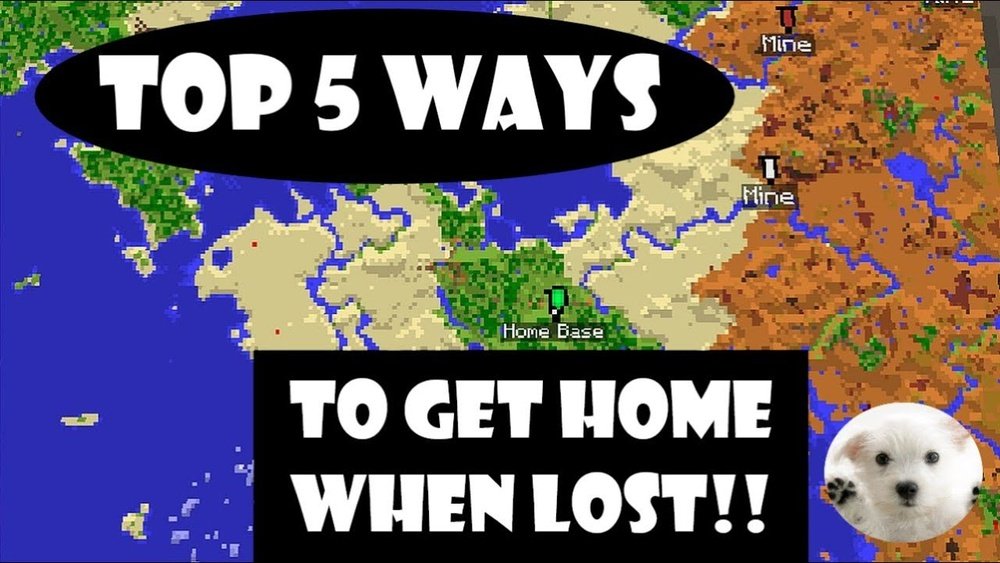
Finding your house in Minecraft can be both exciting and frustrating. You spend hours building your dream base, only to step outside, explore a bit, and suddenly—you’re lost. This happens to almost every player, from beginners to experienced builders. The world of Minecraft is huge, and it’s easy to lose track of where you started.
But don’t worry. With the right methods, tools, and a bit of preparation, you can always find your way home, no matter how far you wander.
In this guide, I’ll walk you through every effective strategy for finding your house in Minecraft. You’ll learn how to use game mechanics, create landmarks, understand coordinates, and even use online tools. Whether you play on Java, Bedrock, or with friends online, this article will give you confidence to explore without fear of getting lost.
Why Players Get Lost In Minecraft
Minecraft worlds are endless—or at least feel that way. You can walk for minutes (or hours) in any direction and rarely see the same place twice. Most players get lost because the world is randomly generated, and every area looks different.
There’s no built-in minimap, and moving just a short distance can make your house disappear from view. Sometimes, even experienced players who know how to use coordinates forget to write them down.
This problem gets worse at night, in forests, or after you die and respawn. If you’re playing in Survival mode, getting lost can be stressful, especially if your house contains rare items or resources you need. That’s why learning how to find your house is so important.
The Basic Methods: How Minecraft Lets You Find Your House
Let’s start with the core ways players can find their way home in Minecraft. These are built into the game and don’t require mods or external tools.
Using Your Spawn Point
When you start a new world, Minecraft sets a spawn point—the place where you first appear. Many players build their house near this spot. If you die and respawn, you’ll return here.
However, if you move your bed, your spawn point also moves. If you sleep in a bed, Minecraft saves that location as your new home. If your bed is destroyed, you’ll respawn at the original world spawn. Remember: If you haven’t moved your bed, dying is actually a quick way to get home (but you’ll lose your items).
Following Visible Landmarks
Some players use landmarks to help guide them. This could be a tall pillar made of dirt, a column of torches, or a unique building nearby. When you build something tall or bright, you can often see it from a distance.
Try building a tower next to your house with torches on top. When you explore, turn around often and look for your tower. This method is simple but works well in flat or open areas.
Using The Sun And Stars
Minecraft’s sun rises in the east and sets in the west. If you remember which way you walked, you can use the sun to guide you back. At night, look for the moon—it follows the same path. This isn’t as precise as other methods, but it’s useful if you forget your direction.
Coordinates: The Most Reliable Navigation Tool
No tool is more powerful than understanding coordinates in Minecraft. Every position in the game world is given by three numbers: X, Y, and Z.
- X: Your east-west position (left/right)
- Y: Your vertical position (up/down)
- Z: Your north-south position (forward/back)
To see your coordinates:
- On Java Edition: Press F3 (on your keyboard). Your coordinates appear on the left.
- On Bedrock Edition: Enable coordinates in the game settings.
Here’s an example:
- If your house is at X: 125, Y: 65, Z: -230, write these numbers down. If you get lost, open your coordinates and walk until you match the numbers.
How To Use Coordinates To Find Your House
- When you build your house, write down the coordinates.
- If you get lost, open the coordinates screen.
- Move in the direction that makes your X and Z numbers match your house’s numbers.
A simple way to remember:
- If your X is too high, go west.
- If your Z is too high, go north.
Example
Suppose your house is at X: 100, Z: 200. You’re at X: 300, Z: 50.
- Your X is higher than your house, so walk west (X decreases).
- Your Z is lower, so walk south (Z increases).
Once both numbers match, you’re home.
Tips For Using Coordinates
- Always write down the full coordinates (X, Y, and Z) near your house.
- If you build multiple bases, label them with signs and coordinates.
- Coordinates are especially useful in caves, where landmarks don’t help.
Creating Landmarks And Trails
Landmarks are a classic way to find your way home. They’re also more fun and creative than just using numbers.
Building Visible Structures
Tall towers, pillars of dirt, or stacks of cobblestone are common. Make them as high as possible and add torches so they glow at night. You can also use colorful blocks like wool or glass.
Example Of A Simple Landmark
Build a pillar next to your house, at least 10 blocks high. Put a torch or a glowstone block on top. As you explore, turn around and look for the tower.
Making Roads And Paths
Some players build roads or paths using gravel, wood, or stone. This is useful if you often travel the same route, like between your house and a village.
- Place torches along the path.
- Use fences to keep animals off the road.
- Mark important turns with signs.
Using Waterways
If your house is near a river or ocean, consider using boats. Build a dock at your house and another at your favorite spots. This makes returning home fast and fun.
Placing Beacons Or Fire
In later stages of the game, you can build a beacon using rare resources. This shines a beam of light into the sky, visible from far away. Early on, you can use campfires—they produce smoke that’s easy to see.
Using Maps In Minecraft
Maps are one of the most useful tools for navigation. You can craft maps using paper and a compass. They show your surroundings and update as you walk.
How To Make A Map
- Craft 8 paper and 1 compass.
- Place the compass in the middle, paper around it.
- Use the map to record the area near your house.
Expanding Your Map
As you explore, your map fills in. You can create bigger maps by adding more paper in the crafting table. Label your house on the map with banners. This way, if you get lost, you can look at the map and head back.
Comparing Navigation Tools
Here’s a comparison of basic navigation tools in Minecraft:
| Tool | How to Get | Best Use | Limitations |
|---|---|---|---|
| Coordinates | Enabled in settings/Java F3 | Precise navigation | Not very immersive |
| Map | Crafted with paper & compass | Visual area tracking | Limited to mapped area |
| Landmarks | Build yourself | Quick visual reference | Needs visibility, can be blocked |
| Beacons | Late-game resource | Visible from far away | Expensive to build |
Beds And Spawn Points: How They Work
Beds are more than just for skipping the night. When you sleep in a bed, your spawn point is set to that bed’s location. If you die, you respawn at your bed.
Important Bed Mechanics
- If your bed is destroyed, you lose your spawn point.
- If you move your bed, your spawn moves.
- If you sleep in a friend’s bed, your spawn is updated.
Always keep your main bed in your house. If you move it, remember to reset your spawn by sleeping in it again.
Using Compasses And Lodestones
Compasses are easy to craft and very helpful. By default, a compass points to the world spawn point (where you started the game).
How To Use A Compass
- Craft a compass (4 iron + 1 redstone).
- Hold the compass. The needle points to the world spawn.
- If your house is at spawn, just follow the needle.
If you build far from spawn, you can use a lodestone (crafted with netherite and chiseled stone bricks). Right-click the compass on the lodestone to make it point there instead. This is useful for custom bases.
In-game Techniques To Avoid Getting Lost
There are several simple habits that can help you never lose your house again.
Mark Your Path
As you leave your house, place torches, signs, or blocks every few steps. If you explore caves, put torches only on one side (e. g. , always on the right wall). When you leave, follow the torches on the left.
Use Unique Building Styles
Make your house stand out. Use bright colors, banners, or a special roof shape. The more unique your house, the easier it is to spot.
Write Down Your Coordinates
It sounds obvious, but many players forget. Store your house’s coordinates in a book in Minecraft, or write them on paper near your computer.
Keep A Backup Bed
If you travel far, bring a spare bed. Sleep in it at night to set a temporary spawn. If you die, you won’t go all the way back to your house—but remember to reset your main bed when you return.
Online Tools And External Resources
Sometimes, the best way to find your house is with outside help. There are websites and tools that can help you explore or even teleport back home (if cheats are enabled).
Minecraft Overviewer And Map Viewers
These tools let you upload your world and see a full map. You can zoom in, find your house, and even print the map.
Chunkbase
Sites like Chunkbase let you enter your world seed and coordinates. You can see biomes, structures, and more. It’s a great way to plan your journey and see if you’re near your house.
Teleport Commands
If you play with cheats enabled, you can use the /tp command to teleport to your house’s coordinates. Example:
/tp 100 65 -230
This is especially useful if you’re stuck or your house is very far away.
Comparison Of In-game Vs. Online Methods
Here’s a look at the differences between in-game and online methods:
| Method | Ease of Use | Requires Mods or Cheats? | Best For |
|---|---|---|---|
| Landmarks | Easy | No | Vanilla play |
| Coordinates | Medium | No | All players |
| Online Map Tools | Medium/Hard | Sometimes | Large worlds, server admins |
| /tp Command | Very Easy | Yes | Creative mode, emergencies |
Multiplayer Worlds: Finding Your House With Friends
Playing with others adds a new challenge. Your house may be far from other players. Here’s how to make finding your base easier in multiplayer.
Using Shared Coordinates
Share your house’s coordinates in chat. Some servers have a /home command. If not, ask friends to help you find your way back.
Building Community Roads
Build public roads, bridges, or railways between houses. Use signs to point the way. This helps everyone on the server.
Setting Up A Nether Hub
Traveling through the Nether is faster than walking on the surface. Build portals at your house and link them to a central hub. Moving through the Nether lets you cover big distances quickly.

Credit: www.wikihow.com
Advanced Navigation: Mods And Add-ons
If you play with mods, your options increase. Some popular mods add minimaps, waypoints, and better navigation tools.
Minimap Mods
Mods like JourneyMap or Xaero’s Minimap add a small map to your screen. You can set waypoints at your house and follow arrows back. These mods are allowed on most single-player games and some servers.
Waypoints
Waypoints let you mark any location and get directions. This is the easiest way to never get lost, but it’s not part of regular Minecraft.
Server Plugins
On big servers, plugins may let you set a /home or /sethome command. Ask your server admin if these are available.
Common Mistakes Players Make
Even experienced players make mistakes when trying to find their house.
- Not writing down coordinates: Always record your house’s location.
- Relying only on memory: The world is huge; details are easy to forget.
- Building without landmarks: A hidden house is hard to find, even for you.
- Forgetting to reset your bed: If you move your bed, sleep in it again.
- Ignoring the compass: Even basic tools can save you hours.

Credit: www.youtube.com
Non-obvious Tips Most Beginners Miss
- Use banners on maps: In Java Edition, right-click a map with a colored banner placed near your house. It adds a marker, so you never lose your spot.
- Check your render distance: If your game settings are low, you might not see landmarks far away. Increase render distance in video settings for better visibility.
- Create a “breadcrumb trail”: Drop a unique item (like flowers) every few steps as you explore. You can follow the trail back if you get lost.
- Use different paths for different trips: If you take the same route every time, you might miss new resources. Try exploring in a circle so you cover new ground and return home.
Real Example: Finding A Lost House
Let’s imagine you built your house at X: 200, Z: -100. You wander off to explore a cave and return to the surface, but everything looks unfamiliar.
- First, open the coordinates screen (F3 or enable in settings).
- Check your current X and Z.
- Move in the direction that brings you closer to 200 and -100.
- If you see a river or forest you remember, use that as a landmark.
- If you have a map, see if you’re still on it. If not, create a new map and try to walk back to your original area.
Many players panic and start walking in circles. Stay calm, check your numbers, and move step by step.
When You Can’t Find Your House: What To Do Next
Sometimes, you just can’t find your house. Maybe you lost your items, or you built too far from spawn.
- Set up a new base: Gather resources and build a temporary shelter.
- Keep exploring: You might find your old house by accident.
- Ask for help: On servers, someone might teleport you or give directions.
- Use /locate command: In creative or with cheats, use /locate to find structures near your house.
Losing your house can be frustrating, but it’s also a chance to start fresh or become a better navigator.
Frequently Asked Questions
How Do I Use A Compass To Find My House In Minecraft?
A compass points to the world spawn point, which is where you first appeared in your world. If your house is near spawn, just follow the needle. If your house is far from spawn, craft a lodestone and right-click your compass on it. The compass will now point to the lodestone, which you can place at your house.
What If I Forgot To Write Down My House Coordinates?
If you didn’t save your coordinates, try to remember any landmarks, biomes, or structures near your house. Retrace your steps, look for unique features, or search for familiar areas. If you’re on a server, ask friends for help. If you have cheats enabled, you can use map tools or teleport commands.
Can I Use Maps To Find My House After Getting Lost?
Yes. If you crafted a map near your house, your house should appear on the map. Open the map and walk until your marker moves closer to your house’s location. You can also place a banner near your house and right-click it with the map to add a marker.
Are There Mods To Help Me Find My House More Easily?
Yes. Mods like JourneyMap or Xaero’s Minimap add waypoints and minimaps, making it much easier to find your house. These mods are allowed in single-player and some multiplayer servers, but always check the server rules first.
What’s The Best Way To Never Lose My House Again?
The best approach is to always write down your house coordinates, build visible landmarks, and use maps or compasses. If you use mods, set waypoints. On servers, use the /sethome command if it’s available. Combining these methods ensures you’ll always know how to get home.
Minecraft’s world is big, but with good preparation and the right tools, you never have to worry about losing your house again. Explore, build, and have fun—your home is never out of reach.

Credit: www.wikihow.com





