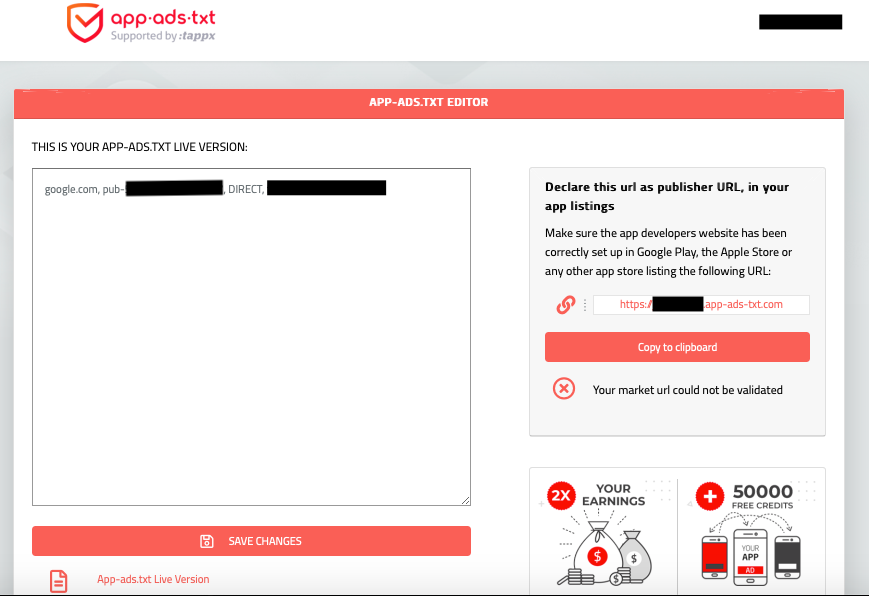
Add an app-ads.txt file to your website, list authorized sellers, and link the site to app stores.
I’ve set up app-ads.txt files for multiple apps and ad accounts, and I’ll walk you through step-by-step how to set up app ads txt for your apps with clear examples, practical tips, and troubleshooting. This guide explains what app-ads.txt is, why it matters to revenue and fraud prevention, exactly how to create and publish the file, and how to verify it works so you keep ads healthy and earnings stable.

What is app-ads.txt and why it matters
App-ads.txt is a simple text file that publishers host on their website to list authorized ad networks and resellers for their in-app inventory. It prevents unauthorized sellers from claiming your app inventory and reduces ad fraud.
Why app-ads.txt matters
- It protects your ad revenue by blocking fake sellers.
- It helps programmatic buyers verify authorized sources.
- It’s a recommended industry standard that ad networks check.
Quick note from experience: when I added an accurate app-ads.txt for a mid-size app, ad demand quality improved in days and suspicious bids dropped.

How app-ads.txt works (quick overview)
App-ads.txt is read by ad exchanges and demand-side platforms to confirm which companies can sell your app ad space. The file sits at the root of your developer website (example.com/app-ads.txt). Each line lists a domain, publisher ID, relationship type, and optional certification ID.
Key elements in a line
- domain — the ad system (for example google.com)
- publisher ID — your account ID with that ad system
- relationship type — DIRECT or RESELLER
- certification ID — optional verifier code
People also ask
What’s the difference between ads.txt and app-ads.txt?
ads.txt is for web inventory; app-ads.txt is for mobile app inventory but follows the same format and purpose.
Do ad networks require app-ads.txt?
Most major programmatic buyers and networks expect app-ads.txt. It’s now common practice and improves ad eligibility.
Step-by-step: how to set up app ads txt for your apps
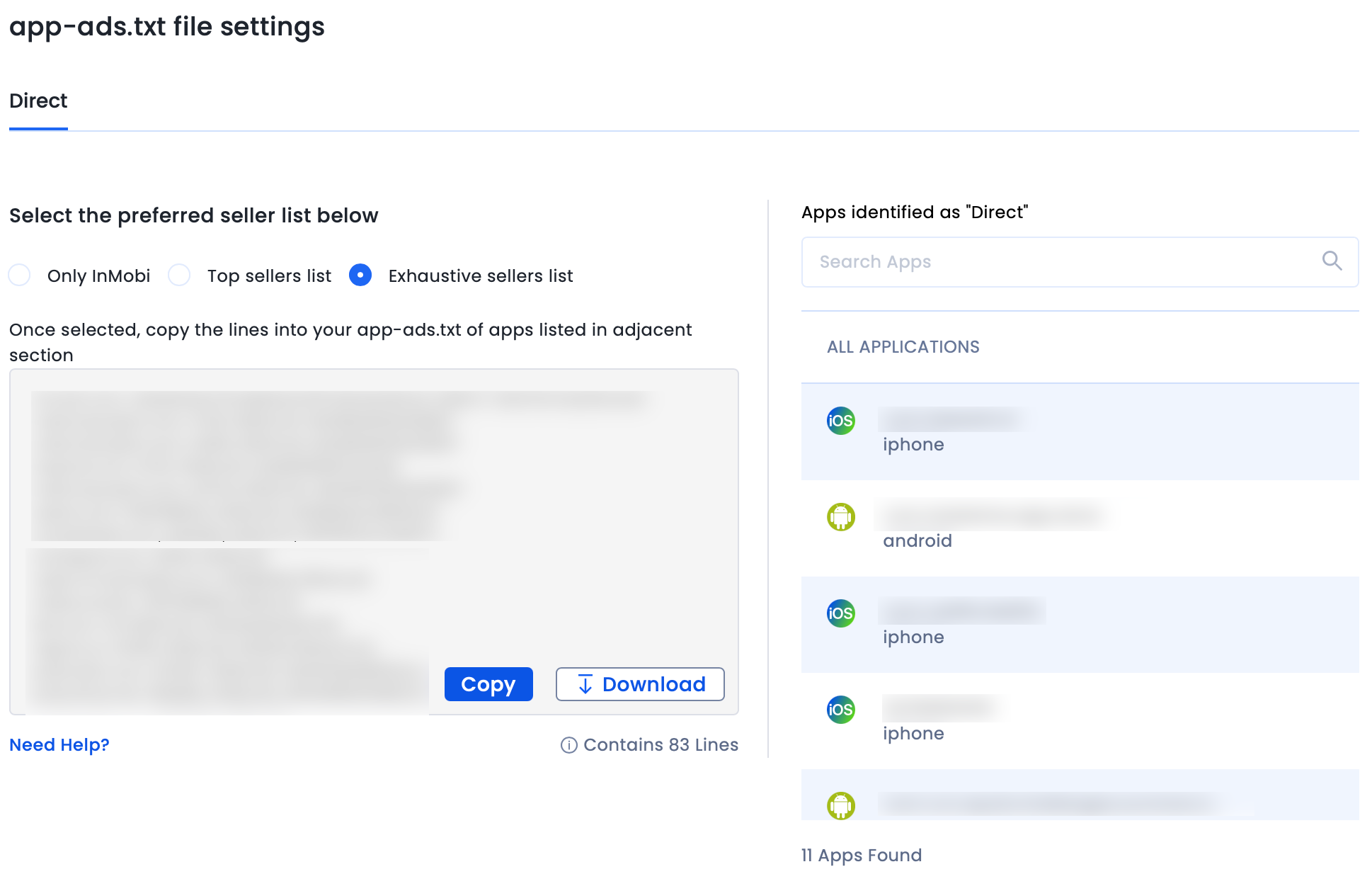
Follow these ordered steps to create, publish, and verify app-ads.txt for your apps.
Gather authorized seller IDs
- Log into each ad network or mediation partner you use.
- Record the publisher ID they give you and whether the relationship is DIRECT or RESELLER.
- Ask networks for their recommended app-ads.txt line if unsure.
Create the app-ads.txt file
- Open a plain text editor.
- Add one entry per line in this format: domain, publisher_id, relationship, certification_id (optional).
- Example line: google.com, pub-1234567890123456, DIRECT, f08c47fec0942fa0
- Save the file as app-ads.txt (all lowercase) with UTF-8 encoding.
Host the file at your website root
- Upload app-ads.txt to https://yourdomain.com/app-ads.txt.
- If you use a CMS, place it in the site root or use the hosting file manager.
- If you don’t have a website, create a simple domain and host the file there; ad stores require a developer website link.
Link your website in app store listings
- For Google Play: Add your website in the Developer Profile -> Website field.
- For Apple App Store: Add your website to the App’s App Information -> Developer Website.
- This step allows crawlers to locate your app-ads.txt for your specific app.
Wait for crawlers and verify
- Allow 24–48 hours for ad systems to fetch and index the file.
- Use ads platform tools or ad exchange verification features to confirm the file is found.
- Check that listed publisher IDs match the IDs in your ad accounts exactly.
Maintain and update regularly
- Update app-ads.txt when you add or remove ad partners.
- Remove old or unused entries.
- Keep a changelog so you can roll back errors quickly.
Practical formatting tips
- No extra characters or BOM markers.
- One entry per line, no comments unless prefixed correctly.
- Use uppercase for DIRECT and RESELLER to avoid parsing issues.
From my own projects: triple-check the publisher IDs. A single digit mistake can block legitimate demand for weeks.

Best practices and common mistakes to avoid
Keep your file correct and trustworthy. These practices come from real-world testing and publisher guidance.
Best practices
- Use your main developer website as the app-ads.txt host.
- Keep the file short and only include active partners.
- Use DIRECT when you control the account; use RESELLER for intermediaries.
- Add certification IDs where the network provides them.
Common mistakes
- Hosting app-ads.txt under a subfolder instead of the site root.
- Typos in publisher IDs or wrong relationship values.
- Forgetting to add your website link to the store listing.
- Not waiting long enough for crawlers to index the file.
A real mistake I made once was uploading app-ads.txt with a hidden BOM. That caused parsing errors until I re-saved it as plain UTF-8 without BOM.
Verifying and troubleshooting your app-ads.txt
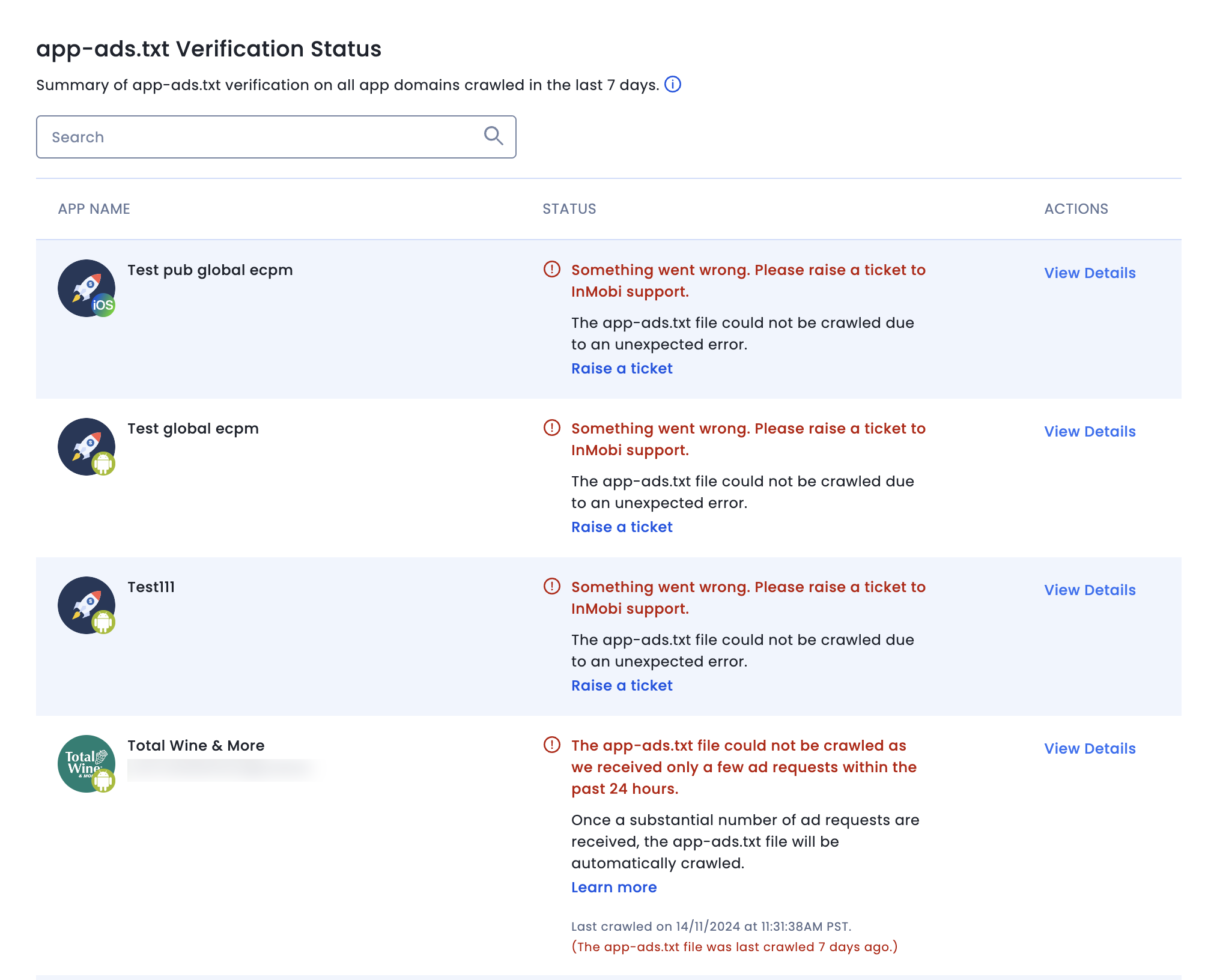
If revenue or ads look off, verify the app-ads.txt quickly.
Verification checklist
- Visit https://yourdomain.com/app-ads.txt in a browser to confirm accessibility.
- Validate each line format and publisher ID.
- Use the ad network’s dashboard diagnostics to check detection.
- Monitor ad fill rates and CPMs after publishing for signs of improvement.
Troubleshooting tips
- If file not found, confirm the website URL in the app store listing matches your hosted domain.
- If networks still report unauthorized sellers, confirm they use the correct publisher ID format.
- For mediation, include all networks in the file, even if mediated through another partner.
If problems persist, reach out to the ad network support with a screenshot of your app-ads.txt and the app store URL. Clear, factual screenshots speed resolution.

Frequently Asked Questions of how to set up app ads txt for your apps
What exactly should be in app-ads.txt?
An app-ads.txt file contains lines listing ad systems by domain, your publisher ID, relationship type (DIRECT or RESELLER), and optional certification ID. Each authorized seller gets its own line.
Where must I host the app-ads.txt file?
Host app-ads.txt at the root of your developer website: https://yourdomain.com/app-ads.txt. The app stores and ad buyers look for it there.
How long until app-ads.txt takes effect?
Ad platforms typically crawl within 24–48 hours, but some buyers may take longer to update. Expect visible results in 48–72 hours in most cases.
Do I need app-ads.txt for every app?
You use one app-ads.txt per publisher website, which covers all apps linked to that domain. Ensure each app’s store listing links to that same website.
What if I don’t have a website to host app-ads.txt?
You should create a simple developer site or landing page to host app-ads.txt. Without a hosted file and linked website, buyers can’t verify authorized sellers.
Conclusion
Setting up app-ads.txt is a small technical step that delivers big wins: clearer demand, fewer fake sellers, and better control over your ad revenue. Follow the step-by-step process above to create, publish, and verify your app-ads.txt, and keep it current when partners change. Take action this week: check your developer website, publish an accurate app-ads.txt, and link it in your app store listings to protect earnings and improve ad quality. If this guide helped, try implementing it now and leave a comment about your experience or questions.





