Feeling overwhelmed by endless tabs and distractions while working? You’re not alone.
What if you could turn your browser into a powerhouse that helps you focus, organize, and get more done every day? With the right Google Chrome extensions, boosting your productivity becomes effortless. You’ll discover top Chrome extensions designed to simplify your tasks, block distractions, and keep your workflow smooth.
Ready to reclaim your time and supercharge your efficiency? Keep reading to find the perfect tools that fit your style and needs.
Credit: www.teamly.com
Top Extensions To Try
Boosting productivity with Google Chrome extensions is simple. These tools help manage tasks, reduce distractions, and organize work. The right extension can save time and increase focus.
Explore the top extensions designed to enhance your daily workflow. Each one offers unique features to support productivity on the web.
Grammarly: Perfect Your Writing
Grammarly checks grammar, spelling, and punctuation as you type. It helps create clear and error-free content. This extension works well for emails, documents, and social media posts.
Todoist: Manage Your Tasks
Todoist keeps your tasks organized with easy-to-use lists and reminders. It syncs across devices to keep you on track. Prioritize work and never miss a deadline.
Stayfocusd: Limit Distractions
StayFocusd blocks time-wasting websites during work hours. Set limits to stay focused on important tasks. The extension helps reduce procrastination and improve concentration.
Onetab: Save And Organize Tabs
OneTab converts all open tabs into a list. It reduces clutter and saves memory on your computer. Easily restore tabs when needed to continue your work smoothly.
Clockify: Track Your Time
Clockify tracks time spent on projects and tasks. It provides reports to improve time management. This extension is helpful for freelancers and teams alike.
Google Keep: Capture Ideas Quickly
Google Keep lets you save notes, lists, and reminders instantly. Sync notes across devices for easy access. It’s a simple way to keep ideas organized and handy.
Task Management Tools
Task management tools help organize your work and daily tasks. They keep you focused and reduce stress. Using Chrome extensions for task management makes it easier to track your to-dos without leaving your browser.
These tools offer simple ways to create, edit, and prioritize tasks. You can set deadlines and reminders to never miss important work. Many extensions sync across devices, so your tasks stay updated everywhere.
Todoist
Todoist is a popular task manager that works well in Chrome. It lets you add tasks quickly and organize them by project or priority. You can set due dates and get notifications to stay on track. The extension also supports collaboration, so you can share tasks with others.
Microsoft To Do
Microsoft To Do offers a clean and easy way to manage tasks. The Chrome extension allows quick access to your lists and tasks. You can add notes, set reminders, and mark tasks complete. It also syncs with Outlook, making it great for work and personal use.
Any.do
Any.do combines tasks, calendar, and reminders in one place. The Chrome extension shows your task list and daily planner. You can drag and drop tasks to organize them fast. Voice entry and smart suggestions help you add tasks without typing.
Google Keep
Google Keep is a simple note and task manager. The Chrome extension lets you save notes and checklists quickly. You can add images, color code notes, and set reminders. It syncs with your Google account for easy access on all devices.
Focus And Time Tracking
Focus and time tracking are key to improving productivity. They help you stay on task and manage your day better. Many Google Chrome extensions assist in these areas. These tools block distractions and track how you spend time online. This way, you can identify habits that waste your time.
Using focus and time tracking extensions can boost your work efficiency. They remind you to take breaks and keep your mind fresh. You can set goals and measure your progress easily. These extensions are simple to use and fit into any workflow.
Stayfocusd: Limit Time On Distracting Sites
StayFocusd lets you control how long you spend on certain websites. Set daily limits for social media or entertainment sites. Once you reach the limit, the sites become blocked. This helps reduce wasted time and keeps your focus sharp.
Clockify: Track Your Work Hours
Clockify tracks the time you spend on different tasks. Start and stop timers with one click. It shows reports that help you see where your time goes. This tool is great for freelancers and anyone who wants to improve time management.
Forest: Grow Focus While You Work
Forest motivates you to stay focused by growing a virtual tree. The tree grows only when you avoid distracting sites. If you leave the task, the tree dies. This visual reward encourages longer periods of concentration.

Credit: textcortex.com
Writing And Grammar Aids
Writing and grammar aids help improve your writing quickly and easily. These tools catch mistakes that are easy to miss. They suggest better words and clearer sentences. Using these extensions saves time and boosts confidence in your work.
Many people use these aids to write emails, reports, or posts. They make sure your text sounds natural and correct. This support suits students, professionals, and anyone who writes daily. Let’s explore some popular Google Chrome extensions that enhance writing and grammar.
Grammarly: Real-time Grammar And Spell Check
Grammarly checks your writing as you type. It spots grammar, spelling, and punctuation errors. The extension also offers style suggestions to improve clarity. This tool works in emails, social media, and documents. It helps you write error-free text every time.
Quillbot: Paraphrasing And Summarizing Made Easy
QuillBot rewrites sentences to sound clearer or more natural. It can shorten or expand your text. This extension also helps with summarizing long paragraphs. QuillBot is useful for creating fresh content or avoiding repetition. It improves your writing flow smoothly.
Languagetool: Multilingual Grammar Checker
LanguageTool supports many languages, not just English. It finds grammar mistakes and offers style tips. The extension works well for non-native speakers. It helps write clear, correct sentences in different languages. LanguageTool is perfect for global users.
Note-taking And Organization
Note-taking and organization are key to staying productive. Keeping track of ideas and tasks helps prevent stress. Google Chrome extensions can simplify this process. These tools help capture notes quickly and keep them well organized. They work right inside your browser for easy access.
Using the right extensions can save time. They reduce the need to switch between apps. Notes, lists, and reminders stay in one place. This creates a smooth workflow that boosts focus and efficiency.
Evernote Web Clipper
Evernote Web Clipper lets you save web pages, articles, and PDFs. It clips content directly from the browser to your Evernote account. You can highlight text and add comments. This tool is perfect for research or gathering information.
Organize your clips with tags and notebooks. This keeps everything easy to find. Use it to build a digital notebook for projects or study materials.
Google Keep
Google Keep is a simple note-taking extension. It lets you create notes, lists, and reminders fast. Notes can include images and voice recordings. You can color-code and label notes for quick sorting.
It syncs across devices, so notes are always available. Use it to jot down quick ideas or task lists. Google Keep helps keep your thoughts clear and organized.
Onetab
OneTab helps manage many open tabs. Instead of keeping tabs open and cluttered, it converts them into a list. This saves memory and reduces distraction. You can restore tabs individually or all at once.
It keeps your browser clean and organized. Perfect for those who research or work with many tabs open. OneTab helps focus by reducing visual clutter.
Bookmark And Tab Management
Managing bookmarks and tabs can save time and reduce stress. Many Chrome extensions help keep your browser neat and organized. These tools make it easy to find important pages fast. They also prevent tab overload, which slows down your work.
Good bookmark and tab management improves focus. It keeps your browser clean and your tasks clear. Let’s explore some popular extensions that help with this.
Efficient Bookmark Organization
Extensions that organize bookmarks let you group links by topic. You can add notes or tags to find bookmarks quickly. This stops you from losing important sites among many others. Some extensions even sync bookmarks across devices for easy access.
Smart Tab Management
Tab managers save open tabs and close them to free memory. You can restore tabs later with one click. These tools also help find tabs by name or content. They reduce clutter and keep your browser running smoothly.
Quick Access And Search
Extensions with search functions let you find bookmarks or tabs fast. Instead of scrolling through many links, type a few words to locate what you need. This speeds up your workflow and keeps distractions away.
Website Blocking For Focus
Website blocking extensions help maintain focus by limiting distractions. These tools block access to time-wasting websites. They create a better work environment on Chrome. Users can set schedules or block sites instantly.
With fewer interruptions, productivity improves. These extensions support concentration during work or study sessions. They offer simple controls and customizable settings. Blocking social media, video streaming, or gaming sites is common.
How Website Blocking Boosts Focus
Blocking distracting sites stops you from opening them out of habit. It reduces the urge to check social media or news. This leads to longer, uninterrupted work periods. The brain stays engaged with tasks. It helps build strong focus habits over time.
Popular Chrome Extensions For Website Blocking
StayFocusd limits the time spent on chosen websites daily. It locks sites after the allowed time ends. LeechBlock allows detailed block schedules and site lists. WasteNoTime tracks browsing and blocks distractions automatically. Each extension offers easy setup and reliable blocking features.
Customizing Website Blocking For Personal Needs
Users can choose which websites to block or allow. Blocking schedules fit different work hours or breaks. Some extensions allow “whitelists” to access needed sites. Temporary pauses help manage urgent tasks. Custom settings provide flexibility without losing focus benefits.
Email And Communication Helpers
Email and communication take a big part of our daily work. Managing emails and messages can waste time and reduce focus. Chrome extensions help simplify tasks and keep communication clear and fast. These tools improve your email experience and boost productivity.
Email Tracking And Scheduling
Extensions for tracking emails show when recipients open your messages. This helps know the best time to follow up. Scheduling tools let you write emails and send them later. You avoid interruptions and keep your inbox organized.
Grammar And Spell Checkers
Clear emails build good impressions. Grammar tools check your writing as you type. They fix errors and suggest better words. This makes your messages easy to read and professional.
Quick Replies And Templates
Save time with pre-written replies for common questions. Templates help you write consistent emails fast. You do not need to start from scratch each time.
Task And Reminder Integration
Link emails to your task list directly from the inbox. Set reminders for important messages. These extensions keep your work on track without switching apps.
Customization And Productivity Dashboards
Customization and productivity dashboards help you organize tasks and track progress. They turn your browser into a personal workspace. These tools let you adjust settings and views to fit your needs.
With the right Chrome extensions, you can create dashboards that show your goals, deadlines, and daily tasks. This keeps important information visible at all times. It reduces distractions and saves time.
What Are Productivity Dashboards?
Productivity dashboards display key tasks and reminders in one place. They give a quick overview of your work. You see what needs attention without opening many tabs.
Many dashboards include timers, to-do lists, and notes. They help you focus by showing only what matters most.
How Customization Improves Focus
Customization lets you change the look and features of your dashboard. You can pick colors, widgets, and layouts that suit your style. This makes work feel less tiring.
Personalized settings help reduce clutter. You only see the tools you need. This keeps your mind clear and focused on tasks.
Top Chrome Extensions For Custom Dashboards
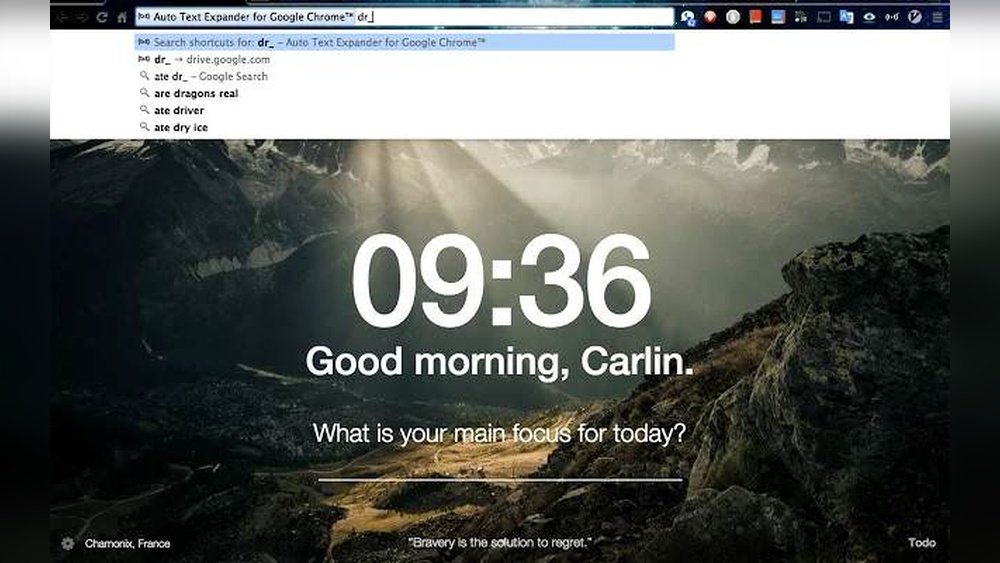
Extensions like Momentum and Todoist offer easy ways to build custom dashboards. They show your tasks, weather, and quotes in a clean layout. You can add or remove features anytime.
Some extensions sync with calendars and apps. This keeps all your schedules in one place. You stay organized and meet deadlines more easily.

Credit: zapier.com
How To Choose Extensions Wisely
Choosing the right Google Chrome extensions can boost your productivity greatly. But not all extensions are helpful or safe. It is important to pick extensions carefully to avoid slowing down your browser or risking your privacy.
Focus on extensions that fit your daily tasks. Avoid installing too many, as they can clutter your workspace and reduce performance. Quality matters more than quantity for better results.
Check User Ratings And Reviews
Look at the star ratings and read user feedback. High ratings and positive reviews often mean the extension works well. Pay attention to recent reviews to see if the extension is still reliable.
Review Permissions Requested
Extensions ask for permissions to access data. Only allow what is necessary for the extension to work. Avoid extensions that request too much access, like reading all your browsing history or personal information.
Choose Extensions From Trusted Sources
Download extensions only from the official Chrome Web Store. Check the developer’s reputation and website. Trusted sources reduce the risk of malware or scams.
Test Extensions One At A Time
Add extensions slowly, one by one. This helps you see which ones improve your productivity and which cause problems. Remove any extension that slows down your browser or conflicts with others.
Keep Extensions Updated
Regular updates fix bugs and improve security. Enable auto-updates in Chrome to keep your extensions current. Updated tools work better and protect your data.
Frequently Asked Questions
What Are The Best Google Chrome Extensions For Productivity?
Top extensions include Grammarly, Todoist, StayFocusd, OneTab, and Google Keep for better focus and organization.
How Do Chrome Extensions Improve Work Productivity?
They help manage tasks, block distractions, save time, and organize information efficiently within the browser.
Can Chrome Extensions Help With Time Management?
Yes, extensions like Clockify track time spent on tasks, helping users manage their workday better.
Are There Free Productivity Extensions For Google Chrome?
Many extensions like StayFocusd, OneTab, and Google Keep offer free versions with useful productivity features.
Which Extension Blocks Distracting Websites Effectively?
StayFocusd limits time on distracting sites, helping users focus on important tasks without interruptions.
Can I Use Chrome Extensions For Note-taking?
Google Keep and similar extensions let users quickly take and organize notes within the browser.
How Do Extensions Like Grammarly Boost Productivity?
Grammarly checks grammar and spelling instantly, reducing errors and saving time on writing tasks.
Is It Safe To Install Multiple Chrome Productivity Extensions?
Yes, but only install trusted extensions to avoid security risks and browser slowdowns.
Can Chrome Extensions Help Students Study Better?
Extensions like Todoist and OneTab help students organize tasks and manage tabs for focused study.
Do Productivity Extensions Work On All Devices With Chrome?
Most extensions work on desktop Chrome browsers but may have limited support on mobile devices.
Conclusion
Choosing the right Chrome extensions can boost your daily productivity. Simple tools like task managers, focus aids, and note-takers help you stay organized. Try extensions that block distractions and track your time. These small helpers can make work smoother and faster.
Explore options that fit your needs and habits. Start using them to build better focus and efficiency today.





