Thinking about canceling your Curology subscription but not sure where to start? You’re not alone.
Many people love the convenience of personalized skincare but sometimes need to pause or stop their subscription. If you’ve been wondering, “How do I cancel my Curology subscription? ” this guide will walk you through the simple steps to do it quickly and avoid any unwanted charges.
Keep reading to find out exactly what you need to know to take control of your account with ease.
Curology Subscription Basics
Understanding Curology subscription basics is key before canceling. Curology offers personalized skincare through monthly deliveries. Each box contains custom formulas made for your skin needs.
Subscriptions automatically renew every month. This ensures you get your skincare products on time. You can pause or cancel anytime before the next shipment processes.
How Curology Subscription Works
You start by creating a profile and sending photos of your skin. A licensed provider reviews your information. They create a custom formula for you.
Curology ships your skincare products monthly. Each shipment includes your personalized cream and other recommended items. The subscription renews automatically unless canceled.
Billing And Payment Details
Curology charges your payment method monthly. The charge happens a few days before shipment. You can update payment info in your account settings anytime.
Prepaid plans are also available. These plans pay for multiple months upfront. Automatic renewal applies unless you cancel before the prepaid period ends.
Subscription Management Options
Manage your subscription through the Curology website or app. You can pause, skip, or cancel any time. Canceling stops future shipments and payments.
It is important to cancel at least two business days before your next order. Late cancellations may still result in charges for the upcoming shipment.
When To Cancel
Knowing the right time to cancel your Curology subscription saves money and hassle. Not every moment is perfect to stop your service. Understanding these moments helps you avoid extra charges and wasted products.
Curology processes orders regularly, so timing matters. You should plan your cancellation before your next billing cycle begins. This way, you avoid paying for a box you will not use.
Before Your Next Box Ships
Cancel at least two business days before your box ships. Curology needs time to stop the order. Late cancellation means you will receive and pay for the box. After shipment, the order cannot be canceled or refunded.
After Trying The First Trial
Curology offers a trial box for new users. If you do not like the products in this box, cancel immediately. You might get a refund for this first box. Do not wait too long after receiving it.
When Your Skin Goals Are Met
Once your skin improves, you can pause or cancel your subscription. No need to keep paying for products you do not need. You can restart the service anytime if your skin changes.
If You Experience Side Effects
Stop your subscription if you have bad skin reactions. Protect your skin health by discontinuing products that cause harm. Contact Curology support for advice on how to proceed.
Canceling Via Website
Cancelling your Curology subscription through the website is straightforward. You can manage your subscription anytime online without waiting on customer service. This method gives you control and quick access to your account settings.
Follow simple steps to stop your subscription and avoid future charges. Keep your login information ready to access your account easily.
Log Into Your Curology Account
Go to the Curology website and click the login button. Enter your email and password to access your account dashboard. Without logging in, you cannot manage your subscription.
Navigate To Subscription Settings
Once logged in, find the section labeled “Subscription” or “My Plan.” This area shows your current plan details. Look for options related to managing or canceling your subscription.
Cancel Your Subscription
Click on the cancellation link or button. Follow the prompts to confirm you want to cancel. The website may ask why you want to cancel. Answer honestly to proceed.
Confirm Cancellation And Check Email
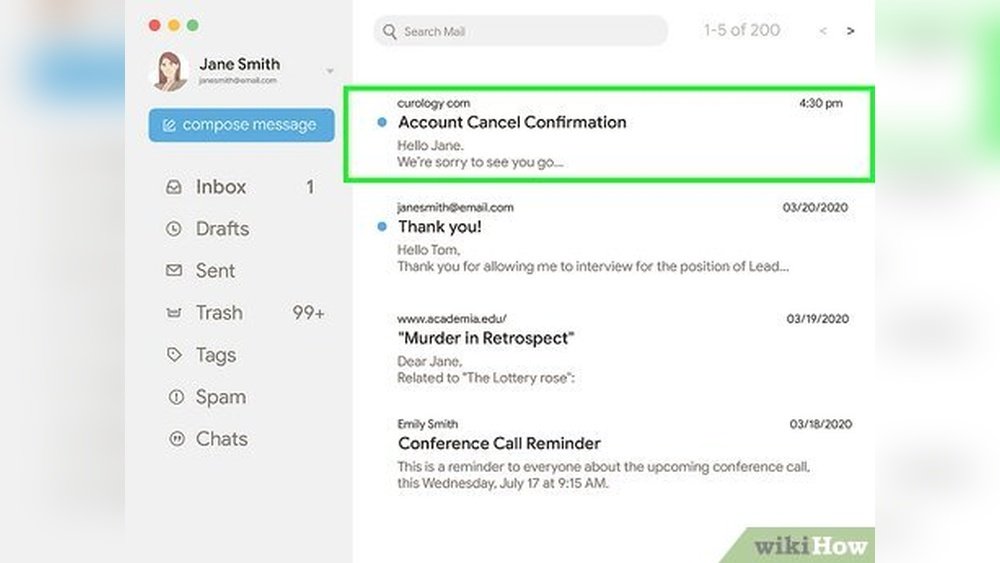
After canceling, look for a confirmation message on the screen. Curology will also send an email confirming your cancellation. Keep this email for your records.

Credit: www.reddit.com
Canceling On Android Devices
Canceling your Curology subscription on Android devices is simple. You can manage your subscription through the Google Play Store. This process helps avoid future charges and lets you stop receiving new products.
Follow a few clear steps to cancel quickly. The instructions below guide you through canceling your Curology subscription on any Android device.
Open Google Play Store On Your Android Device
Start by unlocking your phone or tablet. Find and open the Google Play Store app. Make sure you are signed in with the same Google account used for Curology.
Go To Subscriptions In Google Play
Tap the menu icon, usually three lines in the top left corner. Select “Subscriptions” from the menu list. This section shows all active subscriptions linked to your account.
Select Your Curology Subscription
Look through the subscription list for Curology. Tap on it to view details. Here, you can see billing dates and plan information.
Cancel Your Curology Subscription
Tap the “Cancel subscription” button. Follow the instructions on the screen to confirm cancellation. You might be asked for a reason for canceling.
After completing these steps, your subscription will stop at the end of the current billing cycle. No new boxes will be sent, and no further charges will occur.
Canceling By Email
Canceling your Curology subscription by email is a straightforward way to stop your service. This method allows you to communicate directly with the Curology support team. They can confirm your cancellation and help with any questions.
Using email gives you a written record of your cancellation request. This helps avoid confusion and ensures your request is handled properly. The Curology team typically responds quickly to email requests.
Finding The Correct Email Address
Send your cancellation request to hello@curology.com. This is the official email for Curology customer support. Using this address helps your message reach the right department without delay.
What To Include In Your Email
Write your full name and the email linked to your Curology account. Mention your subscription details clearly. State that you want to cancel your subscription immediately or at the end of the current billing cycle.
Sample Cancellation Email
Here is a simple example you can use:
Subject: Cancel My Curology Subscription Hello Curology Team, Please cancel my subscription linked to this email address: [your email]. My full name is [your full name]. Thank you for your help. Best regards, [your name]
After Sending Your Email
Wait for a confirmation reply from Curology. They usually respond within a few business days. Keep this confirmation email for your records. It proves you requested cancellation.
Important Notes
Cancellations must happen at least two business days before your next shipment. Otherwise, you may be charged for the upcoming box. Curology does not offer refunds after the order processes.

Credit: www.reddit.com
Refund Eligibility
Refunds for Curology apply only to the first trial box if unsatisfied. Subscription orders cannot be returned or refunded once processed. Cancel at least two days before the next shipment to avoid charges. Contact Curology support for help with cancellation or order changes.
Understanding Refund Eligibility For Curology
Curology offers a refund only under specific conditions. Knowing these rules helps avoid confusion. Refunds apply mainly to the first trial box. If you dislike the product, you can request a refund for this initial shipment.
Subscription orders follow a different policy. Curology does not accept returns or refunds for regular subscription items. Once billed and shipped, these orders cannot be canceled or refunded. This policy is strict and applies to all standard subscriptions.
How To Avoid Charges On Unwanted Orders
To skip charges, cancel your subscription two business days before the next order processes. This step prevents unwanted billing. Make sure to act early to avoid payment for the upcoming shipment.
Getting Help From Curology Support
If you face issues canceling your subscription, contact the Curology Success team. They assist with cancellations or order changes. Use email or SMS for quick support.
Other Refund Options
Some customers try disputing charges with their bank. This method is not part of Curology’s official policy. Success varies and depends on the bank’s decision.
In rare cases, Curology customer service may grant exceptions. Sharing your situation clearly might help. Contacting support could offer solutions beyond the usual policy.
Avoiding Future Charges
Stopping future charges from Curology is important once you decide to cancel. You must act before your next billing cycle. Otherwise, the system charges you automatically for the next box.
Curology processes orders a few days before the shipping date. Canceling late means you might still get charged for that shipment. Avoiding these charges requires timely cancellation.
How To Cancel Before The Next Billing Date
Log in to your Curology account online. Go to the subscription settings page. Find the option to cancel your plan. Click to cancel and confirm your choice.
Check the billing date on your account. Cancel at least two business days before this date. This prevents the system from creating a new order.
Contact Curology Support For Help
If you face issues canceling online, contact Curology support. Use email or SMS to reach the Curology Success team. They can assist in stopping future charges.
Explain your situation clearly and ask for cancellation confirmation. Keep this confirmation for your records. It helps avoid disputes later.
Check Your Payment Method For Recurring Charges
Review your bank or credit card statements regularly. Look for any unexpected Curology charges. If you see a charge after cancellation, contact support immediately.
Consider setting a reminder to check charges after cancellation. This helps you catch any errors fast. You can dispute unauthorized charges with your bank if needed.
Troubleshooting Cancellation Issues
Sometimes, canceling your Curology subscription may not go as planned. Technical glitches or account issues can block the cancellation process. Understanding common problems helps solve them quickly. This section guides you through fixing cancellation troubles.
Check Your Internet Connection
A weak internet connection can stop the cancellation page from loading. Make sure your device is online and stable. Try refreshing the page or switching to a different network. A good connection ensures smooth cancellation steps.
Clear Browser Cache And Cookies
Old cache or cookies may cause errors on the Curology website. Clear your browser data to remove these files. Then, log in again and attempt to cancel your subscription. This simple action often fixes many website issues.
Use A Different Browser Or Device
Sometimes, browser compatibility causes problems. Try canceling your subscription using another browser like Chrome, Firefox, or Safari. Alternatively, use a different device such as a phone or tablet. This can bypass technical glitches.
Verify Your Subscription Status
Your subscription might already be canceled or paused. Check your account dashboard to confirm the status. If you see no active subscription, no further action is needed. If active, proceed with cancellation steps carefully.
Contact Curology Support Directly
If online cancellation fails, reach out to Curology’s support team. Use their email or SMS options for help. Provide your account details and explain the issue clearly. Support staff can manually cancel your subscription if needed.
What Happens After Cancellation
After you cancel your Curology subscription, several things happen to wrap up your account and orders. Understanding these steps helps you manage your expectations and plan your skincare routine better. Here is what you should know about the process following cancellation.
Final Charges And Billing
Your account will stop billing after cancellation. Any order already processed will still charge your payment method. Curology requires cancellation at least two business days before the next shipment to avoid charges. Once billed, refunds are generally not available for subscription products.
Access To Your Account And Products
You keep access to your account until the subscription period ends. Curology does not restrict your account immediately after cancellation. However, you will no longer receive new product shipments or refills after this period. Use remaining products as directed to maintain your skincare routine.
Refund Policy And Exceptions
Curology usually does not offer refunds for subscription products after billing. Refunds are only possible for the first trial box if you are unhappy. Some customers have reported exceptions after contacting customer support, but these are rare. Disputing charges through your bank may work but is not guaranteed or supported officially.
Customer Support After Cancellation
Curology’s support team remains available to help with any questions after cancellation. You can contact them via email or SMS for assistance. They may help with order adjustments or other concerns. Keeping communication open ensures smoother resolution of any issues.

Credit: www.reddit.com
Alternative Options For Refunds
Canceling a Curology subscription does not always guarantee a refund. Curology has strict rules about refunds for subscription products. Still, some alternative options might help recover your money.
These options vary in success and depend on your specific situation. Exploring them could provide some relief if you cannot get a direct refund from Curology.
Requesting A Refund For The First Trial Box
New customers can ask for a refund on their first trial box. Curology offers this option if you are unhappy with the products. Contact Curology’s support quickly after receiving the trial box.
Contacting Curology Support For Exceptions
Some users have received refunds by explaining their situation clearly. Reach out to the Curology Success team by email or SMS. Be polite and provide all order details when asking for help.
Disputing Charges With Your Bank
Disputing a charge with your bank may be possible. Some customers have reported success this way. This method is not part of Curology’s official policy but might work in some cases.
Shop Purchases And Refunds
For non-subscription shop items, contact shop@curology.com. These purchases may have different refund rules. Always check the terms before buying.
Frequently Asked Questions
How Long Does Curology Cancellation Take?
Curology cancellation takes effect immediately after you cancel via your account or contact support. Avoid charges by canceling two days before your next order.
How Do I Cancel My Subscription Subscription?
To cancel your subscription, log in to your account. Go to the subscription settings and select “Cancel Subscription. ” Follow the prompts to confirm. Contact customer support if you need help. Cancel at least two days before the next billing cycle to avoid charges.
How Do I Get My Money Back From Curology?
To get a refund from Curology, request it only for your first trial box if unsatisfied. Subscription orders are non-refundable. Cancel subscriptions two business days before processing to avoid charges. Contact Curology Success team for help. Some users dispute charges with their bank, but this isn’t official policy.
What Happens When You Stop Curology?
Stopping Curology often leads to acne returning as skin loses ongoing treatment benefits. Consistent use maintains clear skin.
How Do I Cancel My Curology Subscription Online?
Log in to your Curology account and go to the subscription settings to cancel.
Can I Cancel Curology Anytime Without Fees?
Yes, you can cancel Curology anytime without paying extra fees.
How Long Does Curology Cancellation Take To Process?
Cancellation usually processes within 24 to 48 hours after you request it.
Will I Get A Refund After Canceling Curology?
Refunds are only available for the first trial box, not subscription orders.
How Do I Avoid Being Charged After Canceling Curology?
Cancel at least two business days before your next order to avoid charges.
Can I Cancel Curology Subscription On Mobile Apps?
Yes, you can cancel through the Curology app or via Google Play subscriptions.
Conclusion
Canceling your Curology subscription is simple and quick. Just follow the steps on your device or website. Remember to cancel at least two days before your next order. This helps you avoid unwanted charges. If you face any issues, contact Curology’s support team for help.
Keep in mind, refunds only apply to the first trial box. Knowing these details makes managing your subscription easier. Take control of your skincare routine with clear, easy steps.





