
Looking for the best logo maker sites to create a standout logo for your brand? You want a logo that grabs attention, feels professional, and truly represents your business.
But with so many options out there, where do you start? Whether you’re a beginner wanting something quick and easy or you’re ready to invest in a custom design, this guide will help you find the perfect logo maker to match your needs.
Keep reading to discover top tools that make logo creation simple, affordable, and even fun—so you can focus on building your brand with confidence.
Top Free Logo Makers
Top free logo makers offer easy and quick ways to create professional logos. These platforms provide many tools for customizing designs. Users can choose icons, fonts, colors, and layouts without any cost. They suit startups, small businesses, or anyone needing a logo fast. Each tool has unique features that help users design logos that fit their brand identity.
Canva Features
Canva provides a simple drag-and-drop interface for logo creation. It has thousands of free templates suitable for all industries. Users can access a vast library of icons, shapes, and fonts. The AI-powered logo generator suggests designs based on your input. Canva allows you to customize colors and layouts easily. Download options include PNG, JPG, and PDF formats. The platform also supports collaboration, letting teams work on logos together.
Hatchful By Shopify
Hatchful is a free logo maker optimized for mobile use. It guides users through a few easy steps to create logos. You select your business type, visual style, and preferred icons. Hatchful then generates multiple logo options to choose from. It offers high-resolution downloads with transparent backgrounds. This tool is perfect for beginners who want a quick and clean logo. No design experience is needed to produce quality results.
Wix Logo Maker
Wix Logo Maker uses a questionnaire to understand your brand style. The tool then creates personalized logo designs. You can edit fonts, colors, and icons to match your preferences. A free Wix account is required to access the logo downloads. The platform also offers branding tools that match your logo design. Wix Logo Maker is ideal for those who want a custom look with easy editing. The logos are ready to use on websites and social media.
Adobe Express
Adobe Express offers a free, easy-to-use logo maker online. It requires an Adobe account for sign-up and download. Users get access to many templates and design assets. Customization includes text, colors, and icon adjustments. The tool supports exporting logos in multiple formats. Adobe Express is suitable for users familiar with Adobe’s ecosystem. It balances simplicity with professional design options for free logos.
Ai-powered Logo Tools
AI-powered logo tools have transformed logo creation. They use smart algorithms to generate designs fast. These tools help users create unique logos without design skills. The AI analyzes your inputs and style preferences. Then, it offers logo options that fit your brand. This makes logo design easier and more accessible.
Looka’s Ai Design
Looka uses AI to create logos that match your brand personality. You start by entering your company name and industry. Then, choose colors and styles you like. Looka’s AI generates many logo options instantly. Each design is unique and customizable. You can edit fonts, colors, and layouts easily. Looka also offers brand kits with your new logo. This tool works well for startups and small businesses.
Logopony’s Simplicity
Logopony focuses on quick and simple logo creation. Its AI generates logos in seconds after a few clicks. The interface is clean and easy to use. You select your business type and preferred style. Logopony then offers several logo choices. Editing options allow you to tweak the design simply. This tool is perfect for those needing a fast logo without fuss. It works well for beginners and busy entrepreneurs.
Hiring Professional Designers
Hiring professional designers offers a unique way to create a logo that truly represents your brand. Professionals bring creativity, experience, and skill to the table. They understand design principles and market trends well. This can result in a logo that is both attractive and effective.
Choosing the right platform to find these designers is crucial. The platforms below provide access to talented designers with various styles and expertise. Each has distinct features that can help you get the best logo for your business.
Dribbble Platform
Dribbble is a popular platform where designers showcase their work. It acts as a portfolio site and a hiring space. You can search for designers based on style, location, or specialty. The site also offers a “Talent Partner” service to connect businesses with top designers directly. This makes it easier to find a perfect match for your logo needs.
Behance Portfolios
Behance hosts a vast collection of creative portfolios from designers worldwide. It is ideal for browsing diverse styles and concepts. You can review past projects and see detailed case studies. This helps you understand a designer’s approach and quality. Behance is great for businesses ready to invest in high-quality, custom logos.
Design Contests
Design contests invite multiple designers to submit logo ideas based on your brief. You get many options to choose from. This method provides variety and creative input from different perspectives. You only pay for the logo you love. It is a cost-effective way to explore many concepts quickly.
Credit: www.vistaprint.com
Mobile-friendly Logo Makers
Mobile-friendly logo makers allow creating logos easily on phones or tablets. These tools work smoothly on small screens. They help users design logos anytime, anywhere without needing a computer.
Mobile-friendly options suit business owners and freelancers on the move. These platforms offer simple interfaces and fast results. Most provide templates, icons, and fonts that adapt well to mobile use.
Canva
Canva is a popular design platform with a strong mobile app. It offers many logo templates and easy editing tools. Users can customize colors, fonts, and shapes quickly. The app saves work automatically, making it convenient for mobile users.
Hatchful By Shopify
Hatchful is a free logo maker designed for mobile devices. It guides users through logo creation with simple steps. The tool generates logo options based on business type and style. Downloading logos in various formats is quick and easy.
Wix Logo Maker
Wix Logo Maker works well on smartphones and tablets. It asks questions about your brand to suggest logo designs. Editing options let you adjust icons, fonts, and layouts. A Wix account is required to save and download your logo.
Adobe Express
Adobe Express offers a mobile-friendly logo design experience. It provides templates and customization features. Users can create and download logos after signing up. The app supports easy sharing on social media and websites.
Customizing Logo Templates
Customizing logo templates allows you to create a unique brand identity easily. These templates provide a solid base that you can adjust to fit your style and needs. You can change colors, fonts, shapes, and icons to make the logo truly yours.
Using logo maker sites, customization is simple and fast. You do not need advanced design skills. The tools guide you through each step, making the process smooth and enjoyable.
Changing Colors And Fonts
Colors set the mood of your logo. Choose shades that reflect your brand personality. Many sites offer color palettes to help you pick the best match.
Fonts convey the tone of your business. Select styles that match your industry and audience. Most platforms allow font size and style adjustments easily.
Adjusting Icons And Shapes
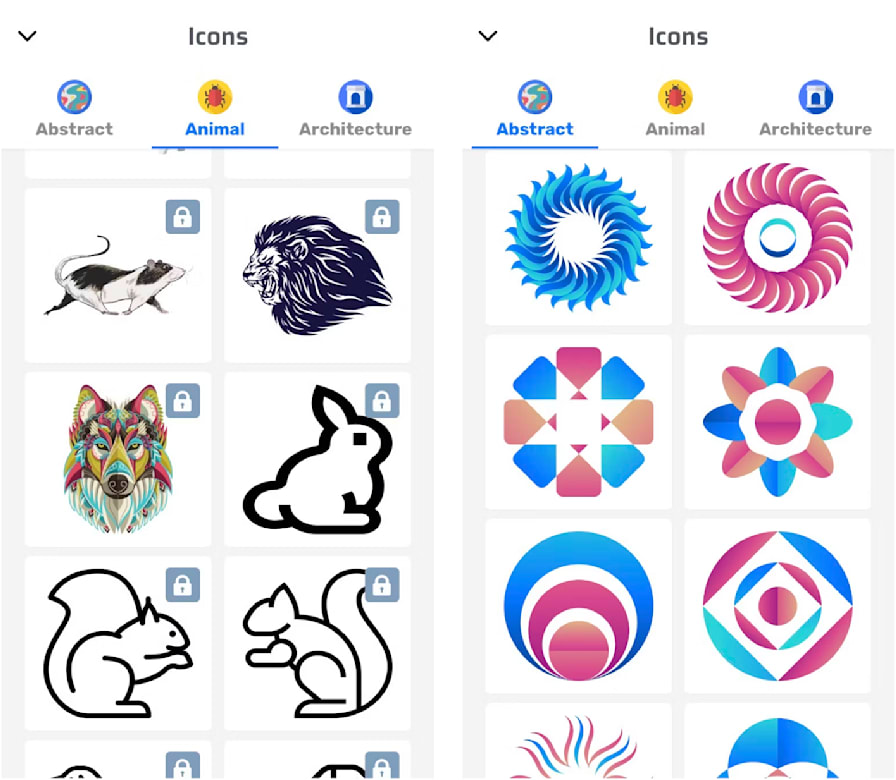
Icons give your logo a visual identity. You can swap default icons with others that fit your message better. Resize and reposition icons to balance your design.
Shapes frame your logo and add structure. Experiment with circles, squares, or abstract forms. This step enhances logo uniqueness and appeal.
Adding Text And Taglines
Include your business name clearly. Make sure the text is readable on all devices. Adding a tagline can explain your brand’s mission simply.
Logo makers let you move text freely. Try different placements until the layout feels right. This customization improves overall brand recognition.

Credit: www.designfreelogoonline.com
Logo File Formats Explained
Understanding logo file formats is essential for using your logo correctly. Different formats serve different purposes. Choosing the right one ensures your logo looks great everywhere.
Some formats are best for print, others work better online. Knowing these basics saves time and avoids frustration.
What Is A Vector File?
Vector files use math to create shapes. They can be resized without losing quality. Common vector formats include AI, EPS, and SVG.
Designers often provide logos in vector format. This helps keep the logo sharp on any size, from business cards to billboards.
What Are Raster Files?
Raster files are made of pixels. They include JPG, PNG, and GIF formats. These files can lose quality if enlarged too much.
Use raster files for websites or social media. PNG supports transparency, making logos blend well on any background.
When To Use Pdf Files
PDF files can contain vector and raster images. They are easy to share and print. Many printers accept PDF logos for high-quality prints.
PDFs keep your logo’s colors and details intact. They are a good choice for both digital and print use.
Choosing The Right Format For Your Needs
Use vector files for printing and large displays. Raster files work well for digital screens. Keep PNG for transparent backgrounds.
Always ask your logo maker site for multiple file formats. This gives you flexibility in using your logo anywhere.
Pricing Models Compared
Choosing the right logo maker involves understanding pricing models. Each platform offers different payment options and plans. Some sites have free versions with limited features. Others require a one-time payment or monthly subscription. Knowing these models helps pick the best value for your needs.
Pricing can depend on file types, usage rights, and extra services. Some platforms charge for high-resolution downloads or commercial licenses. Others include these in their basic plans. Comparing pricing structures ensures no surprise costs later.
Free Plans
Many logo makers offer free plans to start. These usually include basic templates and limited downloads. Free logos might have lower resolution or watermark. This option suits those with small budgets or testing ideas. It often requires account creation to access files.
One-time Payment
One-time payment means paying once for full logo access. Users get high-resolution files and commercial rights immediately. This model is common for simple logo makers. It avoids recurring fees and is cost-effective for long-term use. Some platforms offer multiple file formats in this plan.
Subscription Models
Subscription models charge monthly or yearly fees. They often include logo creation plus other design tools. This option is good for businesses needing frequent design updates. Subscribers get access to premium templates and ongoing support. Cancel anytime without losing created logos.
Pay-per-download
Some sites allow free logo design but charge for downloads. Users design logos without payment first. Only when satisfied, they pay to download files. This model reduces upfront costs and risk. It suits users wanting to see results before buying.
Custom Design Pricing
Platforms offering custom design connect clients with professionals. Pricing varies based on designer experience and project scope. Custom logos cost more but offer unique branding. Many sites show portfolios and reviews to help choose designers. Payment may be upfront or in milestones.
User Experience And Ease Of Use
User experience and ease of use are crucial when choosing the best logo maker sites. A smooth, simple interface saves time and reduces frustration. Clear navigation and helpful guides make the design process enjoyable. Whether you are a beginner or have some design knowledge, easy tools help create logos quickly.
Good logo makers offer drag-and-drop features, templates, and instant previews. They often include step-by-step instructions and customer support. Mobile-friendly platforms allow designing on the go. The simpler the site, the better the chance you finish your logo without stress.
User Interface And Navigation
The best logo makers feature clean, intuitive interfaces. Buttons and menus are easy to find. Users can access tools without confusion. A logical layout guides users through the logo creation steps. Minimal clutter helps focus on design elements.
Template Selection And Customization
Templates speed up the design process. Good sites offer a wide variety of styles and themes. Users can customize colors, fonts, and icons with a few clicks. Real-time editing shows instant changes. Flexibility in customization ensures unique logos.
Mobile Compatibility
Many users design logos on smartphones or tablets. Responsive design and mobile apps improve access. Mobile-friendly sites keep features simple and touch-friendly. This allows logo creation anywhere, anytime.
Support And Guidance
Helpful tutorials and FAQs improve user confidence. Live chat or email support solves issues quickly. Some sites offer AI assistance to suggest ideas. Clear instructions reduce mistakes and speed up the process.
Brand Identity Integration
Logo design tools have evolved quickly over recent years. New features and smarter technology now help users create unique logos easily. These tools blend creativity with simplicity. They aim to serve beginners and professionals alike.
Many platforms now include AI to suggest logo styles. This speeds up design and offers fresh ideas. Mobile-friendly interfaces allow logo creation anytime, anywhere. Templates remain popular but are more customizable today. Users can adjust colors, fonts, and icons to fit their brand perfectly.
Ai Integration In Logo Makers
Artificial intelligence analyzes brand details to generate logo options. It learns from your preferences to refine designs. This reduces the time needed to create logos. AI also helps suggest color schemes and fonts that match your industry.
Mobile-first Design Tools
Many logo makers now focus on mobile usability. Users can design logos on phones or tablets. This flexibility fits busy schedules and on-the-go creativity. The tools often include simple drag-and-drop features for ease.
Template Customization
Templates offer a starting point for logo creation. Recent tools let users modify every element in a template. This ensures logos look unique, not generic. Customization includes changing icons, layouts, and typography.
Collaboration Features
Some platforms add options to share and edit designs with teams. This supports feedback and quicker decisions. Collaboration tools help small businesses and startups finalize logos faster. Users can comment and suggest changes directly on the platform.

Credit: www.canva.com
Frequently Asked Questions
What Is The Best Website To Make Logos?
Canva offers user-friendly logo design with many templates. Hatchful by Shopify suits quick, mobile logos. For custom work, hire designers on Dribbble or Behance. AI tools like Looka provide fast, brand-focused logos. Choose based on your design needs and budget.
Can Chatgpt Create Logos?
ChatGPT cannot create logos directly but can help generate ideas and guide design concepts. Use dedicated logo maker tools for actual design.
What Do Youtubers Use To Make Logos?
YouTubers use tools like Canva, Adobe Express, Hatchful by Shopify, and Looka to create logos easily. Some hire designers on Dribbble or Behance for custom logos. These platforms offer user-friendly templates and AI-powered features for quick, professional logo design.
Is There Any Free Logo Maker Online?
Yes, free online logo makers like Canva, Hatchful by Shopify, Wix Logo Maker, and Adobe Express let you create logos easily. These tools offer templates and AI features for quick design without cost.
What Are The Best Free Logo Maker Sites Available?
Canva, Hatchful by Shopify, and Adobe Express offer free, easy-to-use logo creation tools.
How Do Ai-powered Logo Makers Work?
They use algorithms to create logo designs based on your brand’s style and preferences.
Can Beginners Create Professional Logos On These Sites?
Yes, many sites provide templates and simple tools for users without design experience.
Which Logo Maker Site Is Best For Mobile Users?
Hatchful by Shopify is optimized for mobile and very user-friendly on smartphones.
Are There Logo Makers That Offer Custom Design Options?
Platforms like Dribbble and Behance connect you with professional designers for custom logos.
What File Types Do Logo Makers Provide?
Most sites offer high-quality PNG, JPG, and sometimes vector files like SVG or EPS.
Conclusion
Choosing the right logo maker site depends on your needs and skills. Free tools like Canva and Hatchful suit beginners and quick designs. For unique, high-quality logos, consider hiring professionals on Dribbble or Behance. AI-powered platforms like Looka offer smart, fast options.
Explore these sites to find one that fits your style and budget. A great logo helps your brand stand out and connect with customers. Take your time and enjoy the creative process.





