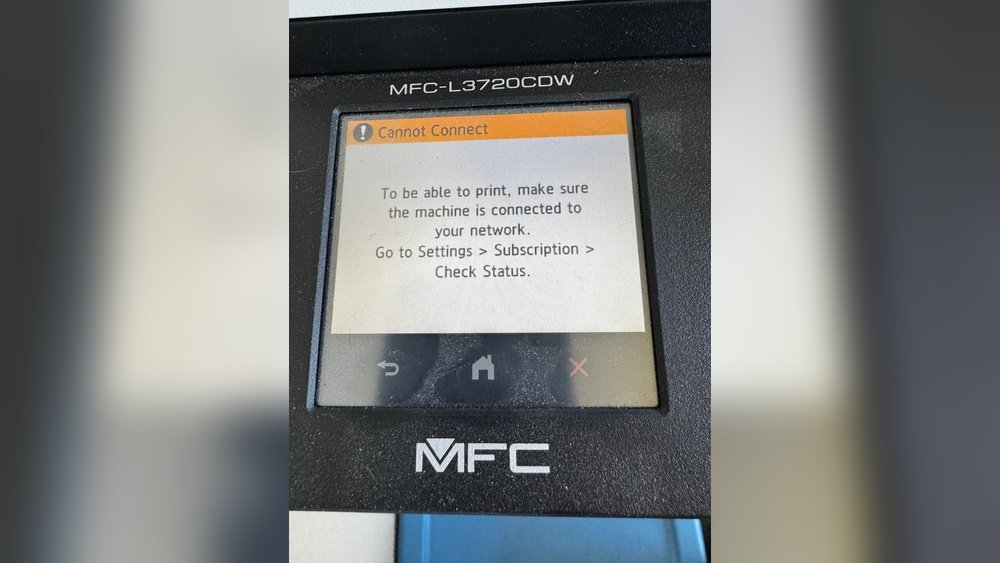
Are you wondering if your Brother printer demands a subscription to keep working? You’re not alone.
Many people ask whether they must sign up for a monthly service just to get ink or toner delivered. The good news is, Brother printers do not require you to subscribe. But there’s more to the story. Understanding how Brother’s optional Refresh EZ Print Subscription works—and when it might actually save you time and money—can help you make the best choice for your printing needs.
Keep reading to uncover the truth about Brother printer subscriptions and how you can avoid unwanted fees while keeping your printer running smoothly.
Brother Print Subscription Service
The Brother Print Subscription Service offers a convenient way to manage your printer ink or toner supplies. It delivers cartridges automatically to your door before you run out. This service helps avoid last-minute trips to the store. It works with select Brother printers designed for subscription use.
Using the service means you pay a monthly fee for ink or toner cartridges. The cost depends on your printing volume and the printer model. You can pause or cancel the subscription anytime without penalties. The subscription also includes free shipping on all deliveries.
How The Brother Print Subscription Service Works
First, you register your eligible Brother printer online. The service tracks your printer’s ink or toner levels remotely. When supplies run low, the system sends new cartridges automatically. You do not need to reorder manually. This keeps your printer ready for use without interruptions.
Which Brother Printers Support The Subscription?
Not all Brother printers require or support the subscription service. Usually, inkjet and laser printers with wireless connectivity qualify. These models have built-in sensors to monitor ink or toner levels. Check Brother’s official website to see if your printer is eligible for the subscription.
Benefits Of Using The Brother Print Subscription Service
The subscription saves time and effort by automating cartridge orders. It helps prevent printing delays caused by empty ink or toner. The service offers a predictable monthly cost for printing supplies. Customers receive original Brother cartridges, ensuring print quality and reliability.
Can You Use Brother Printers Without A Subscription?
Yes, many Brother printers do not require a subscription. You can buy ink or toner cartridges separately from stores or online. This option suits users who print occasionally or want to control supply costs. Some Brother models even use refillable ink tanks to reduce expenses.
Printers That Don’t Need Subscriptions
Many people worry about printer subscriptions and ongoing costs. Some Brother printers offer subscription plans for ink and toner. Yet, several models do not require these subscriptions. These printers let you buy ink or toner as needed. This saves money and gives you more control over printing expenses.
Choosing a printer without a subscription can be smart. It helps avoid surprise fees and long-term commitments. These printers are ideal for users who want simple, straightforward printing.
Standard Inkjet And Laser Printers
Most standard inkjet and laser printers do not need subscriptions. You can buy cartridges at any store or online. There is no forced sign-up for ink delivery services. These printers work well for everyday printing tasks. You pay only for the ink or toner you use.
Ink Tank Printers
Ink tank printers use refillable tanks instead of cartridges. They cost more at first but save money in the long run. Ink bottles are cheaper and last longer than cartridges. Epson EcoTank series is a popular example. These printers avoid subscription fees and offer low printing costs.
Black And White Laser Printers
Black and white laser printers focus on text printing. They are reliable and easy to maintain. These printers have a lower cost per page than color printers. Many models from Brother and other brands do not require subscriptions. They are excellent for users who print mostly documents.
Inkjet Vs Laser Printers
Choosing between inkjet and laser printers affects subscription needs. Both types serve different printing needs and budgets. Inkjet printers excel in color printing and photo quality. Laser printers suit high-volume text printing with sharp results.
Understanding these differences helps decide if a subscription service is necessary for a Brother printer. This section explores key traits of inkjet and laser printers to guide your choice.
Inkjet Printers
Inkjet printers spray tiny droplets of ink onto paper. They handle color images and photos well. Ink cartridges may run out quickly, especially with heavy use. Some Brother inkjet models offer subscription services for ink delivery. This helps users avoid running out of ink.
Subscriptions can be convenient but are not mandatory. Users can buy cartridges separately if preferred. Inkjet printers tend to have lower upfront costs but higher ink expenses over time.
Laser Printers
Laser printers use toner powder and a laser to print. They produce sharp black and white text quickly. Toner cartridges last longer than ink cartridges. Many Brother laser printers do not require a subscription for toner.
Buying toner cartridges as needed is common. Laser printers generally cost more upfront but have lower printing costs per page. They suit offices or users printing many documents.
Subscription Considerations For Brother Printers
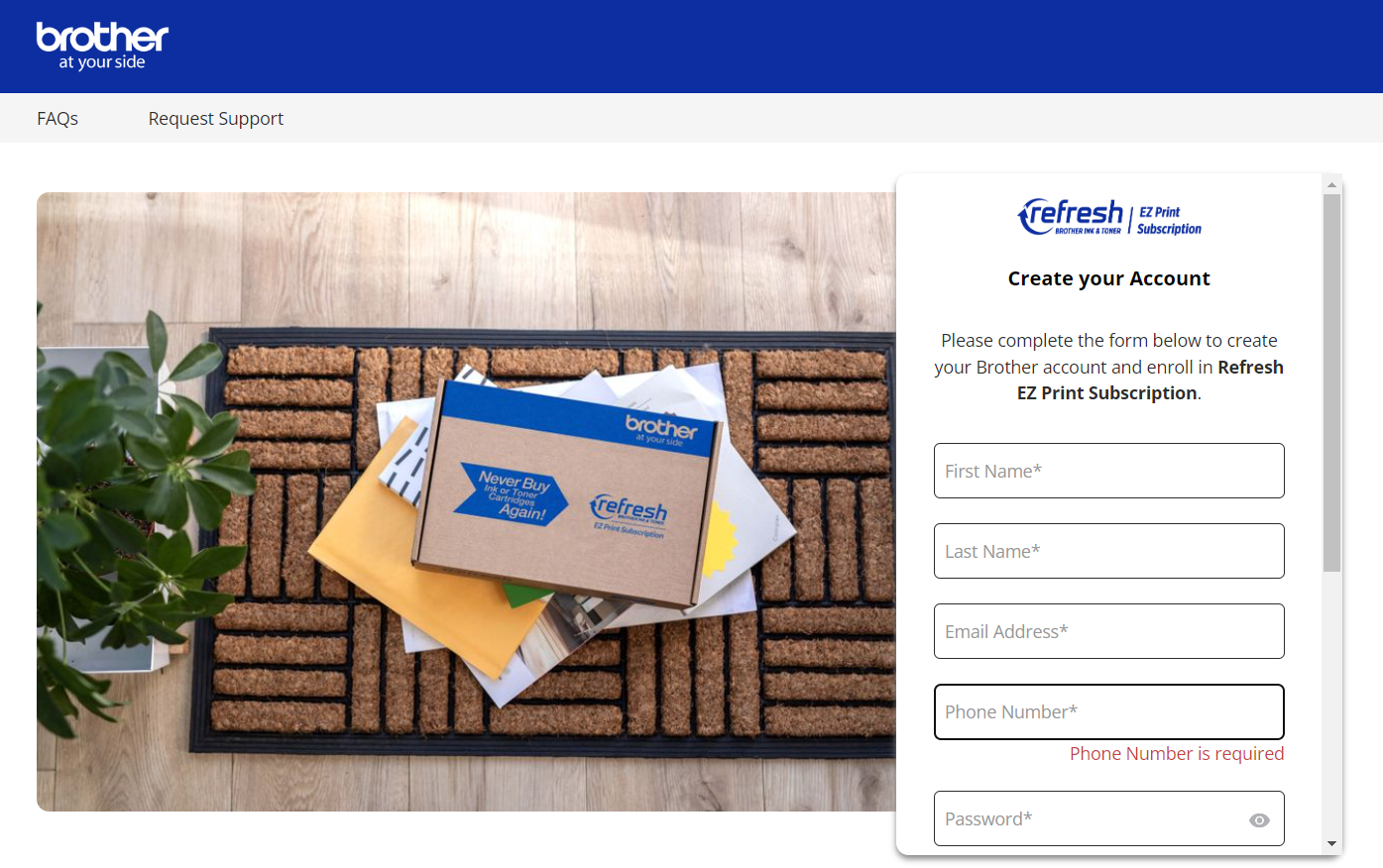
Brother offers an optional subscription called Refresh EZ Print. It automatically sends ink or toner when running low. This service fits users who prefer hassle-free supply management.
Subscriptions are optional. Users can decline offers and buy supplies independently. Inkjet users might find subscriptions useful for color printing. Laser printer users often avoid subscriptions due to longer-lasting toner.

Credit: www.reddit.com
Ink Tank Printers Explained
Ink tank printers offer a different way to print without using cartridges. Instead of small ink cartridges, these printers use large, refillable ink tanks. This design helps reduce the cost of printing over time.
They are popular for high-volume printing needs. Many users prefer them because ink bottles are cheaper than cartridges. The tanks hold more ink, so you refill less often. This makes ink tank printers very economical.
How Ink Tank Printers Work
Ink tank printers have visible tanks on the side or front. You pour ink bottles into these tanks to refill them. The printer draws ink from the tanks to print documents and photos. This system avoids frequent cartridge changes.
Benefits Of Ink Tank Printers
These printers save money on ink costs. They print many pages before needing a refill. Ink tanks are easy to refill, reducing waste. Users get consistent print quality for text and images. They are ideal for home offices and small businesses.
Ink Tank Printers And Subscription Services
Most ink tank printers do not require a subscription. You buy ink bottles as needed without signing up for any plan. This freedom helps control printing expenses. Brands like Brother offer ink tank models with no mandatory subscription. Users avoid extra fees and commitments.
Subscription Benefits And Drawbacks
Brother printers offer subscription services that deliver ink or toner automatically. These subscriptions have clear benefits and some drawbacks. Understanding both helps decide if a subscription fits your printing needs.
Subscriptions can save time and prevent running out of ink. They often include discounted prices on cartridges or toner. Users enjoy the convenience of regular deliveries without reordering. Some plans provide flexible options to pause or change shipments.
On the downside, subscriptions add ongoing costs. You may pay for ink or toner even if you print less. Canceling a subscription can sometimes be tricky or have hidden fees. Not all Brother printers require subscriptions, so buying a standard printer is an option for some.
Benefits Of Brother Printer Subscriptions
Automatic ink or toner delivery keeps printers ready. Discounts on cartridges lower overall costs. Subscriptions reduce trips to the store. Plans often include easy management through apps or websites.
Drawbacks Of Brother Printer Subscriptions
Subscription fees add to printing expenses. You might receive supplies you do not need. Canceling or changing plans may involve delays or fees. Some users prefer buying cartridges only when required.
Who Should Consider A Subscription?
Heavy print users benefit most from subscriptions. Businesses or students with steady printing needs save time. Those who dislike tracking ink levels find subscriptions helpful. Users wanting predictable printing costs may prefer plans.
Who Might Avoid A Subscription?
Casual or light users may not need regular shipments. People with low printing volume may pay more overall. Users wanting full control over purchases prefer to buy ink separately. Those who print mostly black and white may find laser printers cheaper.
Credit: www.tonerbuzz.com
How To Skip Subscription Offers
Many Brother printer users want to avoid subscription plans. Skipping these offers saves money and keeps printing simple. Understanding how to bypass subscription prompts helps you use your printer freely. Below are easy steps to skip subscription offers on Brother printers.
Identify Subscription Prompts During Setup
Brother printers often show subscription options during initial setup. Watch for screens that ask to enroll in ink or toner plans. Look carefully for a “Skip” or “No thanks” button. Selecting this lets you continue without signing up.
Use Printer Without Registering Online
Registration sometimes triggers subscription offers. Avoid registering your printer on Brother’s website if you want to skip subscriptions. You can still print without registration by using the printer’s basic functions. This method stops subscription offers from appearing.
Buy Ink And Toner Independently
Brother subscriptions focus on automatic ink or toner delivery. Buy cartridges from stores or online instead. This avoids the need for any subscription service. You control when and what to purchase, saving money.
Disable Automatic Subscription Notifications
Some Brother printers send subscription reminders via email or app. Check your printer’s settings or Brother’s app to turn off these alerts. This prevents subscription prompts from disturbing you after setup.
Monochrome Laser Printers For Savings
Monochrome laser printers offer a cost-effective way to print black and white documents. They use toner cartridges that last longer than ink cartridges. This reduces how often you need to buy replacements.
These printers are ideal for users who print mainly text. They are simple to use and require less maintenance. This helps save money over time.
Low Cost Per Page
Monochrome laser printers have a lower cost per page than inkjet printers. Toner cartridges yield thousands of pages. This means fewer cartridge changes and less spending.
No Subscription Needed
Most Brother monochrome laser printers do not need a subscription. You can buy toner cartridges as needed. This gives you control over your printing costs.
Reliable For High Volume Printing
These printers handle large print jobs without frequent errors. They work well in offices or homes with high printing needs. Reliability means fewer repairs and savings on service fees.
Energy Efficient And Fast
Monochrome laser printers use less power than color models. They print pages quickly, saving time and electricity. This efficiency lowers overall operating costs.
Popular Brother Printers Without Subscriptions
Many users prefer Brother printers without subscription plans. These models let you buy ink or toner as needed. No monthly fees. No automatic deliveries. Ideal for those who print occasionally or want full control over costs.
Brother offers several popular printers that work well without subscriptions. These printers provide quality printing without binding contracts. Suitable for home offices, students, and small businesses.
Brother Hl-l2350dw
This is a compact monochrome laser printer. It prints fast and uses toner cartridges you buy separately. No subscription required. It is perfect for text documents and black-and-white printing. Easy to set up and reliable for daily use.
Brother Mfc-j805dw
An inkjet printer with a high-yield ink system. It uses refillable ink cartridges instead of a subscription. Saves money on ink over time. Good for color prints, photos, and documents. Wireless and user-friendly.
Brother Hl-l2370dw
A wireless monochrome laser printer with automatic duplex printing. It uses standard toner cartridges available in stores. No need for subscription plans. Suitable for users who print large volumes of black-and-white pages.
Brother Dcp-l2550dw
This model is a multifunction laser printer. It scans, copies, and prints without a subscription. Toner cartridges are bought separately. Ideal for small offices needing multiple functions in one device.
Replacing Ink After Subscription Cancelation
Replacing ink after canceling a Brother printer subscription raises many questions. Users want to know if ink replacement is still easy and affordable. Understanding the process helps avoid confusion and extra costs. This section explains how to replace ink without an active subscription.
Understanding Ink Replacement Options
Brother printers allow ink cartridge replacement without a subscription. You can buy original cartridges from stores or online. No subscription is needed to keep your printer working.
Choosing genuine Brother ink ensures print quality and device safety. Using third-party ink may cause problems or void the warranty.
Buying Ink Cartridges Without Subscription
After canceling the subscription, order ink cartridges separately. Brother’s cartridges are widely available at retailers and e-commerce sites. Prices vary, but buying cartridges individually gives control over costs.
Check cartridge model numbers to buy the correct ink for your printer. Using the wrong ink can damage the printer or reduce print quality.
Using Refillable Ink Tanks
Some Brother printers use refillable ink tanks instead of cartridges. These tanks can be refilled with ink bottles. This option lowers costs over time and avoids subscription fees.
Refilling ink tanks requires care to avoid spills and maintain printer performance. Follow instructions to keep your printer in good condition.

Credit: www.reddit.com
Choosing The Right Printer For You
Choosing the right printer means finding one that fits your needs and budget. Printers come in many types and features. Understanding these helps you make a smart choice.
Some people want a printer for occasional use. Others need heavy-duty machines for daily printing. Knowing your usage helps narrow down options. Another factor is the cost of ink or toner. Some printers require subscriptions for ink delivery. Others allow buying cartridges as needed.
Types Of Printers Available
Inkjet printers print high-quality photos and color documents. They are good for home and small office use. Laser printers are faster and better for text documents. They often cost less per page and need less maintenance.
Ink tank printers hold large amounts of ink. They are more expensive at first but save money over time. These printers do not usually need subscriptions. You refill ink tanks with bottles instead of cartridges.
Subscription Vs Non-subscription Models
Some Brother printers offer subscription services for ink or toner. Subscriptions send ink automatically and avoid running out. But they add ongoing costs. Non-subscription printers let you buy ink only when needed.
Choosing a non-subscription printer means more control over expenses. You avoid surprises in monthly bills. Look for printers that allow skipping subscription offers during setup. Check product details carefully before buying.
Matching Printer Features To Your Needs
Consider print volume. For low use, an inkjet or ink tank printer works well. For heavy text printing, a black-and-white laser printer is best. Think about wireless printing if you want to print from phones or tablets.
Check print speed and quality ratings. Some printers offer duplex (double-sided) printing. This saves paper. Also, look at cartridge prices. Some models have cheaper ink replacements.
Frequently Asked Questions
Does Brother Printer Have A Subscription?
Brother printers do not require a subscription. Enrollment in the optional Refresh EZ Print Subscription helps auto-deliver ink or toner. You can buy cartridges separately without subscribing.
Which Printers Do Not Require A Subscription?
Standard inkjet and laser printers, ink tank models like Epson EcoTank, and black-and-white laser printers do not require subscriptions. Brands such as Brother, Canon, and Epson offer printers that allow buying ink or toner without mandatory subscription plans.
Can I Still Use My Printer If I Cancel Hp Instant Ink?
Yes, you can use your printer after canceling HP Instant Ink. Just buy ink cartridges independently and install them as needed.
Do I Have To Use A Brother Refresh Subscription?
No, using Brother Refresh subscription is optional. You can buy ink or toner cartridges separately anytime.
Do Brother Printers Need A Subscription Service?
Brother printers do not require a subscription to print. Subscriptions are optional for ink delivery.
What Is Brother’s Refresh Ez Print Subscription?
It is an optional service that automatically sends ink or toner before you run out.
Can I Use Brother Printers Without Any Subscription?
Yes, Brother printers work fully without subscribing to any ink or toner plans.
Are Ink Subscriptions Mandatory For Brother Inkjet Printers?
No, subscriptions are not mandatory; users can buy ink cartridges as needed.
How Do Brother Subscriptions Save Money On Ink?
Subscriptions offer convenience and discounts but are not necessary for cost savings.
Which Brother Printers Are Eligible For Subscription Services?
Many Brother inkjet and laser models support subscriptions, but usage is optional.
Conclusion
Brother printers do not always need a subscription to work. Many models let you buy ink or toner as needed, without extra fees. Subscription services like Refresh EZ Print offer convenience but are optional. Users can skip these offers during setup.
Choosing standard inkjet or laser printers helps avoid subscriptions. Black and white laser printers are cost-effective and subscription-free. Always check printer details before buying. This way, you control your printing costs. Simple choices lead to hassle-free printing experiences.





